




zoomyboomy
Member
-
Joined
-
Last visited
Everything posted by zoomyboomy
-
So I was able to complete a 12 hour long haul flight - this was the first time I successfully completed an end to end long haul on the A380. I want to run a few more flights to build confidence before I declare the issue is solved - but there are a handful of things that I did. I'm not sure which one of these steps (if not the combination of multiple) prevented access violation and memory errors leading to a MSFS CTD when using the A380. Fresh-Installed and updated Nvidia drivers to latest (617.14) The previous driver was what I was using when the CTDs occured. Increased Windows Memory Page File Size, and added an additional page file on the SSD that MSFS is installed on. Downgraded DLSS Swapper FG Preset from v310.9.1 to 310.7. Going to try 310.8 next. Cleared A380 WASM folder, disabled addon in library, deleted residual files from "streamed packages" and did a complete clean install of the A380. Disabled Navigraph Charts. Disabled FSLTL Injector (During Cruise, turned it back on during approach and had it on during takeoff) Turned off the EFB on both sides after takeoff, kept it off the entire cruise, and turned it back on after landing. Downloaded the "A380 reduced texture pack"
-
-
I've done everything that they asked - Including BIOS and SSD firmware updates, cleared cache, cleared wasm, fresh installed the a380, reduced graphics settings significantly, and clean installed drivers. Also using the reduced texture pack, and accepted/allowed the new crash reporting tool. I've done some digging and found the MSFS crashes I encountered in Event Viewer. This might be helpful to the Ini Team: Crash 1 (mimalloc.dll Access Violation) Faulting Module: mimalloc.dll (v0.0.0.0) Exception Code: 0xc0000005 Fault Offset: 0x000000000000d254 Crash 2 (Core Game Access Violation) Faulting Module: FlightSimulator2024.exe (v1.8.16.0) Exception Code: 0xc0000005 Fault Offset: 0x000000000054ef06 Crash 3 (GPU Device Loss / Execution Trap) Faulting Module: FlightSimulator2024.exe (v1.8.16.0) Exception Code: 0x80000003 Fault Offset: 0x0000000003e1b2c1 Since these are happening only when i use the A380 (A350, A340, and PMDG aircraft are fine), and with what I've been reading in this discord post - I suspect this might be EFB related. (Maybe a red herring, who knows - but we'll see. I'll do some long flights over the weekend and see if this is still an issue in 1.01)
-
Hi Kyle, I know some users here reported CTDs as well - but on the contrary, I intentionally run my sim with reduced settings and a nearly empty community folder (with the exception of a the origin and destination airports, a380 liveries, and a few mods such as GSX and Universal Cabin Announcer, and FSLTL) I’m curious if anyone on the Inibuilds side is aware of or tracking any possible causes for a mysterious CTD happening during cruise? If you look at my earlier posts I mentioned the error that was in the asobo crash report. I’m curious if there any adverse interactions between FSLTL or Spad.Next, or any specific graphics settings I should pay attention to. So far, I’ve cleared my nvidia cache, deleted the wasm folder, reinstalled the airplane, verified MSFS game directory, and disabled FSLTL during cruise - still no avail.
-
-
Yeah ive only attempted three flights so far and every one resulted in a CTD after a couple of hours. I looked into the Asobo Crash Report file and saw the error 0xC0000005. I agree with you though, the airplane is awesome and I genuinely love it. The performance has also been spectacular - it actually gets better frames on my system than the a350 if you believe that - which is why these mysterious CTDs are so weird to me. I'll keep you guys posted if I figure anything out. Im gonna try a clean install and reverting my graphics drivers. ini is also updating the plane this Tuesday so I think they're going to fix some art related and system things - maybe it'll help.
-
-
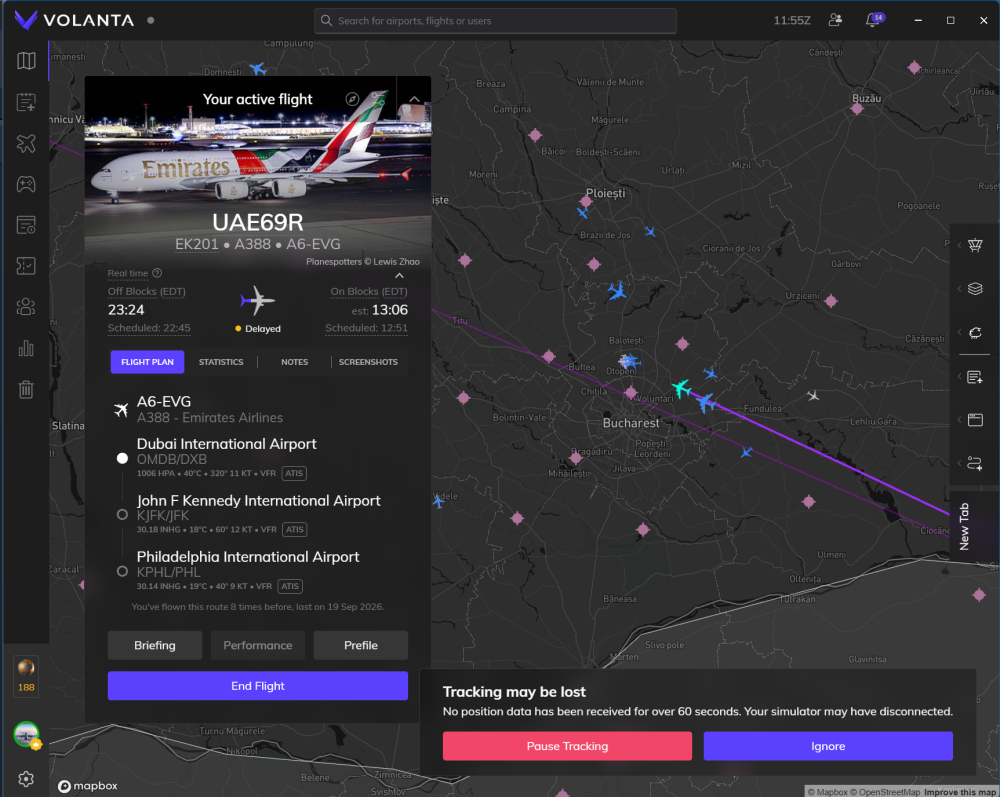
Nice to know I am not alone and its interesting how your crashes were the same as mine! When i was flying from Dubai to the UK, I had a CTD near Greece. Going to NYC, it was around Bucharest. I cleared my rolling cache and disabled pretty much every addon I have and I will try another long haul tonight and see what happens. This is truly weird, as I also have not had any CTD's before, and I have flown the A350 ultra long haul many times in these same areas.
-
Some more context - not sure if this is a red herring or not - I emptied my community folder and loaded into LTFM (Default) and the plane just hung and endlessly loaded until the sim crashed. I disabled City/World Update Eastern Europe, cleared scenery indexes, and was able to resume my flight from an auto-save. So far the two flights I tried were OMDB-EGLL and OMDB-KJFK. Both crashes happened when flying near Turkey/Romania. I'm not entirely sure why, maybe this is a rolling cache thing? Is there anything Ini would like me to do to collect more data?
-
Hi Team, I am hoping to get some help/clarity here. I routinely fly long hauls, and have done upwards of 16 hours in the a350. However, ever since I purchased the a380, I have not been able to complete a single long haul flight. The simulator will CTD every time after a few hours of flying. I would like to figure out whats happening but I do not know where to start. Any help is appreciated. The only clue I have so far is that on both occasions, the CTD happened around the same area (Eastern Europe)
-
Yeah, JFK was disabled. I suspect it might have to do with the scenery indexes? So I cleared those out and fresh-installed the scenery. I'll let you know if I experience it again...
-
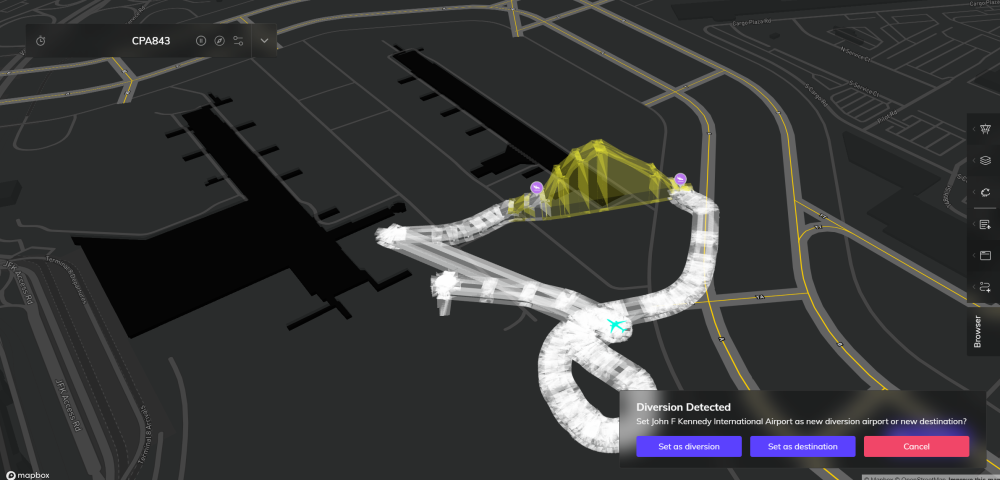
Attempted to fly again and was flung in the a350 at Taxiway Alpha and TA intersection.
-
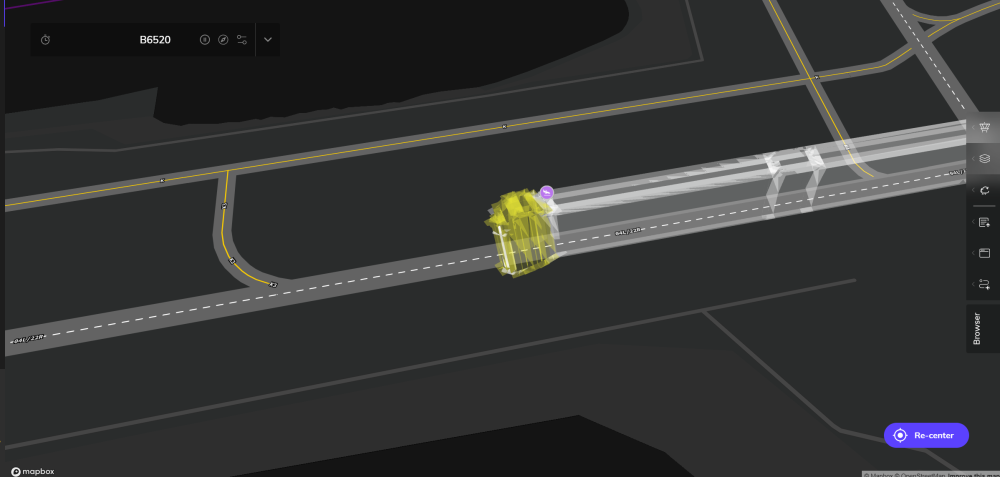
Unfortunately when landing on Runway 22R, as I was vacating, the aircraft (a220) was flipped upwards into the air. Using latest version on MSFS2024. I saw on discord that another user encountered a similar issue.
-
I'm not sure if this is related, but I have the latest JFK installed (1.07) for MSFS2024. I was crossing the bridge on taxiway A between A, U, and A - when suddently my plane was launched into the sky. It continued launching into the sky around the Terminal 7 Area, and did not stabilize until i got the plane past VA. Inibuilds, this is not acceptable, please let me know what to do to fix this or if you intend to release a hotfix. Thank you.
-
Do the same thing but link left side to throttle 1 and 2 and right side to throttle 3 and 4 for all the steps.
-
-
It is located at the D3 intersection right on the edge of RWY 13R/31L. Plane shot up in the sky when vacated off of D3. Hopefully that helps 🙂 (FS2024)


