




davidwarrior
Member
-
Joined
-
Last visited
Everything posted by davidwarrior
-
That is an option too. In most addons you don't have to use your mouse to click a button to increase the sim rate. You just have to press a key on the keyboard, and it does it. I use the Inibuilds A350 along with PMDG series aircraft. There you just have to look the tablet and it simply shows the sim rate and keypress increases it and it is really great. Just a little feedback on this one. :)
-
-
I just found out that it is impossible to test the oxygen only on the captain's side with the latest update (1.1.9). When I hover the mouse over press to test or 100% push (the red flip one) the buttons are not clickable as as if the clickspots are missing. This was last working in version 1.1.7.
-
I experience this with both variants. I do not have GSX installed. MSFS 2020.
-
I have the same problem as well however I do not have GSX installed. I did a complete reinstall of the plane, but it did not work. Other addons like PMDG is completely fine.
-
I have the same issue as well.
-
I noticed that braking on the ground doesn't work on 4X sim rate no matter how long I hold the brake button on my joystick. It is also acting strangely. Sometimes the pressure goes up a bit and it drops a second later. On 2X sim rate it works perfectly. This issue was not present earlier.
-
Yes and that is the reason why I don't fly really long haul routes. Max length route I fly is like 2000 NM. I can do that with 4X time compression. I am still waiting for 8X and 16X as well.
-
After updating to version 1.0.4 simulation rate 8x is possible. It was not allowed earlier. Route was from Hong Kong to Doha. Easy to reproduce. 1. Set simulation rate to 4X 2. Enable auto time compression. 3. Press button that increases simulation rate and it will go up to 8x. Note: Flight time and fuel usage will not correspond with 8x time compression.
-
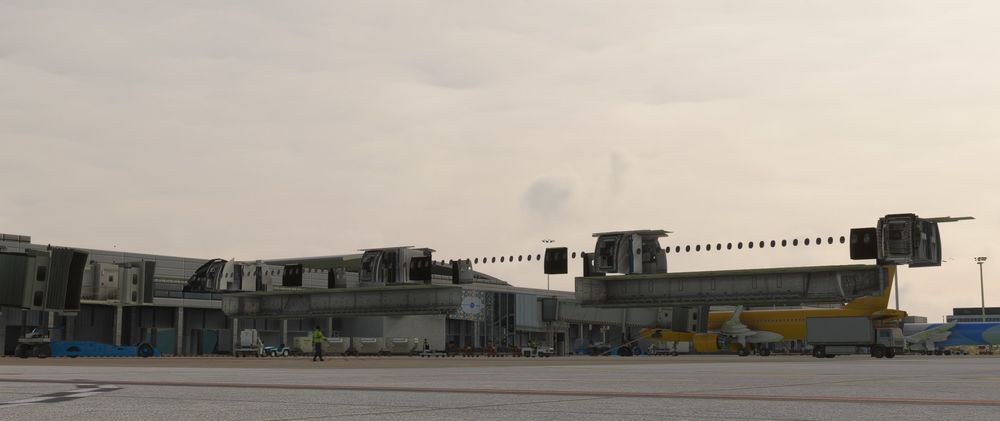
If you install a livery that is 1.0.1 version you will get this skeleton kind of view.
-
I have the same problem. In fact any liveries that have version 1.0.1 will end up like this.
-
On the OIS Loadsheet page the SET ZFW and SET FUEL button should be greyed out if there are no values entered next to them. A minimum and maximum hint text would also be great. When loading the aircraft these entries are blank so it would be great to see a default nonempty value.


