




Maddog75
Member
-
Joined
-
Last visited
-
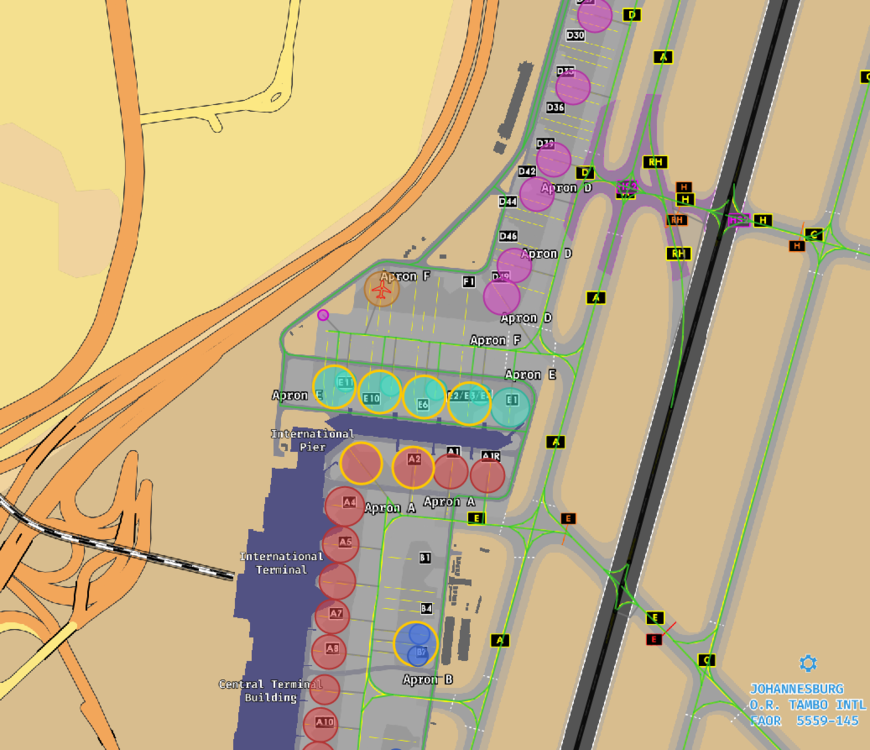
Hi. The GSX profile from the inibuilds installer is missing many remote parking stands. For example on B, F & D apron. See my screenshot. Any chance to get an profile update here?
-
I found the issue. Had to re-assign the axis for throttle No. 1
-
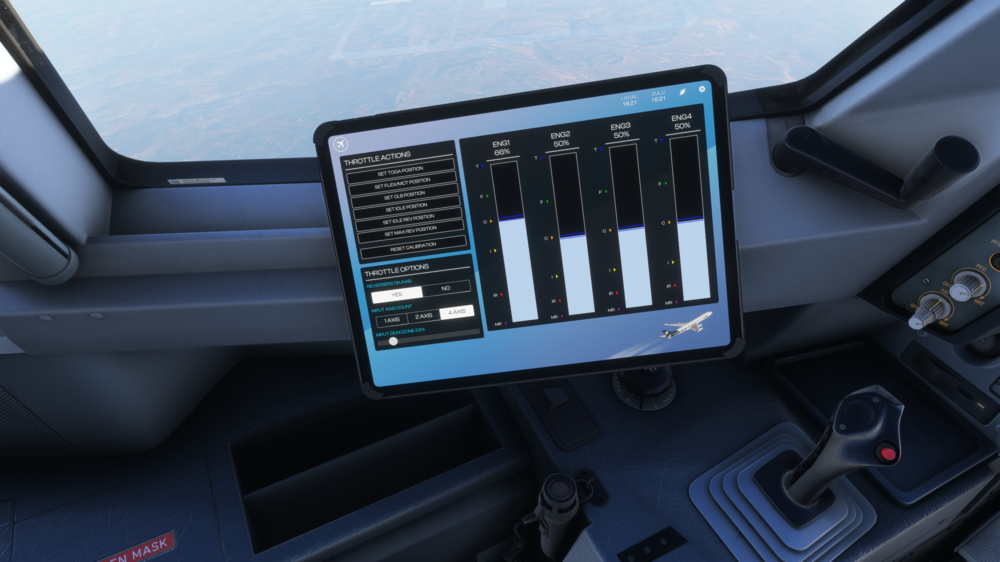
Hi, I have calibrated my Thrustmaster Airbus Throttlequadrant as follows: Engine 1+2 on LAXIS X and Engine 3+4 on LAXIS Y After calibrating in the OIS the detents work fine. However, even though engine 1 and 2 should have the same position in idle, engine 1 is slighty higher, which results in more thrust than engine 2 when flying with manual thrust or applying taxi thrust. Physically both levers are in the same position. Here is a screenshot of how it looks in the OIS. Any ideas, how I can fix this?
-
Very happy to see the ULR version of the -900 released. Will you release the -1000 ULR version as well? This will be the plane for Qantas Project Sunrise.
-
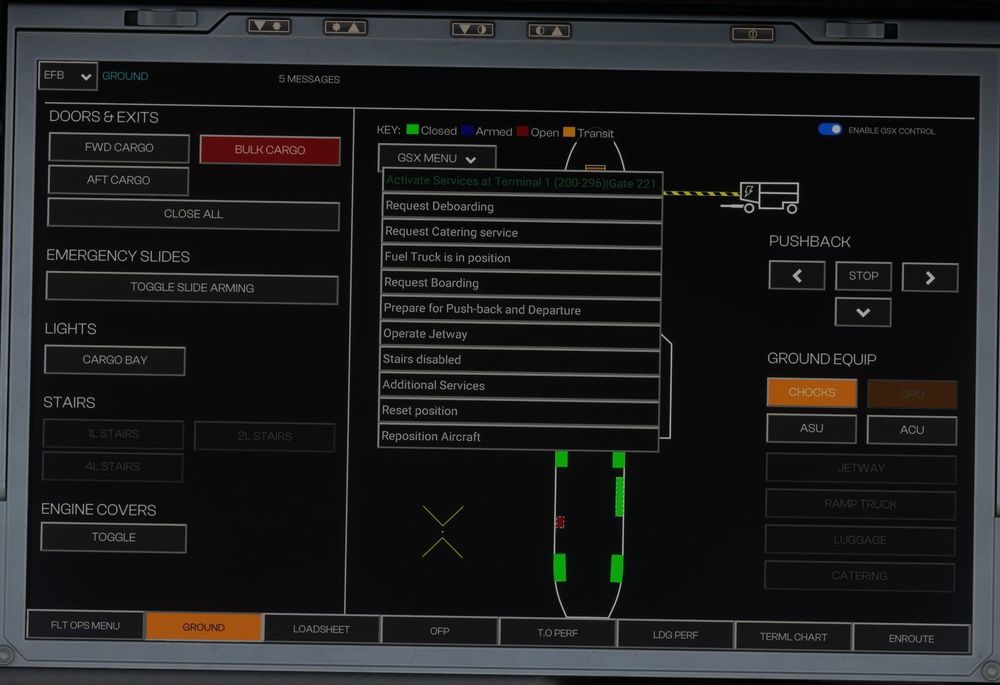
If you mean dismiss the GSX GPU, that won't do anything to the inibuilds GPU (shown in orange and with the symbol). When GSX control is on ,the GPU is greyed out.
-
-
When GSX Control is on, you can't control the inibuilds GPU anymore. But this is the one which actually provides power to the aircraft. I can request the GSX GPU, but then I only get the animation, but no power to the aircraft. So I have to connect the inibuilds GPU, turn GSX control on, do the fueling and boarding, turn it off again, and then I can disconnect the GPU. I once started push back with the ini GPU still attached. Eventually it was gone from the aircraft. Still no way to connect it again after arriving at the gate without turning GSX control off. This is really something to get solved. Or am I'm missing something in the procedure with GSX and the A350?
-
Thanks for the feedback. I manage to get rid of the flashing by turning GSX control off and on again. There's another issue. When GSX Control is on, you can't control the inibuilds GPU anymore. But this is the one which actually provides power to the aircraft. I can request the GSX GPU, but then I only get the animation, but no power to the aircraft. So I have to connect the inibuilds GPU, turn GSX control on, do the fueling and boarding, turn it off again, and then I can disconnect the GPU. This is really something to get solved. Or am I'm missing something in the procedure with GSX and the A350?
-
-
Just had the same. Had to fly the rest of the flight with manual thrust
-
After the latest update, both Swiss and the Edelweiss Liveries are not showing. Aircraft and Cockpit completly invisible. Liveries were downloaded via inibulids manager. New Install with no success. Anyone else with this problem?
-
I did uninstall completely and installed new. managed to do three flights today without freezing.
-
Have the same issue. But at the moment the least problem with the 350
-
After the update, I have the weirdest problem, which I never had before in Flightsim. When changing something inflight in the FMS (Arrival or changing/adding a waypoint) suddently the whole cockpit freezes. I can't operate the FCU/Autopilot, cant't change Thrust, Gear, Flaps. Is that the infamous WASM crash? I had to abort 2 flights now because of this. Not the experience I had expected...


