




frank_m
Member
-
Joined
-
Last visited
Everything posted by frank_m
-
Remove incompatible addons and liveries.
-
Please show Screenshots from the OIS Setup while computing the T.O. Performance. The performance is not calculated if one of the parameters has no valid value, e.g. too short runway or similar.
-
Please learn at first, how to write a post in a forum. Who should read this mess with horizontal scrolling? Then maybe someone will read the question and answer more than a "RTFM" (which would help, btw.).
-
Incompatible addons. Please use the search function, the question was already asked several times.
-
It depends on your used Navdata, if the values are correct or not. If you use outdated material, you have to enter it manually. The plane itself works flawlessly. I did a testflight to EKCH ILS04L, and everything was perfect, as well with current Navigraph data as with the simulator data. So it is up to you and your settings, if you have to enter it manually. Waiting for an update of the plane will not help, since there is nothing wrong or buggy.
-
The frequency is wrong. EKCH ILS04L is 110.50, not 110.70.
-
This is no surprise. You should REMOVE the liveries. I didn't mention that the critical addons are FOR THIS AIRCRAFT. I just wanted to help. I like to do that for people who are overwhelmed by the search function.
-
Seriously? There are at least 15 threads in this forum dealing with the same problem. You are now waiting several days for an answer the search function would have delivered within seconds. You have incompatible addons installed. Cabin packs, third-party liveries or similar. Clean your Community Folder. BTW: why are you asking a MSFS2020 question in the 2024 section?
-
-
You are way too fast. You should observe the constraints of the Charts: 220 kn are allowed, you are flying > 300. It is clear that the aircraft has a much too large turning radius under the edge constraints and cannot possibly make the approach. And no: you cannot rely on the flight plan to have entered the appropriate constraints if they do not refer to a specific waypoint. It is up to the pilot to reduce speed in good time.
-
It is a texture loading problem. By the way, there is a workaround in 1.2.0, so it works for the time being.
-
The issue described in this thread is no WASM crash.
-
Since it does not happen very often, there is an easy workaround and the reason behind it is a simulator issue, it is really no showstopper.
-
I never head this issue.
-
As it is mentioned in the known issues.
-
That is mentioned in the known issues.
-
There is obviously an error in the flight plan. You are flying from DUGDA to CALVY, then backwards to SILTO and finally to ONTOK. 🤪Of course, the plane is making circles in that case. Two 180 degree turns on short notice - this won't work. You can see the colors in your plan, STAR and APPROACH are overlapping. Maybe you have chosen a wrong transition?
-
Just use the search function:
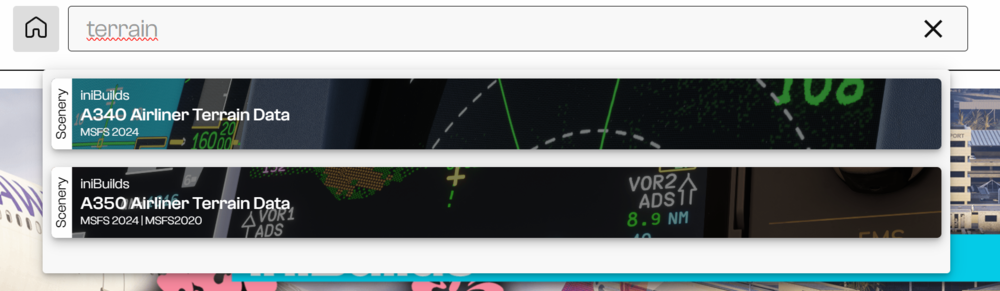
-
Which platform? On PC the A350 and SU4 are perfect partners.
-
Please follow the instructions for a WASM Crash.
-
Please read the Release Notes: There are no cabins from 1.1.7 onwards. And you should uninstall them, as they cause a lot of trouble (invisible plane and cockpit).
-
Low-res textures are meanwhile standard. So topic closed.
-
-
Most likely still the same as in all other threads regarding this question.
-
When the "Shift+C" is shown to enter the plane, just wait a few seconds till the plane and all ground equipment is fully loaded and enter then the plane. Afterwards it works reliable.

