




Fabo.sk
Member
-
Joined
-
Last visited
-
Yeah, that's the problem - the behaviour does not work as described in the how to.
-
Admittedly, this is at least partially a Navigraph/Jeppesen problem, but still When I select an approach which is not strictly coded for a specific runway, the STAR (that is coded for the same runway) disappears. e.g. I am trying to fly PASAR 5A arrival and VOR A approach to RW15 of FMEP. I can have either VOR A in the plan, or PASAR 5A and RW 15, but not both. If I have PASA5A preselected for STARS, I can click on VIEW ALL and select VOR A and appropriate TRANS, but they don't show up on the plan. Only the missed approach does. Also once I have a STAR selected, I can't unselect it... only by going direct to a point on MApp and reselcting then
-
Hi, in A220? I can't find it.
-
I have a separate steering axis. However, pedal disconnect acts as if I had only rudder - allows full travel by rudder axis when pressed in, instead of no travel. Additionally, it is supposed to limit deflection to 9 deg when both rudder and tiller is used, and button is not pressed. This does not happen. Did I miss a setting option somewhere that says "use tiller"?
-
-
Same problem. Never had the marketplace version, I just bought it in iniManager the other day.
-
-
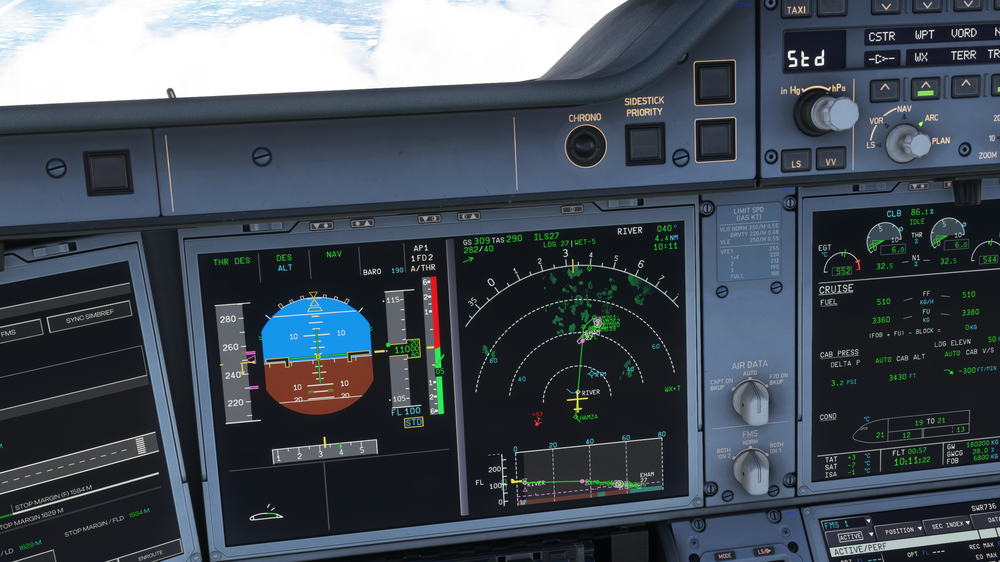
Most of my flight I was "in conflict" even when the supposed conflict airplane was 30 miles away or so. This one here had me in conflict when it was 10k ft over me already. Never got closer than 20 miles either... Nothing in particular done with the TCAS, only that I had it set for "ABV" from departure. forgot to reset.
-
Tried the A350 on Vatsim after a longer time. I am having issues with uncommanded frequency changes on VHF1 radio. I could not discern any particular trigger on my side. Frequencies seem to match the default ATC? and it did an automatic transmission to the ATC? But I have AI ATC comms assist turned off.
-
Just tried the A350 on Vatsim after some time. Same issue. No trigger I could discern. It just likes to change frequencies. Doesn't seem like frequencies match up to my arrival airport or anything either. Don't have BeyondATC or SayIntentions or anything. Just using Vatsim.
-
-
So for the third time, randomly (?) the camera is stuck on my A350 before even departing... no camera controls work except the Flow switching between cameras. No mouse, no controls, no drone, just stuck in one place. First time it happened, I closed the sim and started again. Second time, it happened during boarding and just unstuck itself when boarding finished, somehow? I was using GSX. Then it happened again just as I was trying to set up pushback... and doesn't come undone whatever I do
-
The name of the field is confusing and ambiguous. The SimBrief Account Options have multiple fields, none of which matches: Alias (Username) - this is what most addons use, including iniManager Pilot ID - which A350 uses, but note how it says pilot not user Original Username even E-mail which is the username you use to log in these days...

