





LukeSkyBellic
Member
-
Joined
-
Last visited
-
And can you tell me how to do it? Because even with the latest update, it won't let me partition them.
-
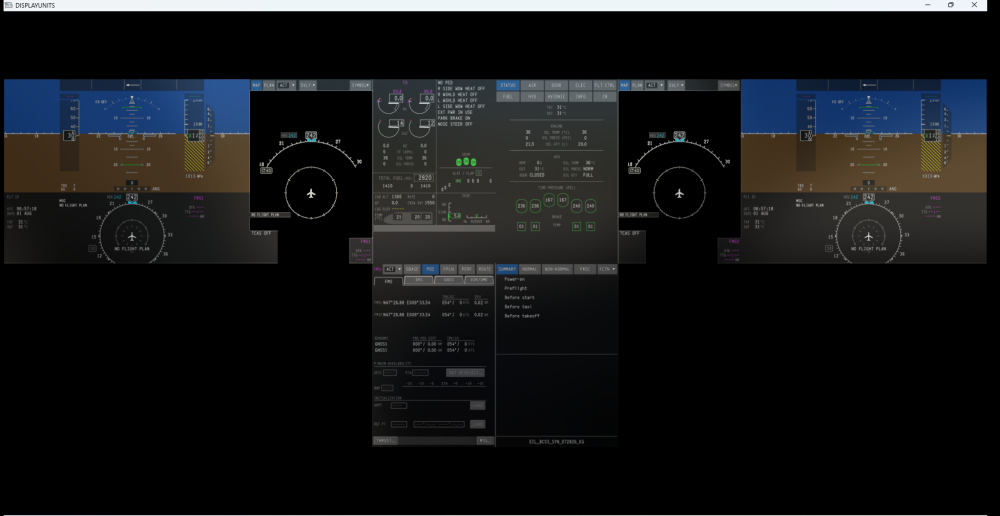
Seriously? Have you done exactly the same thing as with the A340, despite the entire community complaining about the pop-up screen? May I ask why? This pop-up screen is completely useless. We need to be able to pop out each individual display separately, so that users with dedicated monitors or home cockpit setups can place each display on the appropriate screen. What was unclear about all the complaints regarding this exact issue on the A340? Is this something you are planning to fix, possibly on both aircraft? Because in their current state, they are essentially unusable for anyone with a multi-monitor home cockpit setup.
-
Just to keep the discussion going, because this is a very serious and disruptive issue, and I believe it deserves the highest level of attention out of respect for customers. Another GHOST crash problem! It happens to me as well, and only with iniBuilds aircraft, especially the A350 and A340. I also often get the orange screens, and it still happens even when I delete the WASM folder. I admit I am not an expert on this subject, but is this WASM really essential? Because since it was introduced, flying has become a nightmare. iniBuilds aircraft used to be famous for the completeness of their systems. Now, unfortunately, they are becoming known for causing crashes. If you tell me that WASM is absolutely necessary, then I honestly feel sorry for you. The PMDG 777 has never given me a single problem since release. I am not saying this to praise a competitor, but don’t they use WASM? Why do their aircraft work properly? Again, I am speaking as someone who is not an expert, but still as a paying customer. Another issue: autosave no longer works as it used to. Precisely because iniBuilds aircraft are currently not reliable, I set autosave to every 10 minutes. However, when a crash happens, autosave brings me back to the correct position, but not with the aircraft configured as it should be. First of all, the engines are off, so while the aircraft is falling, I have to start the APU just to access the autosave menu. Even then, it only seems to restore the position and a few settings, but it does not take a complete “snapshot” of the aircraft state. As a result, it is almost unusable. It did not work like this before.
-
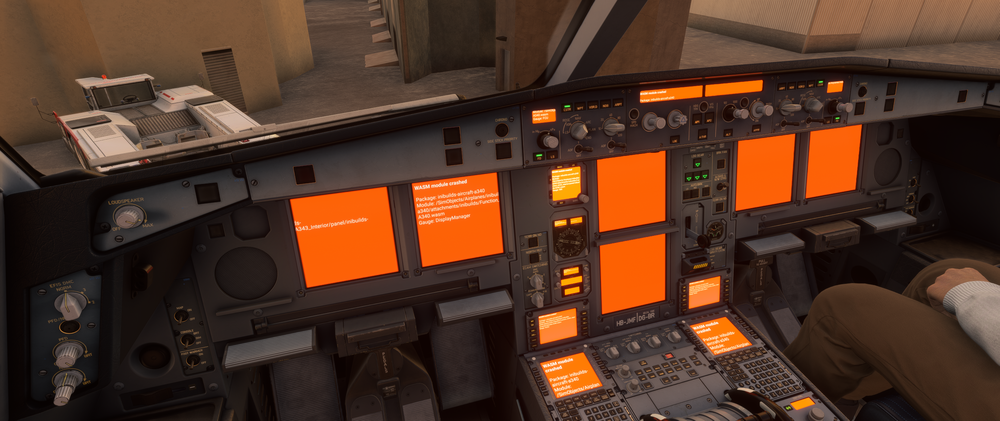
Once again this evening I tried to start a flight, and as soon as I entered the coordinates in the WAYPOINT STORED field, I got the usual WASM crash with the same orange error screens. At this point I simply can’t fly the A340 anymore, even though I’ve just downloaded the very latest update. I’ve cleaned out the Community folder and I always delete the wasm folder as well, but nothing changes.
-
The WASM folder was deleted, I reinstalled it, but... as soon as I enter a coordinate in FIN PAGE, this is the result!
-
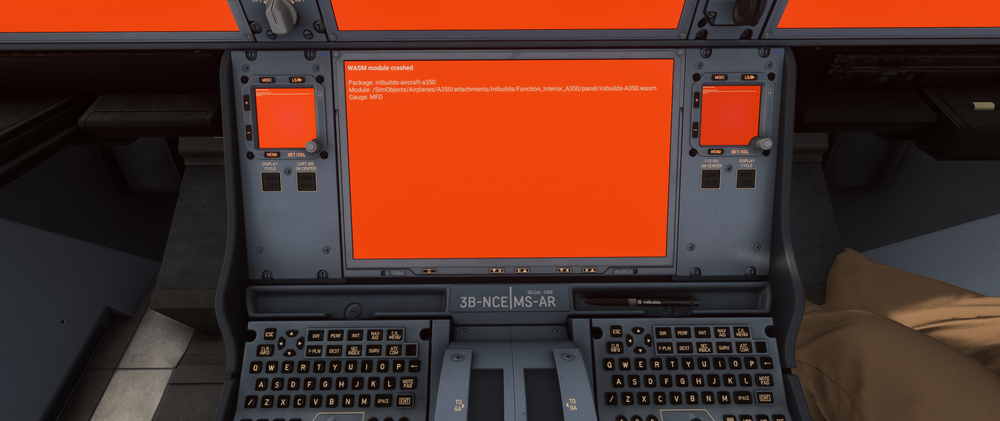
Unfortunately, this has become commonplace on the A350 and A340... they're almost unflyable. Is there a way to fix this?
-
I want to hope for an update to be released soon
-
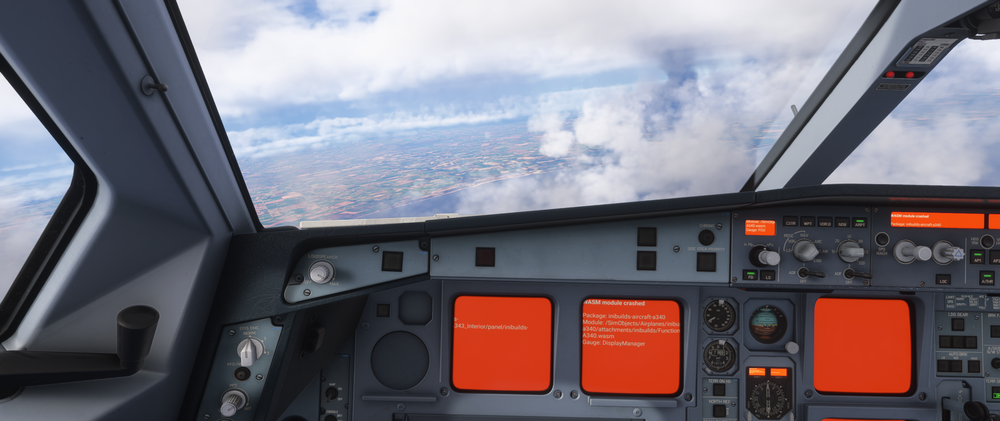
Every time I enter a coordinate in DATA it goes into WASM CRASH!
-
This is the only aircraft where this happens!! Can we say that performance is just an excuse??
-
I was just about to make a post about this! Please give us an update — or allow third-party developers to create a profile for the MCDU!!
-
I tested it yesterday and it seems mostly in line with the other IniBuilds aircraft! The TAB for screen export combines all displays into a single one, but as you did recently with the A330, each screen should be exportable individually. I loaded the flight from SimBrief, added the SID and STAR, and it duplicated the entire route, giving me a DEST distance of about 117,000 nm. I had to manually delete every waypoint after landing! I only did one test flight, which I didn’t finish because of a CTD — not sure if it was caused by the PC, the sim, or the aircraft.
-
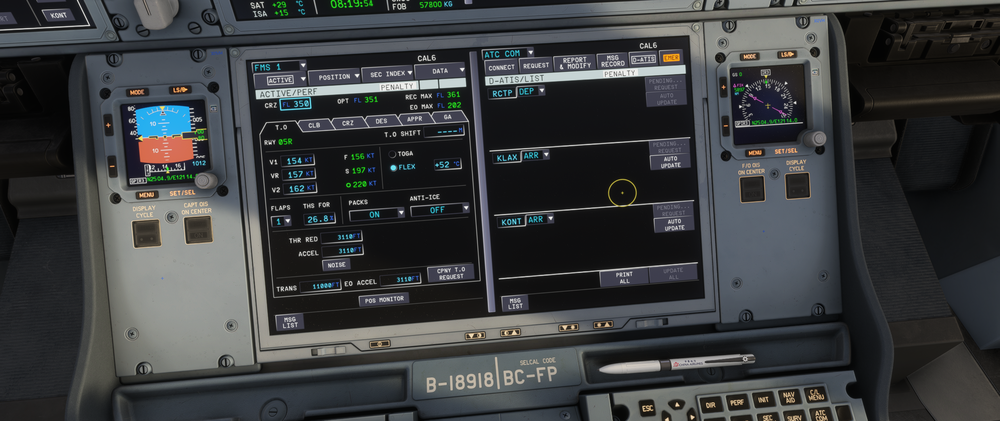
I have the same issue! I entered my Hoppie code, but when I select BATC in Connect, it doesn’t receive the D-ATIS — it just stays on “pending.”
-
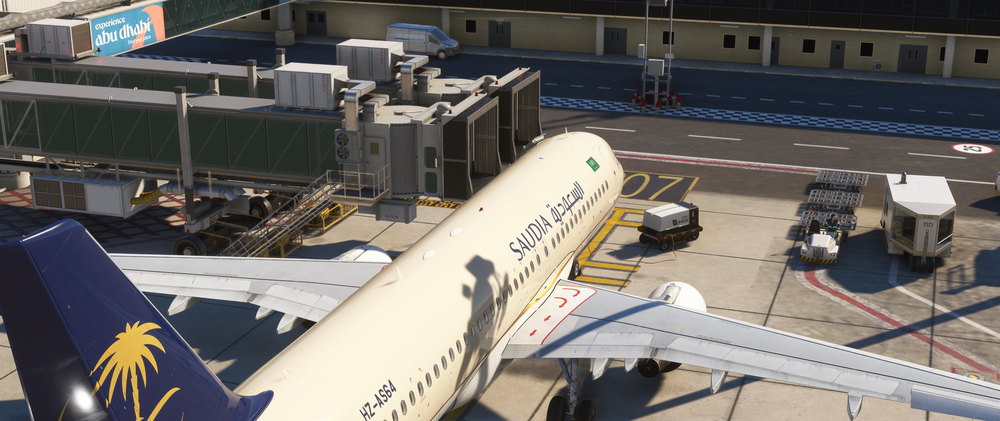
I read a post from August 2024 where a user complained that the jetways at OMAA (Terminal 3) weren't moving. Since someone said "we'll take a look," but... the jetways still aren't working... I'll try reopening the discussion. The changelog for the latest version v1.0.3 says it's been fixed, but that's not the case. I enabled and then disabled the jetways in FSTD, but nothing changed.
-
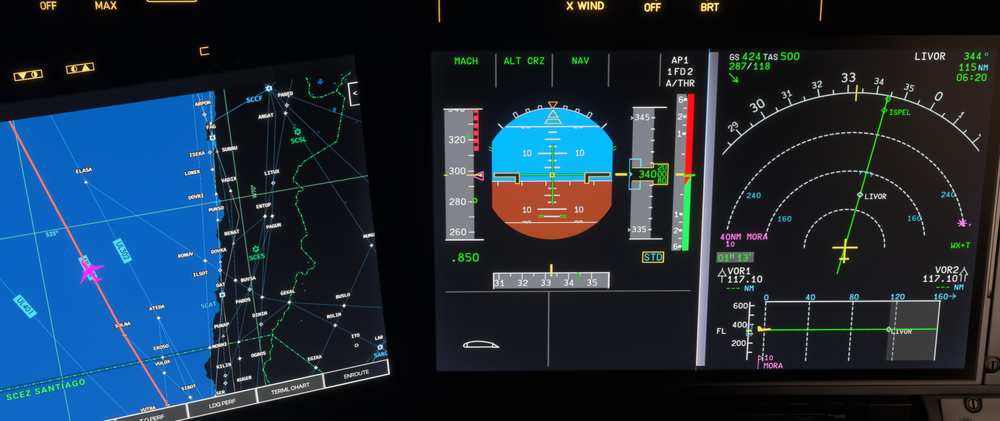
...two months later and after a few updates, the problem persists. I have absolutely no traffic, yet I still have the red warning in V/S. It lasted the entire flight (10 hours). I tried deactivating TCAS and reactivating it, but it relentlessly returns. To remove the warning, I have to set it to TA Only or deactivate it completely.
-
I hope someone can answer me, because it seems to me that for free planes, there is little support. But I hope I'm wrong!! Since I wear glasses and like me many people have multiple monitors for the instruments, I was wondering if it was possible to implement, as for any other MSFS plane, the ability to bring the instruments on external monitors. Especially ND and PFD. Thank you very much!!


