




ual763
Member
-
Joined
-
Last visited
Everything posted by ual763
-
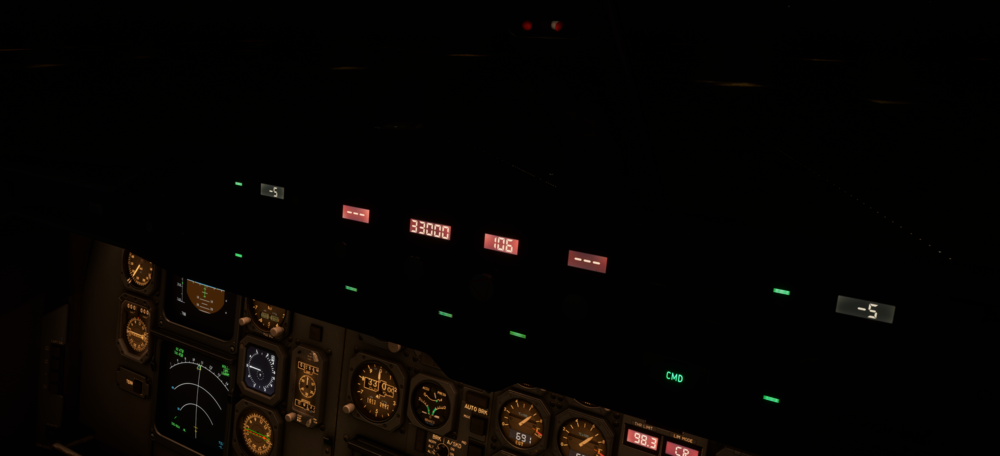
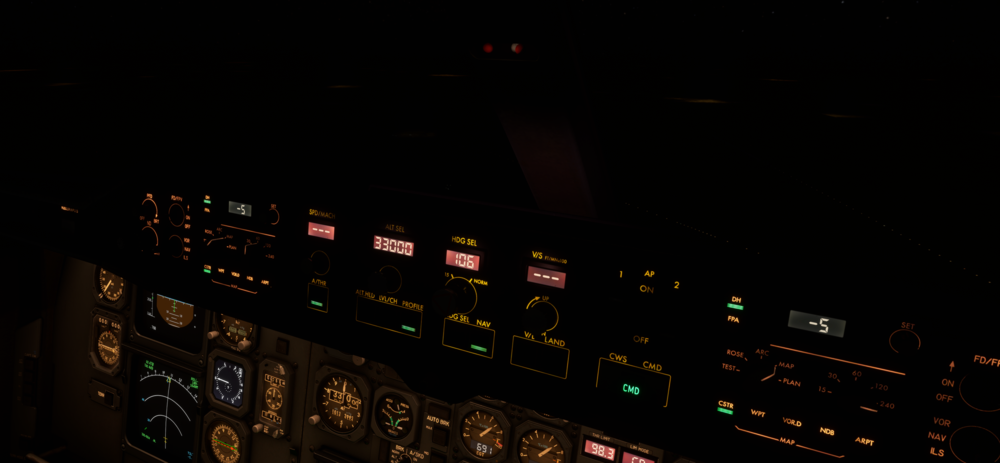
I think this would be a good topic to mention it in, but the MCP lights also illuminate the center window column. Here are two photos with and without the MCP lights on.
-
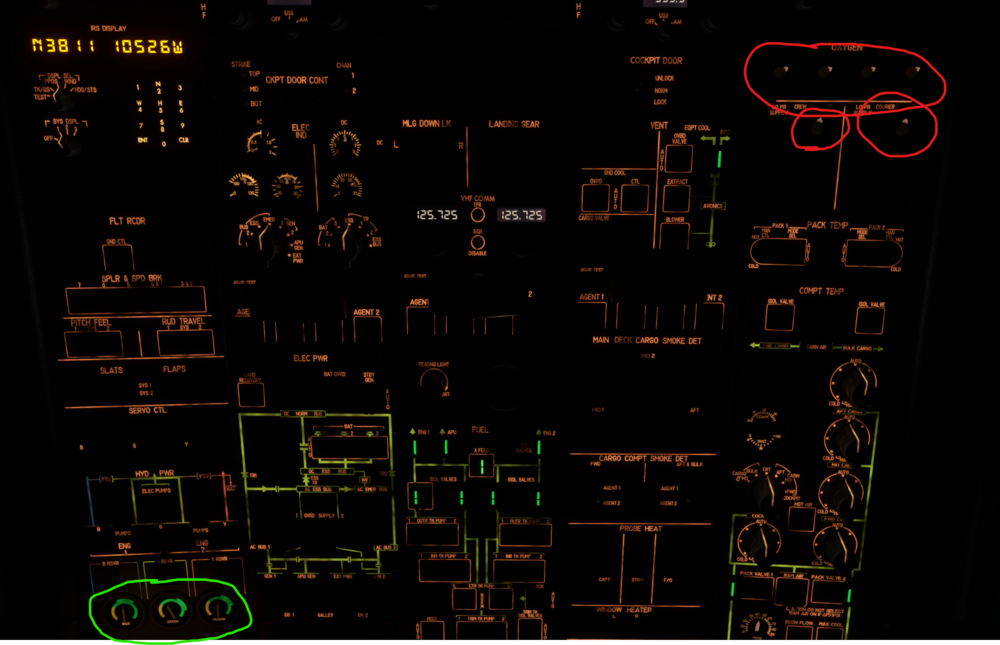
The gauges on the oxygen panel do not appear to have any backlighting at night. I would imagine that they should look similar to the hydraulic quantity gauges at night. Please see attached photo for reference.
-
Yeah, I could have worded it better. I meant to try the test with both OVRD Supply Switches 1 & 2 separately. The tests in the sim work differently for each switch, but neither one is quite correct. Cheers, Rob
-
-
-
The cockpit door also affects this. Try opening the cockpit door and see if you hear them then.
-
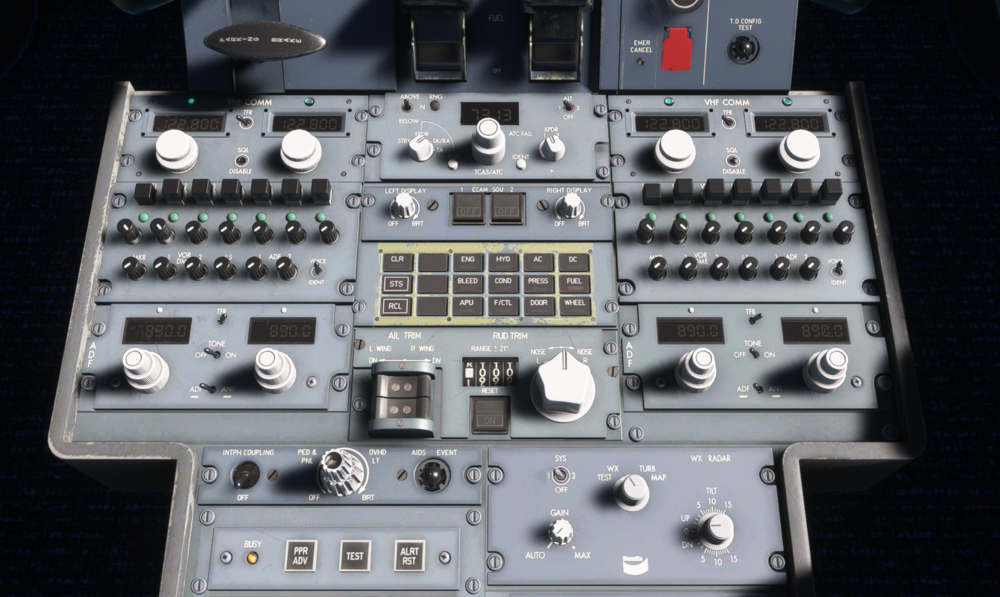
I noticed today that while in daylight conditions, with the sun shining in the cockpit, the alpha-numeric lcd displays on the radio panels can be very difficult to read. I understand that direct sunlight can make these harder to read in real life, but perhaps just a bit more brightness would be nice.
-
The passenger windows seem to be tinted. This makes the outside World look a bit dull in the daytime and harder to see at night. Would it be possible to remove the dark tint so that they appear more like the cockpit windows from inside?
-
Ahh, nvm, I found it
-
Where do you see it posted? I don’t see it in the support section at all.
-
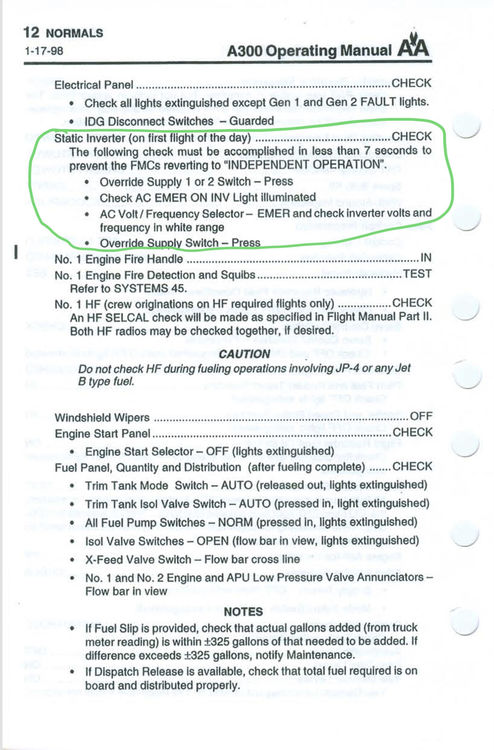
The Static Inverter test does not perform as indicated in the manual. Please see attached photo to replicate. Try performing with both OVRD SUPPLY switches 1 & 2.
-
-
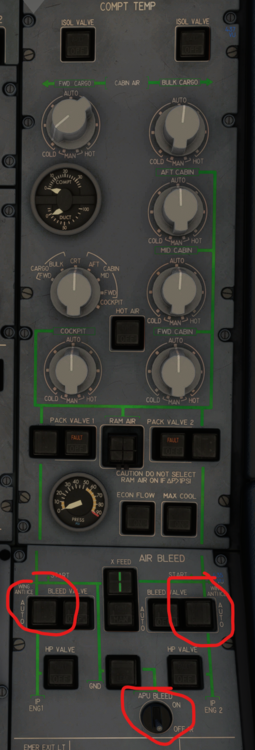
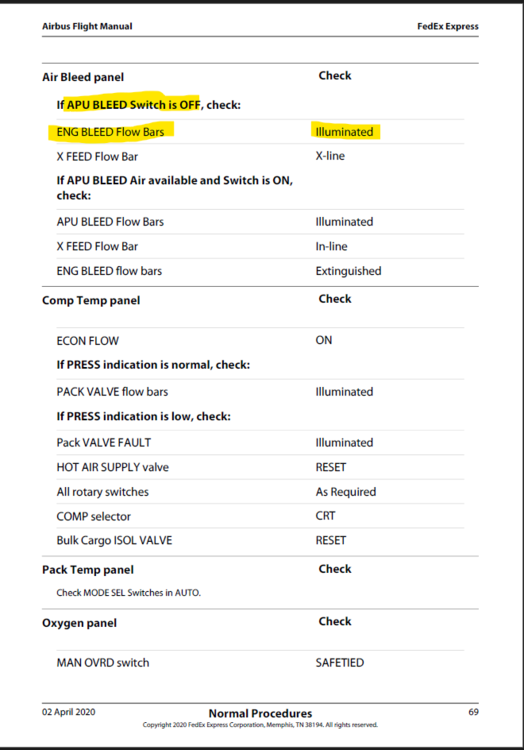
On the ground, when the APU Bleed switch is OFF, even if the engines are not running and producing any bleed air, the ENG Bleed flow bars should be visible. Please see attached photos for reference.
-
The FWD CARGO Temperature selector is positioned full-cold and does not have any click-spots to move it. All of the other temperature switches move, except this one. This is in the passenger variant. I have not tested it in the freighter variant yet. Please see attached photo for reference.

-
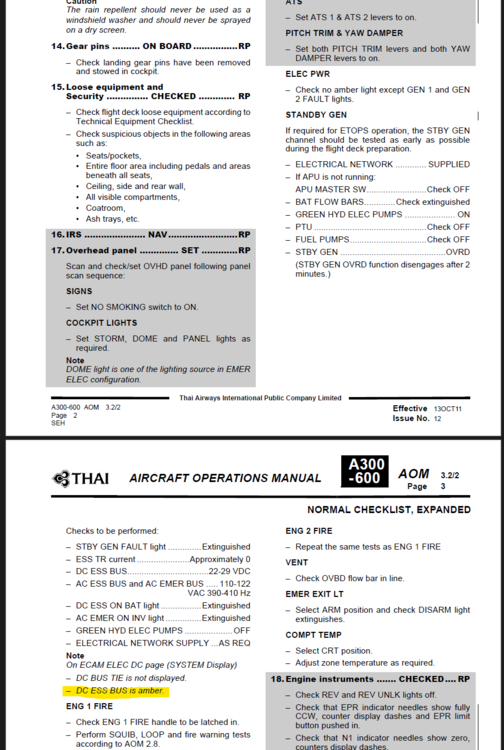
I believe the DC ESS BUS display on the DC ELEC ECAM display should display as an amber color during the Standby Generator test. This would need confirming by experts on the aircraft and/or type-rated pilots, as I find the manual a bit confusing in this regard. Please see attached photos for reference

-
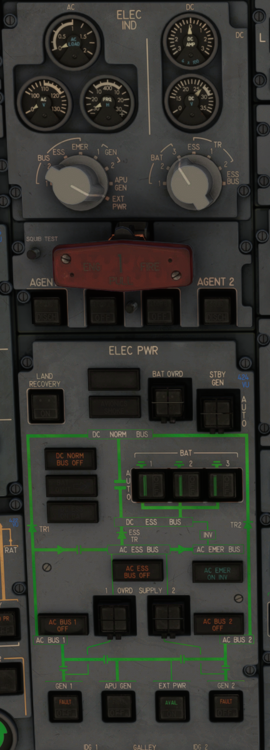
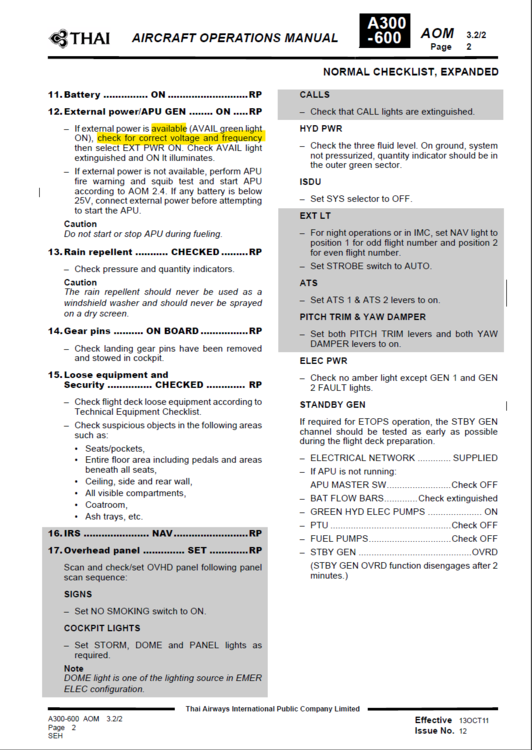
When EXT PWR is connected to the aircraft (AVAIL, but not ON), the AC Meters display does not show any Frequency or Voltage. These should display even when the EXT PWR is AVAIL but not yet ON. Please see attached photos for reference.
-
In a Cold & Dark state, the EMER bus AC meter is showing a frequency and voltage when the batteries and everything else is off. I believe these meters should be indicating 0 until the batteries are turned on from a C/D state. Please see image below for reference.

-
The needles on the AC & DC Meters gauges are not smoothly animated at all. They are smooth on the A310 for reference.

-
On the passenger variant, the Oxygen Supply Switch on the OVHD panel is INOP. There is no click-spot. They work on the freighter variant and also in the A310. Also, it's worth mentioning in the same report, but should the two gauges on this panel be indicating in the green when power is disconnected from the aircraft? I took this photo in a cold/dark state. Please see attached photo for reference.


