




Azlog
Member
-
Joined
-
Last visited
Everything posted by Azlog
-
A couple of days ago I did a flight in the A300 but I needed to go out for a short time during the cruise. When I came back, the aircraft was in the ocean. Volanta tracking showed that it made a slow bank to the right and a constant descent all the way down from FL340 while I was away Then last night I did an overnight flight and when I got up in the morning, all was fine and I continued the flight as normal all the way onto final. As I was getting ready to take manual control and land, I placed my feet onto the rudder pedals and suddenly the autopilot disconnected itself, despite me having made no real input. So what I'm thinking here is that it was probably a cat that brought down my flight the other day. But would it be possible to look into making the autopilot disconnect due to control inputs somewhat less sensitive? Or perhaps even have an option like the A350 has where accidental control input won't disconnect the automatics? I should probably have started a new thread for this when I think about it but I've written it now :)
-
-
Might as well just jump in on this thread The FD/FPV switch. This should be a toggle up that returns it to the centre and a locked down. Down works fine but up stays up and doesn't change the FD to the "BIRD" Also, the weather 3 way switch doesn't move in the correct way. Trying to move it towards 1 moves it to 2 and vice versa
-
I'm on SU6 beta and had no issues with it. However one thing I have done a long time ago was to adjust the gear settings in the sim and while this might not apply to the honeycomb, it also might I have the TCA captains pack the gear lever is a switch. If you look at how it works in control settings, repeat input was turned on for gear up while gear down was the same button but "when released". So this meant that you couldn't set the neutral position as the sim was constantly trying to retract when the physical lever was up. By deselecting the "input repetition" option, it fixed all the landing gear issues I was having. Worth having a look at
-
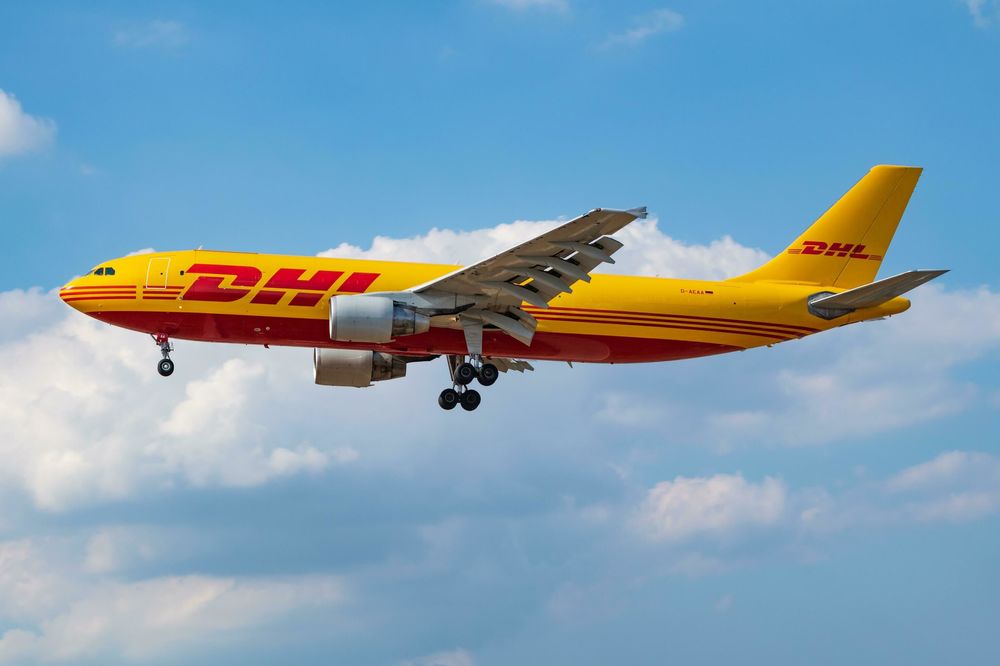
That would have been me that mentioned that one about the DHL livery :) I am also missing all liveries on 1.1.10 version
-
I just had what can only be described as mixed results on 3 flights. On the first flight, I flew KLAX to LEMD. While in the air, I noted that the arrival was the ZAMORA 5A for an ILS 18L VIA RILKO and so I programmed this in and went to bed. In the morning, everything was still fine but the wind had changed. So I got brave and changed the arrival to ZAMORA 5C for an ILS 32R approach VIA FAFEQ. Worked no problem so I landed and ended what had been a very nice, uneventful flight. I then flew down to Casablanca GMMN, programming the arrival (TUSOR 1A for ILS 35R VIA KOTAG) before I departed due to the short flight time. Took off, flew and landed, again no issues. Then I flew back to LEMD ... Despite the short flight, I didn't program the arrival on the ground and instead did it during the climb but I don't think that made a difference. Arrival was to be SOTUK 4C for an ILS 32R approach VIA FAFEQ. Not expecting any issues as it had worked fine on the previous 2 flights, I entered this and the instant that I selected FAFEQ from the dropdown menu, everything went orange. This is making me think that there's a chance that some arrival routes are problematic but not all, hence the mixed results
-
-
So the livery packs are here now, but what happened to the livery that we all loved on 2020 and wanted on 2024?
-
And the “Bird” doesn’t work. Toggle switch for FPV/FD goes up but doesn’t reset back to centre and change from FD to FPV
-
One more small thing - logo lights don’t work 🙂
-
That’s fantastic news - chuffed to bits
-
So happy to finally have an updated A300 premium on Xbox series X. Performance on SU5 beta is fantastic and I’m loving being back in the skies in my favourite aircraft. But a couple of small things I’ve noticed: 1. many of the clickspots on the overhead panel are tiny compared to the size of the buttons. Takes some very precise mouse movements to turn on the fuel pumps for example. Wouldn’t like to be trying to do it with a controller in cursor mode 2. liveries. The base aircraft comes with less liveries than it did in 2020 and none of the purchased livery packs are compatible. Please bring those to us - I’m missing my flying banana, my UPS freighters and my shiny silver AA in particular
-
As the title says, flying the approach extend flaps 1 and you hear them. For some reason 1+F automatically comes out when the speed drops enough. Correct me if I’m wrong as could be A350 specific but these should only be for takeoff and shouldn’t extend to this settings? But then you select flaps 2 and silence while they extend which doesn’t seem right And then flaps 3 and flaps full you hear them again.
-
I have noticed that in cruise, the engine blades are spinning very slowly as though they were windmilling in a way that you would expect to see on the ground at the gate. Xbox 1.1.8
-
I just mentioned this in another thread that I started on the A350 1.1.8 on Xbox but I am having to manually enter the ILS code into the NAV AID page every time. I'm using the sim default nav data as the navigraph data won't update since SU4 but it's been this way since the 1.1.8 update. I have tried multiple airports both 3rd party and default and encountered the issue every time
-
I know we're an update behind but I don't see anything about these on the 1.1.9 PC changelog so here goes: The aircraft keeps trying to go to 1+F flaps setting. Climb outs close to the max speed for 1+F cause the flaps to constantly retract and extend between 1 and 1+F as speed fluctuates. On approach, you select flaps 1 and once it gets there, it automatically then goes to 1+F which it shouldn't do The ILS never populates itself on the NAV AID page. I always have to do this manually during the descent And finally, since SU4, I can't get the -1000 engines to start. The red line appears on the EGT gauge as normal but nothing happens. No such issue on the -900
-
Took the PAX version for a flight last night and performance is better than it was thanks for SU4 but still has some work to do to get it to being enjoyable to use like the rest of the airbus family (inc. A350). But while I'm here, we still don't really have any liveries on Xbox. None of the livery packs are compatible and the base aircraft only includes 1 livery per type (FedEx on 300F PW, Hong Kong on the 300F GE, Monarch and Thai on the 300 PW and Emirates on the 300 GE) which is significantly fewer than the base aircraft on 2020
-
I really hope this aircraft finally gets updated with SU16.1 appears as there is much that is fixed on the FS24 version. But while I have managed some RNAV approaches in this on 2020, it seems to be a bit hit or miss. Yesterday I was doing 22R at Nice LFMN and APP NAV remained blue so I had to hand fly the whole approach from the FAF. Vertical deviation showed correctly on the PFD
-
Yeah it probably got auto-deleted after this time. I’ll see if I can do another and get that onto YouTube so it stays. But the key is to have your FCU altitude set as the final approach altitude on the charts. So for runway 21 at LFRS you need to be at 3000ft by waypoint FRS21 in approach mode on the MCDU and with flaps 3 and gear down
-
Need to test this in 2024 as well but last night on 2020 I had my first go-around in a long time and it was an RNAV approach into EFHK runway 33. First approach the RNAV engaged perfectly and there were no issues. But I floated it half way down the runway due to gusting winds and went around for another go. On my second approach having set it up again, Alt and Nav remained green with the RNAV indicators remaining blue. Vertical deviation box was working so I just followed that manually
-
Here’s the video of it working into Nantes LFRS 21 https://www.xbox.com/play/media/aZuRixYhq7
-
Doing LFRS 21 right now on 2020 and I was in approach mode (minimums 827 set) with gear down and flaps 3 before FRS21 waypoint and FINAL APP worked fine
-
Got any examples I could try? I’ve done a few recently with no problems but I’m flitting between 2020 and 2024 so can’t remember which sim I’ve done what on
-
Version 1.1.4 on XBox - still getting the "the cockpit is ready for landing" announcement when climbing through 1000ft after takeoff
-
It is still a problem after SU16. Still need toggle glareshield and toggle pedestal lights buttons to get them to work

