




Swolski96
Member
-
Joined
-
Last visited
Everything posted by Swolski96
-
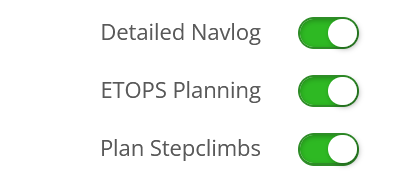
I just found the problem, I guess. At least a flightplan can now be loaded in the A350 hitting the Cpy Fp request button. The three below switches in the Simbrief Selections section were not set - just don't know how they got unset?? I think the Detailed Navlog is the most important switch to have set. rgds Søren
-
-
I have tried everything now - I guess. Login out off and back in to Navigraph, reinserting my Simbrief ID. Didn't do any good. Reinstalling the A350 and togling Navigraph and Simbrief connections. Didn't do any good. Even reinstalling MSFS2024 did not help. All steps above were preceded by clearing the WASM folders. All involved apps/aircrafts are on the same Navigraph AIRAC cycle 2611 rev. 3, and the same Simbrief ID. I'm on MSFS2024 update 7.1 (build 1.9.21.0) amd Windowws 11 pro 26H2 build 26300.9818. So my conclusion right now is, that I cannot use the A350/A380. rgds Søren
-
Selecting FMS Init page button CPY Flightplan does not do anything now - just greys out and thats it . Just happened for both Inibuilds A350 and A380. Have tried to clear WASM folders, reinstalling aircrafts and restarting MSFS2024 several times now with no result. I am logged in to Simbrief & Navigraph.
-
Had the RTO problem happening 3 times during taxi out from gate to runway (Inibuilds KMIA). Had to abandon the flight. Hvae tried with both streamed and downloaded A380, but no difference.
-
Thanks for your suggestion - but it did not work, so I decided for a clean reinstall of MSFS2024 (update 7.1 - build 1.9.21.0) and after some editing of the usercfg.opt file, I managed to get it up running again with the A380 version 1.05 (streaming version). rgds Søren
-
I am using the Library and still don't get the uninstall option ????
-
Don't get the option to uninstall the A380, even if it's not the aircraft selected to fly with. Marketplace stinks - when will the A380 be transferred to the inimanager as addressed above - that would make life a lot easier. rgds Søren
-
In standard cockpit camera view or drone camera view? W, A, S, D only work in drone view and has to be used with the shift key in cockpit camera view in my setup. Søren
-
Just wonder how you guys walk up and down stairs in MSFS2024? I haven't found any key combinations that enable this. I can walk/move camera view forward, backward, left and right and sometimes down, but never up. rgds Søren
-
Thanks - thought that I had tried it, but now it works through the EFB. rgds Søren
-
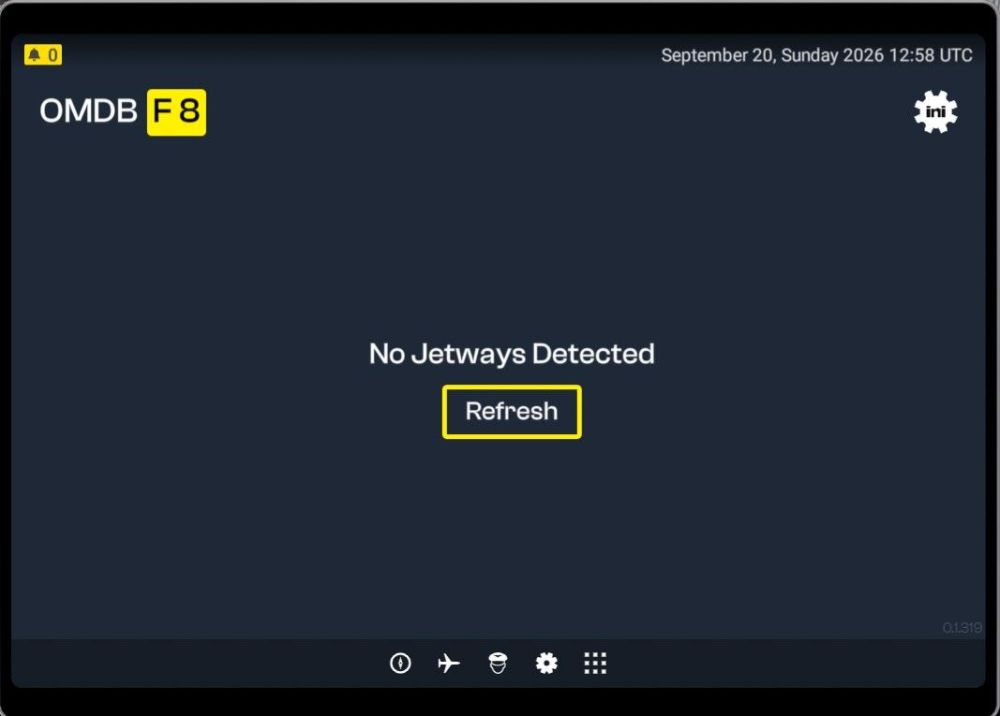
Posted below in the general section, but no answers, so I repeat the post here. On top of actions described below, I also cleared the SceneryIndexes folder contents: Something must be wrong. The jetway tool does work for me at all - neither OMDB v2 nor EGLL v1.1.0. I have tried uninstalling GSX - tool does still not work through the EFB, so reinstalled GSX. I have uninstalled an reinstalled OMDB v2, EGLL v1.1.0 and the jetway tool - still no change All installs are located in the Community folder. Windows 11 version 25H2, build 26200.9457 MSFS2024 version 1.8.16.0 rgds Søren
-
Something must be wrong. The jetway tool does work for me at all - neither OMDB v2 nor EGLL v1.1.0. I have tried uninstalling GSX - tool does still not work through the EFB, so reinstalled GSX. I have uninstalled an reinstalled OMDB v2, EGLL v1.1.0 and the jetway tool - still no change All installs are located in the Community folder. Windows 11 version 25H2, build 26200.9457 MSFS2024 version 1.8.16.0 rgds Søren
-
Don't know what went wrong, but now everything is back to normal. rgds Soren
-
Hi, I can only chose the 'no cabin' versions now. Previously I have been able to select the cabin versions, but not any more. I have done a complete uninstall/reinstall cycle including deletion of the A350 WASM folder without any luck. What's my problem? MSFS2024 version 1.5.27.0, windows 11 24H2. rgds Søren
-
I posted the following on the discord channel yesterday: Well, finally got the separate tiller axes to work. Apart from the A300 I also have the A310 (basic and enhanced addon) installed, so I deleted both the A310 entries from the OneStore folder (C:\Users<user name>\AppData\Local\Packages\Microsoft.FlightSimulator_8wekyb3d8bbwe\LocalCache\Packages\Official\OneStore on my PC) and started MSFS. During startup, MSFS reinstalls the A310 Basic addon as it's part of the MSFS package. And now, without the A310 Enhanced Addon installed, my tiller bound through the NOSE WHEEL STEERING axes is working. rgds Søren
-


