




Swolski96
Member
-
Joined
-
Last visited
-
Thanks - thought that I had tried it, but now it works through the EFB. rgds Søren
-
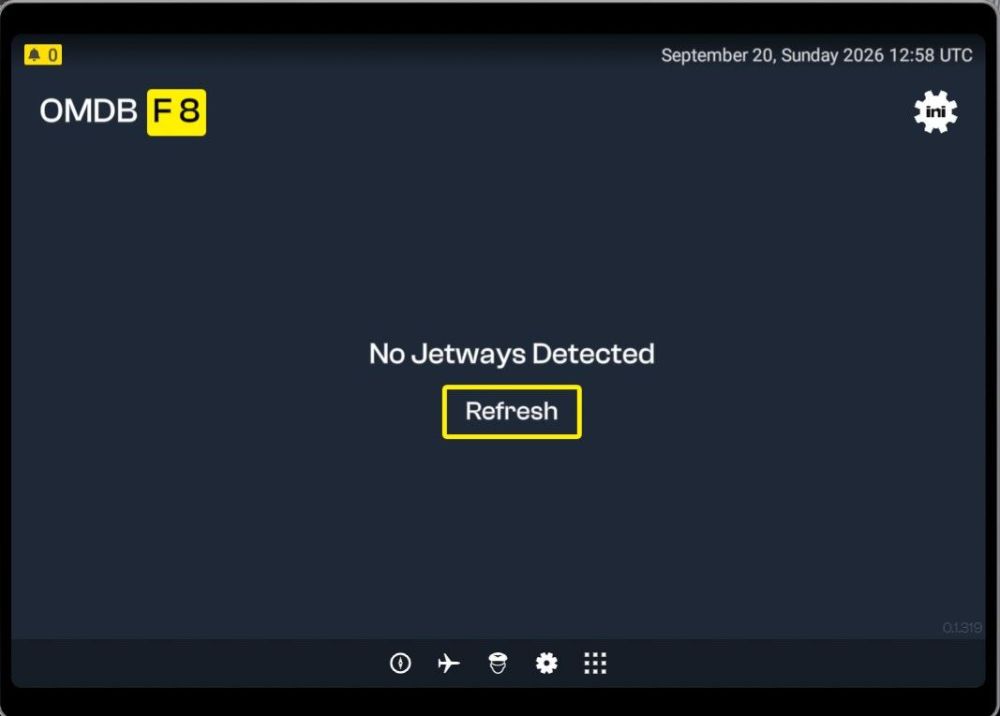
Posted below in the general section, but no answers, so I repeat the post here. On top of actions described below, I also cleared the SceneryIndexes folder contents: Something must be wrong. The jetway tool does work for me at all - neither OMDB v2 nor EGLL v1.1.0. I have tried uninstalling GSX - tool does still not work through the EFB, so reinstalled GSX. I have uninstalled an reinstalled OMDB v2, EGLL v1.1.0 and the jetway tool - still no change All installs are located in the Community folder. Windows 11 version 25H2, build 26200.9457 MSFS2024 version 1.8.16.0 rgds Søren
-
Something must be wrong. The jetway tool does work for me at all - neither OMDB v2 nor EGLL v1.1.0. I have tried uninstalling GSX - tool does still not work through the EFB, so reinstalled GSX. I have uninstalled an reinstalled OMDB v2, EGLL v1.1.0 and the jetway tool - still no change All installs are located in the Community folder. Windows 11 version 25H2, build 26200.9457 MSFS2024 version 1.8.16.0 rgds Søren
-
Don't know what went wrong, but now everything is back to normal. rgds Soren
-
Hi, I can only chose the 'no cabin' versions now. Previously I have been able to select the cabin versions, but not any more. I have done a complete uninstall/reinstall cycle including deletion of the A350 WASM folder without any luck. What's my problem? MSFS2024 version 1.5.27.0, windows 11 24H2. rgds Søren
-
I posted the following on the discord channel yesterday: Well, finally got the separate tiller axes to work. Apart from the A300 I also have the A310 (basic and enhanced addon) installed, so I deleted both the A310 entries from the OneStore folder (C:\Users<user name>\AppData\Local\Packages\Microsoft.FlightSimulator_8wekyb3d8bbwe\LocalCache\Packages\Official\OneStore on my PC) and started MSFS. During startup, MSFS reinstalls the A310 Basic addon as it's part of the MSFS package. And now, without the A310 Enhanced Addon installed, my tiller bound through the NOSE WHEEL STEERING axes is working. rgds Søren
-


