




NavyKing1992
Member
-
Joined
-
Last visited
Everything posted by NavyKing1992
-
Indeed. I even did not ask for the promised main displays as used by the UPS freighters. It is sad, because the A300 was the first INI Aircraft.....
-
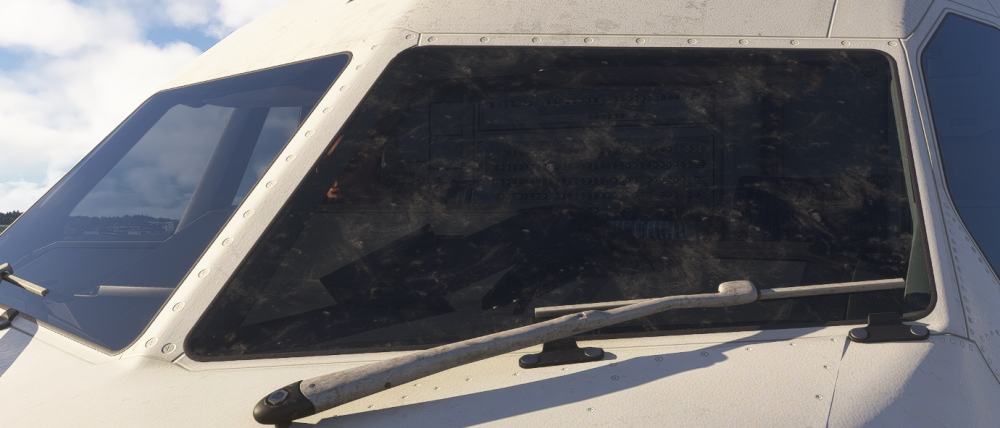
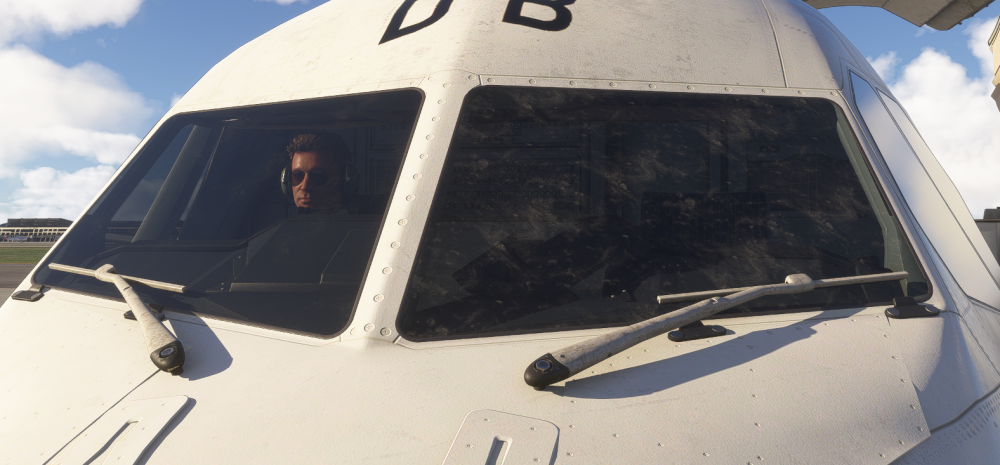
Dear Ini Team, when can we expect the next update for the A300, there are still some issues, e.g. APU exhaust broken? Also from my point of view there is an issue with the right cockpit window glass, please see the attachment. No, it is not ice or dirt. The left cockpit window glass is ok. All freighters versions. And are you able to update the top and bottom red beacon light? it is barely visible by daylight. Thanks in advance. Chris
-
-
Yes, indeed. I do use the aircraft (freighters only) since the release for MSFS 2020 almost every flight. Now the 2024 premium version. The aircraft is very good to fly and to operate, even with the clickspot issue. But if I had a wish....I am still missing this: APU exhaust (I know ini works on it) and brighter red beacon and position lights during the day time. I know this is an Asobo problem in MSFS 2024 in general, but PMDG did it somehow better for their fleet... Anyway, a good aircraft for MSFS. By the way, I am an aircraft technician, I know what I am talking about..
-
Thanks for the quick reply. Good to know it is not my system only. Any chance to get it updated? Chris
-
IniJamir, would you check please "on your PC", if there is a heat blur exhaust effect out of the APU (MSFS 2024 premium freighter, PW and GE) and report back. Thanks in advance Chris
-
Do you see the heat blur exhaust effect out of the APU?
-
As for me, the APU works as it should (v1.0.9) at the PW and GE freighter (cold and dark). I use the freighters only. I did not test the pax version. But there is no heat blur exhaust effect out of the APU after the v1.0.9. Anyway, Ini should check it, even for the other "Captains".......
-
-
-
Thanks for the quick reply. Appreciate it. What do you mean with the "Default NAVDATA"? I always use the newest Navdata from Navigraph. Right now the AIRAC Cycle 2606 rev.3. I also have the A300 compatible version. That FMS works fine. Even LIMC shows no issues... Looking forward to your answer. Chris
-
-
I have the same with the A300 PREMIUM but no solution.
-
Ini Team, First question: Are there any news on an update regarding the FMS as stated above? E.g. I can not selecting SID/ STAR procedure at LIMC. With the A300 compatible version no problems at all. Second Question: Are there any news regarding the EFB Map which is still flickering? This is a known issue since 2024. Any news/ update would be appreciated. Please do not forget the "old" customers. Thanks Chris
-
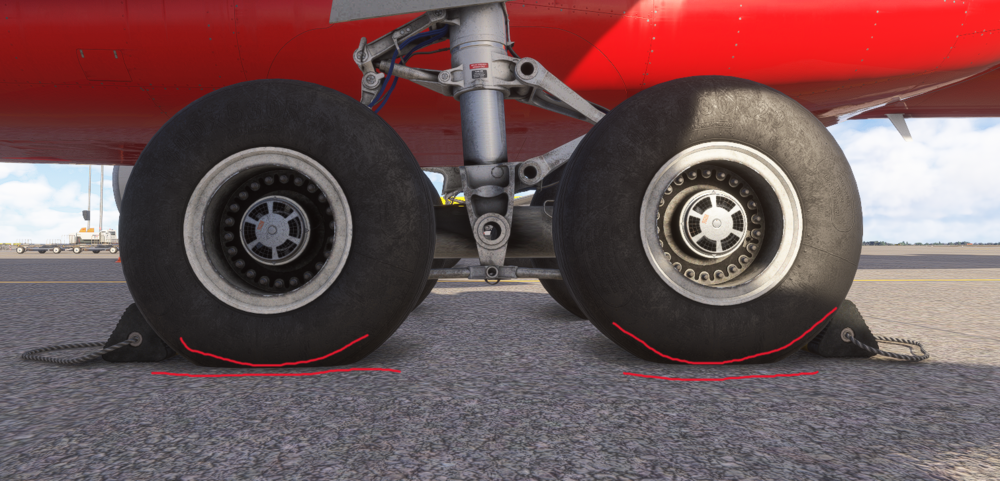
Dear Inibuilds Team, are you able to fix the A300-300 P2F main landing gear wheels as they are sinking into the ground? I mean to slightly raise the main gear wheels. As you did create the aircraft I kindly ask you to do that. If you are not able to do so, please forward my request to Asobo/ MS thru your "channel". Thanks in advance Chris
-
Hello Captains, so far I use the A300 compatible version for the MSFS 2024. I wanted to buy the premium version of the A300 but as I read the comments about the poor performance I did not buy it. What does it mean "disable Freighter inside cabin"? Does it mean the freighter cabin is not more visible? If yes, the whole "immersion" would be gone. Maybe someone could attached a screenshot for me. Thanks in advance Chris
-
Re-install the aircraft. That works for me. And do this after deleting the aircraft.. Cheers, Chris
-
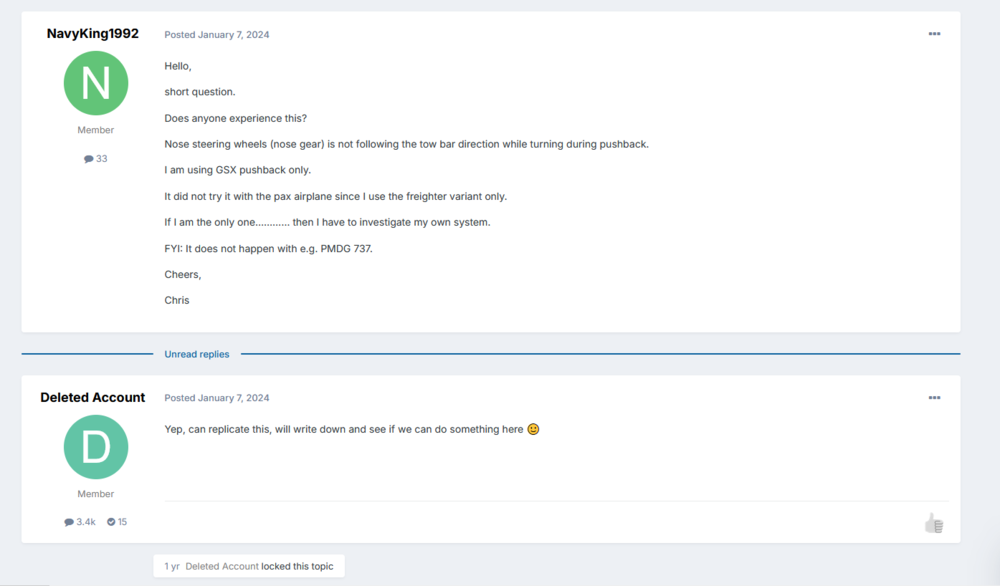
After one year I did the topic, are there any news on that?...the bug still exist!......please see the attached file (even with the answer from ini) Cheers, Chris
-
Indeed. I should have better google first...... Thanks.
-
As of my point of view the jet blast deflector stands in the wrong way....please see the attached picture Cheers, Chris

-
That means you are not going to update the nose down look? You develop new airplanes and you con not correct this............ This is ridiculous.
-
I have never experience those problems, either. I am pretty sure, while we are flying, MS/Asobo does something in the background which cause some kind if problems. I do see sometimes some different behavior of the Sim. within a couple of hours. I do not think this problems are related to the A300. Cheers, Chris
-
Thanks, where can I find the topic?
-
The pilots avatar are missing in the outside view with the Freighter PW version. With the Freighter GE version they are "on board". Even after I reinstalled the aircraft. Did I miss something? Can anyone confirm this? Cheers, Chris
-
For me it works. Sometimes I can not contact clearance delivery for the firs time. But I did find a good solution. 1. Contact clearance delivery......if they respond....go ahead with the communication 2. If clearance delivery do not respond, wait for a few second and hit the say again button, then they respond as they should or go to the right side VHF COMM panel and push the TFR switch to the right and back to the left and then contact clearance delivery again..... Hope this will work for the others Cheers, Chris


