




Brazeagle
Member
-
Joined
-
Last visited
-
Hello there. I have the latest version of A350 and The FMS still shows incorrect ETE/UTC times on the F-PLN page - current time is is different, and waypoints ETEs shows past times. I READ A POST BACK IN oct 2025 with the same issue and we are in August 2026 and this is the first time it happens to me. Any idea or fix? Thank you, Luiz
-
TOTTALY AGREE, almost all LONG HAUL flights this will happen, and it will climb crazy and put into a stall if not flown by hands. On long hauls flights, the A330 is no longer a option as inbuilds IS NOT REALLY RESPONDING TO REQUESTS AND PROVIDING A SOLUTION. Sad...
-
Same here, NOT A LIENT SIDE issue, all other aircraft working perfectly well. ALMOST Anytime you do a long haul, the same thing happens and makes the aircraft UNUSABLE. Looking for a substitute, maybe start flying 777 PMDG or a 787 Horizon trouble free. Cheers INIBUILDS your support is weak.
-
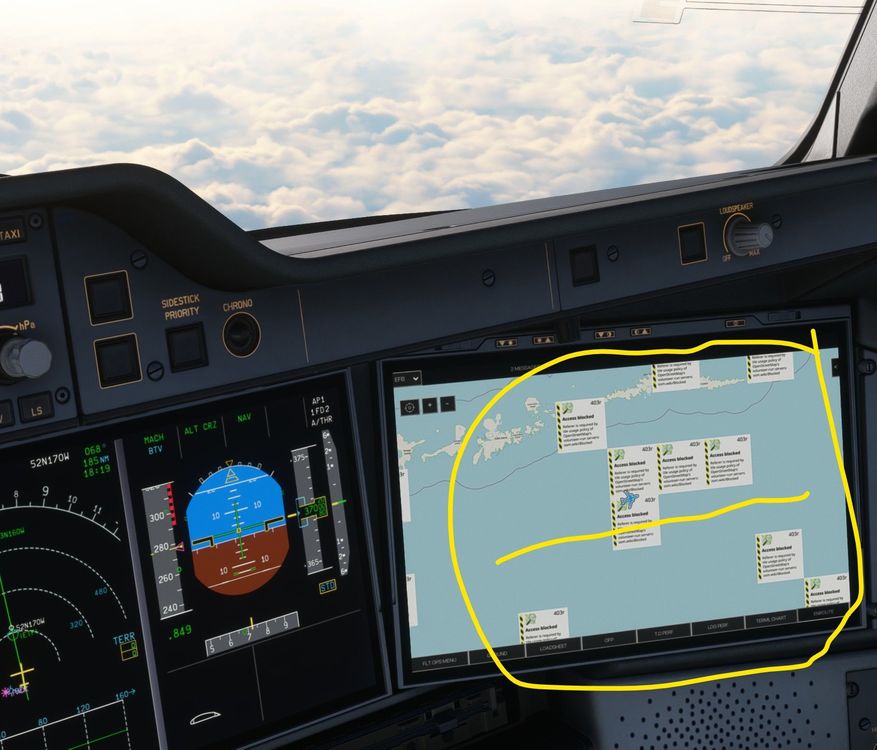
I see many of these boxes (see image) and I no longer see my route tracking, even though my NAVIRGRAPH map is normal. This happened after A350 update. Any help please. Thank you, Brazeagle
-
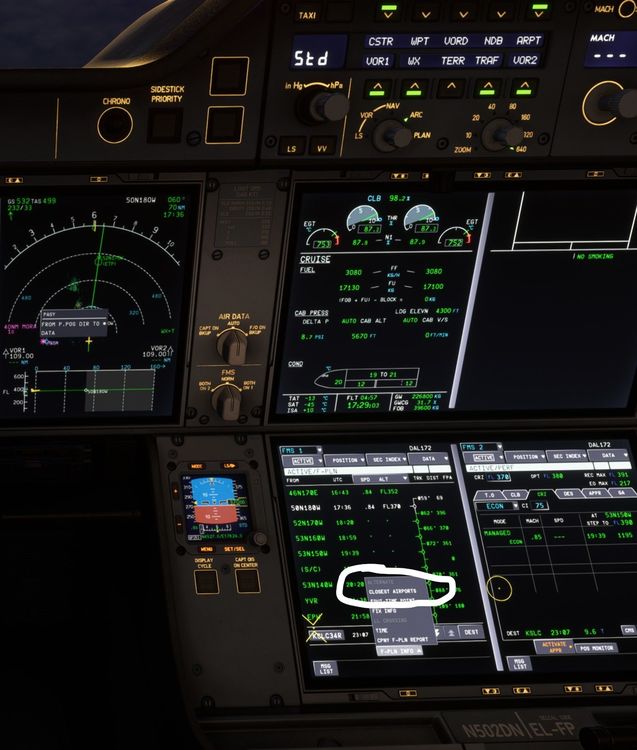
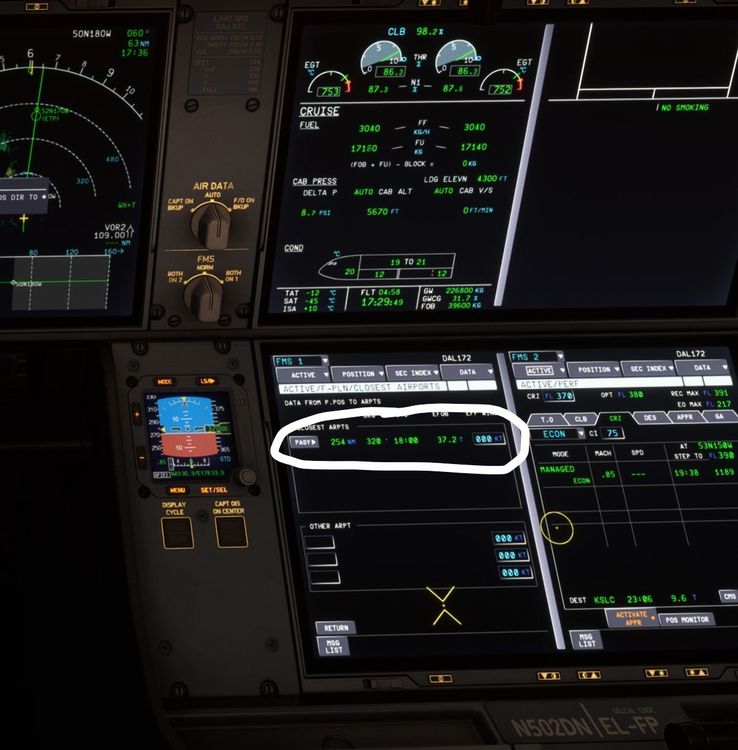
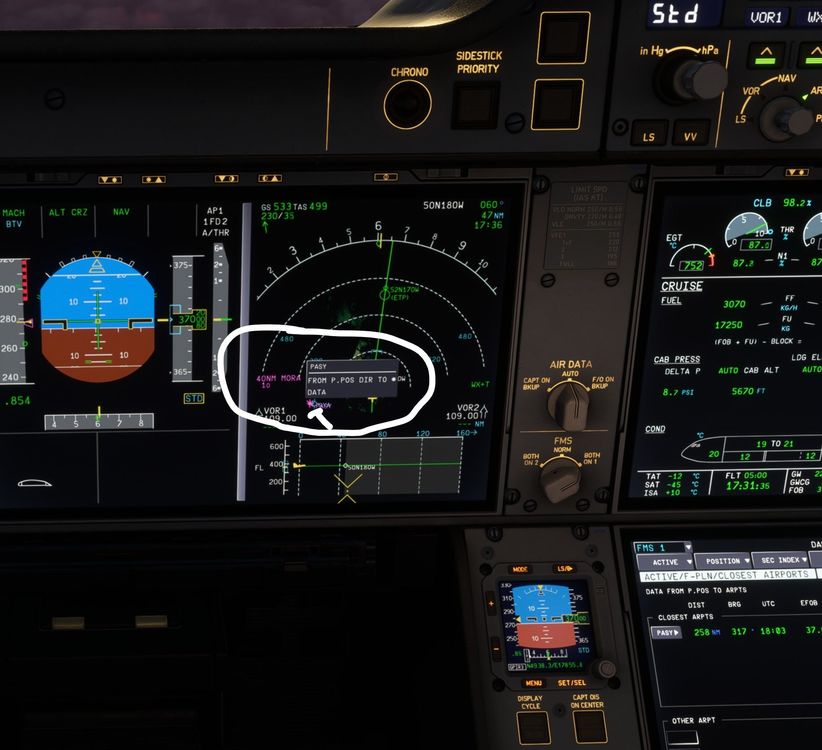
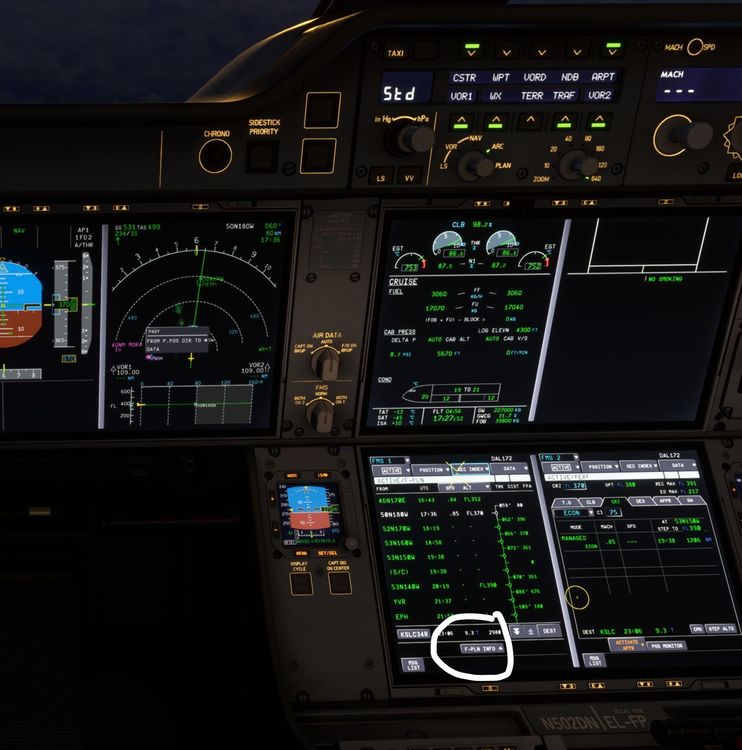
Finding a nearest airport with a suitable RWY for landing on a descent emergency with a A350. On the FMS, click on F-PLN INFO and select Closest Airport. There you will find all airport data and navigation instructions to that airport. Then, on the PFD, click on top of the airport (once you selected ARPT on the MCP and select FROM P.POS DIR TO and from here you can set up your approach normally. Hope this helps someone. Thank you, Brazeagle
-
Easy for you guys to say those things (rem9ve, check, etc...) problem is, majority of users have NO IDEA where to do those things! I am a computer savy, but believe me, like myself, there are many 9thers who have no knowledge where t9 find the info to be changed. Thank you anyway. Luigi
-
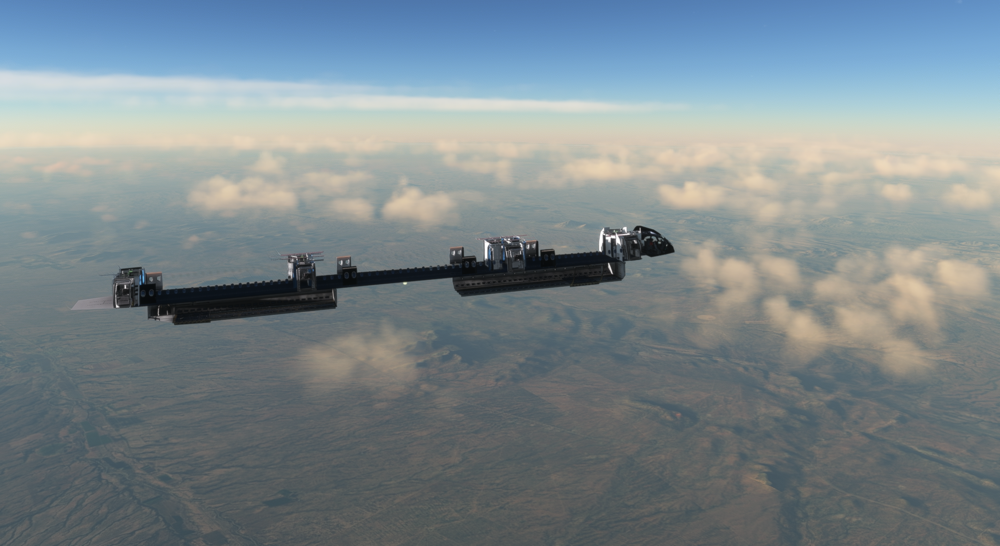
Hello there, I am sure many are having the NO FUSELAGE issue in their flightsim.to downloaded A350. Here is a solution that finally worked for me on my MSFS 2020 and supposedly it should work for MSFS2024 as well. Go to the community folder and look for the specific A350 aircraft that does not have a fuselage.| EXAMPLE: Community: C:\Users\......\AppData\Local\Packages\Microsoft.FlightSimulator_8wekyb3d8bbwe\LocalCache\Packages\Community Then: find the A350 folder for the aircraft not displaying fuselage: EXMAPLE: ...iniBuilds-a350-900-LATAM-PRXTF Then: open folder model.A359 (or similar, within model folder) Then: open file model.cfg in notepad Then: add this line to: [models] normal=..\..\inibuilds-aircraft-a350-900\model.white\A35K_EXT.xml (only this needs to be changed) interior=..\..\inibuilds-aircraft-a350-900\model.interior\A35K_INT.xml ..\..\inibuilds-aircraft-a350-900\model.white\ Start MSFS and see if you now have your A350 with fuselage. Please drop a note with feedback. Thank you Luigi
-
Funny how programmers do their WEAK work and mess up things... A350 is no longer usable...unless you want to fly without a fuselage... Tried everything and no solution. GOOD JOB ini...builds.
-
-
-
Hello there. You ask me to send a video! that does not fix the problem. I am sure there are many other users with same issue (as I see online). The throttle can no longer be set on the tablet, the throttle inadvertently spools up or down and you crash. I changed all bravo quadrant configurations and nothing helps. Msfs2020 config and nothing helps. All other Airbus aircraft from other vendors continue working without intervention. There must be a fix on the tablet or else. Please help as I cannot use the A350 anymore. (no need to show you a video, simply, check the tablet for control settings) Thank you.
-
-
Still in search for an answer about STEP CLIMB, MANAGED, TOD, ALT, DESCEND... 1- ISSUE: STEP CLIMB: Flight Plan loaded, all setting configured, 3 step climb profiles shown enroute and once in the air, and climbing, I set altitude to FL150 as per ATC instructions, once I am cleared to CRZ, example: FL360, FL380, FL400 (STEP CLIMB), I set FL400 and then, the STEP CLIMB gets DELETED and will go straight to FL400 which sometimes is HIGHER than MAX ALT. QUESTION: How do you properly set to CLIMB STEP to follow the climb profile? 2- ISSUE: MANAGED: When do you know if it is MANAGED or not? the A350 does not display the MANAGED light on the MCP, like the A320 does. Question: Do I need to press anything for that? note, by pressing the ARROW UP on the altitude, if you are at FL400 and you already set you next LOWER altitude example: FL180, then, it will start a DESCENDING and will not follow a descend profile...and if you don't, then you will remain at FL400... 3- ISSUE: Top of Descend TOD: When you are in CRZ at FL400 and an hour before your descend profile, you SET the altitude to FL180, assuming that the A350 will descend once reached TOD, but it does not...(see images) QUESTION: Is there a way of doing that on the A350? Another UNRELATED ISSUE: Why after a smooth 76 FPS landing I get this "retard" voice warning even when I am taxing and it will not go away until I terminate the SIM (SEE VIDEO). Is the InBuilds A350 capable of following a descend profile automatically? I have about 8 long haul flights and cannot make it happen. Thanks a lot, Really appreciated. VID-20250412-WA0001.mp4


-
Hello there, I am having issues with the A350. I am very used to the A320, in fact, I am a real pilot on the A320, but in the simulator, with the A350, the managed indication light is not present like on the A320, however, in the A350 you have an ALT (BUTTON) below the altitude window in the FCU, and that is confusing, as my aircraft WILL not be managed and will not follow VERTICAL NAVIGATION and or altitude constrains. For example, when I am passing the TOD, I get a message I have passed the TOD and I should start descending...in the A320, it will descend automatically when managed, following VNAV once altitude is set to a lower altitude that you want to descend...but the A350 will NOT DO THAT unless I manually select it. Any help is appreciated, as the above did not really answer this question. How do I know it is MANAGED on the A350? Thanks a lot Cheers


