





SiebAir
Member
-
Joined
-
Last visited
-
Can confirm all my issues have been resolved with the steps PeteC56 mentioned. As of now, I'll keep the aircraft on streamed and not installed locally.
-
Thanks, will try this too.
-
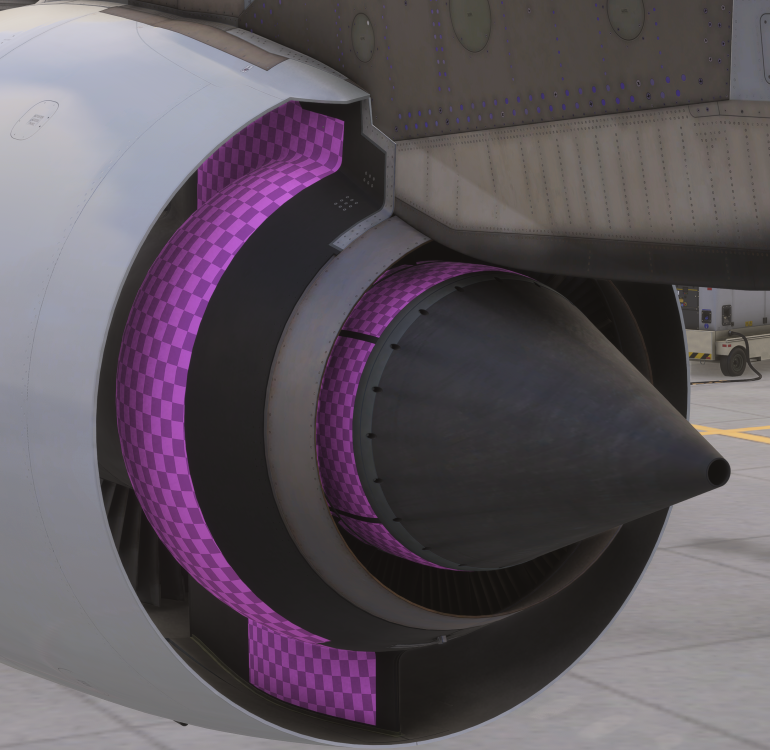
For me, I have a similar problem but not quite extensive... I updated via Marketplace and also re-installed all the liveries via inimanager. For all aircraft variants, some texture of the outer turbine section seems to be missing: Also, the Emirates Cabin on both engine variants is not displayed. Standard cabin works normal. If I select the Emirates cabin on a livery and cycle through performance mode on/off, with performance mode off I get the cargo hold displayed when I open the cockpit door but the rest of the cabin is missing. With performance mode on, cargo hold is also not displayed.
-
Yes, many small aircraft can also fly ILS. That's how pilots learn to fly by instruments before transitioning to bigger aircraft.
-
If there are millions of bugs, they are certainly not fixed within one week.
-
Yes, GPS-spoofing can absolutely happen on the ground and has been reported several times, primarily in the middle east region - Beirut, Cairo, Israel, Jordan and also Cyprus https://www.euroga.org/system/1/user_files/files/000/074/004/74004/9562ca07f/original/GPS-Spoofing-Final-Report-OPSGROUP-WG-OG24.pdf? It happened to me in the A350 as well. Best regards
-
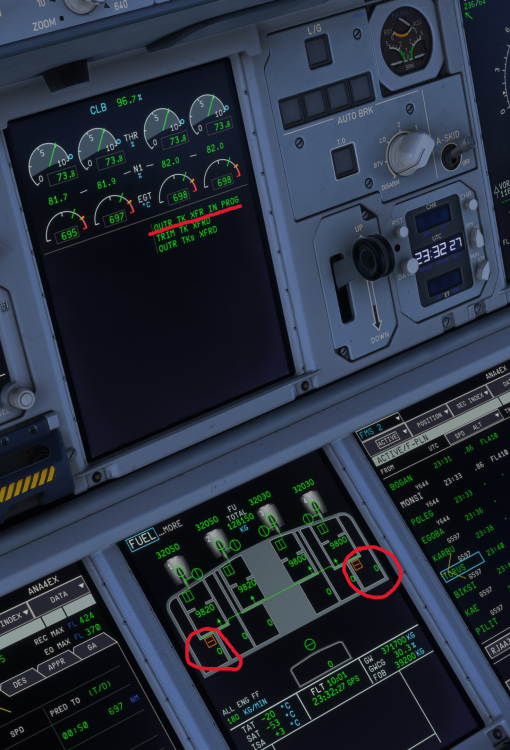
Thanks for clearing up the correct procedure 👍 The automatic transfer from the outer tanks does indeed work correctly as soon as the fuel temps reach -35°C. It was only with the (not correctly) manually initiated transfer that I noticed I couldn't stop it again when started, in addition to the "FUEL TRANSFER IN PROG" message not blanking after all the fuel was transferred. Which is both probably not correct behaviour according to your comment.
-
Hey guys, I think I found another little bugger: During a longer flight to Tokyo, at some point I started to manually transfer the fuel from the Outer wing tanks to the middle tanks. Fuel temps were at -31°C in the OUTR tanks and the last time the auto transfer started when reaching -35°C so I figured I might as well start a bit earlier. At start of transfer, the outer tanks had around 8000kg each still in them and when they got to around 3500kg I wanted to stop the transfer, which didn't work and it continued automatically until all the fuel was transferred. I don't know enough about that to say whether it's normal that you can't stop the manual transfer or not, so I wanted to add it. The more obvious bug appeared when all the fuel was transferred. The "OUTR TK XFR IN PROG" message on the ECAM was still displayed: Best regards,
-
-
@Maline I think because you're using the wrong MSFS setting for your setup. Try changing your setting for the throttles from "Throttle 1(2,3,4) Axis" to the "Throttle 1(2,3,4) Axis (0-100%)" setting instead. I know the official throttle calibration thread from ini says to use the normal "Throttle # Axis" but the problem here is probably that the inibuilds thread is referring to Thrustmaster TCA but WINCTRL uses a different axis logic with the SimApp Pro in between. That's why it doesn't work. I also use the other (0-100%) axis and it works perfect. Same for the Fenix A320 😁 The rest of the setup for the WINCTRL Throttle is the same as you already have it (with the double binding) so you can use the two throttle levers for the 4 engines.
-
Hey there, I just found a small bug (which should be easily fixed): If you go to the main ground operations page on the tablet in flight, all the connections are greyed out like they are supposed to be. However if you go to the main page, you actually can attach GPU and chocks in flight via the Ground Operations quick access field. Otherwise, I'm having no trouble with this behemoth so far (except for the other little bugs like the one with the lights switching on after changing views and the reversers not having a physical effect) 😎
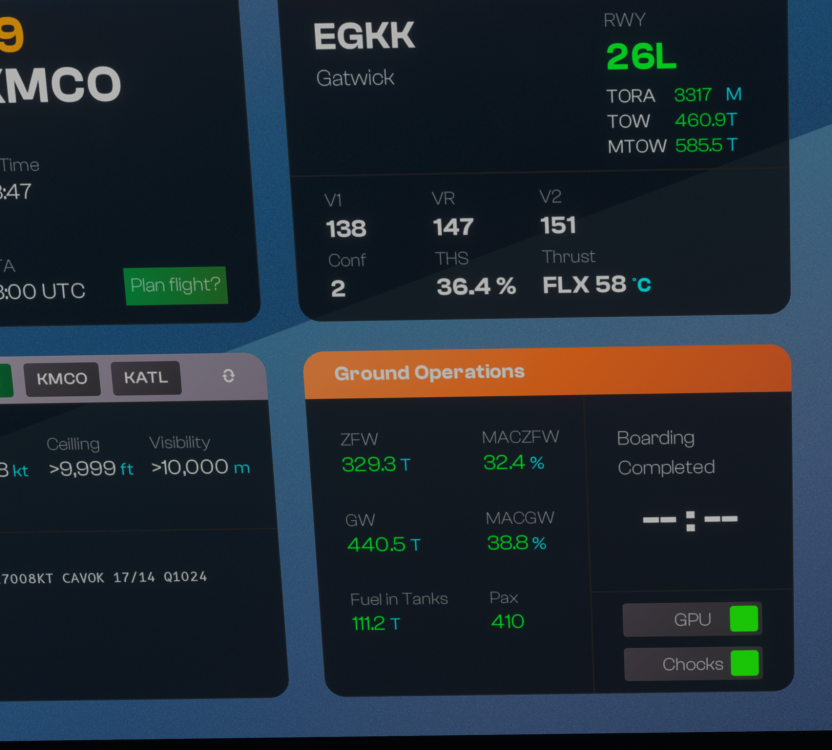
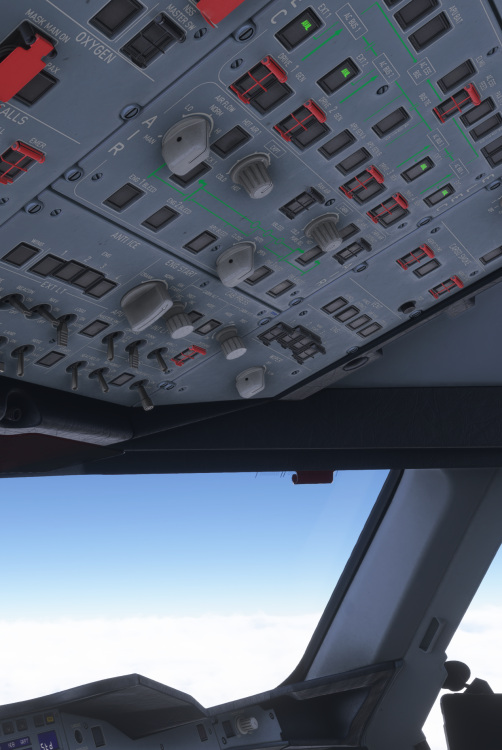 the clock background light is indeed controlled by the INTEG lights potentiometer. If that doesn't do something, there seems to be a bug. I can't tell you what it is though unfortunately. For me it works normally. Even though it doesn't exactly work like it's supposed to, I can't quite see the disadvantage... The clock and Chrono works fine without it.yeah okay, FLEX 41 in these conditions is at least somewhat reasonable but shouldn't make a huge difference. You might as well go without FLEX in that case. Anyway, it gave you the performance limited TOW with 588.7t which is still a big margin from the current weight, so it shouldn't be a problem taking off with these settings. But if you say you tried and you couldn't take off with what the calculator suggested, it's getting very sketchy. What I just noticed in your screenshot is that it depicts the rwy12R TORA more or less correctly with 4312m as well as the ASDA but it says TODA is 4547m. Below there it says T.O shift 235m, which can't be correct because T.O shift is when you deliberately shorten your takeoff run available (intersection departure), not the difference between TORA and TODA. I couldn't find anything on whether 12R in Dubai has a clearway, it's not depicted in the charts. But it might be possible that the calculator also takes the TODA into account for an unbalanced field length (when TORA,TODA and ASDA are different values) and mixes something up there.SiebAir changed their profile photoThis can actually be correct, especially for such a large aircraft. In order to actually prove miscalculations though, it would be essential to provide the exact parameters (weather, weight etc.) and runways you used. The A380 takes up a lot of runway by default and the Vspeeds are calculated with lots of preconditions like runway condition, OAT, wind conditions but also obstacle clearance criteria (not sure if this is modeled here) or noise abatement procedures. So it can absolutely be the case that at certain weight/weather conditions for a specific runway, the Vspeeds don't change because the calculator deems it necessary for a certain required climb performance. The A380 is also a 4-engine aircraft, which means losing an engine on takeoff roll at exactly V1 is not as hindering to acceleration as for a 2-engine aircraft. In the latter case, you'll lose 50-70% of your thrust, which prolongs the distance and time it takes to get from V1 to Vr. On the A380 it's maybe 25-30%. This is all taken into account when calculating V-speeds. So naturally, as V1 and Vr are only a few knots apart most of the time, I could imagine that the A380 doesn't really make a difference between FLEX and TOGA in terms of V-Speeds at higher takeoff-weights. As long as the runway isn't too short to begin with, the speeds don't need to change :)


