NickDAL
Member
-
Joined
-
Last visited
Everything posted by NickDAL
-
@mstlc03 Not really, if you read my deep dive linked above it appears that as older sceneries made in the 2020 SDK are ported over into 2024...which has a much more evolved SDK, misnamed and duplicative texture files conflict with each other, especially if they are stored in a universal library to be used across multiple sceneries. This criss-crossing of texture files across two different SDKs does not translate well in the 2024 engine and that's why you see PINK or mismatched objects like you see in my linked post above. The only solution is a meticulous culling and updating of older texture files in the 2024 SDK or the removal of the older ones ported over from 2020 to eliminate the criss-crossing errors. At this stage, this is no easy feat and would likely be someone's full-time assignment for some time given the amount of iniSceneries that are out there and how many textures were brought over from 2020-built sceneries...KLAX, KJFK, KDTW just to name a few... --Nick N. DAL KRDU
-
@iniKyle Happy to see my old thread still provides some help to this issue that has plagued KDFW since release. Thanks for the intel as I recently moved from Xbox to a PC and like you guys am seeing the pink textures reappear on both platforms regardless of where it was purchased from on SU6. Do you know yet if the next KDFW update will update the terminal construction at terminals A & C as construction is wrapping up if not finished at this point? This would eliminate at least one of the two missing (pink) textures. Also I remind everyone to checkout my iniBuilds pink texture investigation on Xbox X. It does show some issues with older (not updated) ported textures from 2020 SDK that would require backend work from iniBuilds to correct. iniBuilds Scenery & MSFS2024: The Case of The Pink Textures - General Discussion - iniBuilds Forum Thanks for keeping us updated. --Nick N. DAL KRDU
-
Dev Team, Loving the new KORD scenery and the accurate inter-terminal trains but I would also love to see the CTA Blue Line trains running in and out of O'Hare. I noticed you guys laid the tracks for them already, is this coming in a future update? :) The Blue line runs so frequently and is such a major entry/exit point for so many people coming to/from the airport I would love to see the trains coming and going, thanks! --Nick N. DAL KRDU
-
@IniJamir I was literally about to reach out and see how this was going and what else we could do from an Xbox Communities end to get this packaged and uploaded to Marketplace, ha. Ask the team if Xbox users' money is not the same currency rate as PC users'. :-P Also, is there any update to the pink texture drama plaguing 2020 ported iniBuilds sceneries and textures to newer 2024 ones like KDFW? The pink textures still remain all these months later. I've catalogued the many problems here: Thanks as always for the great insights! --Nick N. DAL KRDU
-
This is a known and logged issue for Xbox users using v1.2.4
-
@CaptnHook Thanks for the great intel. Yes, the pink textures issue has been growing in 2024 with iniBuilds. I've been trying to test each update to help iniBuilds' scenery team rid themselves of these old texture pathways as they come out but it seems to be in the way the file is packaged for Marketplace....especially if it contains or uses a file path from a ported textures from MSFS2020...meaning not native to the 2024 SDK. Obviously, I'm limited on how I can test with the Xbox being a closed off system but you can read more about how these older 2020 textures behave in 2024 and are causing problems for iniBuilds here... Cheers, Nick
-
-
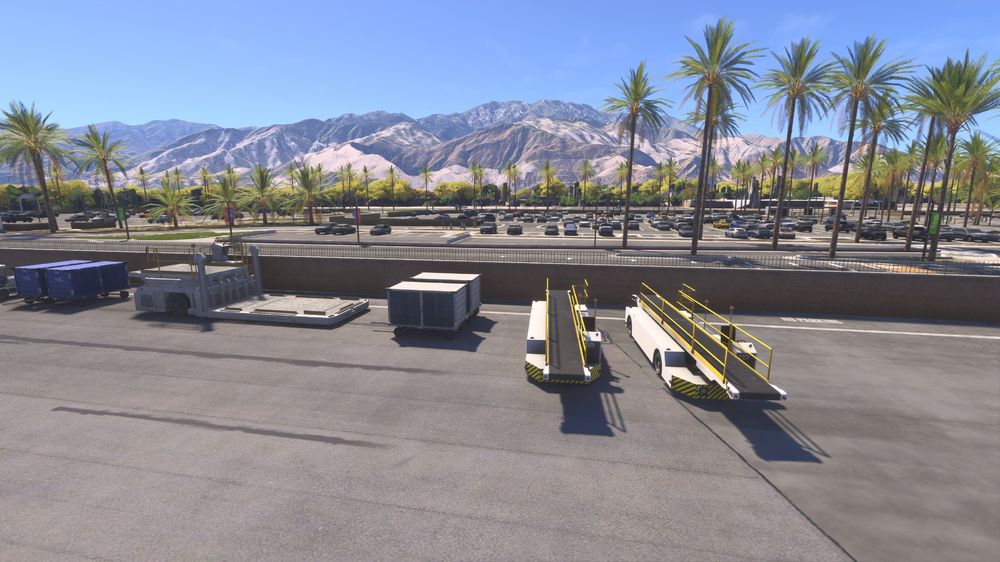
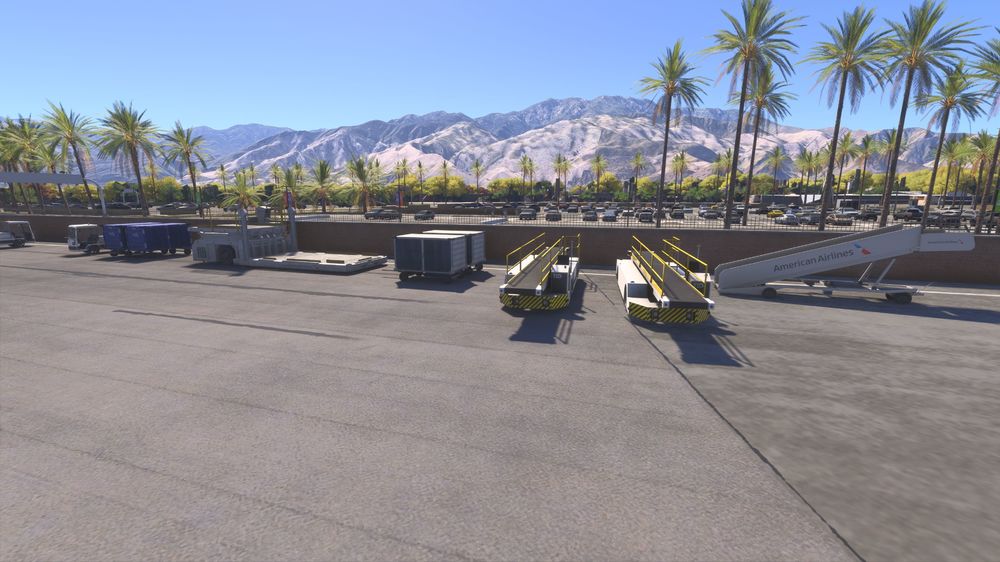
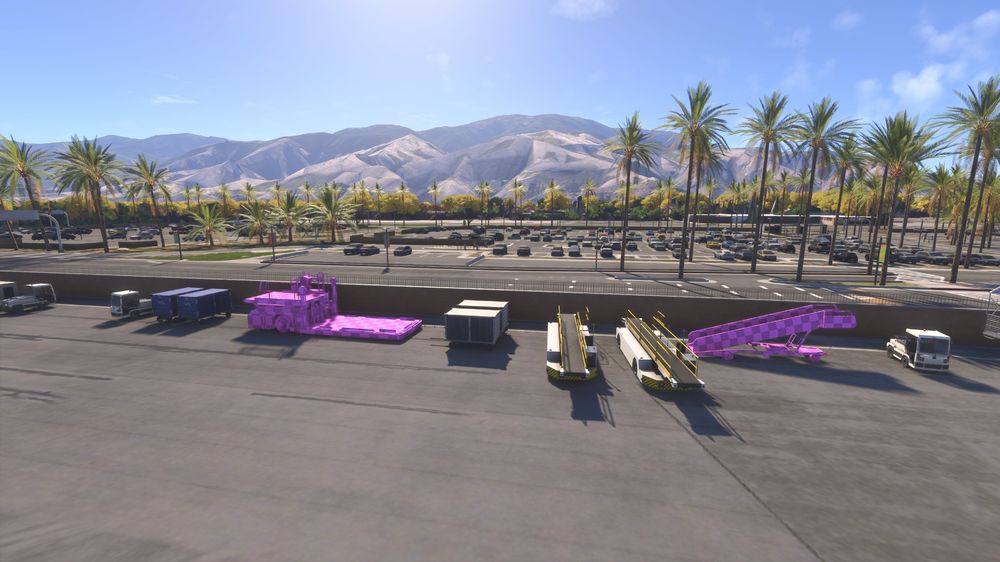
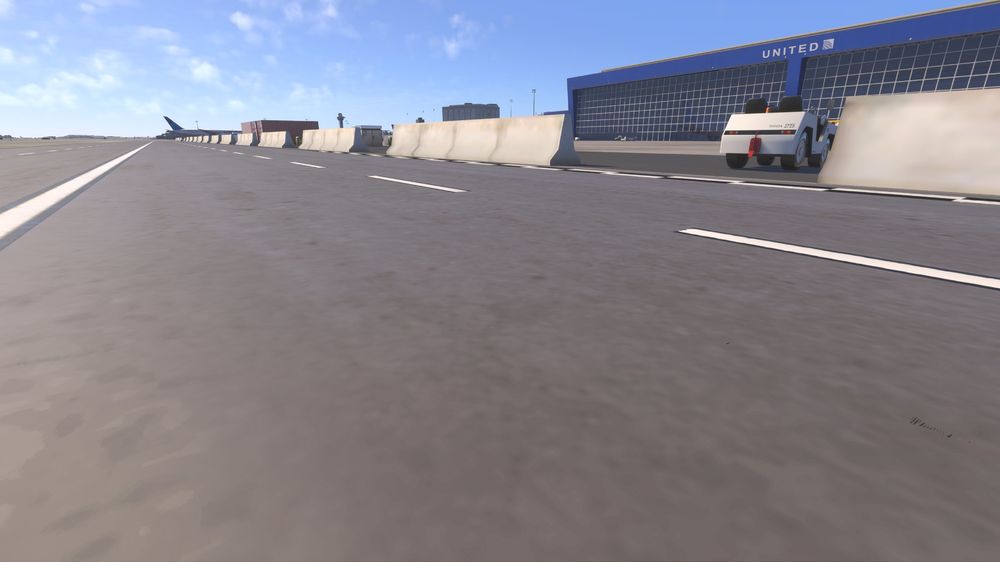
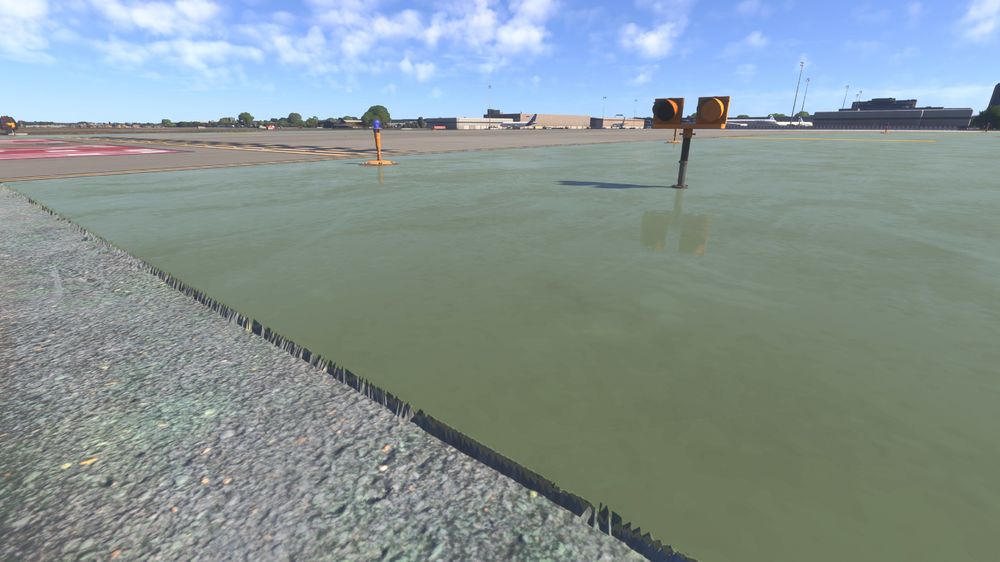
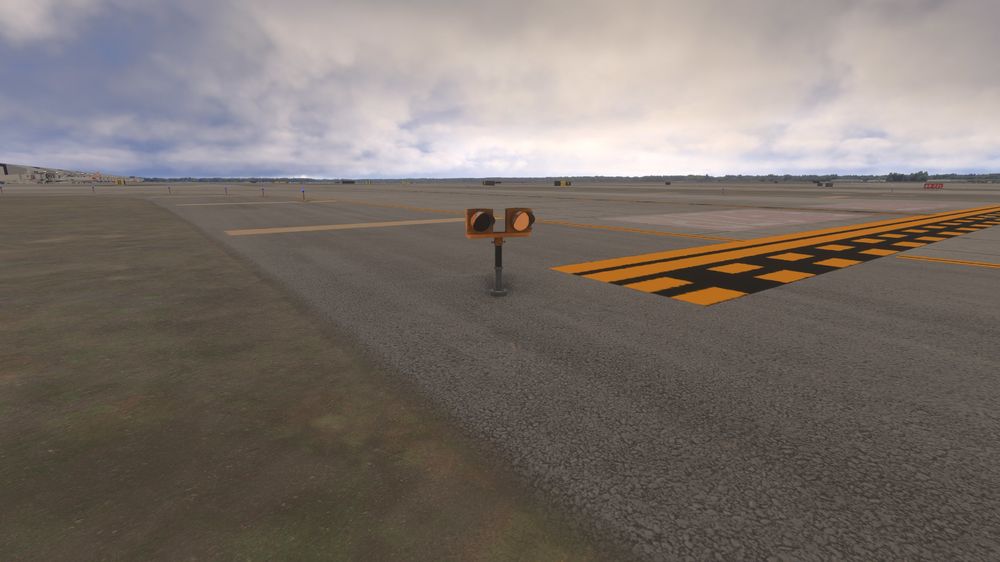
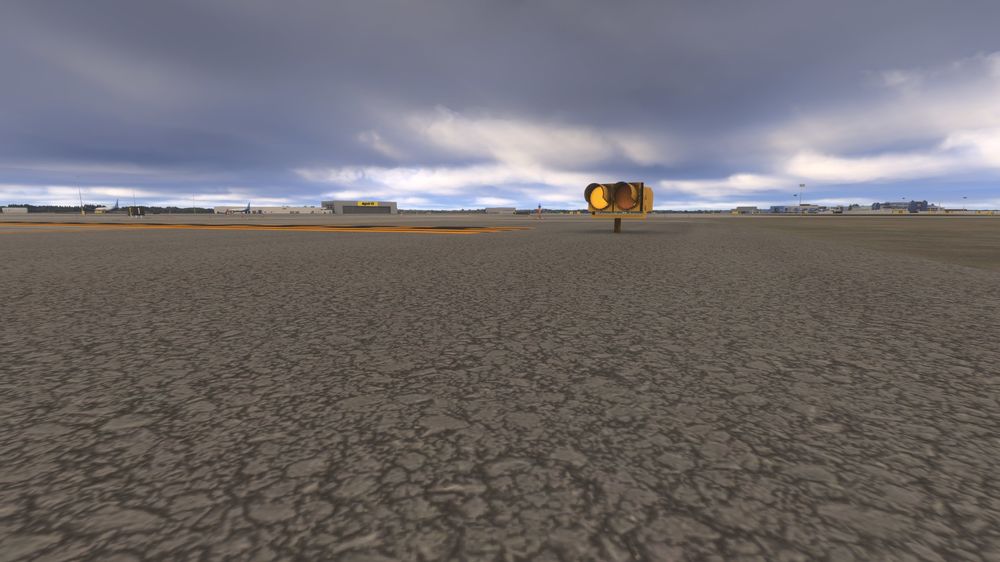
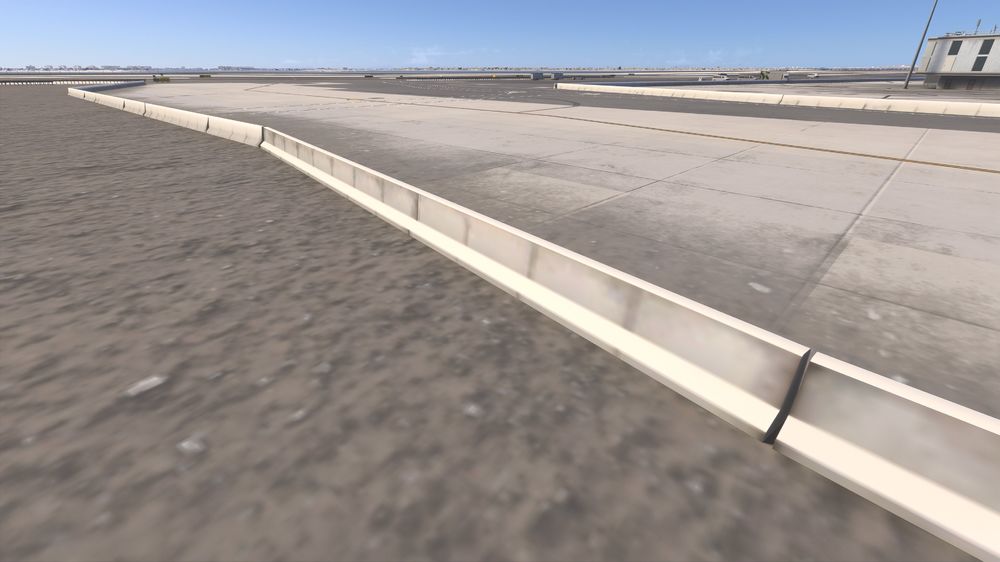
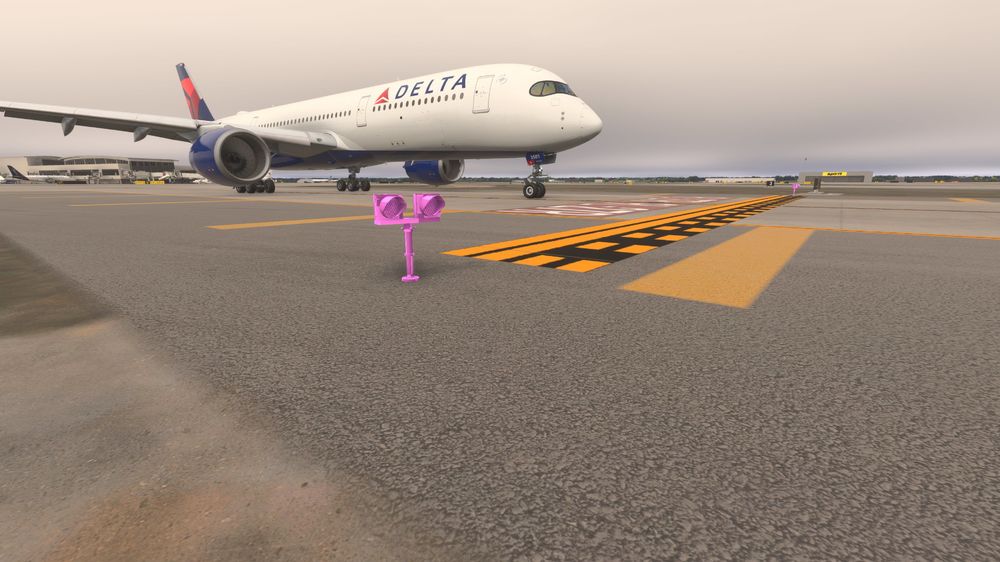
All, this post is largely my ongoing study of how iniBuilds Sceneries interact with the Sim and one another. Specifically, the packages uploaded to the Sim's Marketplace as I am on Xbox X. My original thread on the ongoing pink textures for Xbox users at KDFW is here: Lately, many users, including those on PC, have noticed more and more pink textures appearing in iniBuilds sceneries as the Sim evolves and updates itself but also, and importantly, more and more iniBuilds sceneries come onto the scene and loaded into the Sim. This is a story of how one corrupt scenery package, and, more specifically, using the same texture files over and over again in multiple sceneries without fixing their text pathways, corrupt multiple iniBuilds sceneries over time. For our study we'll look at how updating one scenery, KLAX v1.0.2, which has many user complaints in the forum, can create bugs in other iniSceneries. In our study today we'll look at the effects on KPSP v1.0.0 and KDTW v1.0.5. All are packages streamed from the in-game Marketplace. It's important to note that all three of these iniSceneries are updated ports from MSFS2020, meaning they are not original to the 2024 SDK, simply enhanced and updated for 2024. For every test below, everything was streamed directly from the Microsoft servers and all caches were cleared to ensure old or conflicting data was removed. Let's dive in... First let's look at KLAX's effect when installed and updated piecemeal by the user over time on KPSP...below we see that KLAX v1.0.2's texture files has corrupted ramp equipment at KPSP. Other user report even cars are pink in the parking lots. Now let's watch what happens when KLAX is completely removed from the game and KPSP is allowed to stream on its own...the textures are restored but notice the stairs truck has completely vanished. Now that we've cleared out corrupt files let's re-stream KLAX on the Xbox.....not only has the stairs truck reappeared at KPSP but it has its correct textures applied, no more pink textures at KPSP. OK great, but what about KLAX v1.0.2's effect on other iniSceneries? Let's go to KDTW v.1.0.5 and check for pink corruption. Bingo, there it is, didn't take long to find one. KLAX's runway caution lights have duped over KDTW's texture/object file and not only corrupted it, but now they face the wrong way. Now let's disable KLAX and see what happens at KDTW... Look at that, KDTW's caution lights revert to their original texture/object file used in MSFS2020 and they face the correct way now. So now let's uninstall KDTW and stream both the latest versions of KLAX and KDTW to see the effect on a clean Xbox system... A mixed bag, KLAX has placed its texture and object file for the runway caution lights at KDTW but it still faces the wrong way as in our first example.... Now back to KDFW, a 2024 SDK original scenery that has been missing texture files since release on Xbox...texture files we should note, DO show up in original 2020 sceneries now enhanced for 2024 but still not native to the SDK....KLAX and KJFK. Below we see two pics of one of the two missing texture files at KDFW (see my original KDFW post above) correctly show up at the older two airports. Even with KJFK and KLAX disabled and the cache cleared, it still does not load at KDFW....you can see the pics of this in my other post linked above. That means the script for the textures files submitted for Xbox in a full 2024 SDK made scenery were copy and pasted from older 2020 enhanced versions and do not read the same in the new SDK. The bad code must be located and cleaned up to fix these overlaps and corruption across iniBuild's sceneries with particular attention paid to old texture and object code that predates the 2024 SDK kit and were used in older 2020 ports. I hope this helps out the developers, especially when it comes to Xbox and how packages are loaded to the Marketplace and read but the system. I'll continue to test out all these things as updates and fixes are released over time. Please reach out with questions, thank you so much! --Nick N. cc: @IniJamir @IniSteve
-
-
This has been an issues for Xbox users this year. KDFW has had pink textures since release day, none of the updates pushed out have fixed the issue, something in the way the are packaged for Marketplace then unpacked by the console. Any updated world object updates/paths for texture files added by Microsoft would also corrupt these. Seems to be some kind of double-reading by the sim or a missing line of text in some texture files to match the new paths where the files actually are.
-
-
-
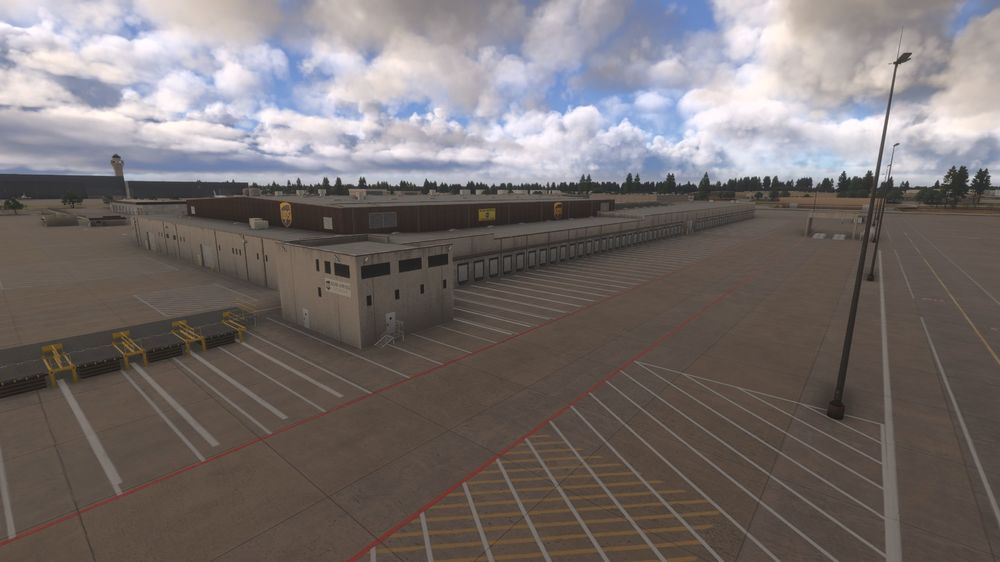
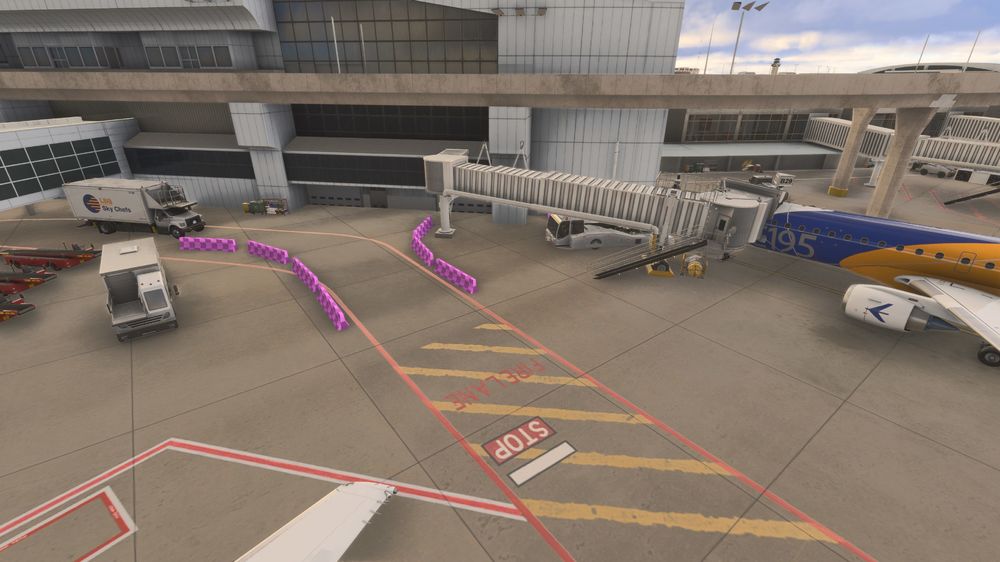
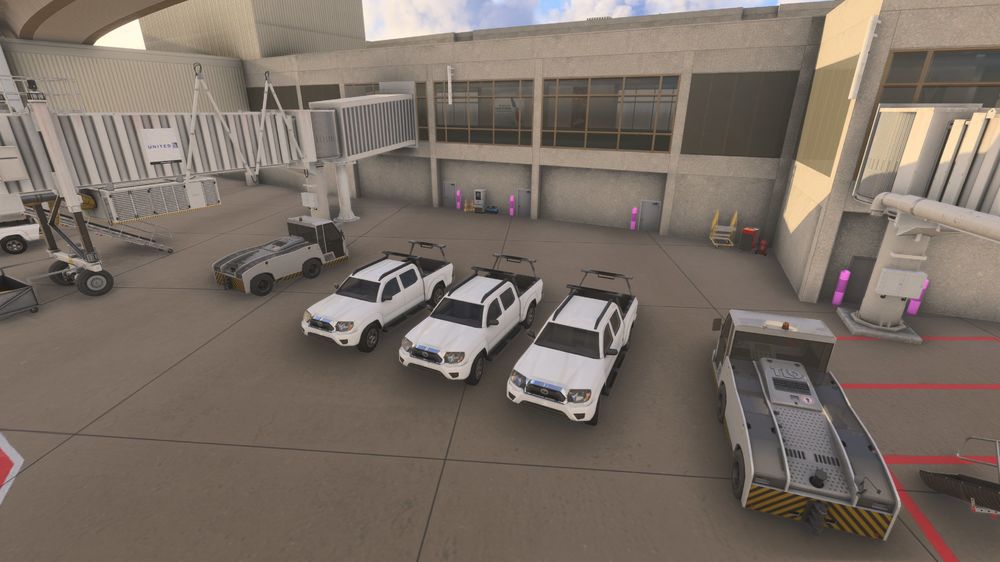
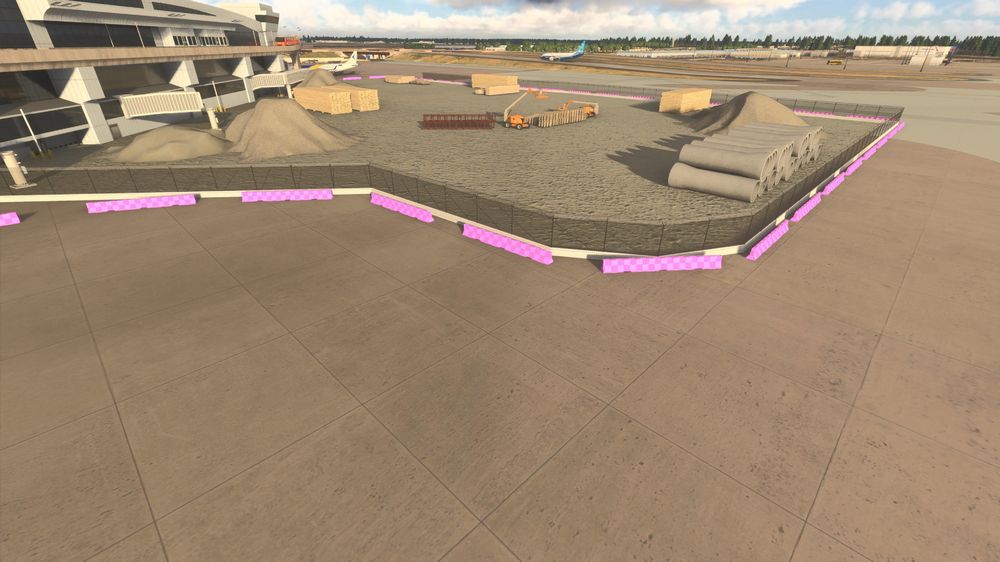
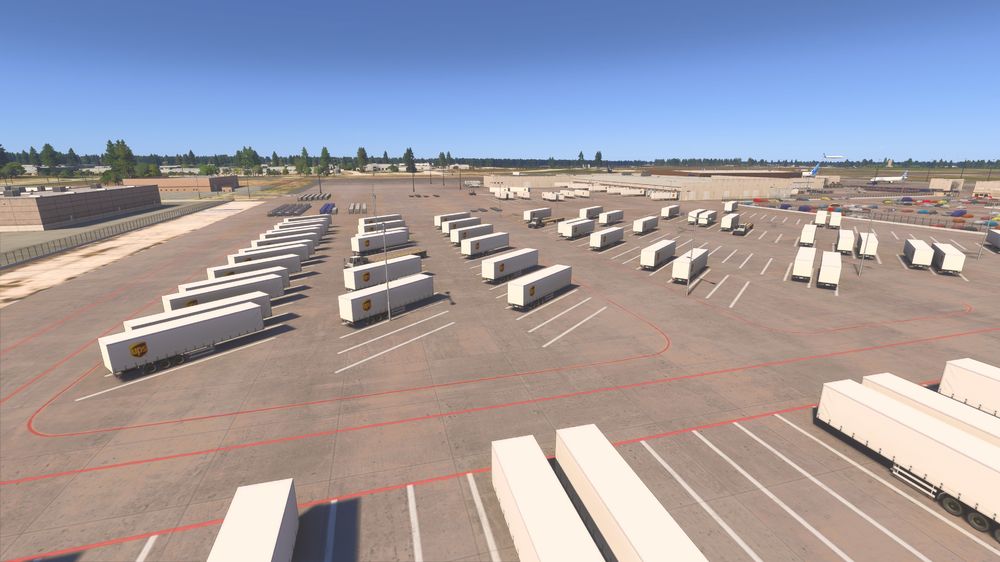
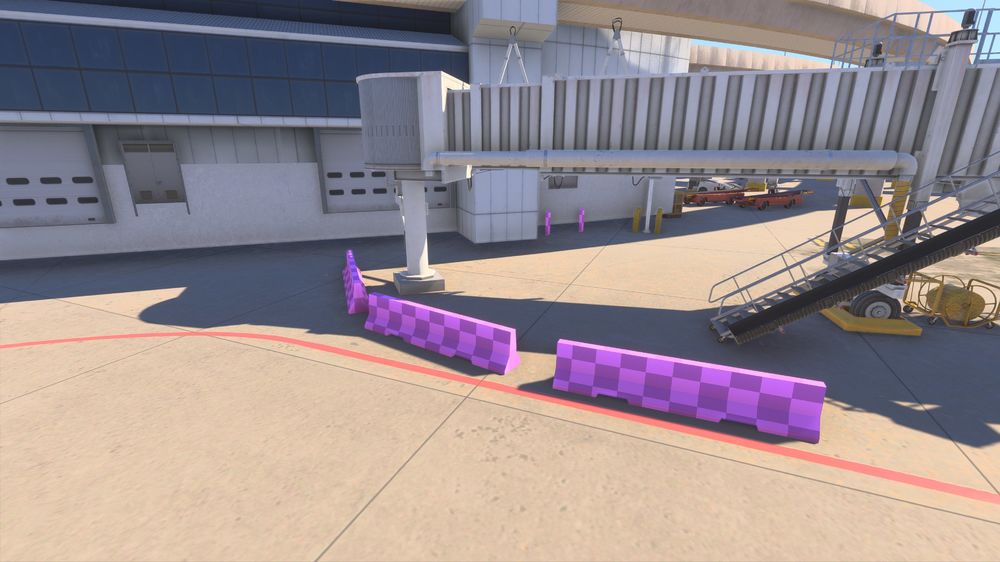
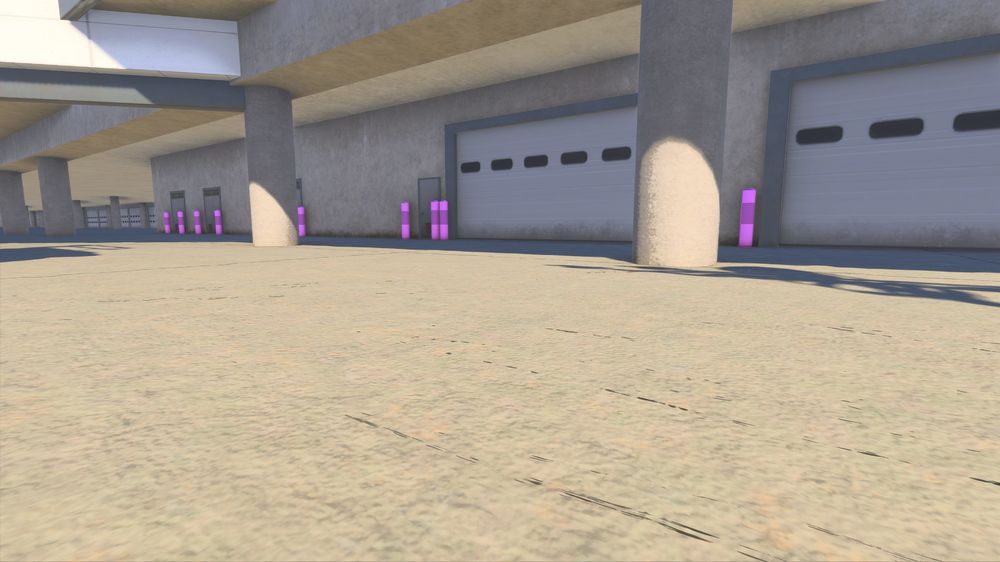
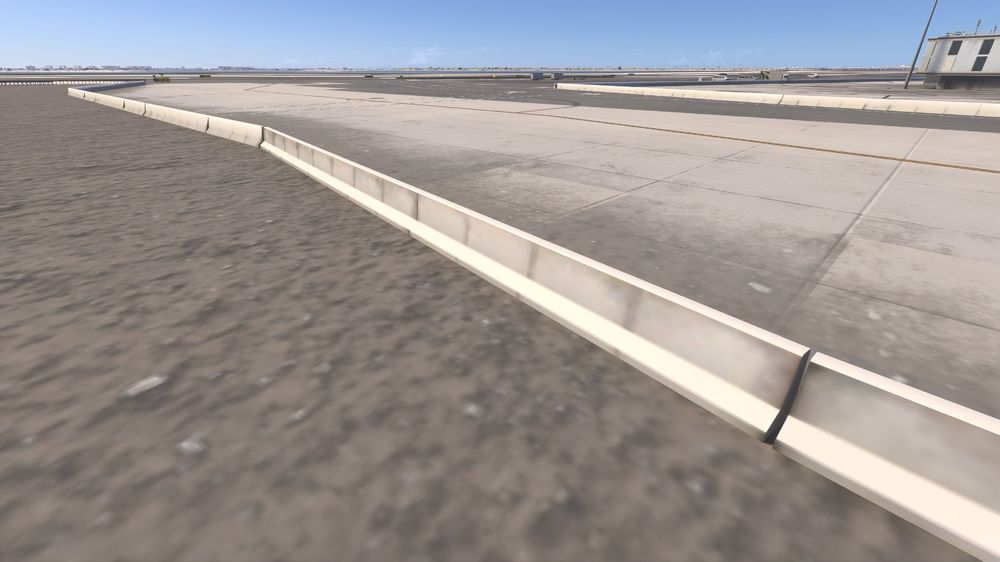
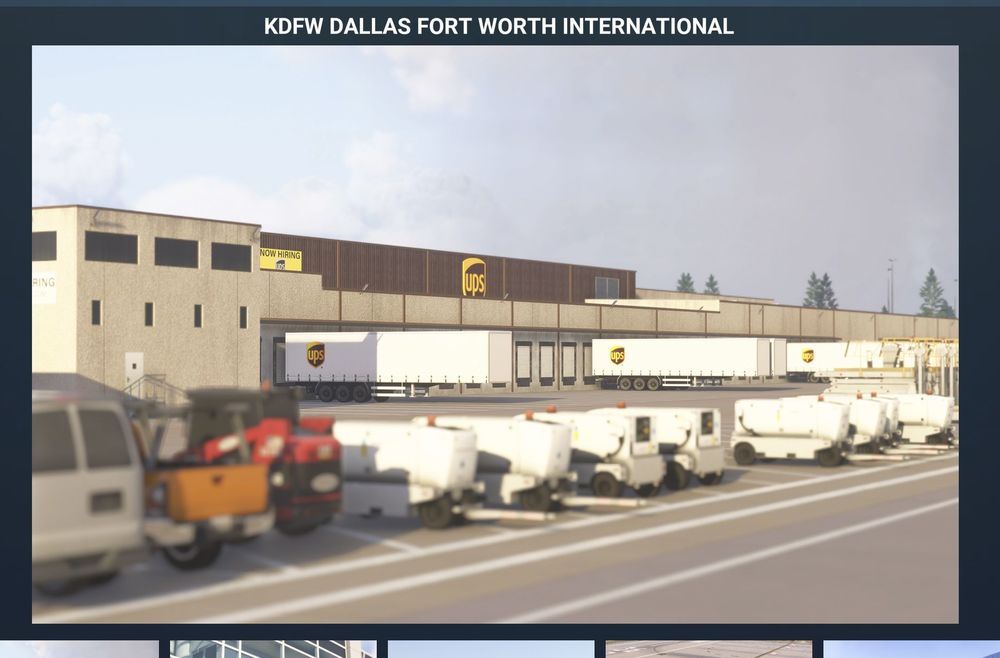
@IniSteve @IniJamir Hey guys, just reporting back as promised on this bug now that v1.0.3 is now on the Xbox Marketplace. Good news first, the UPS cargo ramp now has all of its missing objects and looks great. Big thanks for getting that corrected. Posted a pic of it just to show how much improved it looks. The bad news is that the missing texture files for the concrete barricades and pylons around the terminals are still corrupted in the PC package uploaded to the Marketplace and needs a code correction to fix it on the Xbox package. As usual, this is tested with a clean install, cleared rolling cache, default KDFW scenery disabled and all other iniBuilds sceneries disabled as well. All other Ini sceneries work great and have no missing textures. Just let me know as things progress, thanks as always! --Nick N.
-
@IniJamir Haha, fingers crossed. Thanks for the info. I just know the last time @IniSteve tested the Xbox pkg on a PC it also did not show up but did once it was tested on the console itself so that makes me a little nervous. All the other airports work great, even the new Hong Kong loads correctly and looks amazing! Hoping for the best and will check on my Xbox when it drops in the Marketplace. Thanks again for all the great communication! --Nick
-
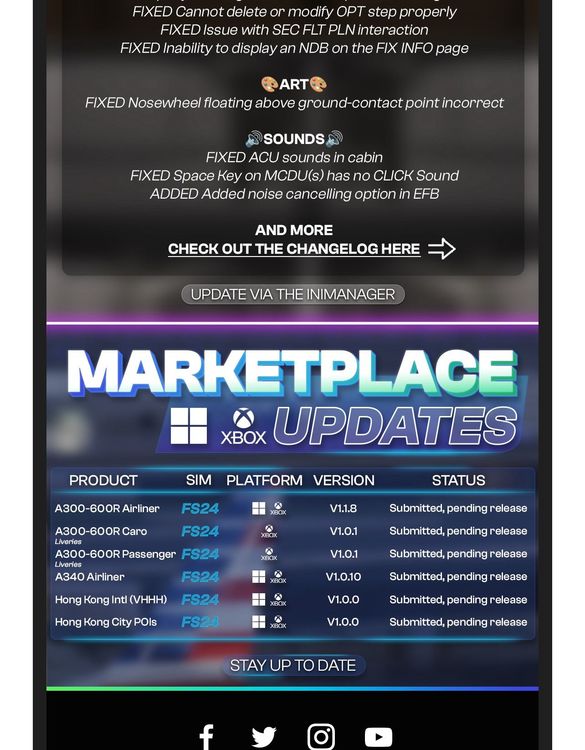
@Azlog According to last week's weekly email update, livery packs for Xbox users have been submitted to Microsoft for approval and we are just waiting on them now. Perhaps @IniJamir can confirm that? 🙂
-
-
-
Xbox X user here…I didn’t see it in the notes but when this update is sent to the Marketplace will the missing liveries (such as UPS) finally be added in and corrected? Many liveries advertised in the Marketplace purchase of this airplane remain missing after purchase. Thanks for any update. —Nick
-
-
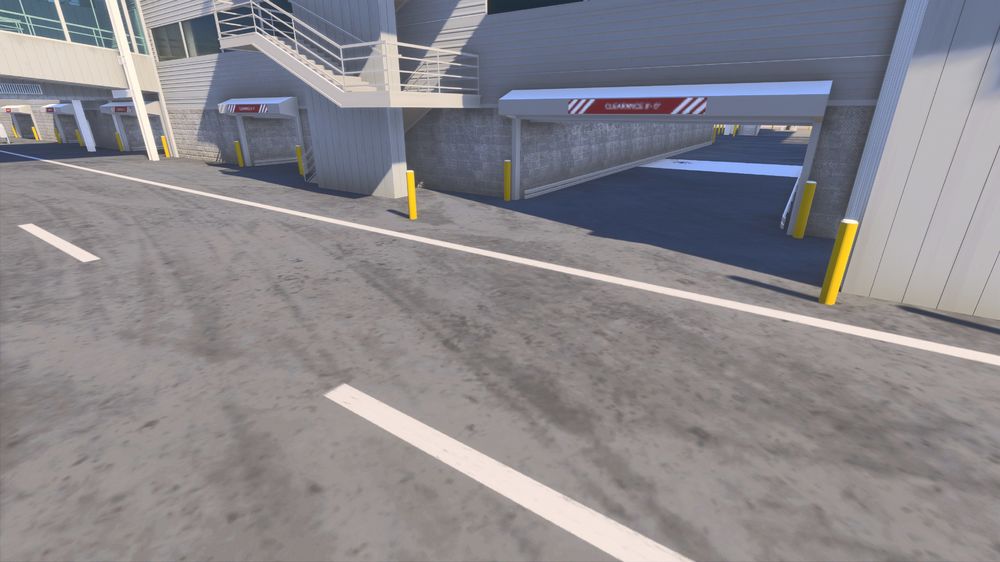
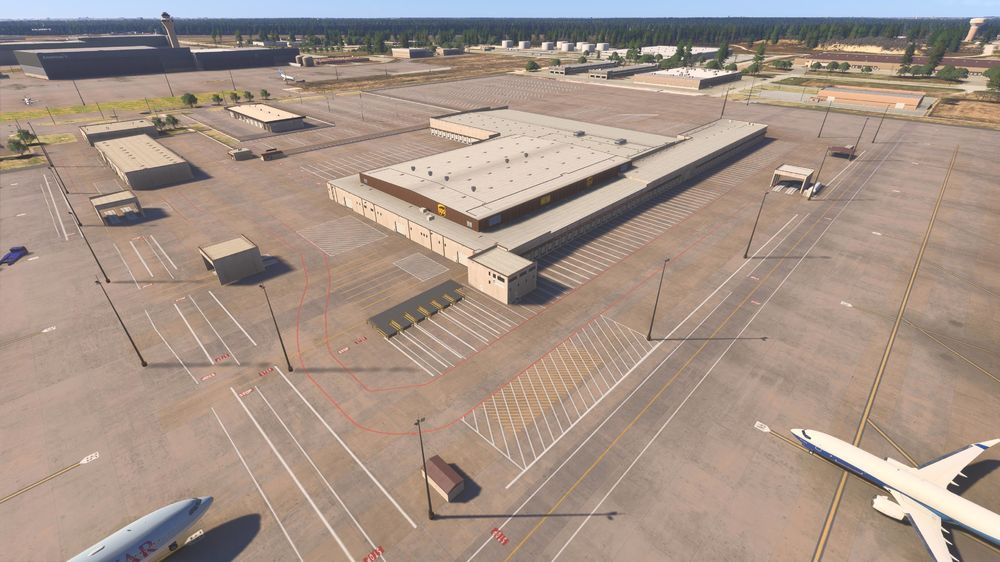
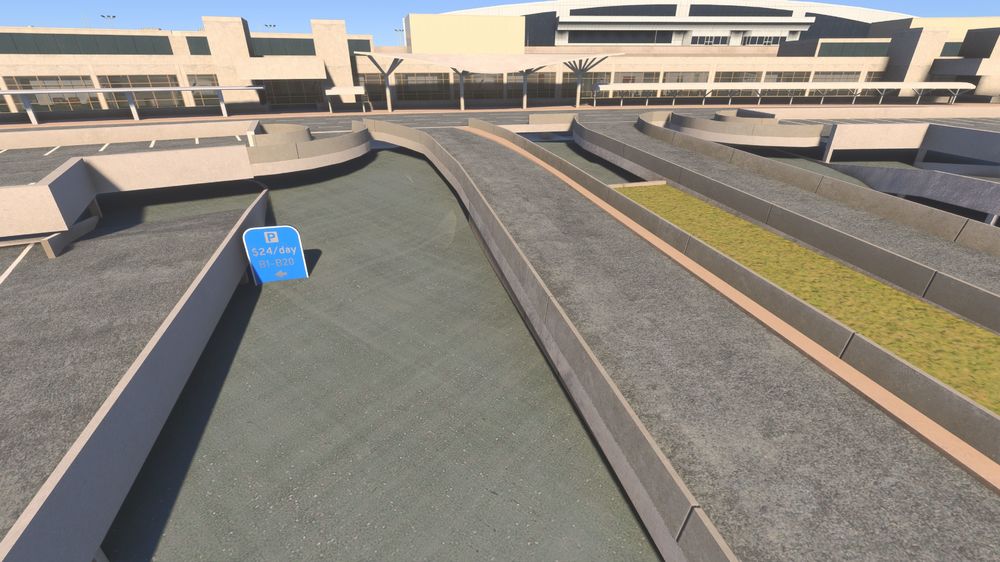
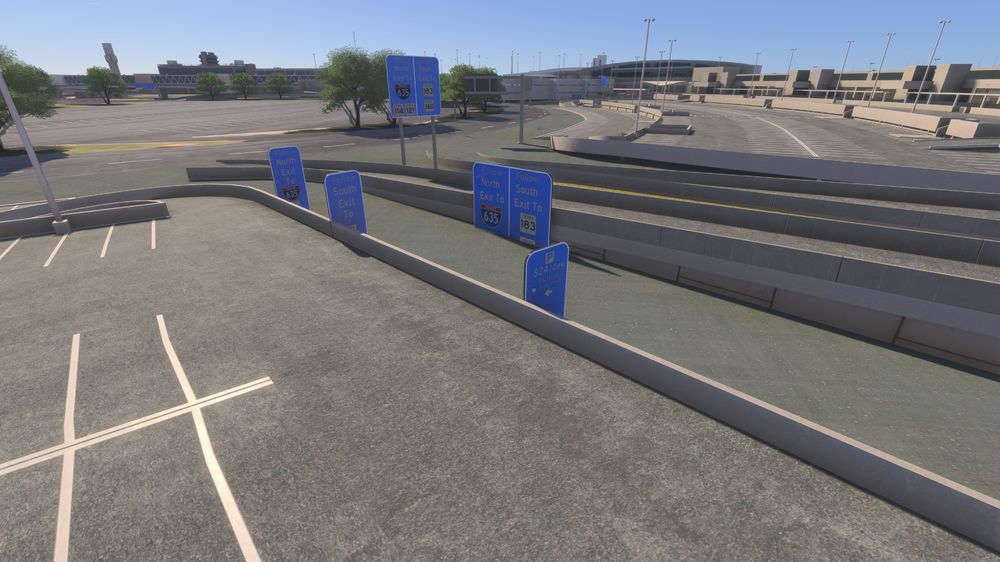
@IniSteve @IniJamir OK guys as promised I returned home and tested your suggestions mentioned above. Short answer, nothing worked and the textures are still missing/corrupted on the Xbox X. I cleared the Xbox's cache, reinstalled the sim itself and disabled all other content, still nothing. The only other things enabled in this region are the normal World and City Updates issued by Microsoft/Adobo. I also checked all of my other iniBuilds sceneries individually as well just to make sure. These include EGLL, KJFK, KLAX, KDTW, KSAT, KMKE, PHNL, KOKC etc. They all work flawlessly. I've added two pics below of what I assume are the same textures at KJFK that are the missing ones at KDFW just to show that the textures in question load as they should at KJFK. I can only conclude that the package sent to Microsoft for the Marketplace is bugged for the Xbox, much like the last A350 pkg that caused the lights not to work on Xbox did but worked fine on PC and a hot fix had to be issued to Xbox users to correct it. I've also included several other pics at KDFW to show that other parts of the airport do not load correctly on the Xbox and all the UPS 'clutter' over on the UPS ramp that is also absent. Screenshot added from the Marketplace to show how it is advertised to appear. The FedEx ramp on the opposite side of the field loads with a much greater level of detail. For now, I've disabled it until you guys can sort through these bugs for the Xbox package and get an update sent to Microsoft. Please let me know if I can provide additional feedback. I love your products as I know how much work goes into them. I can't thank you enough for taking the time to respond. I appreciate that you guys are making a noticeable effort recently to make things work amazingly for console users. Us Xbox users are really enjoying the awesome work! --Nick N.
-
-
-
-
IniBuilds announced over a year ago, as have most other major developers, that going forward all new products will be for 2024.
-
Hey guys, I know in today's email it said that KDFW v1.0.1 was still pending but Microsoft did in fact publish it to the Marketplace yesterday and it is live. On Xbox X here so thanks for sending products to the Marketplace so console users can enjoy them as well. There is really only one glaring bug so far in this build and that is random missing texture files around the terminal, see pics below. Also, the UPS stand, also pictured below, is void of any UPS trucks/trailers/cargo action etc. a stark contrast to the FedEx side of the field, which includes quite a lot of detail. The screenshots in the Marketplace show lots of detail in the UPS cargo area of the field so I'm hoping that is a bug as well. Let me know if you need anything else from my end, thanks! --Nick N.