Travel theCaribbean2009
Member
-
Joined
-
Last visited
-
Thanks for the information about it. Glad to see it’s already being worked on. Hopefully V1.2.5 comes out Thursday or soon for us Xbox users.
-
The past week or so on my Xbox Series X, the following lights have not been working: the landing lights, and logo lights have the light illuminated, but is not casting light on the runway/taxiway or the tail. The navigation lights and strobe lights do not even work right now. They are not even illuminated. These things are effecting both the A350-900 and 1000 variants. Thank you for your attention to this matter.
-
Now that Microsoft Flight Simulator 2024 is starting to run smoother and smoother with every update. I was wondering if we as Xbox users could expect an update sometime where the cabin would be in the aircraft along with the Flight attendant panel. Even a toned down version of the cabin. A cabin would be very nice. 🙂 Thank you for taking time to read this. I hope this suggestion is helpful. -Loyal Xbox iniBuilds flyer/user of products.
-
As of today, Version 1.2.1 was released on Xbox. My excitement to have spinning fan blades quickly turned to sadness and disappointment when I spawned in at numerous airports and noticed that even though the cockpit shows my external lights are on… none of them work. Logo, takeoff, taxi, beacon, strobe, navigation etc… none of them work. No dome lights either. This is really frustrating. Was hoping to be able to do some A350 ops again happily, but here we are again. Guess I will be sticking with my PMDG 777 consistently again. 😔 Please, please fix this issue quickly iniBuilds team.
-
-
Travel theCaribbean2009 changed their profile photo
-
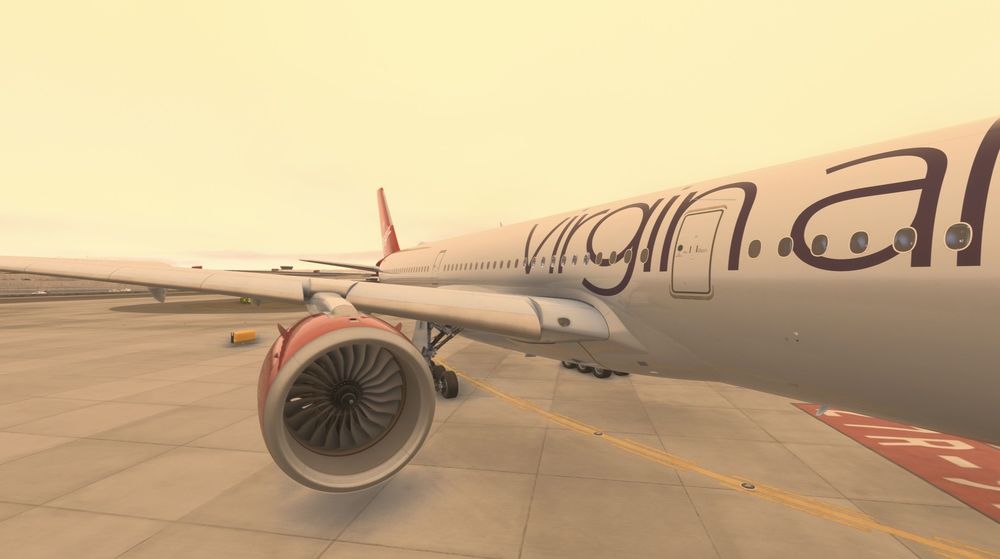
The past few times on Xbox ever since the latest update to the A350 I have noticed that I only can see the engines turning when a high power setting is set. If engines are on at idle or even 40% thrust the engines do not spin at all but instead look like they are powered off. But you can hear them. Please fix this on Xbox. I have attached a screenshot of the plan holding short Runway 09L at KATL where the engine is powered at idle, but you cannot see the engine turning.