




garett_09
Member
-
Joined
-
Last visited
Everything posted by garett_09
-
Hello, since im writing on behalf of the XBOX users, iw ould like to have a moving maps in my A380 if it's psosible since i can see it in the charts, as well as the navigraph app. that would be amazing. Thanks!
-
-
-
Hello everyone, Just wanna say that the performance of this aircraft is good when I'm airborne but when I'm on the ground i keep getting the memory error in XBOX even after turning on performance mode. I also can't get to download the plane in the marketplace as well as the livery as I am right now just streaming the plane from the server. Thanks!
-
-
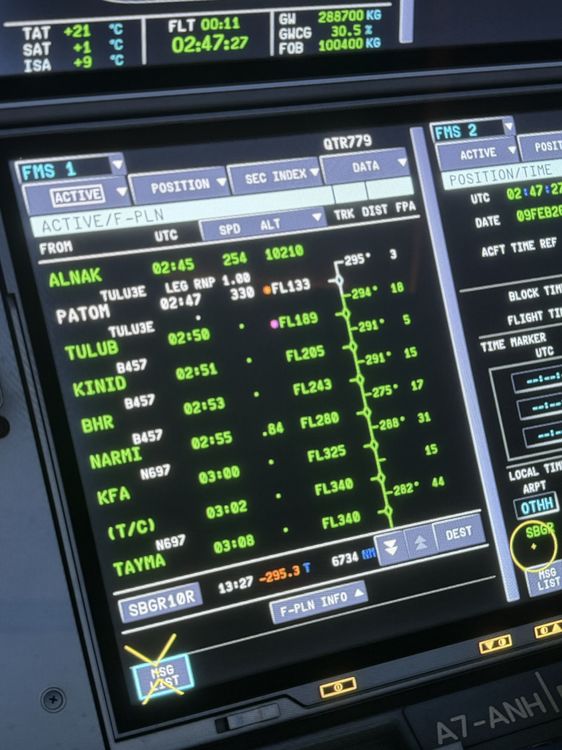
Hello Inibuilds team, sending here a new issue that I got after updating to the latest version in XBOX. This flight goes from Doha to Sao Paolo Brazil with a 13hr flight. All loaded from simbrief but getting weird fuel amounts again thus resulting in not accurate fuel in my plane.
-
Hi @IniJamir, Did the fix for this issue get pushed in the 1.2.1 version for XBOX?
-
Hello, i tried not putting step climbs at all and it worked so when i did put step climbs manually or automatically, im getting negative fuel amounts or worse N-N. But whats the point of not putting step climbs if this plane is a long haul one :((
-
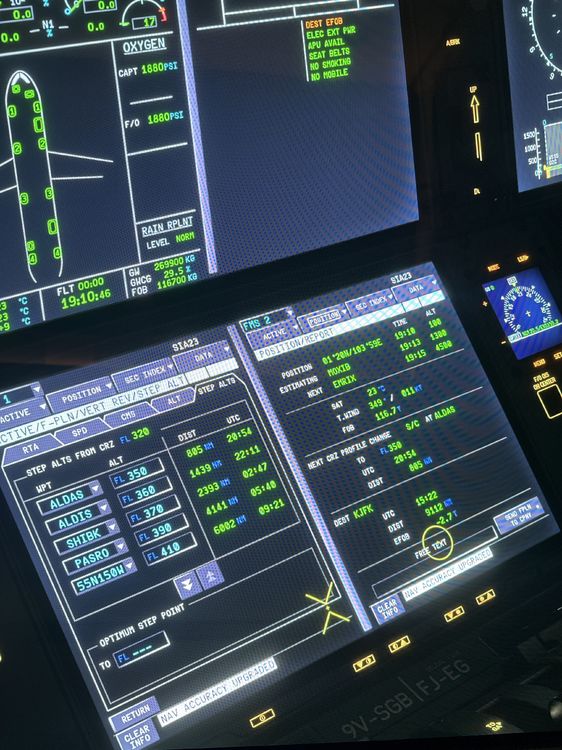
Hello! Also attaching here the step climbs @richboy2307
-
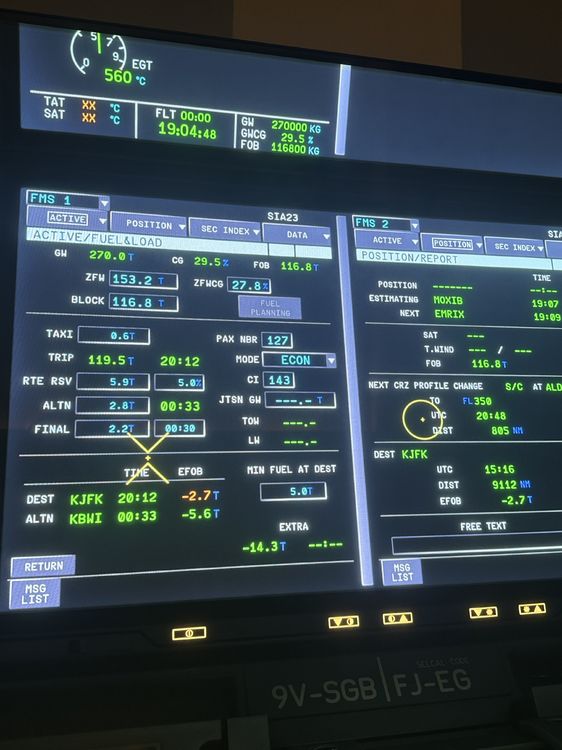
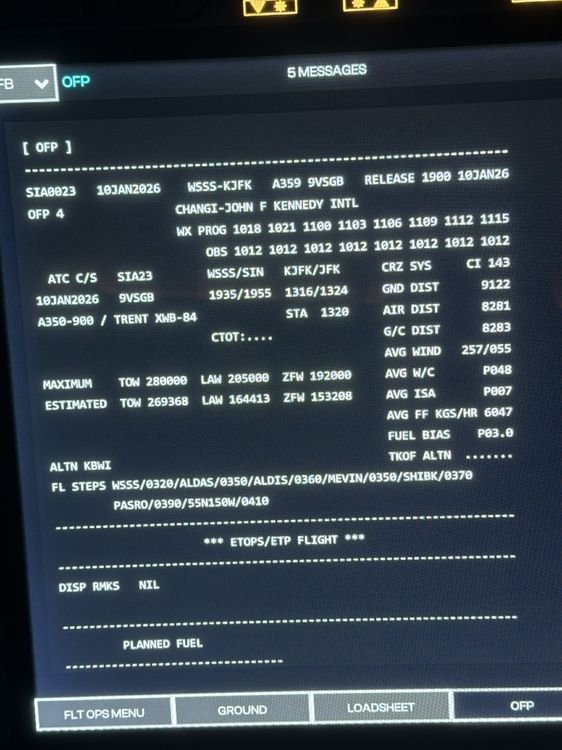
Hello! Thank you for the time to seeing this issue. Attaching the flight logs from Simbrief that happened today. I didnt get an N-N value but the fuel calculation is wrong. The block is only 116.8 but im getting a trip of 119.5t which is not correct thus getting DEST EFOB same as N-N. this is a legendary route for the airbus a350-900 ULR running 1.20 on xbox using latest SU4 update WSSSKJFK_PDF_1768071608.pdf
-
This is because of the fuel calculations in the fuel and load. The calculations are always wrong when step climbs are being added. If there are no step climbs, the fuel is normal. @iniBuilds Team @iniBuilds @IniSteve
-
Same issue for me. This has been happening in 1.1.9 when adjusting the QNH in XBOX. I hope inibuilds team can fix this.
-
That sucks. They should also update the livery i think?
-
-
I will try to do this and still fly the plane even if there are negative values. I always fly the plane on live weather and live time so i will see.
-
I hope @iniBuilds can fix this issues for XBOX as well since the price for PC is the same as XBOX yet receiving less features than PC people as well as a more broken version of it. for example, when using the step climbs, the fuel calculation in the FMS goes bonkers resulting in negative values and wrong calculations.
-
For me it sort of works but i have to manually add the LS IDENT in Navaid of the ILS for it to show the glide slope. Before i dont need to do that.
-
The issue is on the plane itself im guessing. When im manually applying the step climbs and not placing in the FMS, it doesn’t give me a negative value or a crazy value. only happens when applying in the FMS
-
Well, i guess there is one way to replicate it. I have auto import step climbs and i think that is also the reason. I will try to turn it off then add the fuel and load ad add the step climbs after then i will report back here.
-
This is really getting frustrating. Im running v1.1.9 i can never do long haul flights with this plane.
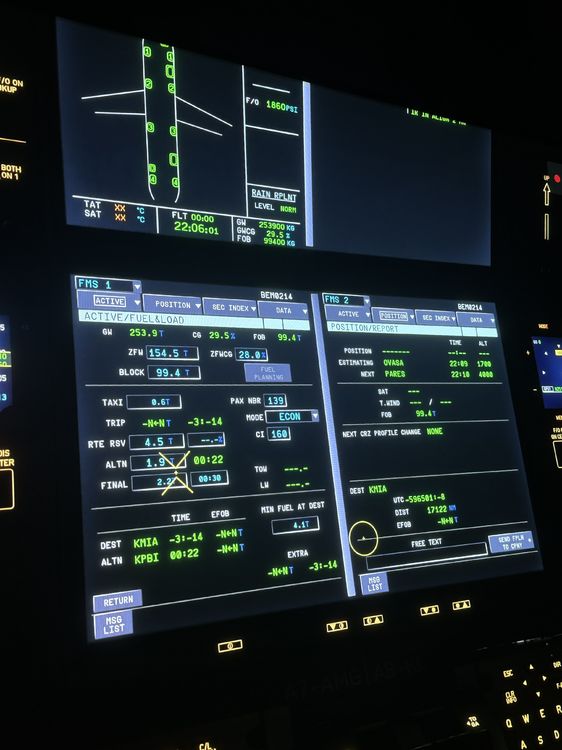
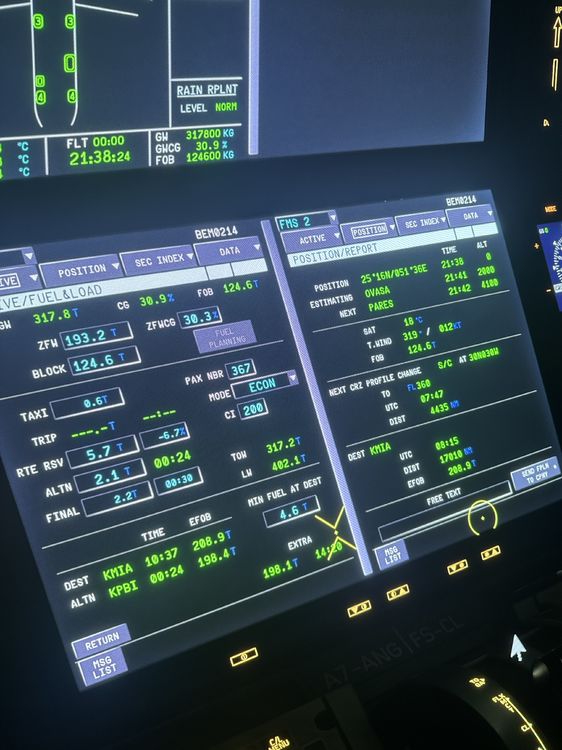
-
Hello, after entering the information from simbrief and using the correct aircraft in simbrief, when im flying a long haul flight like 14-15 hours, i am always getting this error in the FMS. I cant find anyway to fix it even by re-entering the values again, adjusting the CL, adjusting the fuel by small increments, changing the tropopause. this happens when the aircraft is fully loaded and is full of fuel. It doesnt happen on light flights like 5-8 hours. Using XBOX series X running 1.1.9 and still hasnt been fixed. plane: airbus a350-900 ULR as well as other a350 variants.
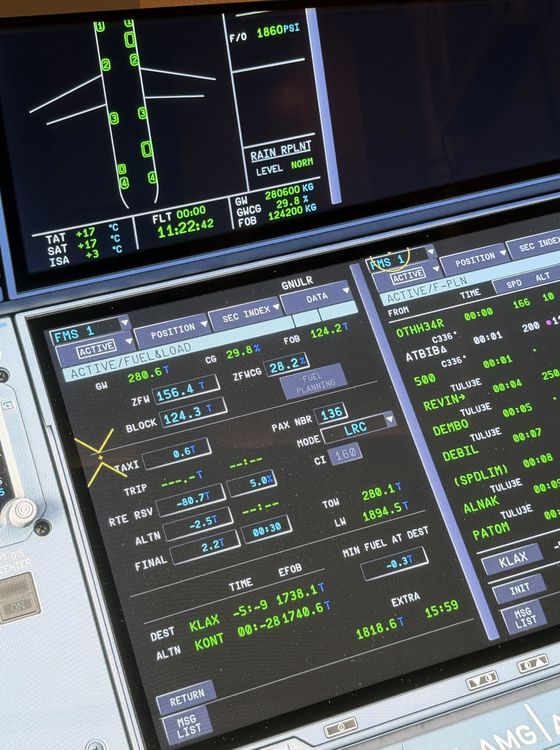
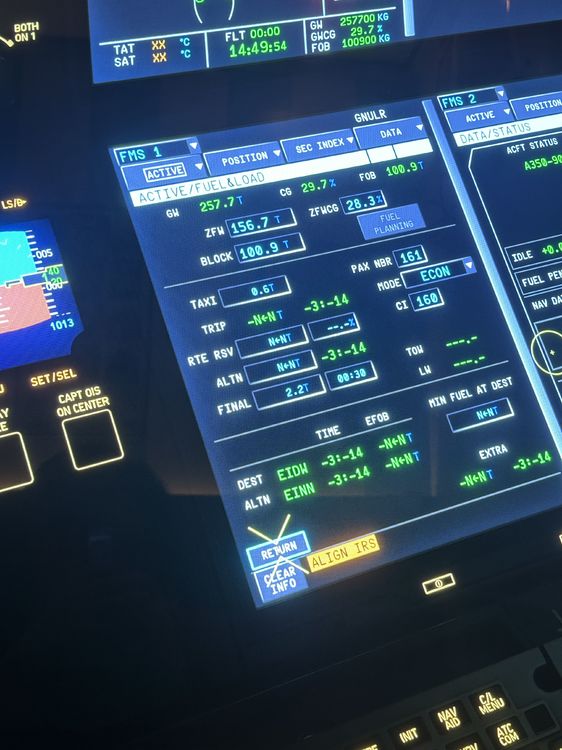
-
I hope this will be adopted in the future because the price of the a350 is the same with the PC version yet we received workarounds or even less features compared to the PC version. best is to charge less if it's like this.
-
Hello, agree with this issue on XBOX series x. im using 1.1.9 and even after downloading the terrain data and quitting and rejoining im getting no terrain data still. also, the anf is it possible we can download it just like the terrain data so we can also have it in xbox. also, there is an issue with the fuel mapping when the aircraft is on full load with fuel, it is giving me a negative fuel quantity when the inputted cruise FL is higher than the MAX FL allowed.
-
Hi everyone, it would be best now to implement a workaround for the ANF and Terrain data for the XBOX version. It’s a little bit unfair that you charge the same price as the PC version yet we are missing key features like BTV, ANF, and Terrain Data. You have made to increasingly improved the FPS by adapting from the A340 and its now time to implement these PC features to Xbox. My navigraph subscription is going to waste because of this. thanks
-
Yes i agree with the same issue.


