




klusik
Member
-
Joined
-
Last visited
Everything posted by klusik
-
-
Thank you for the explanation. SimConnect is a strange beast, I am using it for my own scripts (detecting airplane location and other purely diagnostic things for my scripts), it works, but hey :-) Thank you for the amazing job you are doing on it. I know, it's hard, and yes, sometimes I am even hard on you, but I see the progress and you are trying to solve this. I hope the new A380 won't refocus much onto this new thing from this mostly pressuring issue. Thank you.
-
Exactly :-( I love the plane, but for me it is unusable, 3/5 flights ends like this, waste of time.
-
Maybe a cleaning the WASM cache could help? I am doing it always after an update or after longer time anytime 🥹✈️
-
As soon as I get home from aero Friedrichshafen, I am updating and I must try! Thank you for a good vibes and message 🥹✈️❤️
-
Hello, what about the WASM stability? Thank you for your report! 💖 That DIR-LNAV thingy is very frustrating, I was surprised about it, I just clicked direct and got to set up something else, looked out and I am 40 NM somewhere else 😄
-
Hey, both of my engines failed at the same time because of the hydraulics failure, not sure it was a bug or something, but it is kinda suspicious. Check please the time 18:44 when it began (this is a raw video, sorry about that)
-
Hello, developers, I hope it will be helpful for you from me just to sent logs from a clean install of A350 (as for 13. 3. 2026, the new version). There are some issues, a bit flicker of displays and a lot of errors and warnings from the dev console. I hope it is helpful. So far I loaded and compiled WASM. One thing is solved for me -- the plane automaticaly no longe crashes to a building during waiting for yellow "FLY" button 🙂 It's moving a bit, but it stops immediately. Files: Video [mkv]: Flickering displays Log01: What errors it wrote when selected from menu (nothing else, just selected) Log02: Separated Errors/Warnings/Messages. My HW: AMD 7950x3d nVidia 4070Ti Super 16 64 GB Ram M2 SSD Samsungs. Display: 2560x1080@160Hz FS FPS caped to 60 Used nVidia Frame Generation to get 120. Thrustmaster Airbus Captain edition (joystick + throttles) Orion2 Rudders 2026-03-13 21-40-57.mkv Log01_selected_from_menu.txt Log02_compiled_only_errors.txt Log02_compiled_only_messages.txt Log02_compiled_only_warnings.txt
-
Thank you very much. I see just today the new version is out, let me try it! In the meantime I learned how to use console and wasm debug tool, so I hope I will be a better customer in the future 😄
-
-
Every new load of a game is a crash (aircraft crashed, not as a software, as an aicraft in the game). So everytime I fly the new flight (after movin the aircraft by set departure on FS2024 map) I wait, crash, restart (by a button restart) and then it is ok. I get the FS24 tends to move aircrafts on the ground, happens to me even with other aircrafts, but only A350 crashes during that.
-
-
Yea, after a while I tried A350 again, my flight from KOCD to WSSS was great, so I tried WSSS to LKPR and it crashed over himalayas, aircraft flew normally straight in line, but nothing repond, no butons, nothing. Waste of time.
-
I switched to FS2024 and I can't use A350 anymore 😞 Right after the loading the aircraft, it immediately crashes. Then it is visible it is "moving itself" somewhere (by itself). In the systems I specifically set up Cold and Dark as a default, but it is not avail. I tried various locations, on the runway, anywhere, but it always crashes. A350 is for 3 months unusable for me.
-
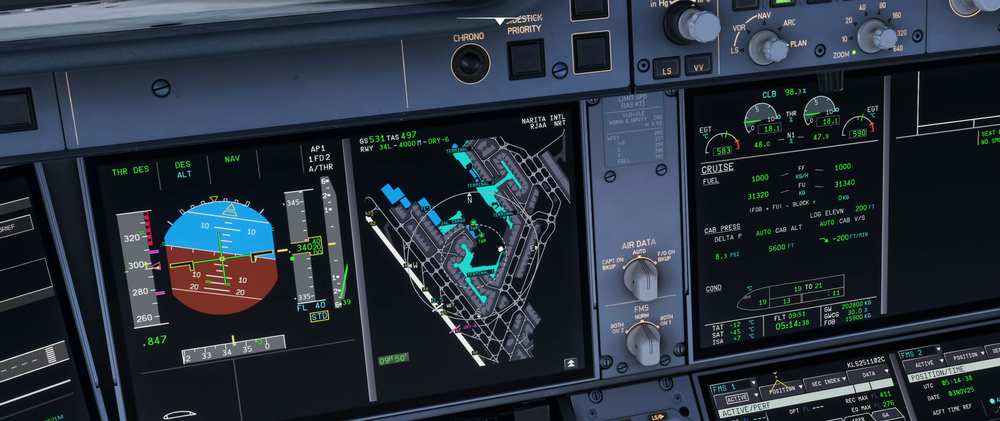
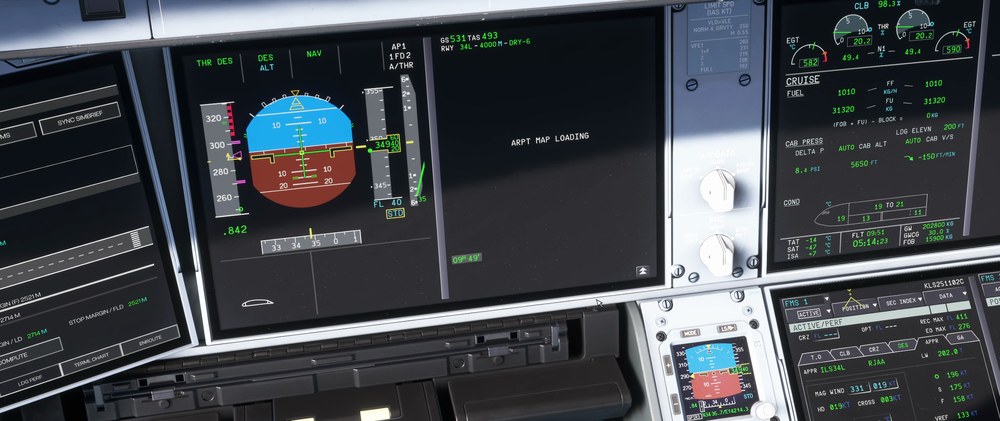
Hey, how to solve the issue, when planning the BTV point during the approach (or before), there is like 2-second FREEZE of the sim, before the map is loaded? After that it works instantly if I try to do it again, but only during the first use. Freeze during the departure as well, if I want to see the map of taxiways. When I go ZOOM, it freezes up on this page with MAP LOADING text.
-
-
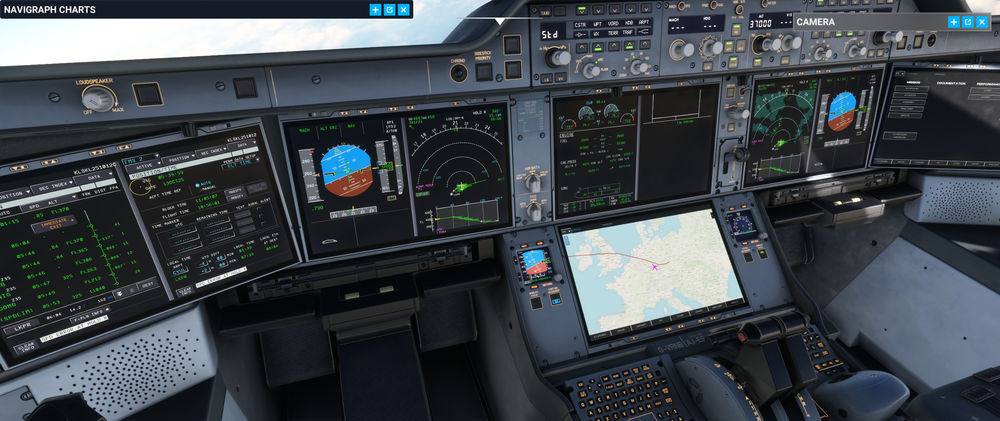
Happening to me right now, I let the plane to a holding pattern, but now displays are unresponsive, buttons are clicking (by sound), but doing nothing, sadly. Only thing seems to be working is the display switch like on the screenshot :-(
-
Hey, happened me yesterday, FS2020. I forgot to load loadsheet via simbrief and clicked to refuel slowly (no number was given). It was getting refuelled. Then I loaded simbrief loadsheet with 73500 kgs, but the refuelling continued on and on. Even when I tried to taxi, it was still showing more and more fuel.


