



Skip to content
View in the app

A better way to browse. Learn more.

iniBuilds Forum

A full-screen app on your home screen with push notifications, badges and more.

To install this app on iOS and iPadOS
  1. Tap the Share icon in Safari
  2. Scroll the menu and tap Add to Home Screen.
  3. Tap Add in the top-right corner.
To install this app on Android
  1. Tap the 3-dot menu (⋮) in the top-right corner of the browser.
  2. Tap Add to Home screen or Install app.
  3. Confirm by tapping Install.

cfso3515

Member
  • Joined

  • Last visited

  1. The strangest thing is that it imports the flight plan without checking the aircraft type.
  2. I don't know why.This aircraft will only load the most recently generated simbrief flight plan.Whether it is the A320 or the A350.or PMDG 737
  3. My engine is the same as yours.This happens whether using official liveries or third-party liveries.These changes occurred after the update.
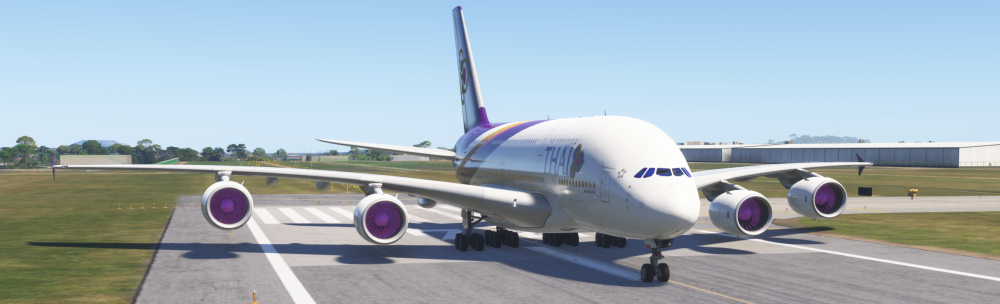
  4. me too ,display very dark!Whether I turn HDR10 on or off,I use 7900XTX ,I don't know why this happened?

Account

Navigation

Configure browser push notifications

Chrome (Android)
  1. Tap the lock icon next to the address bar.
  2. Tap Permissions → Notifications.
  3. Adjust your preference.
Chrome (Desktop)
  1. Click the padlock icon in the address bar.
  2. Select Site settings.
  3. Find Notifications and adjust your preference.