




Bert Groner
Member
-
Joined
-
Last visited
Everything posted by Bert Groner
-
Thanks so much, Kyle! Bert FS Reviews
-
Exact, wavesandsky, thanks a lot: Not an implementation, it is just about the function of this single knob... And to Kyle: I havn't seen any drop down in performance - "only" tested with your brillant A350 at EDDF with (much) AI traffic from RealTraffic so far. Thanks - cheers! Bert FS Reviews
-
Hello A380 dev's! How are you? Did you get knowledge of this freeware? https://flightsim.to/addon/115328/taxi-cam-msfs-2024-pfd-taxi-cameras It brings live taxi views to FBW's freeware A380 and both your A350 and A380. In your A350 is it working well but in your A380 the taxi knob is "inop". Can you make it operable please for this freeware? Thanks a lot for considering - have a good time! Bert FS Reviews
-
Thanks so much, Kyle - let's wait for the update... Bert
-
Again hello all here! I've just tested OMDB v2 a bit and saw that the jetways are not moving. With FBW's A23X neither switched with the onboard EFB nor with GSX Pro. Please check that, iniBuilds... Thanks a lot! Bert FS Reviews
-
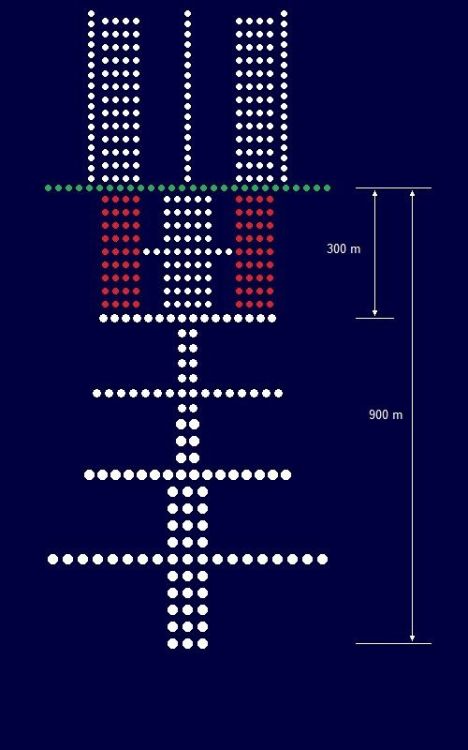
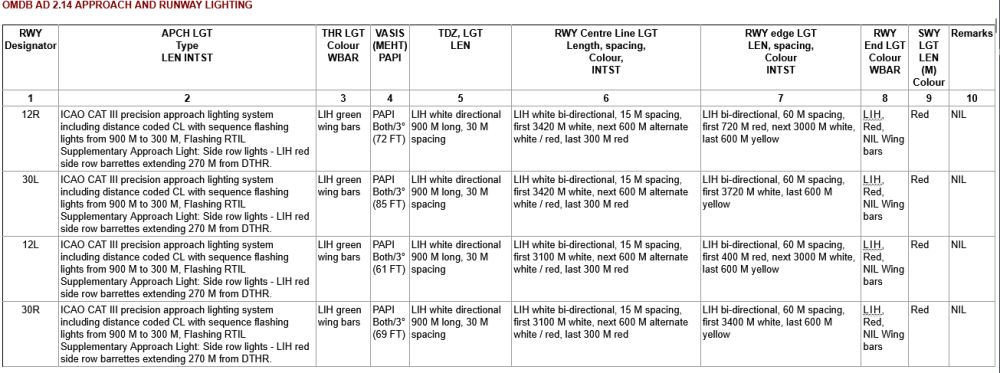
Hello all here! At first many thanks to iniBuilds to update OMDB to v2 for MSFS 2024 that much - most appreciated... May I kindly ask to change the approach light systems (ALS) of runways 12L, 12R, 30L and 30R from a CALVERT (HIALS I) to CALVERT HIGH (HIALS II) keeping the Sequenced Flashing Lights (SFL) and the Touch Down Zone Lightings (TDZ) alive which would be correct according to the current charts from Jeppesen and the General Civil Aviation Authority of the UAE https://www.gcaa.gov.ae/en/ais/aip-view-package. Thanks a lot in advance! Bert FS Reviews
-
Hello Markus! Thanks - just let them make a good scenery better... Bert
-
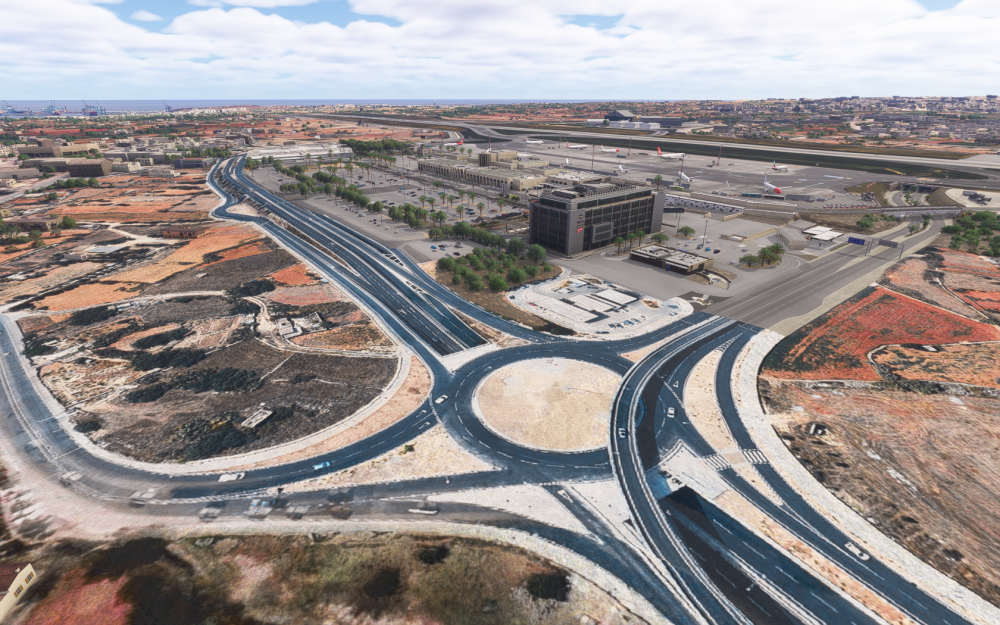
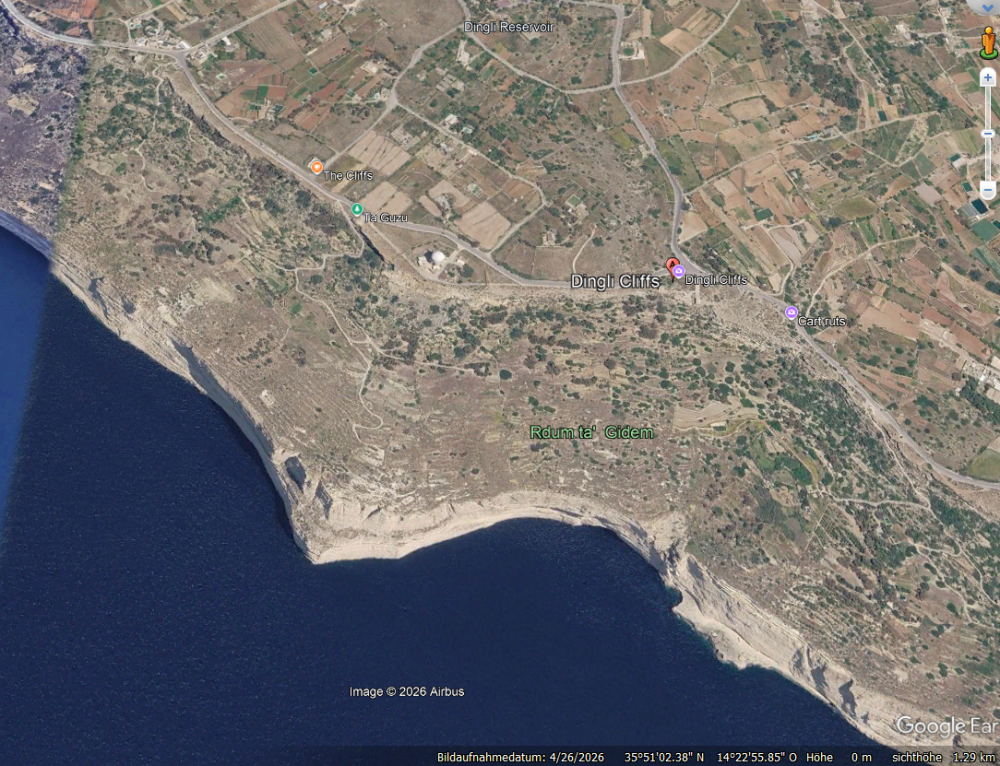
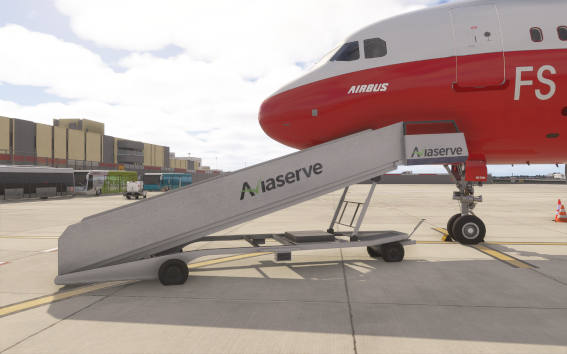
Hello all here! A very good made scenery of the airport of Malta - thanks to the dev's for it... Some findings: Runway 13 doesn't have a REIL according to Jeppesen charts. Please deactivate it - but you may know better... Runway 23 is missing it's REIL - please activate it. According to the Jeppesen charts runway 31 has only got a PAPI on the left side - you may know better... The landside north of the airport, especially the roads and the transitons, need an improvement please. The color difference looks very ugly... On parking position 21 there is a stair which collides with planes. Is it possible to set up the radar at the Dingli Cliffs nine kilometers west of the airport as a 3d model? Almost the same model as you use it already at the airport. It's a prominent landmark on the island. Thanks a lot in advance - have a good time! Bert FS Reviews
-
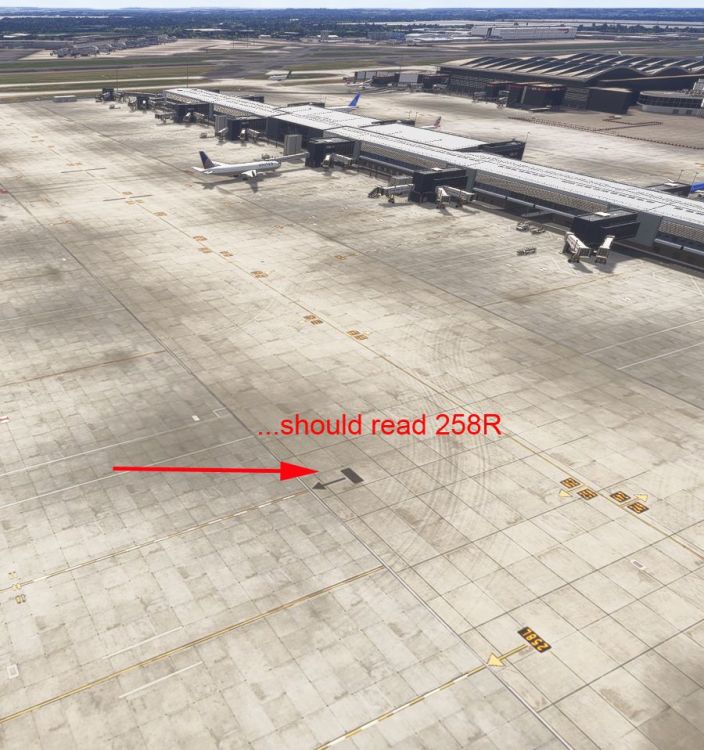
Hello Kyle! You have been right - the problem sat in front of my PC like so often before... The standard EGLL was active and iniBuilds EGLL was not active - I've changed this now: What a difference! I've found other parking position without a proper marking: 258R Please check that out. Sorry for wasting your time - have a good time! Bert
-
Ups, maybe I have, Kyle - will check - thanks for the hint... Thanks for the fast repsonse! Bert
-
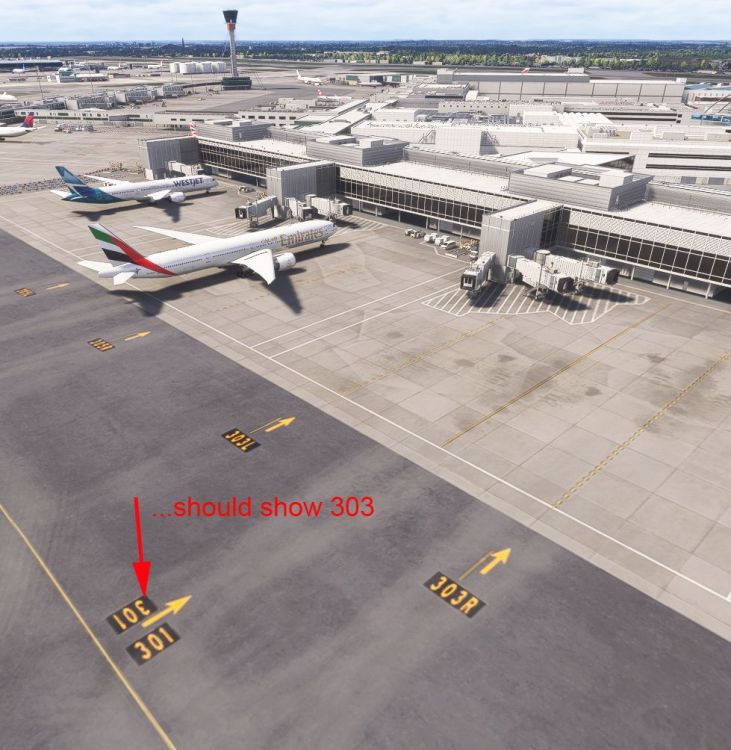
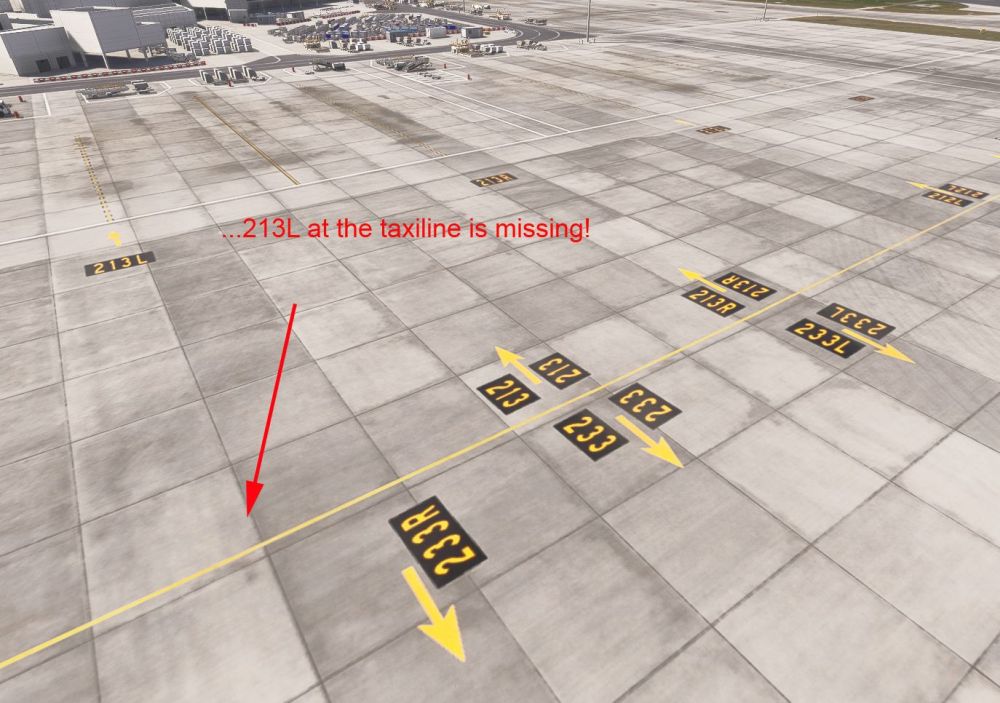
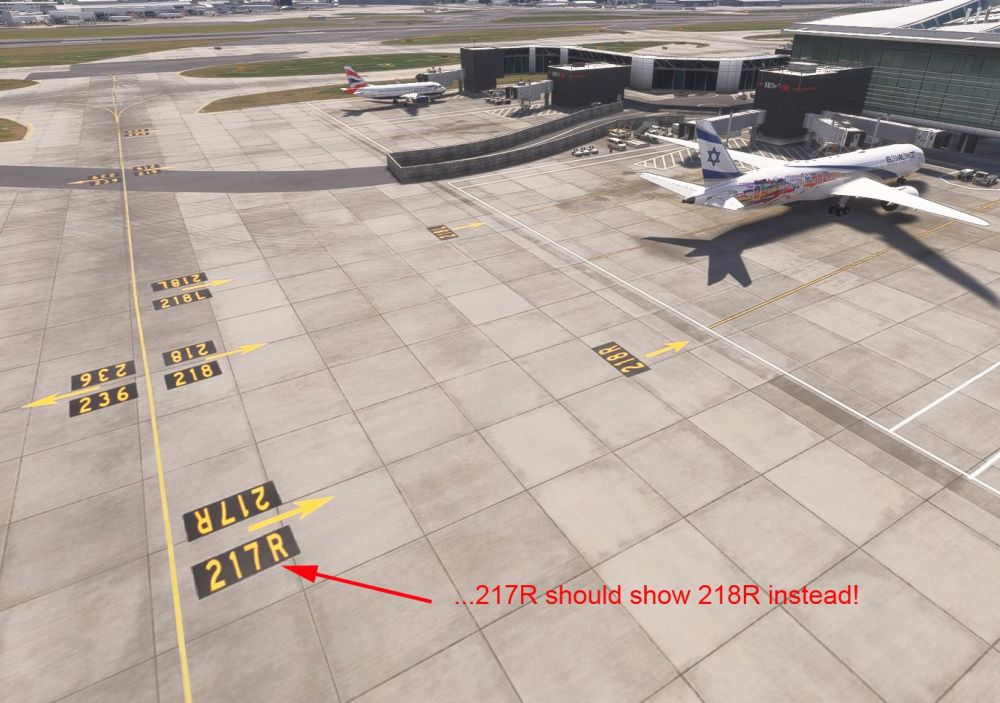
Hello all here! While beta testing an upcomming innovative moving map solution I saw that some parking positions at EGLL for MSFS 2024 are missing or showing wrong numbers: 213: 213L is missing as sign at the yellow taxi line. 218: 217L should read 218R. 303: The 303 sign is showing 301. Thanks for an update - cheers! Bert FS Reviews
-
Hi Jamir! I'm not good in making videos, sorry... Yesterday I taxied to the CDF wiht a flight plan on board my A32X. I tried several CDF taxi lanes but always the EMBs remains black. Maybe I do something wrong - but without an explaning manual I've to "try & error" :-) Thanks! Bert FS Reviews
-
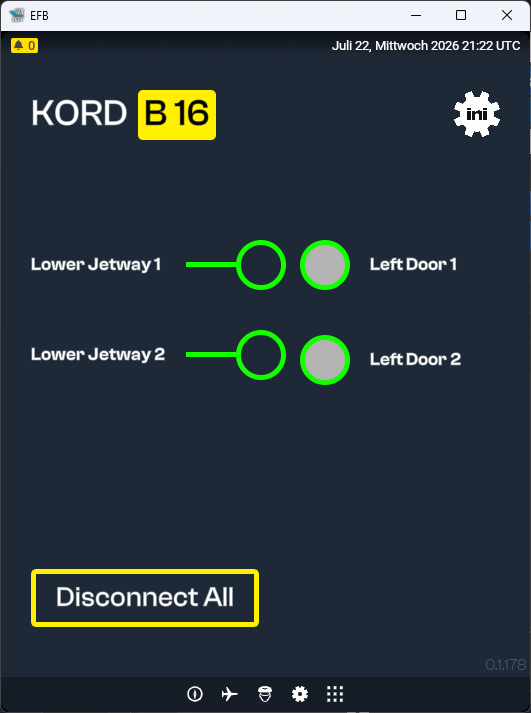
Hi Steve! I cannot reseize the EFB within MSFS 2024 - if I click on the framed arrow of the EFB to work outside the sim I see all entries nessessary... Thanks! Bert FS Reviews
-
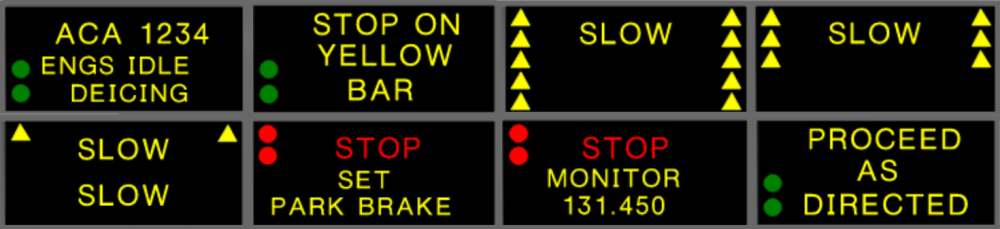
Hello all here! Just a question for my review: Are the simulated Electronic Message Boards (EMB) at the Central Deicing Facility (CDF) of KORD working? Google's KI said YES but at a test they remained black... According to KORD chart 20-9M from Jeppesen they work in real like on the screenshot attached. Thanks! Bert FS Reviews
-
Hello Jamir! I've de- and reinstallared the tool already - no change... I use Windows 11 (up to date) with a GTX 4070Ti and the latest Nvidia driver on an AMD CPU machine. MSFS 2024 is up to date as well. It's installed at the preselected location... Please have a look... Cheers! Bert FS Reviews
-
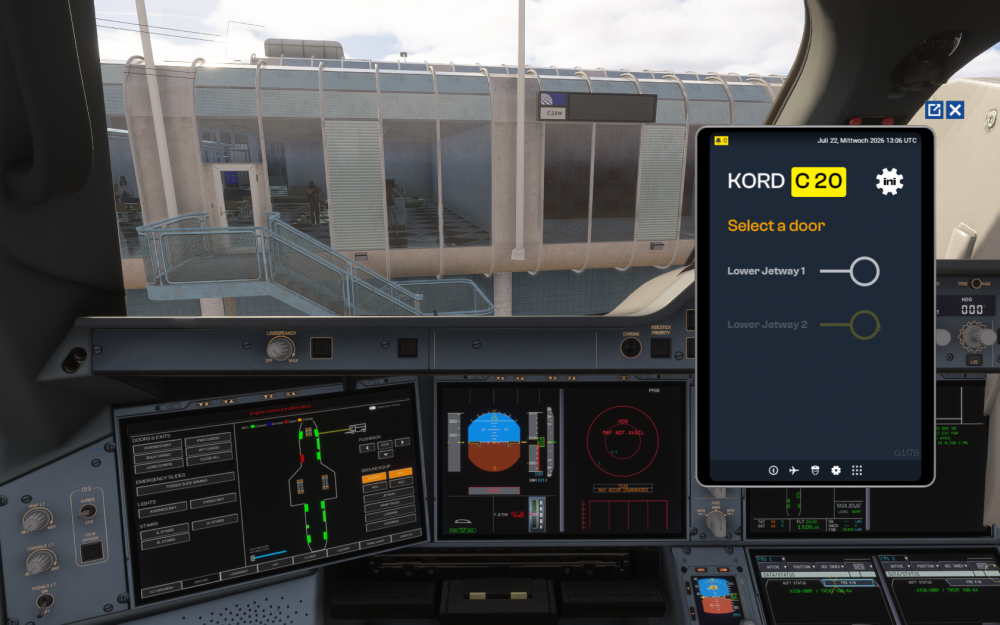
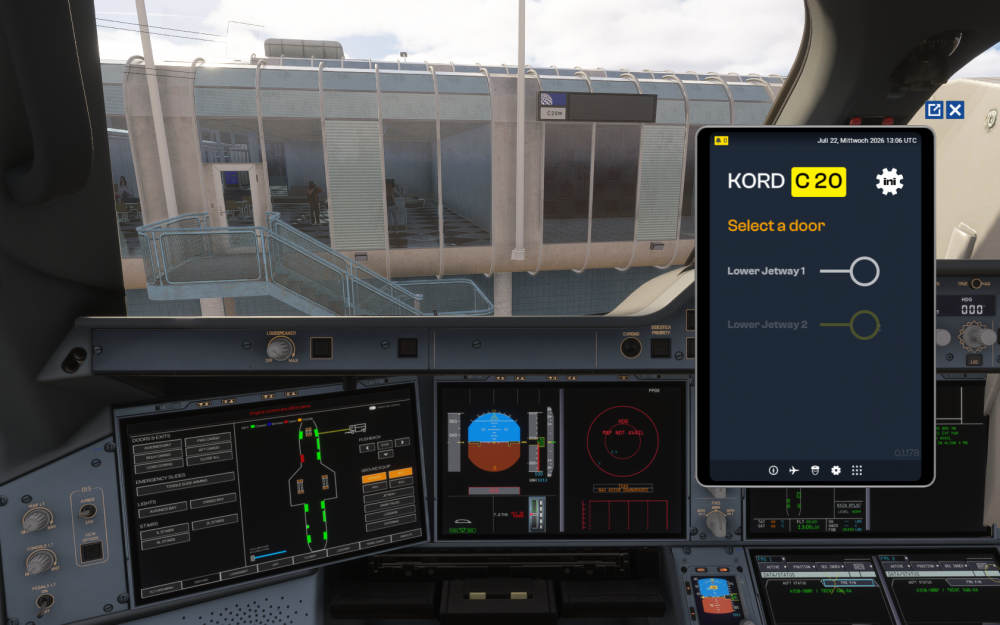
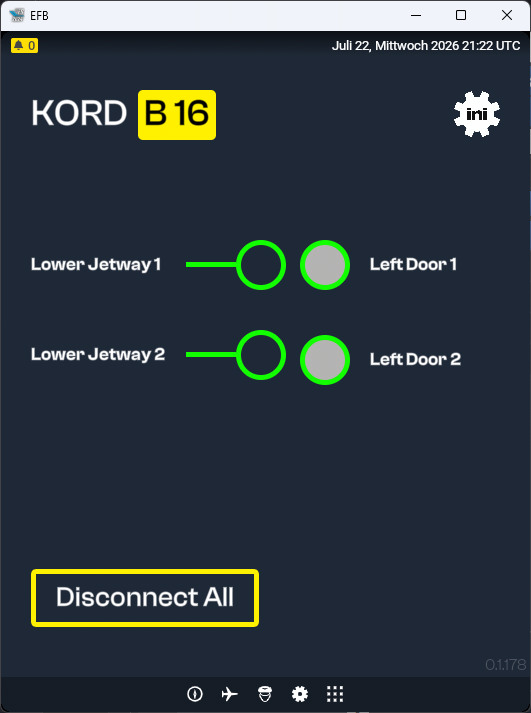
Hello all here! I'm at KORD with iniBuilds A350... I choose one of the Mult Jetway compatible parking position line C20W. I open the EFB and click on "Ini Jetway", then I sse the picuture below, The view is different to the procedure stated here: https://forum.inibuilds.com/topic/37165-an-introduction-to-inibuilds-multi-jetways-technology/ I can only choose doors if I maximize the EFB window outside of MSFS 2024. Is there an option to work with the complete Multi Jetway EFB display inside MSFS 2024? Thanks so much for your help! Bert FS Reviews
-
Thank you again, iniJamir! Bert
-
Thank you, iniJamir! Bert
-
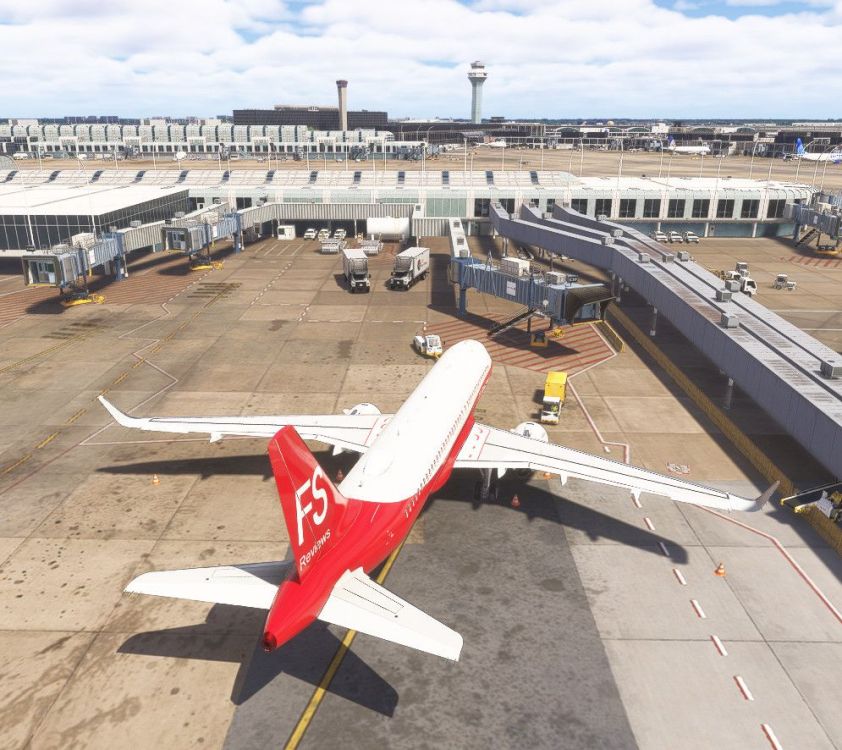
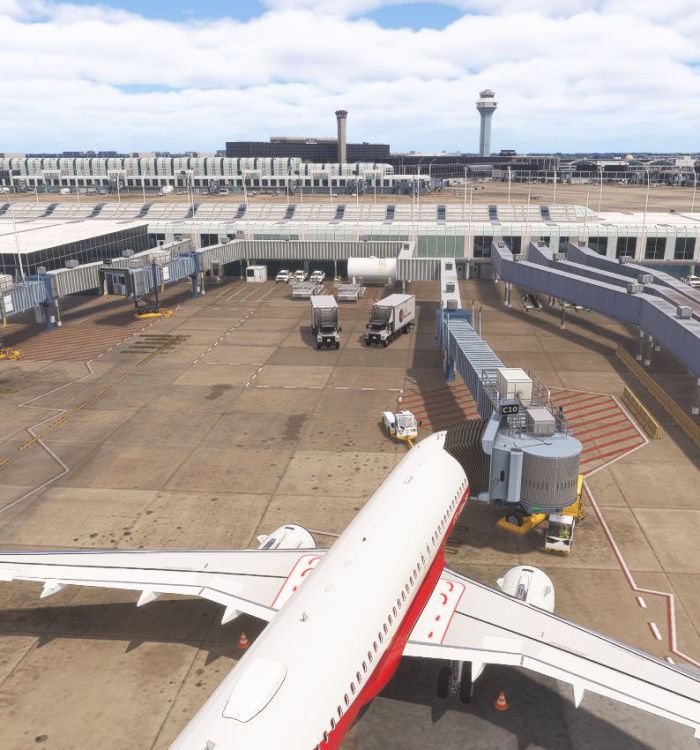
Hello iniBuilds! I've parked at KORD's C10 and the jetway docked at the right of the plane which is very unusual. Can you confirm that is correct here? Thanks - cheers! Bert FS Reviews
-
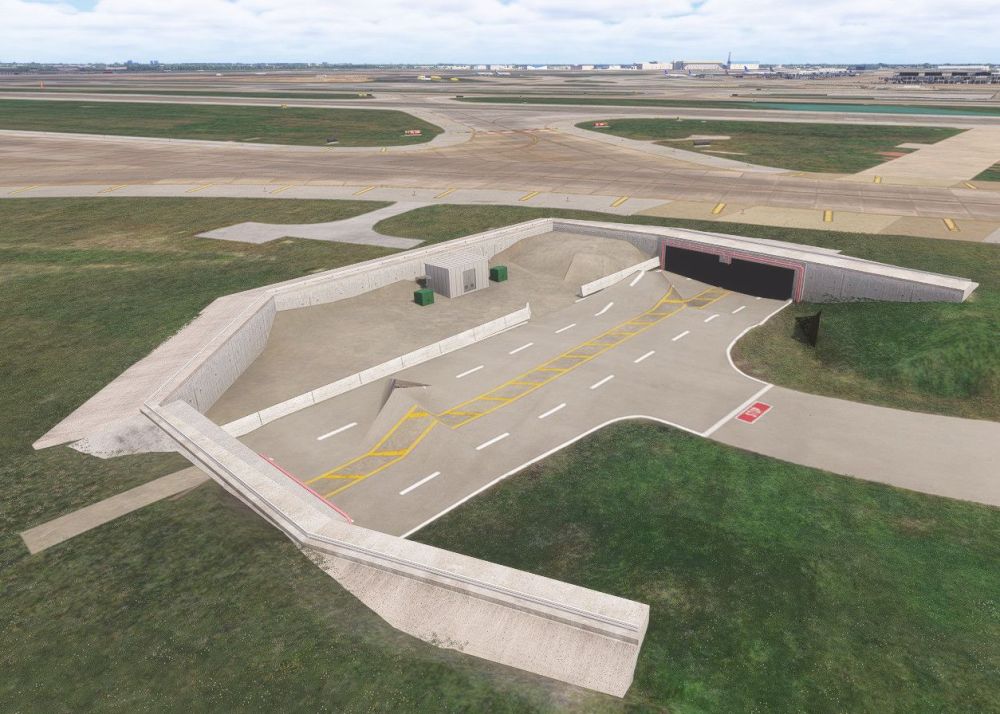
Dear Dev's! I've just seen a mesh problem at the street tunnel between P3 and P5. Cheers! Bert FS Reviews
-
Thanks for the hint, IniJamir! Will try to find some arriving planes... They're very few so far. Cheers! Bert FS Reviews
-
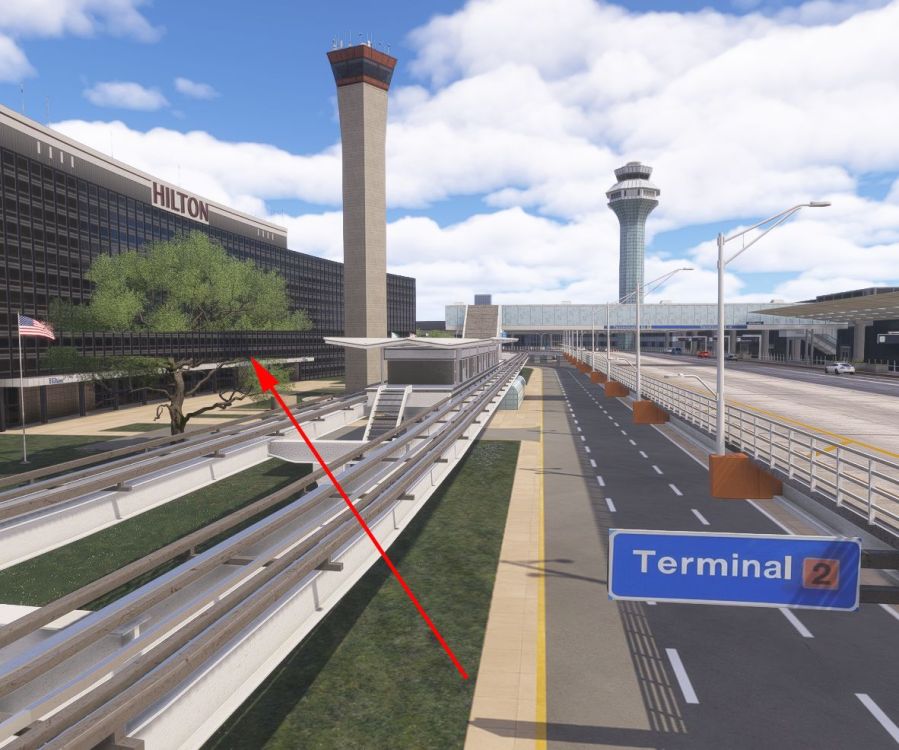
Hello Developers! Between the stastion of the "Airport Transit System" and the Hilton hotel opposite of Terminal 2 there is a "broken" tree. Thanks - cheers! Bert FS Reviews
-
Hello dear developers! Would it be possible to place some fire trucks at the four fire stations for even more immersion and better identification of the stations? Thanks a lot! Bert FS Reviews
-
Hello all here! At a first look onto this huge airport - thanks for making it - I saw... ...that the jetway at C18A wasn't moving: Neither through GSX Pro nor through the A32X made by FlybyWire. ...that only a very few jetways are connecting to AI aircraft. Tested with the injected via FSLTL/Navigraph/FlightRadar24: Bug or feature? Thanks a lot! Bert FS Reviews
-
Thanks for the advice - I was pretty sure that this packs are fine as they are still offered in "my products" without any warning. Most important is that the cockpit is back in service ;-) Cheers! Bert FS Reviews


