DroneSim
Member
-
Joined
-
Last visited
Everything posted by DroneSim
-
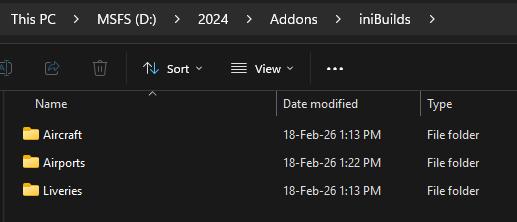
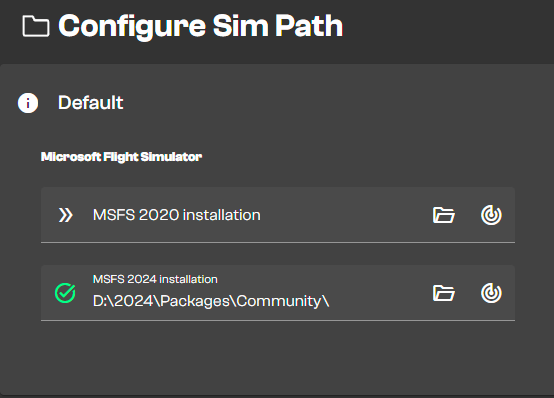
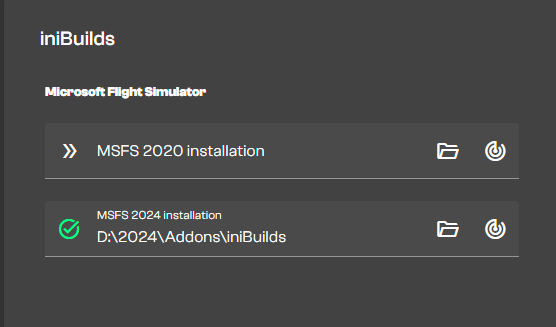
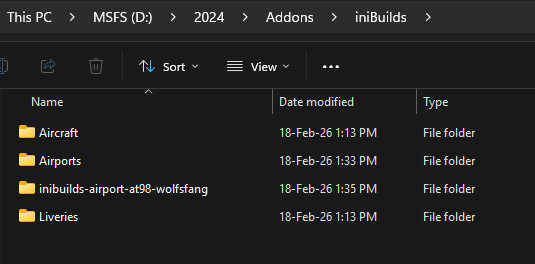
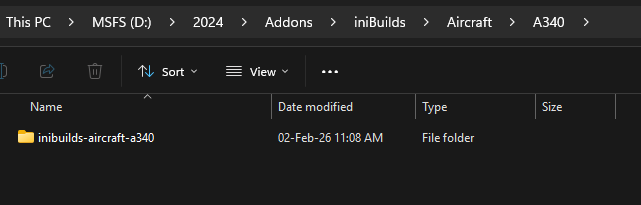
Ok hold on, let me tell you what I did so far. Created a folder D:\2024\Addons\iniBuilds Went into the Sim Paths in the iniManager and setup a default path (via auto scan) where my community folder resides a second path containing the stuff from iniBuilds Now if I install Wolf's Fang airport for example, I get to choose where to install it. I'll just select the second inibuilds folder. Now I have this I like my stuff being ordered and well sorted. If I move the installed Wolfs Fang into the airports folder, the iniManager does not recognize it anymore as "installed". I think you can see my point here. It does not help to install all the stuff (aircraft, airports, liveries) into ONE single folder. What's the purpose of the SimPaths in the iniManager then if I put all my stuff into one folder? Next example (A340) Now, in order to see and update the aircraft in the iniManager, I would need to add the path above to my sim paths in the iniManager. That's fine if you have a couple of aircraft/liveries. But this also means that I need to add every single folder of every single aircraft as a custom path in the manager. Why?
-
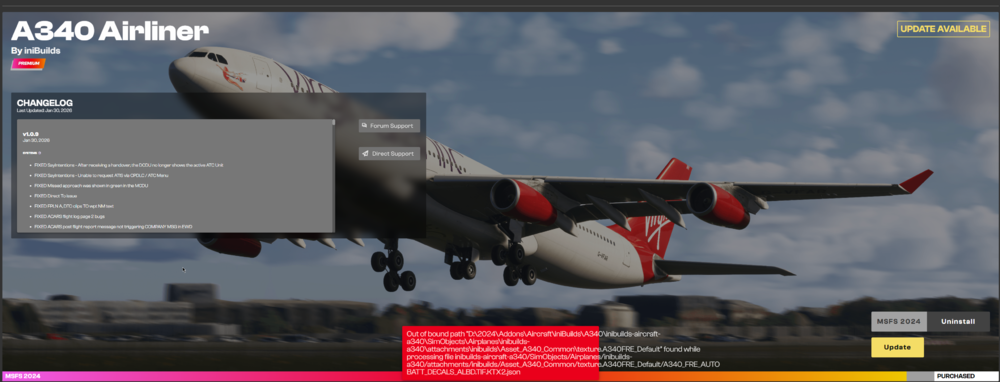
Good morning, I have an issue updating the aircraft in the iniManger. That happens not only with the A340 but also with the A350. Specifically when using SymLinks (e.g. with MSFS AddonsLinker). How to reproduce the issue Put the aircraft folder in your addon collection folder (e.g. mine is D:\2024\Addons\Aircraft\iniBuilds\A340) Open MSFS AddonsLinker and activate the A340 -> a SymLink is created in your 2024 Community folder Open the iniManager and update the A340 Expected Behavior The aircraft updates successfully Actual Behavior The update fails as soon as files are being copied (so after the download) -> see attached screenshot This issue has been present since the A350. I was patient, waited for fixes and updates to the iniManger (which happened a couple of times in the last months), yet this bug is still present. Is there a known issue when using SymLinks? I mean, it works with every single other aircraft when doing updates, except for iniBuilds aircraft. Might as well happen with iniBuilds Scenery but I can't confirm it. Cheers.
-
-
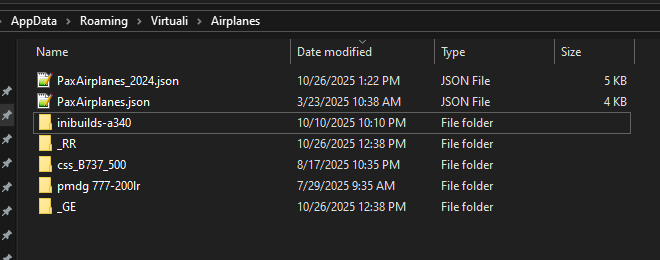
Grüzi, need to look like this the folder "inibuilds-a340" needs to be inside Virtuali/Airplanes
-
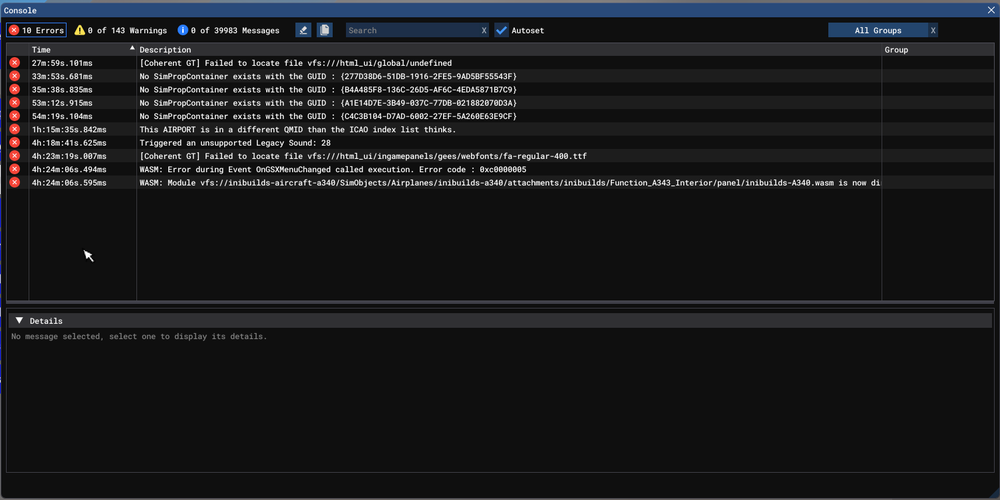
Aircraft: A340 EIS 1 Passenger Simulator: FS2024 Navdata Method: NAVIGRAPH OFP: not relevant WASM Error: WASM: Error during Event OnGSXMenuChanged called execution. Error code : 0xc0000005 Specs: Windows 10 Home 64-bit AMD EPYC 7543P 32-Core Processor 28652MB RAM NVIDIA RTX A4500 18984 MB VRAM Autosave File: not available or turned off Happened when I arrived at OJAI and was taxiing like 100m away from the gate (thank god) I chose the gate N14 from the GSX Menu in the EFB and then noticed that the throttles (and other systems) are not responding.
-
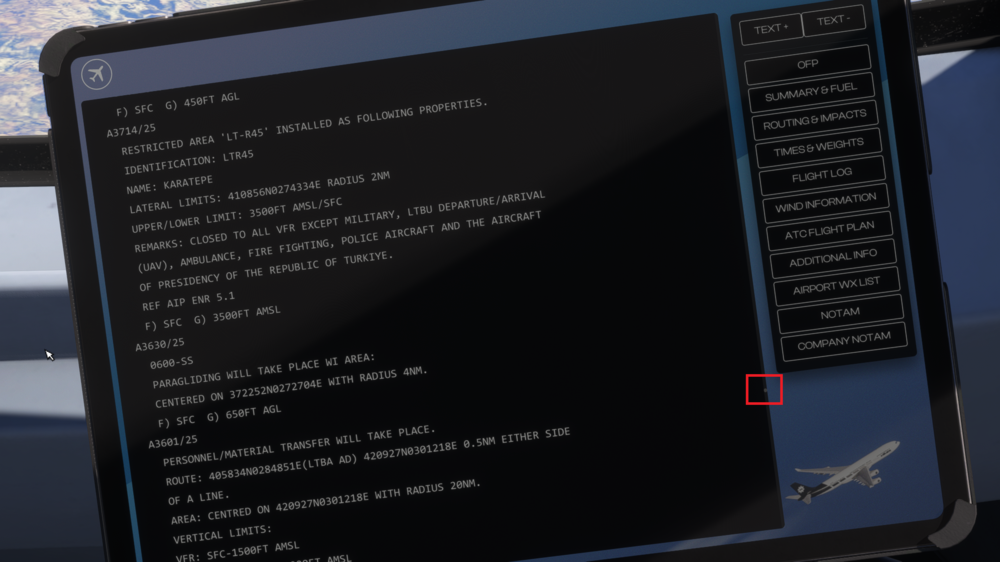
Hola, just a quick suggestion: the scrollbar on the page OFP is REALLY REALLY small. For better user experience please increase the width of the scrollbar. If you have a long flight plan and want to scroll up and down fast, it's almost impossible to hit the scroll box or handle. Now I know that there are buttons on the right side to jump to a specific part of the OFP, still the user experience is lacking here. Thanks Mustafa
-
Hi, when I load the aircraft into a gate or a runway (doesn't really matter), nothing in the cockpit (switches, buttons, knobs, flight controls) is working. The only thing that is working is the EFB. I have the version 1.1.6 installed which was released in May 2025. Can you help please? 🙂 Correction: the flight controls work, releasing the parking brake works, setting thrust works too, taking off is possible but nothing is the cockpit is animated or clickable
-
What is the waypoint called right before the discontinuity? If it's called "MANUAL" you will need to delete that manual waypoint first and then delete the Discontinuity. I can see the (DECEL) but I mean what is before that ?
-
exactly, a little bit annoying with the toggle option.. if you engage full reverse thrust, and accidentally hit the toggle button again, you'll suddenly have TOGA thrust which is far from ideal
-
If you have reverses on your throttle axis, you need to calibrate that in the EFB. If you don’t have reverses on your throttle axis you need to assign the option “toggle throttle reverse thrust” to a key in your control settings. I used the red button on the left side of the throttles (thrustmaster tca) for that.
-
My bad. Hope you’ll find help regarding this issue
-
Well, I think this is because home cockpit users make a very small percentage and developers tend to prioritize things depending on how many users actually need this.. hopefully this will be fixed soon
-
Did you calibrate the throttles in the EFB?
-
Regarding ACARS, just to be sure, did you set your Hoppie and SI keys in the EFB? Regarding the lagginess, well this a damn old 90s aircraft 😁
-
well the engines in the A340 are a little further away from the front of the aircraft
-
It will be available at the iniStore in a couple of time units
-
I can confirm the same issue, but only in MSFS 2024.
-
There is a button VIEW OFFSET, left to the OIT. This need to be OFF (not illuminating). Then the options will show up
-
Steam %APPDATA%\Microsoft Flight Simulator\Packages\inibuilds-aircraft-a350 Store %LOCALAPPDATA%\Packages\Microsoft.FlightSimulator_8wekyb3d8bbwe\LocalState\Packages\inibuilds-aircraft-a350 A folder called “flightplans” should be inside.
-
If your displays freeze, you’ll probably loose all Airbus protections. Keep that in mind because as soon as you try to land and get the LG down, you’ll be in DIRECT LAW which is kinda funny and frustrating.
-
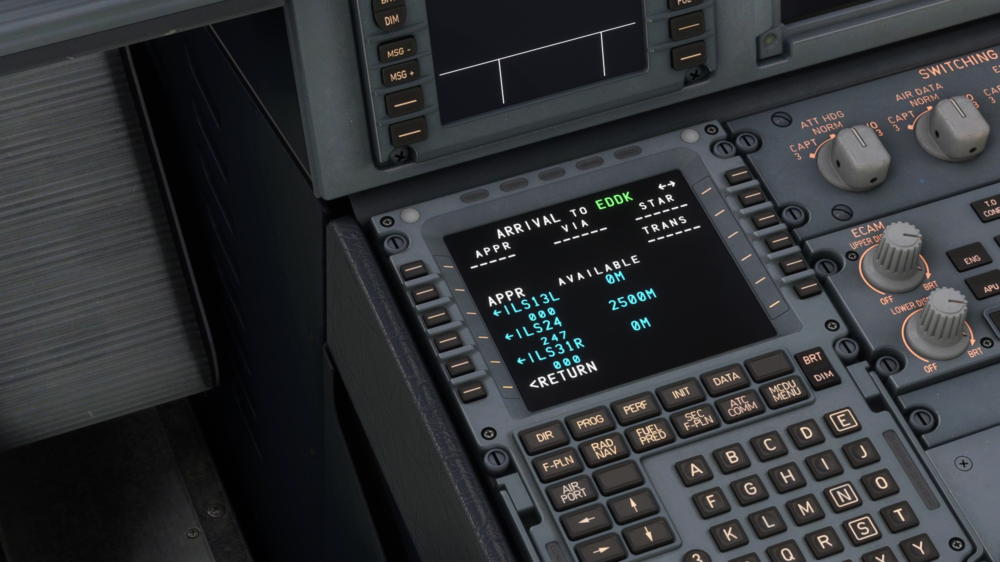
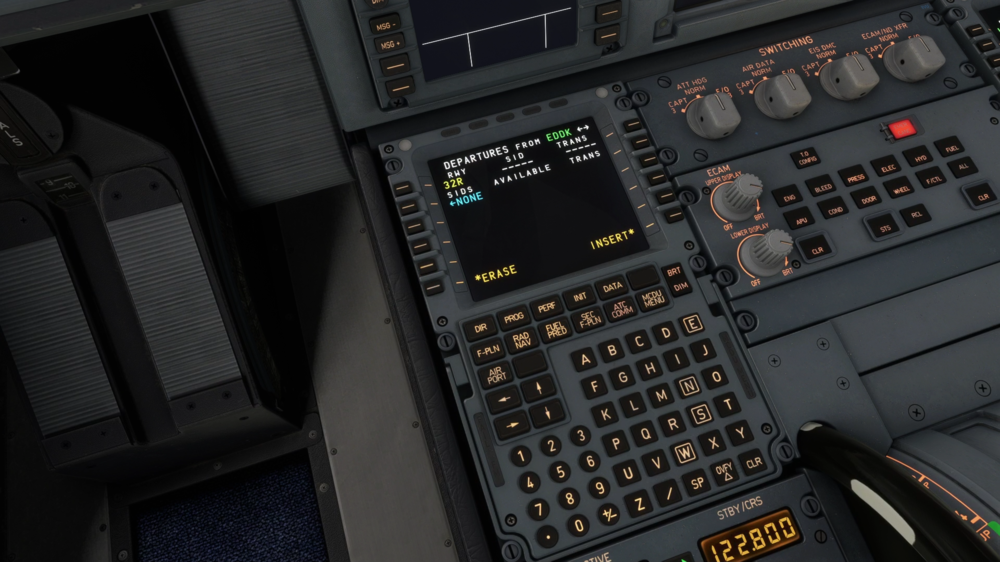
Hello community, when I start at the Gate in EDDK and select a runway for departure from RWY 14L/32R or 14R/32L I don't get any SIDs suggested. I know that the runways were renamed to 13L/31R. Might have something to do with that? Strangely the approaches are shown correctly and for the correct runway names. Anyone else have that same problem? Thanks