MediocreGorilla
Member
-
Joined
-
Last visited
Everything posted by MediocreGorilla
-
It's gotten even worse now. Tyres spin, but the wrong way and it extends to larger portions of the aircraft.
-
Hi everyone, quick update on this one. The rear door appears to have recieved a lot of love and is looking very good now, despite two little spots where there's still gaps on the edges. Thank you for that, much appreciated! The front door however is still completely untouched. This is just an information for you to make sure that no fixes have slipped the release, as fixes have clearly been applied in those areas. Thank you!
-
I also keep seeing this no matter if I stream it, download it, use SU3 or SU4. It's beyond me how this is happening to everyone I know who owns the product, but not being reproducable by the developer. Is anything actually being done right now to resolve this issue? The last statement I saw on Discord was that it's an SU3 issue and we just need to wait for Asobo to resolve stuff. Also does Asobo know about this?
-
Hi everyone, I've noticed during walkaround that there's some stuff going on around the ACU panel. There are some screw decals that clip into the panel and also have no animation, resulting in them staying in place when the panel is opene The piston also has no animation and moves with the door in it's entirety. Also the air hoses don't line up with the inlets. Nothing big, but maybe worth refining. 😊 Kind regards
-
Hi everyone, the right ailerons appear to have some issues with the decal layer. One decal is floating with an offset, all others are missing, compared to the left ones.
-
Hi everyone, I've noticed that all along the two main cockpit windows, there's a black rubber seal that isn't flush with the window, thus creating a gap all along the window edges. This is the same along the entire edges of both front windows: Hoping for a quick fix! Cheers and kind regards
-
Hi everyone, so while I'm in my first cruise with the new lady, let me pass on my inital batch of observations. The cargo doors are in dire need of some more love. Here are my observations: Rear cargo door The housing of the door handle is clipping through the inner door wall There are several small gaps all along the inner edges. There seems to be an excess mesh protruding thorugh the door edges all along the bottom and sides Some paneling from the inside is clipping through the outter skind on thee bottom left corner Front cargo door The handle casing is clipping here aswell There is a big gap between entire inside edge and the outside wall of the door The cable is clipping through the fuselage when the door is opened Just as on the rear door, there's an excess mesh alsongside the sides of the door skin The skin doesnt line up with the inner edges all along the door (also on the right side, but not as visible due to the aforementioned excess mesh) The big gap continues alongside the upper inside edge Looking forward to some refinement, it really doesn't do the overall superb modelling quality justice and kind of kills immersion during walkaround. Kind regards
-
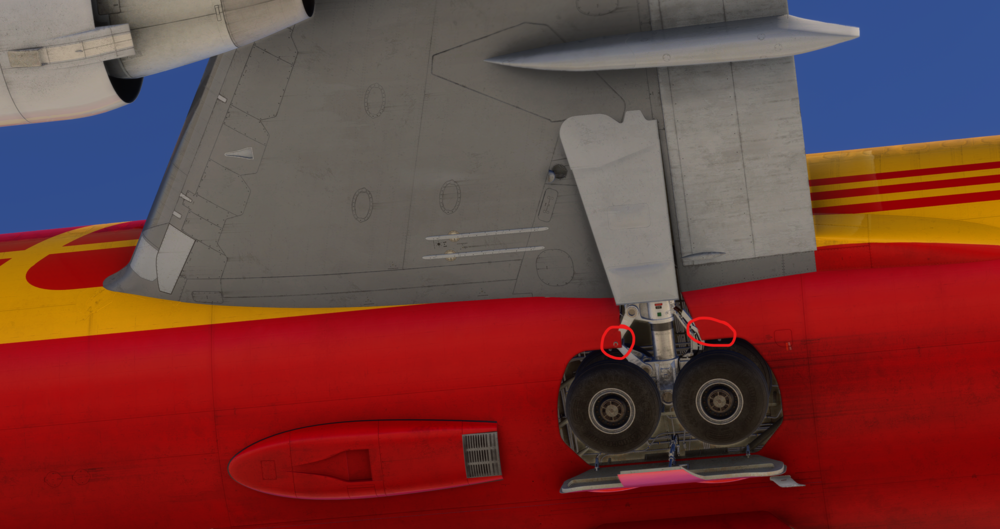
Hi everyone, so while I'm in my first cruise with the new lady, let me pass on my inital batch of observations. Regarding the gear, some major issues are going on. When taxiing, the tyres don't spin and the right MLG aswell as the nose gear textures start to glitch out. This appears to be tied to the taxi speed. Kind regards
-
Gonna keep you updated - this is on v.1.1.6: 😅
-
Hi everyone, unfortunately this is still a thing with v1.0.5. Something has changed though as there's now certain angles where at least the hydraulic lines become visible. Moving a bit closer, they disappear again: The aforementioned parts keep missing from any angle unfortunately: This is certainly an LOD issue affecting different parts of the gear. I'm currently on SU3 if that helps.
-
Hi Eddie, unfortunately no, nothing has changed yet. These are straight out of v1.1.5:
-
Hi Eddie, thanks for the quick replay and the transparency! I'm glad to see your long term commitment to the product. This is worth much more than any quick fix. Looking forward! 🥰
-
Hi Eddie, it's been another 2 months - any news on this? 🤞
-
Hi Eddie, it's been another 2 months - any news on this? 🤞
-
Hi Eddie, thanks for getting back to me on this - very much appreciated! Personally I think the wing looks beautiful and you've done a great job, but if people find things to be inacurrate and you're willing to rework those areas, these are even better news! Thank you!
-
Hello again, may we see a fix for this at some point in the not so distant future? It's probably about 2 minutes of work rotating the animation axis to it's correct position. I know you've got your priorities, but I'm sure someone can find a spot for this little bugger in their tight schedule. 🙂 Cheers!
-
Hi, just a little bump on that one as it's been a while and there hasn't been any reaction nor changes in the latest update. I understand it may be logged anyway, but just to make sure. 🙂 Cheers!
-
Hi everyone, first of all a big thank you for the latest update and adressing a lot of the visual aspects! A little something I'd like to pass on to you: The main gear appears to be missing a lot of texture/faces. Parts of the bogie aswell as the brake discs are invisble. That's not only happening for me but can also be seen on your preview screenshot of the glowing brakes. Maybe you can take a look? Cheers!
-
Hi everyone, before getting into this one, I'd like to leave some appreciation for the ini team. The way you listen and care since release is nothing we should take for granted in the flightsim world. Thank you for this and keep up the amazing work! Now back to business: I've noticed that on v 1.0.7 the entire aft cargo door is misaligned when opened. Also on the left edge of the door, the mesh has some issues. Cheers!
-
Hi everyone, I've just noticed a little inconsistency I'd like to pass on. On Flaps full, the inboard linkage on the outboard flaps is clipping through the flap actuator shaft, aswell as the wing's edge. This is especially noticeable during rollout with the spoilers fully extended. I totally understand that your art department probably has absolutely no idea or documentation about where this goddamn rod goes during retraction. 🙂 I can't tell either, however I've at least found some footage showing that it's actually mounted higher up on the wing than it currently is in sim: Adjusting this should at least eliminate the clipping. Maybe you can take a look? Cheers!
-
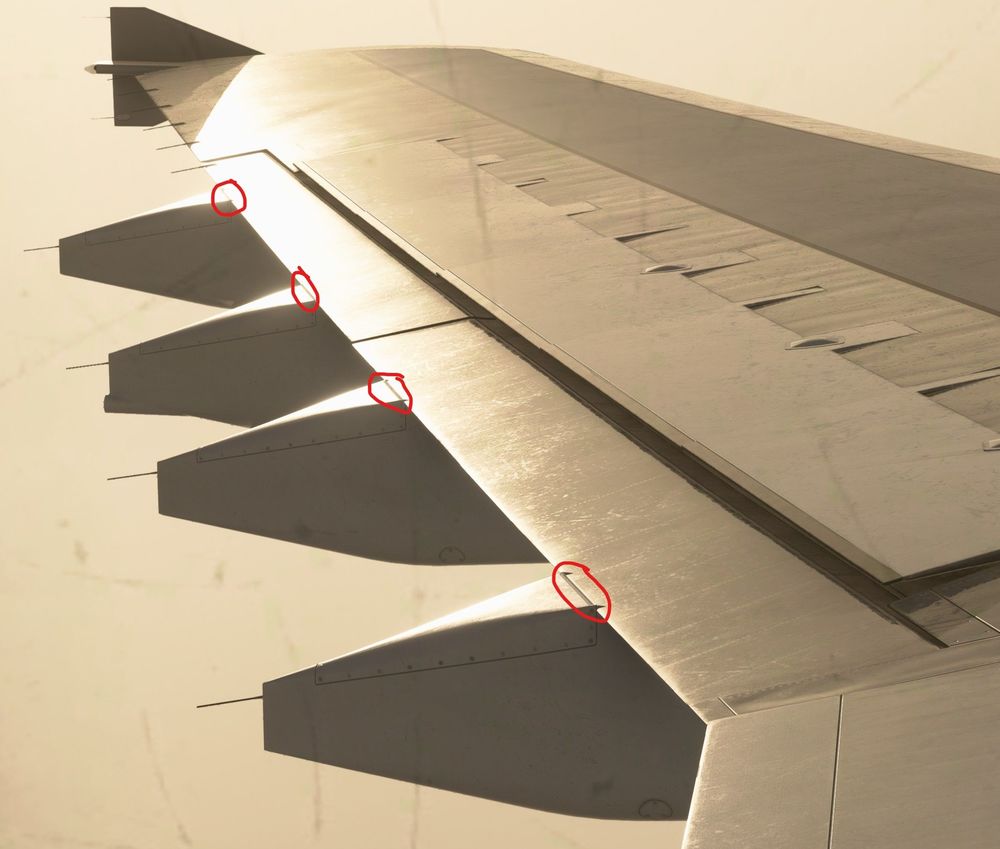
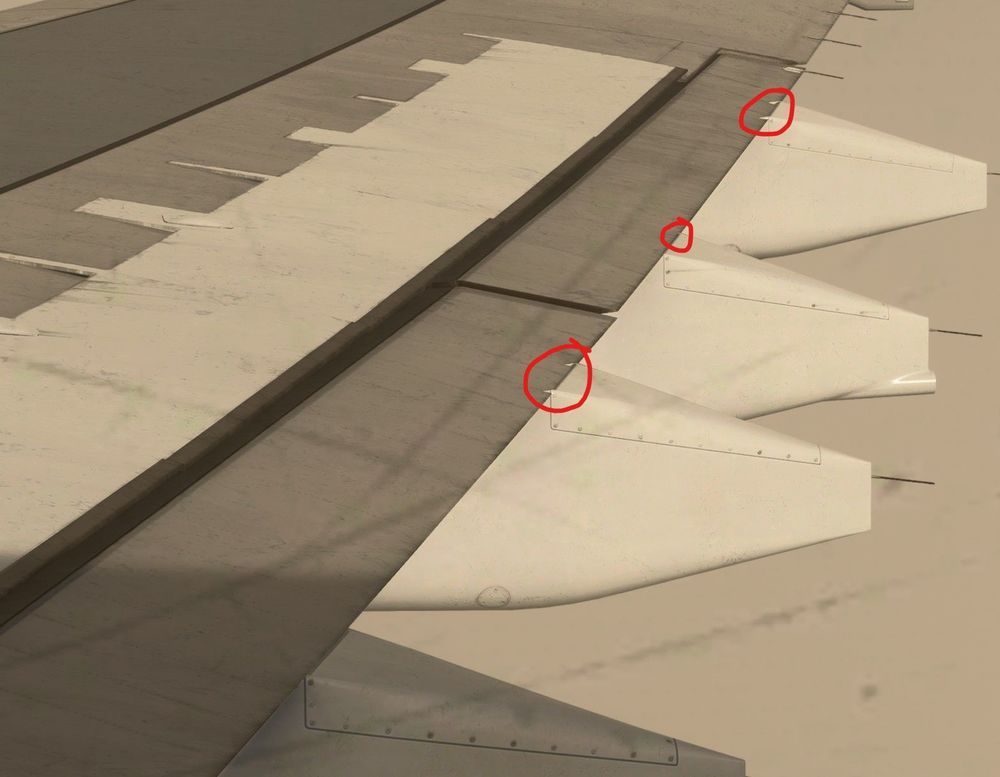
Hi everyone, when airborne, the wingflex animation appears to cause most of the flap track fairings to start clipping into the flaps. Can you take care of this? Thanks!
-
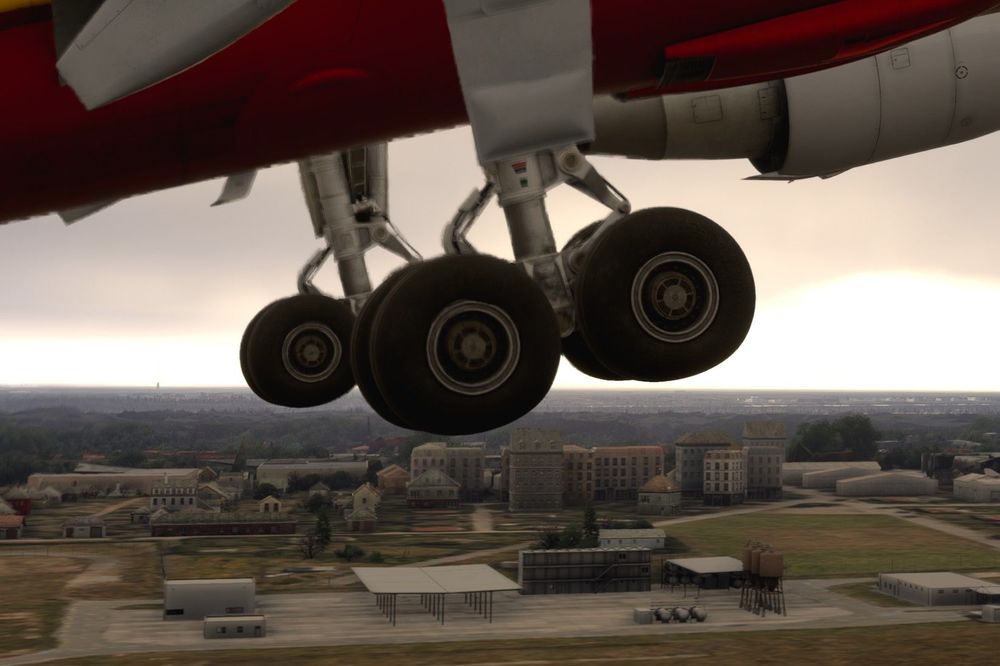
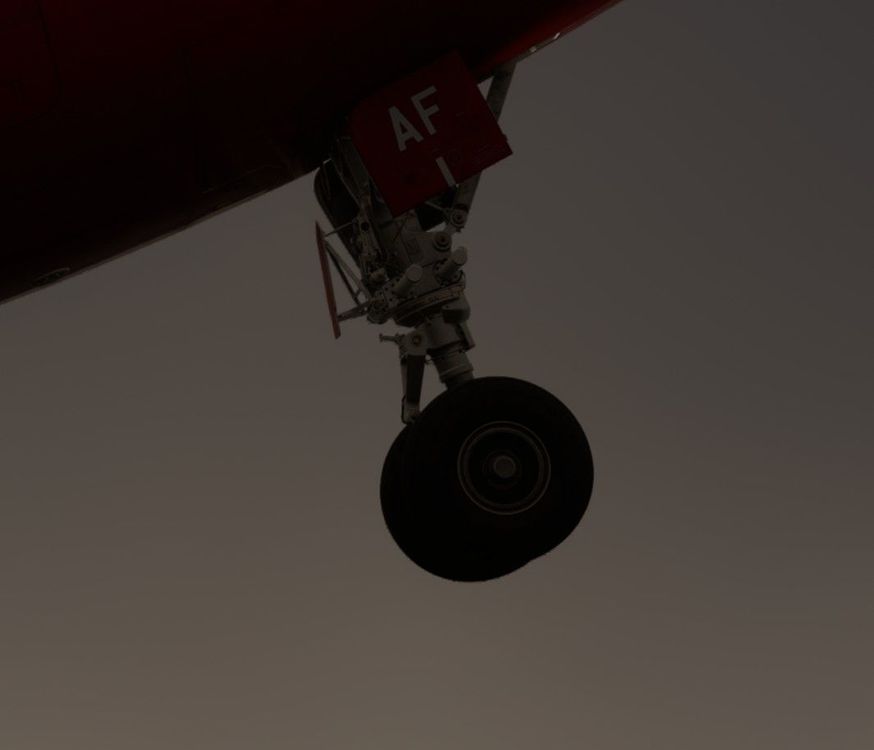
Hi everyone, I've noticed that when airborne, the tires of the main landing gear remain compressed when there's no weight on wheels. As it is working correcly on the nosewheel, I suppose this is not intended behaviour? Can you take a look? Cheers!
-
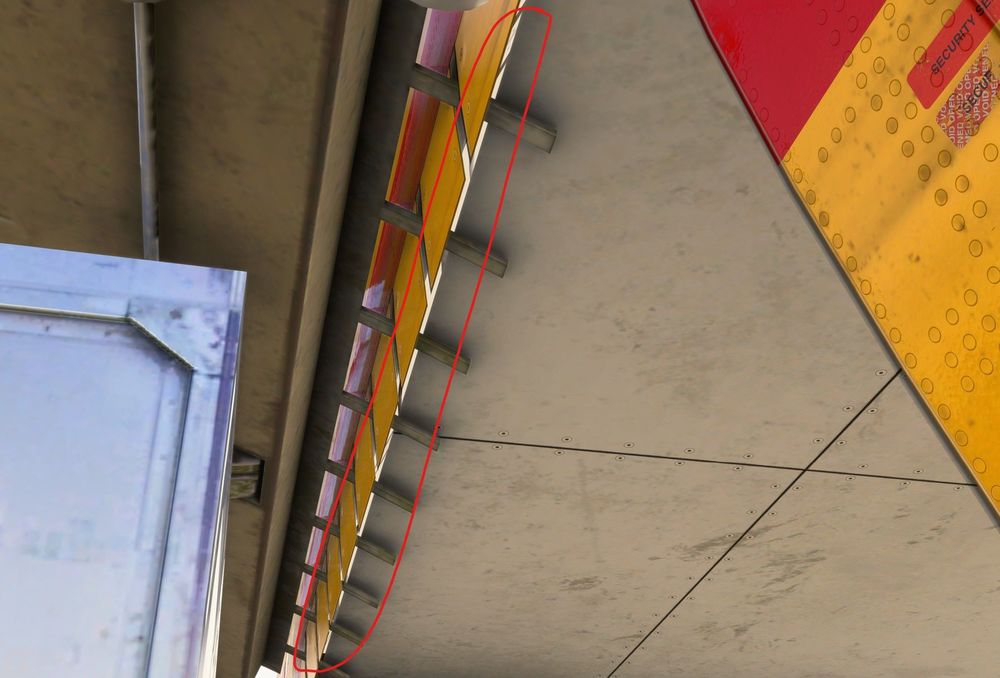
Hi everyone, I've noticed two small modelling issues around the cargo doors. On the front lower cargo door, there ceiling panel is not flush with the fuselage skin, revealing a gap. And the bulk door is clipping into the cargo hold floor when opening.

-
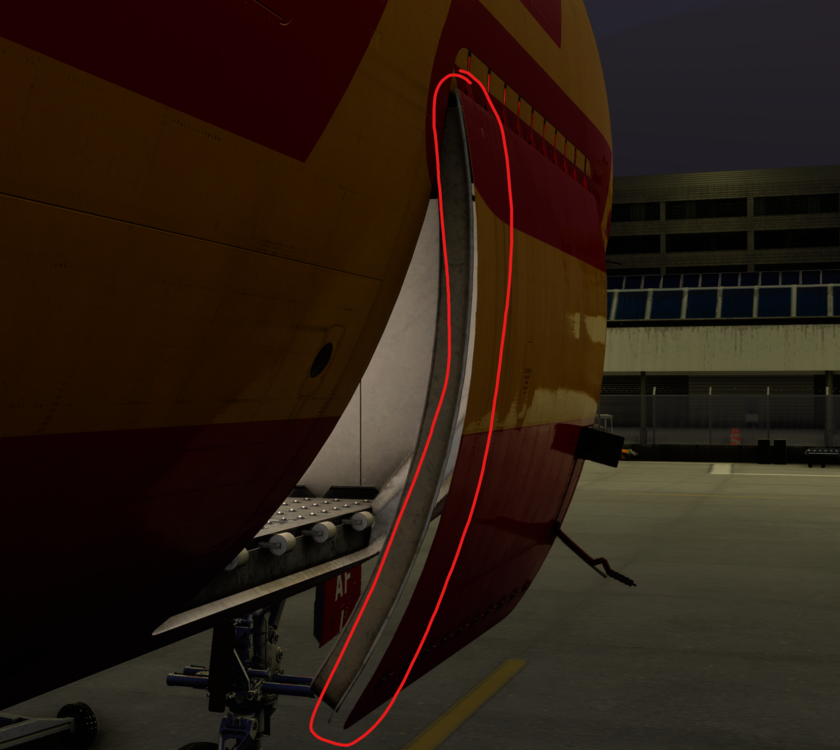
Hi everyone, I've noticed that on all doors, during their opening/closing animation, the fuselage skin is detaching from the rest of the door. Positions are correct in the static open and closed states. This is the case for all doors, be it cargo, entry or maintenance hatches.
-
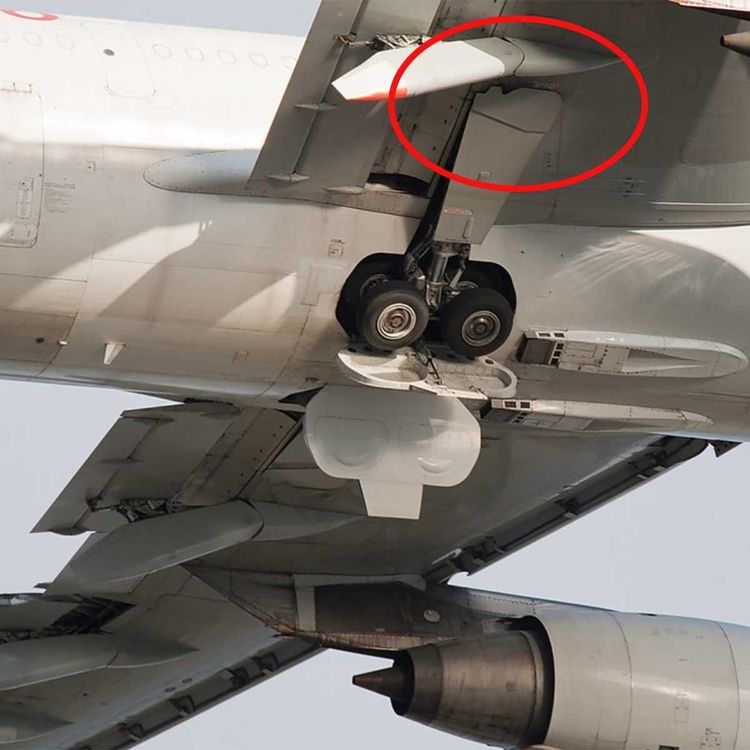
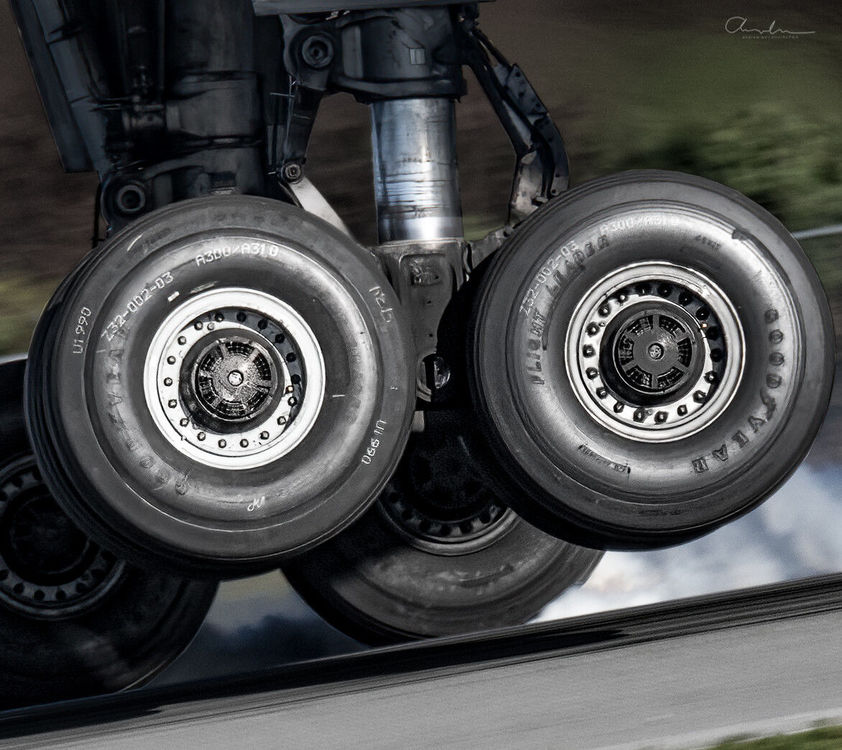
Hi everyone, I was really happy to see your 2024 release of the A300 with many really lovely visual upgrades to the exterior model. That's why I had high hopes on one particular issue being fixed. I'm usually a really positive person and do my bug reports in a constructive manner, but at this point I'm just disappointed. The gear on the new premium version still clips into the fuselage on retraction as it is too big for the gear bay. You've known this through severeal, still available reports on the forums. You did a lot of work on the gear bay and yet you deciced to leave this major flaw in modelling as it is? At this point I just can't understand how a company with a strong focus on visual quality let's stuff like this through it's quality control. We've seen similar quality issues with gear animations on the A400M and A330 lately and I honestly fear the worst for the A350. Anyway, let me try to be constructive once more: While I believe the gear strut in it's entirety is too big, thing could still be fixed by having the strut extend way more without weight on wheels. Here's two nice pictures showing the extension of the linkages being much more intense than on your current rendition. The forward linkage is almost parallel to the main strut. (Source: https://www.aviation-gadgets.com/photo/airbus-a300-main-landing-gear-door/) (Source: https://community.infiniteflight.com/t/this-a300-looks-happy-more-panning-content/566426) So, for the love of god, I beg you to take another a look at this. It just doesn't fit in with the overall fidelity of this bird. Thank you!