




aceridgey
Member
-
Joined
-
Last visited
-
@echo19tyler Hi there, hope you're well. Wonder if you're going to revisit the A340 sounds? It would be amazing if you could apply some of your latest techniques to the product.
-
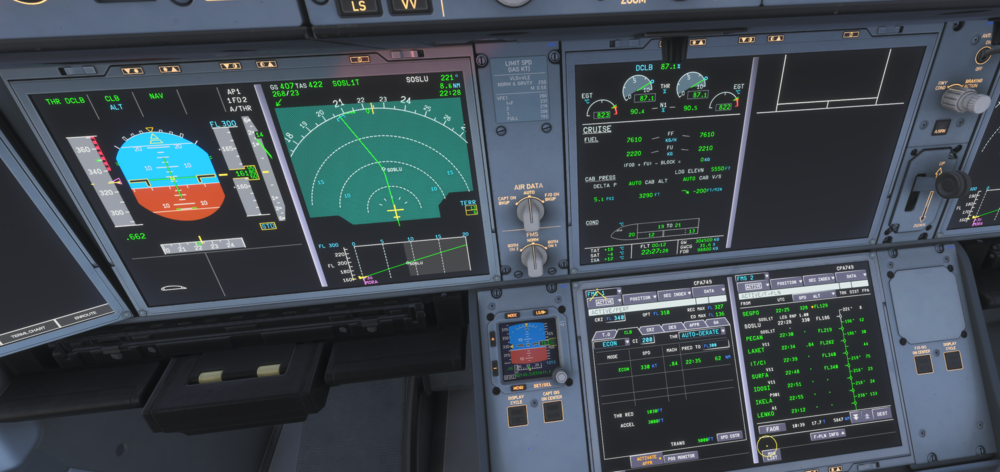
The T/C ETA was original :30 Over time it then bumped to :35 actual acheived was :42 Is the aeroplane climb performance correct? Or just an issue with the predictive function of the FMS? (I am unable to upload 3 images but I will try in replies below.) I can replicate this in every flight. The aeroplane, despite THR CLB is never close to it's initial (<10000ft) prediction.
 Hi Eddie. Unless it's been in a very recent update I don't think the volume knobs has any influence on v pilot output (like the slabs and fenix.) I would hope it could be applied to the full Inibuilds aircraft range quite easily?Friendly bump, if it is not possible that this is going to be fixed can we at least have a statement? It really affects my enjoyment of the product. Rotating and getting airborne pretty much instantly really breaks immersion.Sorry to bump thisFriendly bumpHi MAtt, I am still struggling with this.Please can we have an update from staff?Any inibuilds staff able to comment?I don't need to justify my experience to you, but I stand by my comment.it's verson 12? Are we sure it'll be fixed?


