




virtualstuff
Member
-
Joined
-
Last visited
Everything posted by virtualstuff
-
Well it's actually also the wrong version, it's 1.0.8 not only a typo 😆 Manifest.json "dependencies": [], "content_type": "AIRCRAFT", "title": "Synaptic A220", "manufacturer": "Airbus", "creator": "Synaptic / iniBuilds", "package_version": "1.0.8", "minimum_game_version": "1.8.14", "minimum_compatibility_version": "8.11.0.236", "export_type": "Community", "builder": "Microsoft Flight Simulator 2024", "package_order_hint": "CUSTOM_SIMOBJECTS", "release_notes": { "neutral": { "LastUpdate": "", "OlderHistory": "VERSION 1.0.7 RELEASED AUGUST 27, 2026\\n" } }, "total_package_size": "5854332951" }
-
So please adjust and a hotfix would appreciated, it's with Lowi-Innsbruck premium scenery for msfs2024 thank you for your support
-
Found the issue conflict with inibuilds lowi innsbruck see layout.json below 🙃 { "path": "scenery/airport-lowi-innsbruck/lowi-modellib/texture/kjfk_drain_albd.png.ktx2", "size": 699624, "date": 133884086740000006 }, { "path": "scenery/airport-lowi-innsbruck/lowi-modellib/texture/kjfk_drain_albd.png.ktx2.json", "size": 102, "date": 133884086740000006 }, { "path": "scenery/airport-lowi-innsbruck/lowi-modellib/texture/kjfk_drain_comp.png.ktx2", "size": 2796824, "date": 133884086740000006 }, { "path": "scenery/airport-lowi-innsbruck/lowi-modellib/texture/kjfk_drain_comp.png.ktx2.json", "size": 166, "date": 133884086740000006 }, { "path": "scenery/airport-lowi-innsbruck/lowi-modellib/texture/kjfk_drain_norm.png.ktx2", "size": 5593056, "date": 133884086740000006 }, { "path": "scenery/airport-lowi-innsbruck/lowi-modellib/texture/kjfk_drain_norm.png.ktx2.json", "size": 160,
-
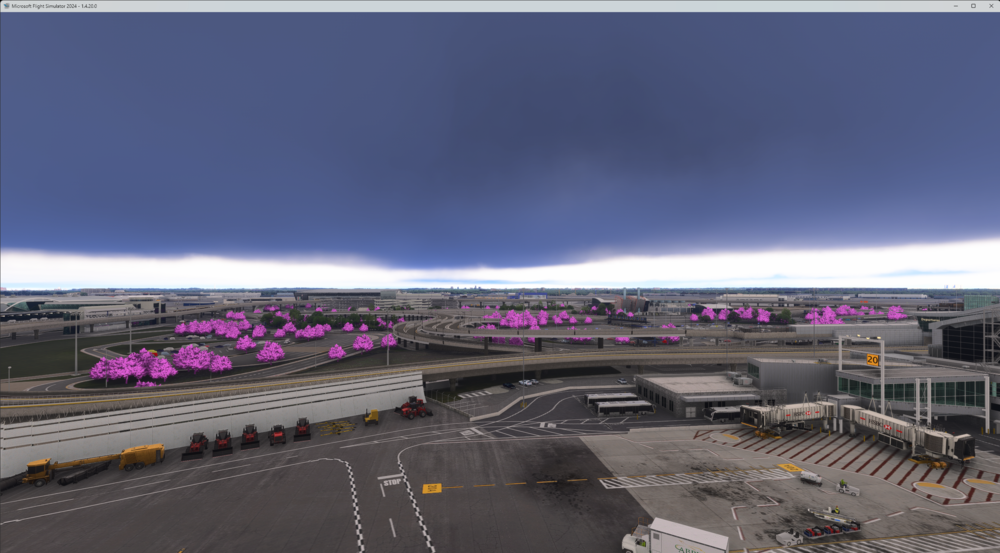
Purple trees at ini KJFK V2 MSFS 2024 SU2 and SU3 tested both and not a conflict with other scenery KJFK installed
-
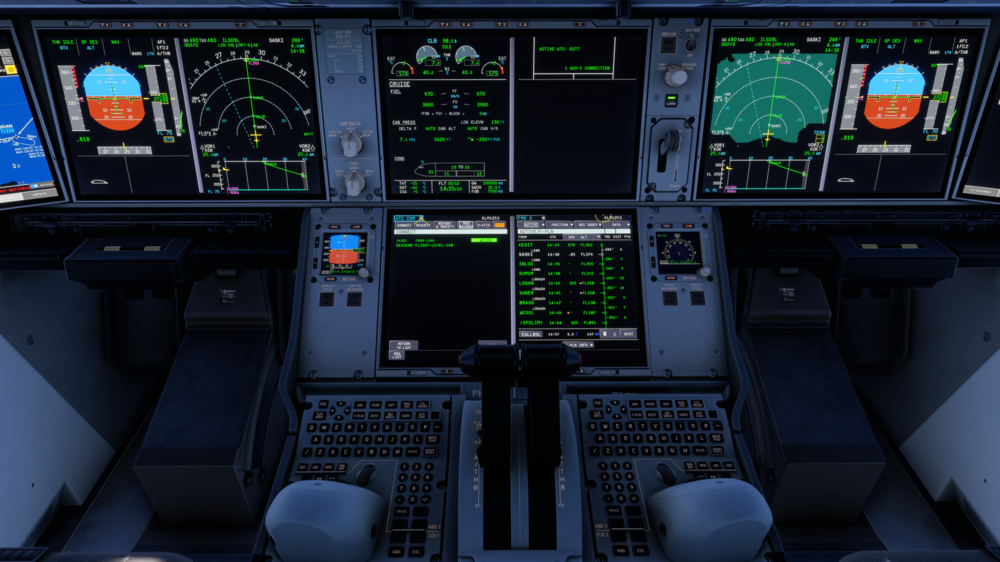
Apology bit late and this was in 2024, I have had multiple ACARS messages but I can see only one under the all msg button. Would expect as in the RW to have there the messages history. Now I have to go back to the data tab and again msg record tab... and it displays the next message. After that the message is go into the dark bit bucket.
-
Thanks appreciated will do that at the next flight
-
Could we have a printer function implemented (to sent to pushover for example) Because CPDLC messages and recorded messages has unfortunately a lot of bugs or can't store enough (now seeing only two message at a time)
-
@Nico - Gumby tested when using the click spot auto tiller disconnect works as expected, but using toga via assigned hardware button in MSFS it activate around 80 knots
-
Going to test if there is difference via the click spot or an assignment via a button in MSFS with toga
-
That's probably the problem, when using toga it should disable instantly but that's not always the case
-
Correct starts around that value.
-
As for the auto disconnect sometimes it disconnects after 80 knots (toga used) which then lost rudder authority just after 80 knots we have the rudder back far to late... tonight had the issue full rudder and after 80 knots full control is back (can use the tiller till that point 🫣)
-
Have the same issue with V1.03 the work around works
-
As a temporary workaround for the time being use the FO DH and all works fine 😉
-
Exactly don't know if the real A300 has one (pedal disc) and they do the checks not during taxi....
-
You need it also with a dedicated hardware tiller 😉 when disabled the rudder pedals don't work or the logic isn't correct 🫣
-
Noticed with the EFB loading via simbrief it start first with full loading and then counts down the fuel load and ZFW and other values... is this by design? just wondering...
-
Without auto switching it's a mess with a dedicated tiller... only i have sometime the problem the auto switching occurs later after the toga button is used...
-
I have a dedicated hardware tiller, would love the option to use the pedal disc button I have... See below the hardware tiller I have 🙂 https://cat3design.com/shop/p/bwn0drk9h3h0xry9nbguiujtsa9chc
-
Tricky one to pinpoint when it's random behavior, next flight when it happens I would pause the sim and make screenshots of the ECAM screens and share... When going through the same flight again it works fine? otherwise happy to test here local... @Nico - Gumby Maybe inibuilds has some log system for trouble shooting and monitoring at the local installation?
-
That's why I shared this version maybe ini has some RW A300 guys on the beta team 😉 Don't think the RW guys are floating around here to busy flying in the RW... Both FCOM share the same info what i would expect.
-
Navigraph isn't supported they use the default MSFS airac to begin with 😉 so to rule out conflicts maybe useful to try...
-
There is a temporary workaround for use only the right DH window (FO side)To add curious if you guys have installed Navigraph in MSFS?


