




Blaster254
Member
-
Joined
-
Last visited
Everything posted by Blaster254
-
This is a well known issue and being investigated by the teams. the temp fix I found is spawn to any gate. Then in the sim spawn to the gate you want. If using the A380 use in EFB GSX menu. also in the GSX settings make sure you have auto reposition selected. Multijetway requires accuracy. I think it’s all to do with a WASM file getting stuck and not regenerating each time. See if this helps
-
Kyle, I tried Chicago and had the same promlem. GSX menu no jetways and multijetway a rotation warning. I exited and went to the GSX live updater page I hit the check file button. It verified the files. After this I tested at EGLL with the A380. Both GSX and the INI multi jetway menus both worked fine. I tested at 4 different gates and all worked Inc multiple jetways For anyone else that reads this. May be of help
-
Kyle apologies. I can see this has been reported several times already. I’ll hold fire for an update your end. Is there any files I can send that may assist?
-
Hi Kyle. At EGLL jetways are totally dead. I know you’ve reached out to GSX. Any updates due? I’ve noticed that GSX and multijetways seem fine at OMDB V2. other airports are good with GSX. Just Heathrow seems to be a problem and I’ve experienced a performance drop at this airport too
-
Still dead
-
I do. Are there any files I can send you?
-
Hi Kyle I did. I’ve tried the EFB and GSX menu. Nothings working
-
At present the jetways have completely stopped working at Heathrow. With the A380 currently but other aircraft too. I’ve tried uninstalling multijetways and then the GSX Profile and tried them separately even without both, the jetways have stopped working
-
Apologies I hadn’t realised. Yes it is the reduced textures
-
-
I had the same. I purchased but then showed unavailable in library. However exited and opened Inibuilds store. It was there so installed from that location. Works fine and performance is amazing from first load. Give it a go
-
And I know you’re busy busy with the A380. Cannot wait
-
Thank you. With the WASM issues and various other problems experienced since the latest update. I’ve uninstalled for now. But I love this aircraft so look forward to work arounds and updates
-
One to add. CPLDC won’t log in to Say Intentions Settings for maintenance stuck on disabled
-
I’ve had a read of the WASM crashes. No need to add as they’re already there. Mine is primarily entering. STAR and hitting the STAR button in menu. Someone has mentioned click spots on the overhead. I have the same and periodically all other click spots around the flight deck. MCP, FMC, lights etc. Allan all round mismatch. Hope this helps Ryan
-
Delete the WASM folder and let it rebuild
-
I may be doing something wrong. Si to check first. Flight plan EGLL/KSFO. I edited the the approach and added some speed constraints. One was for 220kts. take off and climb and I was stuck at 220kts throughout. I had to manually control speed. It wasn’t until I deleted the speed constraints at the end of the flight plan that things returned to normal. in hope this makes sense. Have I done something wrong or is this a possible glitch?
-
I would suggest a fresh install. Once uninstalled. Go back through all folders and delete any remaining ones. I also deleted all add on liveries. And will only install ones updated after the latest release
-
Fresh install and manually deleting all remaining files fixed it for me personally. Back to being no1 for me at least
-
Looking at this post. It goes back to August 2025. A well known issue. Now January 2026. Same problems. What’s happening inibuilds end?
-
Erm think it may be fixed. I was it aware of mini updates after a main release for the sim. I think it decided to do one in the middle of my last flight!!!! Apologies. fyi. And in your pic, why red at top?
-
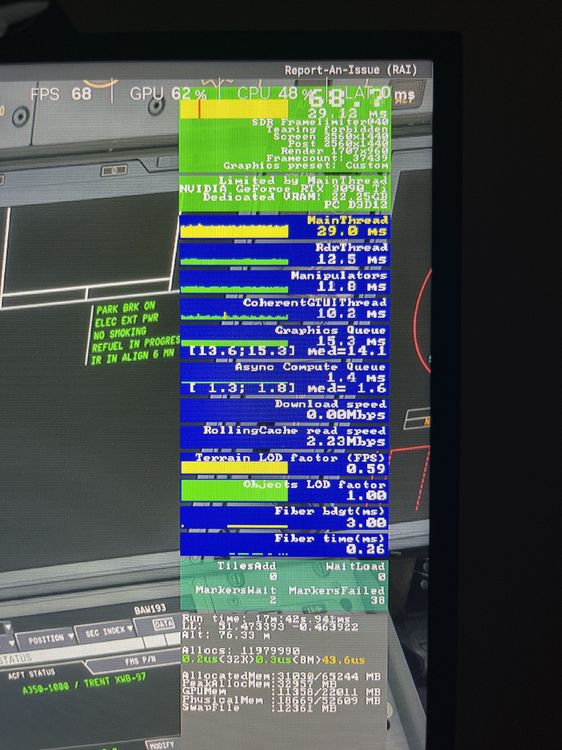
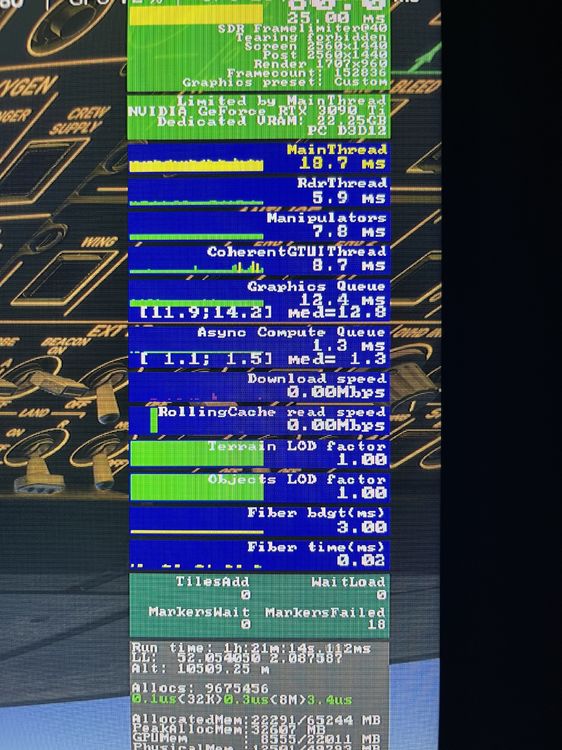
Photo 1 the green one Fenix A321 photo 2 A350. Same scenario
-
Definitely not
-
Seriously? You recently updated the A350 and appeared to have solved the performance issues. just over a week later. SU4’s out. Awesome update but the A350 is back to barely 15fps. With Athena around 80fps what’s actually going on?
-
Thank guys. As long as it’s a known bug. No biggy


