




macc92
Member
-
Joined
-
Last visited
Everything posted by macc92
-
I was having some poor FPS at Heathrow so went in to the inimanager to try and toggle some options but I found that the options had all disappeared and only left Landside cars and 3D people as options. reinstalling the scenery makes the options appear again but they will disappear again for some reason when checking later Inimanager also keeps thinking that I have the 2020 version installed too despite uninstalling both then only installing the 2024 version
-
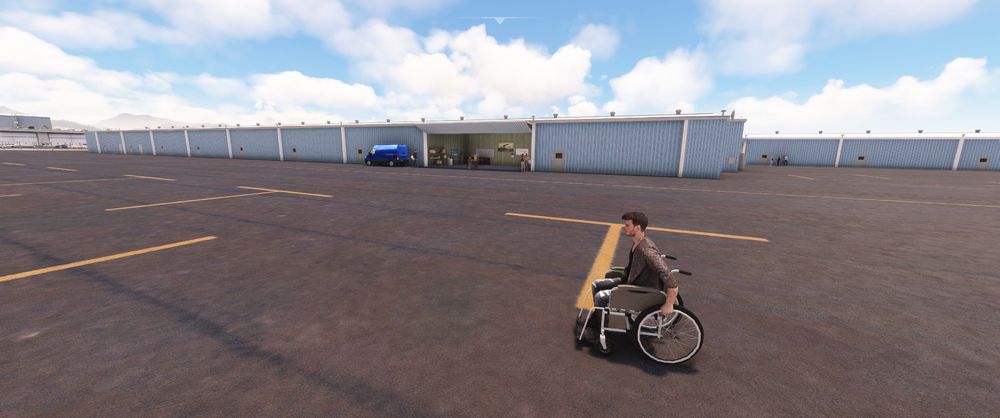
I was flying a DC-3 as GA out of Honolulu and nearly ran this guy over on the GA ramp. I don't know if he is intended to be there but he could be easily missed if you are maneuvering around there

-
The autobrake is disarming too easily on landing, if I put in even the lightest amount of pressure on any brake pedal the system disarms which can easily happen if landing with a crosswind the autobrake light and associated decel light goes off as the system disarms. If the disarming force could be changed to match other aircraft wherein it needs equal or greater force on the manual brakes to disarm the autobrake it would be ideal
-
I would like to add my interest in an An-124, flying the 225 has been lots of fun and I can imagine the 124 will be just as much, as well as being able to visit a wider array of airports than the 225 is able


