




SebSch
Member
-
Joined
-
Last visited
-
I'd like to bring this up again: Is there any news regarding this issue, potential fixes or specific workarounds? As I mentioned earlier, the aircraft is downloaded and not streamed; AutoFPS and similar programs are not used; and in the fashion of did you try turning it off and on again, I deinstalled the plane, reinstalled it, etc... It's pretty disappointing that the A380 is just sitting in my hangar since I can't use it in VR.
-
I have downloaded the A380, it is not streamed.
-
I forgot to attach this image, but thought to just share in case - this is the Asobo ATR in VR, note that a couple of switches are definitely rendered incorrectly (twice).
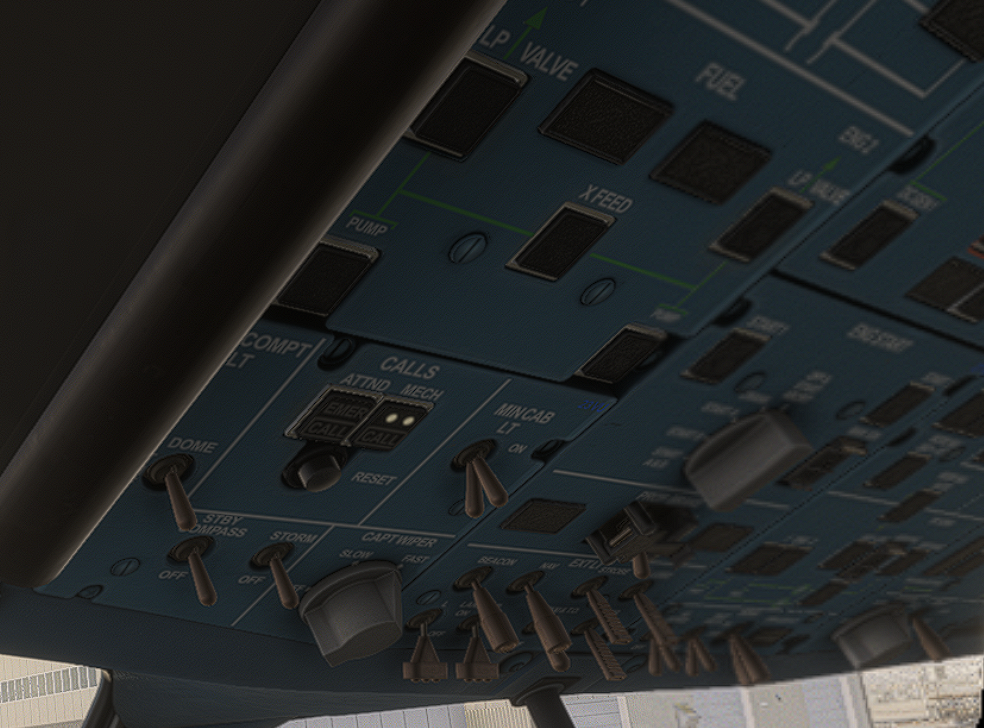
-
I'd also like to raise this again. Interactions impossible, rendering of switches fails, and lights in P/B etc. not rendered. To be clear on this, I do not use AutoFPS or similar, and I also tried to disable the MSFS-internal framerate limiter in VR in the settings - no effects on the issue. In the attached images, note that ENG MASTER switches disappeared alltogether, and the overhead panel is a total mess.. Of note, I just updated the Asobo/MS/SH ATR to the most recent version (manifest json states version 0.1.41). Despite its bugs, the ATR previously worked OK in VR. However, now, it exhibits the very same issues like the A380 - and only in VR: incorrect rendering of lights, P/B switches, no mouse interaction with any switches/controls possible in VR, failure to render particularly the overhead correctly (in this case, e.g., duplicating switches). To me, this indicates that perhaps, there is a deeper, underlying issue?
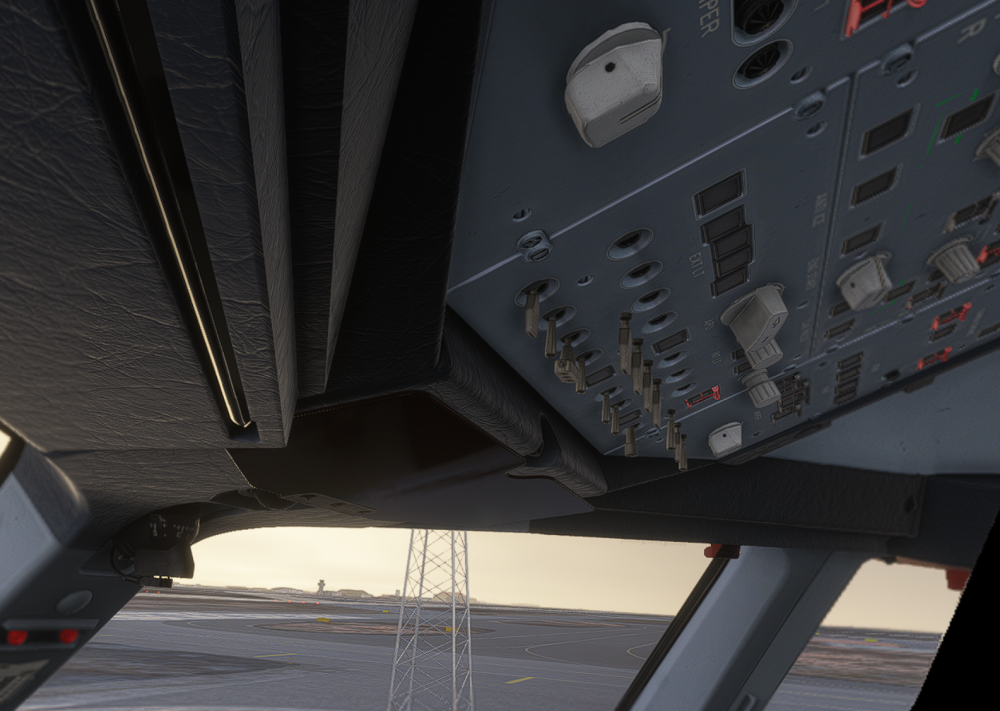
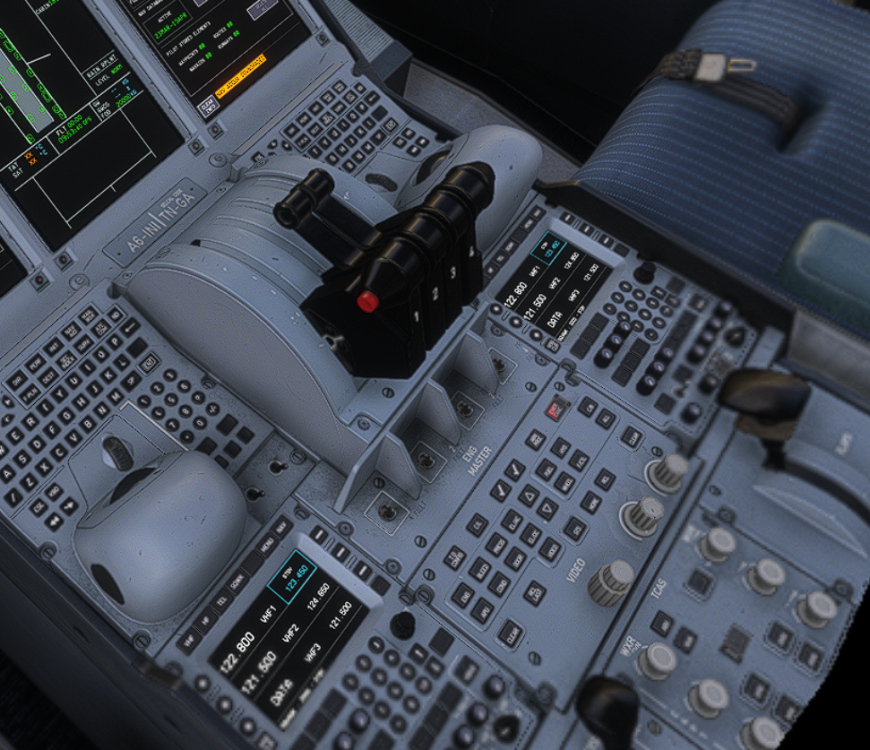
-
Issues are definitely not fixed with the 1.0.1 update. Most buttons on the overhead now simply remain dark. Interactions with controls are still not possible, or even worse, have new issues: Trying to interact with any of the 4 engine master switches now just makes them actually disappear alltogether. None of this is seen in 2D, but in VR, the plane is not useable, at all.
-
I have the same issue. Jumping into VR shows all buttons entirely illuminated, but interactions are not working, at all. For example, switching buttons; rotating buttons (e.g., lights) also does not work, and button animations are entirely broken. Toggling engine start switches triggers an animation, but the warning lights aren't updated. Going back to 2D and everything is back to normal, and I can perfectly interact with everything. I do not use AutoFPS.
-
I also experience a seriously degraded performance after the update.
-
I have had the exact same happening despite correct calibration on both of my two flights thus far. However, the problem always started when capturing approach, specifically when activating the approach phase, receiving lever asymmetry warnings from that point.
-
I can confirm this behaviour. When trying to load a flight, then all variants tend to randomly cause a CTD. This behavious appears to be quite random though, sometimes it crashes, then sometimes it loads the flight just fine. For me too, the A300 seems to be affected only after the recent update.
-
I find this too. No reliable way to reproduce though. Once it happened when requesting ATIS from the ACARS menu. Another time when trying to insert a waypoint in the FPLAN. Every system would become unresponsive, although the simulator itself does not crash.
-
I find that during climb, the differential pressure increases into the red band, as cabin altitude remains at ground level. Manually changing the cabin altitude with V/S control does change the open/close indication of outflow pressure valves, but cabin V/S rate remains around 0. Both packs are on. Is there a glitch, or is the system not modelled?


