Paul Moore
Member
-
Joined
-
Last visited
-
This has worked for me while IniBuilds work on a solution.
-
I'm experiencing this exact problem at EGLL, and also at EGKK (although at EGKK despite showing a 'rotation invalid' red error message the jetways did move to the aircraft). At EGLL not connecting to the aircraft. Have the latest GSX version and ran the 'Check' before spawning at the airport - not resolve for me.
-
Kyle - clicking "Check" seemed to fix it. Resolved. Thanks for your help and assistance.
-
GSX is latest.

-
Steps I took: Downloaded and extracted the IniBuilds A380 Airliner - GSX Profile.zip into %AppData%\Virtuali\Airplanes. Verification of files Inside the folder %AppData%\Virtuali\Airplanes there is a folder called inibuilds-a380. Inside the inibuilds-a380 folder are two sub-folders with the following files: (i) \_MACOSX\inibuilds-a380\800\._gsx.cfg; and (ii) \800\gsx.cfg
-
The manual download of the GSX profile hasn't resolved the issue at my end. Repeatedly attempted this fix but to no avail unfortunately.
-
Yes - latest version of GSX.
-
-
Hi Kyle - yes I can confirm no other A380 in GSX folder. There are no other A380 folders or profiles present.
-
-
I am experiencing this problem too. Try to reset calibration but is strangely also proving difficult - apart from TOGA, miniscule throttle movements (on the MTQ) produce large disproportionate movements in the axis making it extremely difficult to set FLEX, CLMB, IDLE, IDLE-R and MAX-R. I am using Moza MTQ.
-
I am experiencing a persistent GSX integration problem with the iniBuilds A380 in MSFS 2024. GSX reports: “SimBrief error: Can’t read aircraft type” I have undertaken the following troubleshooting without success: Installed the official iniBuilds A380 GSX profile manually. Confirmed the inibuilds-a380 folder is installed under %AppData%\Virtuali\Airplanes. Removed and reinstalled the profile 3 times. Installed the recommended iniBuilds A380 aircraft type and profile within SimBrief. Restarted MSFS 2024 several times.. Confirmed the GSX Remote Control Server is enabled. Confirmed the correct SimBrief User ID and Pilot ID are entered in both the A380 and GSX. Confirmed GSX is fully updated and connected. Restarted Couatl after the A380 was fully loaded at the gate. Checked and can confirm GSX is latest version. None of these interventions has resolved the problem. Given the specific wording of the error, I am concerned that GSX may not be correctly identifying the A380 as ICAO type A388, rather than this being a SimBrief authentication or profile issue? I am also aware that other users are currently reporting GSX integration problems with the A380. Could you please advise whether this is a known issue and whether there is a current workaround or update planned? I can confirm that no other aircraft demonstrates this issue, including the IniBuilds A350 which I also own.
-
Kyle - you are a genius! The default Asobo hand crafted OMDB was not disabled and was indeed the culprit. Thank you for pointing this out - extremely grateful. OMDB looks incredible now.
-
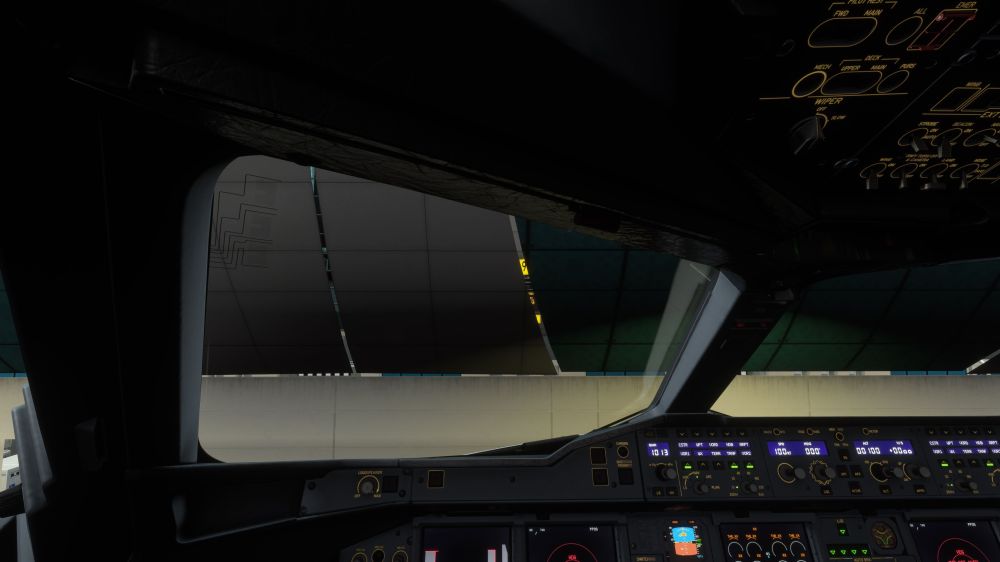
Kyle - I didn't notice this until just now, but the VGDS appears to be incorrectly positioned behind the glass of the Terminal (i.e. inside the terminal building). Take a screen shot to illustrate
-
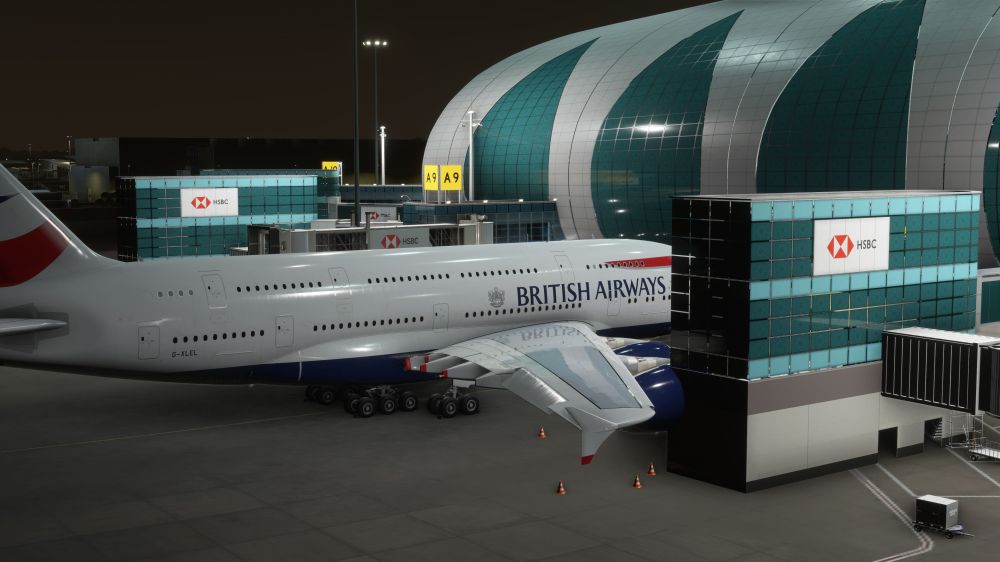
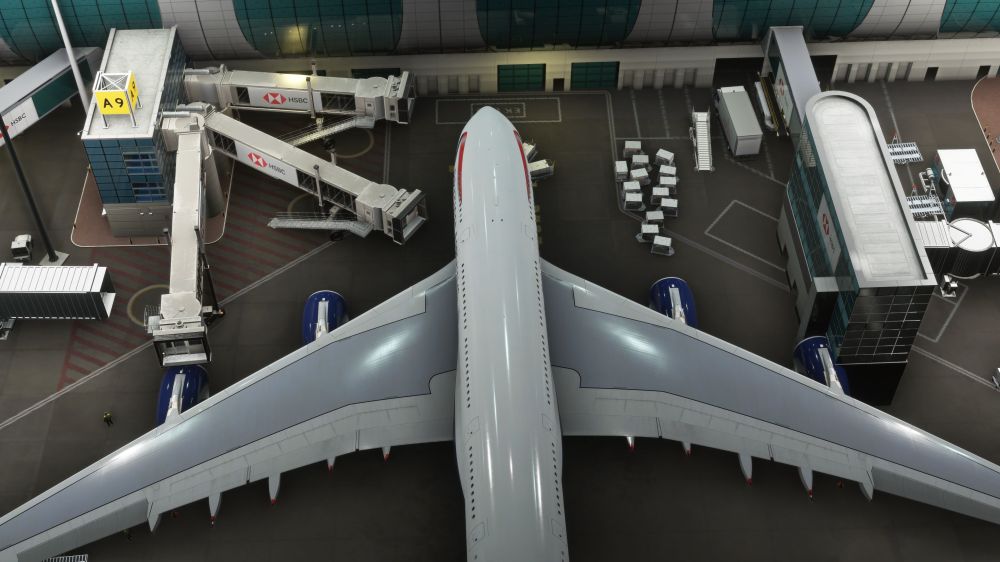
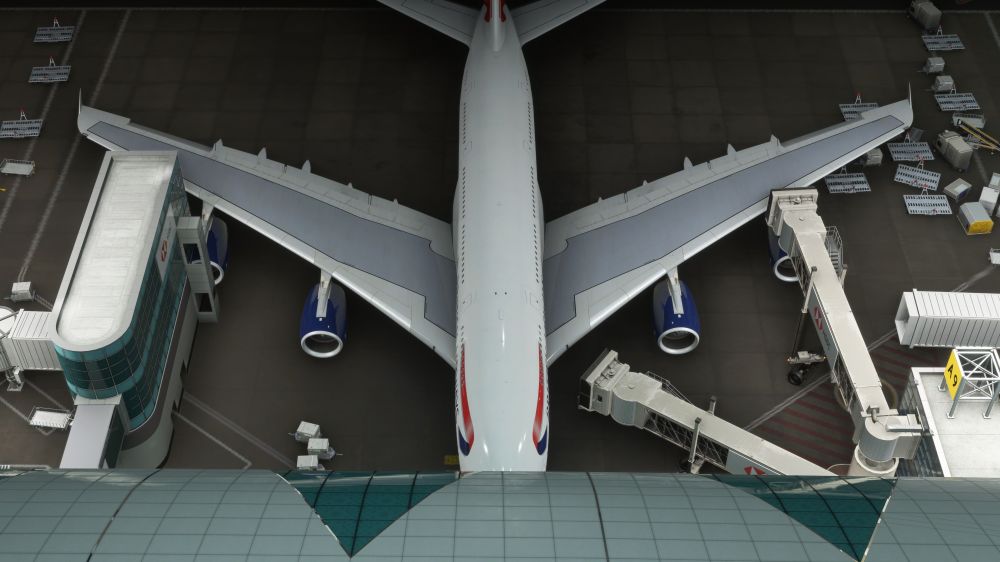
Thank you Kyle. Here are some screen shots which demonstrate the engine 4 problem at Gate A9 at OMDB.