





ChristerH
Member
-
Joined
-
Last visited
Everything posted by ChristerH
-
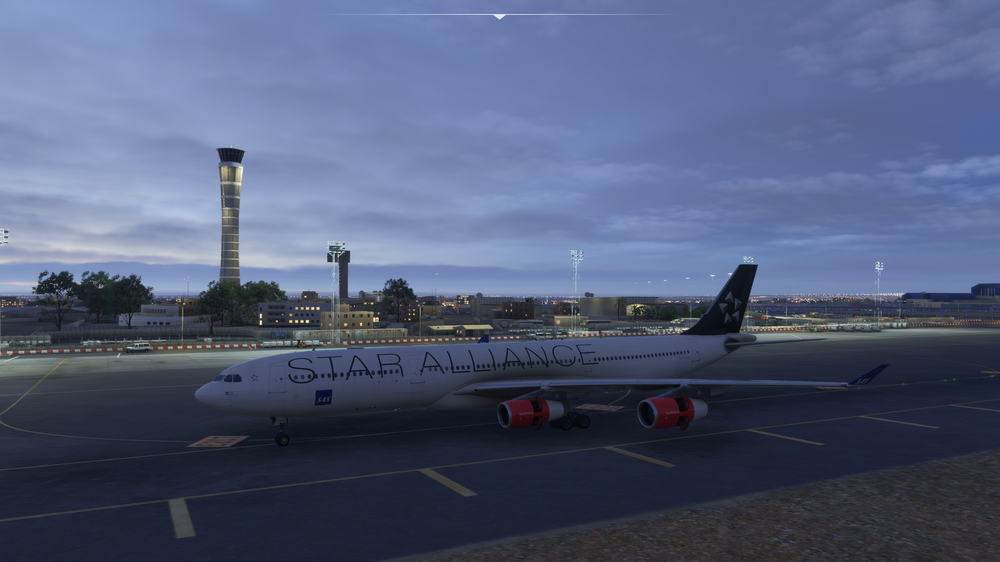
For some reason taxi lights are not working.
-
You know that in the A340 you have to load the new AIRAC data in the EFB?
-
Never mind, I understand what you meant now by reinstalling in the Navigraph Hub. I'll give that a try.
-
How do you "uninstall AIRAC from the NG hub" Can you provide details ?
-
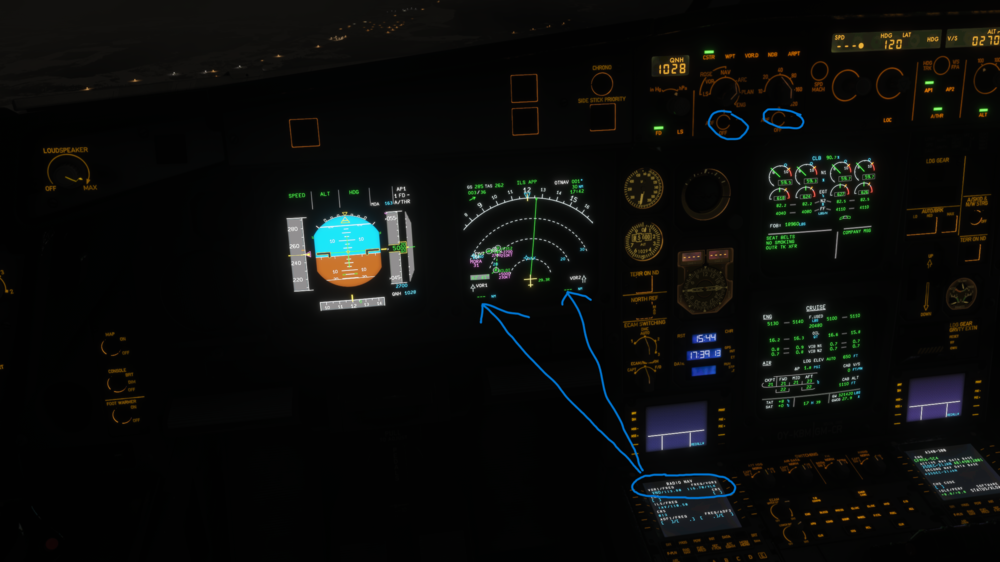
Here is an exaple that shows everything set but no VOR or LOC is visible. Landing with no LOC
-
Same issue using LB
-
VOR is not engaging on selected frequency. Possibly related to the fact that on approach the LOC was not engaged even tho the LS was selected and the frequency was shown in the display and on APPR mode.
-
Understood. I appreciate the explanation. I will address the cache and a clean driver install. i have to say that with the settings I use now it’s a great experience. keep up the good work. ch
-
I will try this.
-
My problems did not completely end with this. When starting outside the aircraft a message still came up about my video card. i ended up taking down my resolution from full 4K to 1440 and all issues were solved. i think this plane really tax the GPU. Hopefully it will be optimized.
-
Just want to add that the sound from the switches are very low and when engaging the external power, that satisfying relay clunk is just not there… is it not the same as in the A320 ?
-
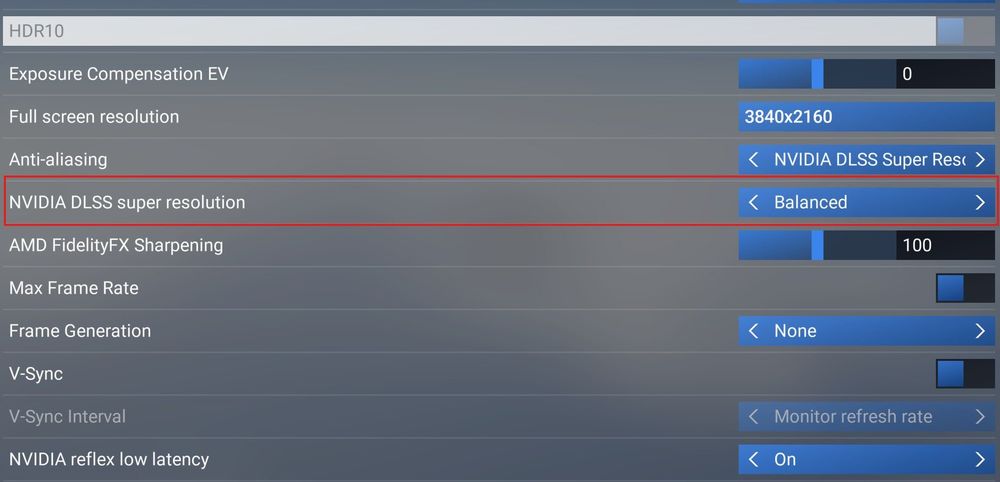
SOLVED by reducing DLSS.
-
I have the A340 and neither ECAM or MCDU from winwing is working. i have nit checked SPADnXT
-
This seems to be RESOLVED after SU3. I do not have this issue anymore.
-
-
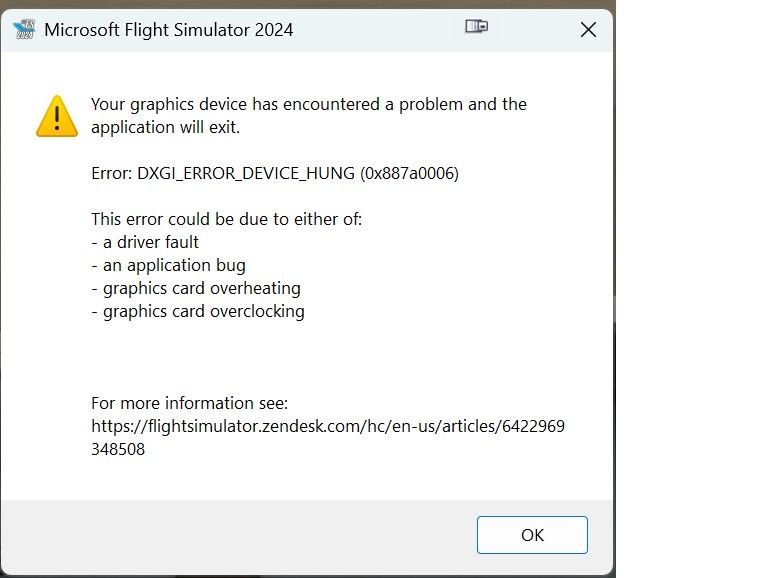
I have just purchased it for MSFS 2024 have crashed two times when going into outside views. I dont have a bad system, I have a NVIDIA 3080 video card and have had no issues with any other airliners. Is there something I can do or was this a misstake to purchase ?
-
Additional interesting observation: When I initially start up the A330 with the GPU, the VOR is active, but as soon as it is OFF, the VOR is inactive. So as follows: - Start plane from cold and dark with GPU on and APU on. VOR works. - Disengage external batteries with APU on - VOR do NOT work - Turn on external batteries - VOR works - Start engines and then turn off external batteries. VOR does NOT work - Turn on external power when the engines are running. VOR works So this is very strange. I have not tried this, but if I could turn on external power in the air, I bet the VOR comes back working.
-
Eddie, I tried again after SU1 and I still have the issue. What I'm seeing is that ANY VOR seems to be inactive as a default and when I use the right mouse button, the LOC engage. I could actually make it go back and fourth on the LOC course by holding and releasing the mouse button. So the question is, what is controlling the VOR/LOC being active in the bindings ? I tried with a different mouse but no improvement. I also made sure that nothing related to VOR is mapped to the mouse. So this is truly vexing as there is some setting that is established with LOC/VOR non active when I start the plane. Do you know if there is any setting in the plane that would create that behavior and if it is mapped with any action? I think that is the key question. On the two images you see the VOR status with right mouse button held in. (Pic 1) and then without the right mouse button held in. (pic 2)


-
Understand, that seems like a possible reason as this is not a widespread issue. Bindings in MSFS2024 seems to be a major issue. I will give it a try at some point as I currently have MSFS2024 uninstalled. Thanks for the reply !
-
Hello, I have reinstalled it two times and have the same issue. Can you clarify what you mean with using a different mouse ? How would that impact the LOC issue ? The video really shows two issues, one is that the LOC is not captured and the other is that weird thing with the right ouse click. That is of less consequence. It is the non capture of the LOC that is the biggest issue.
-
I'm sorry you have this issue but I'm also glad that someone else have seen this and its not me doing something wrong. I also see many people that do NOT have this problem and is really enjoying this aircraft. Very strange.
-
This happens every time the GPU is disconnected even when the APU is on and running. Same things happens when the enines are running. After he lights go out, my right mouse button will turn them on. Look at the video, it is very strange. The Neo have the same issue. I have tried complete reinstall as well as forcing new downloads from the INI web sites. Still happening. Video of the issue
-
Doing this with nothing in the Community folder. I also reinstalled from Steam. This happens every time. The ILF frequency is not showing the identity and the Loc and GS are armed but does not lock. I have a 3 min video with a detailed view on what is happening below: Detailed view of the LOC issue.


