




Awemeter
Member
-
Joined
-
Last visited
Everything posted by Awemeter
-
If you look at the reference below, the green FD bars overlap the center yellow box of the "airplane" modeled within the artificial horizon. In the inibuilds a350, the green bars are placed below.


-
-
When pressing the ident button within the aircraft via the FMS or the RMP the ident function is not activated on vpilot.
-
In real life the stick position is no longer shown on the PFD after shutdown. on the inibuilds a350 it is still shown


-
-
I 100% agree with the flight model on takeoff and the gear drag being too loud. It sounds like it’s a static sound because regardless of where you are within the aircraft the volume of the gear drag is the same. Nonetheless the plane defiantly has some issues but as you said before it has great potential and will end up being one of the best a350s we have ever had in a flight sim.
-
When my view is positioned on the captain's seat and the OIS switch is to the left when I move the switch I hear the sound coming from my right headphone.
 The papi lights in sim for runway 09R are in the wrong location. If you look in the sim the papi lights are next to the 500 foot markers. If you look at a YouTube video online you can see the papi lights are next to N7. (At the 1 minute mark) You can see in sim N7 is abeam the one thousand footers which is a much more normal location for papi lights.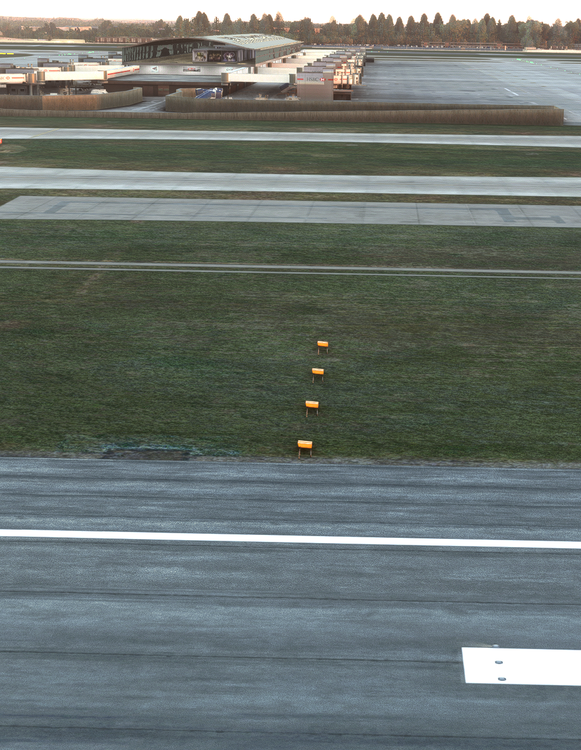
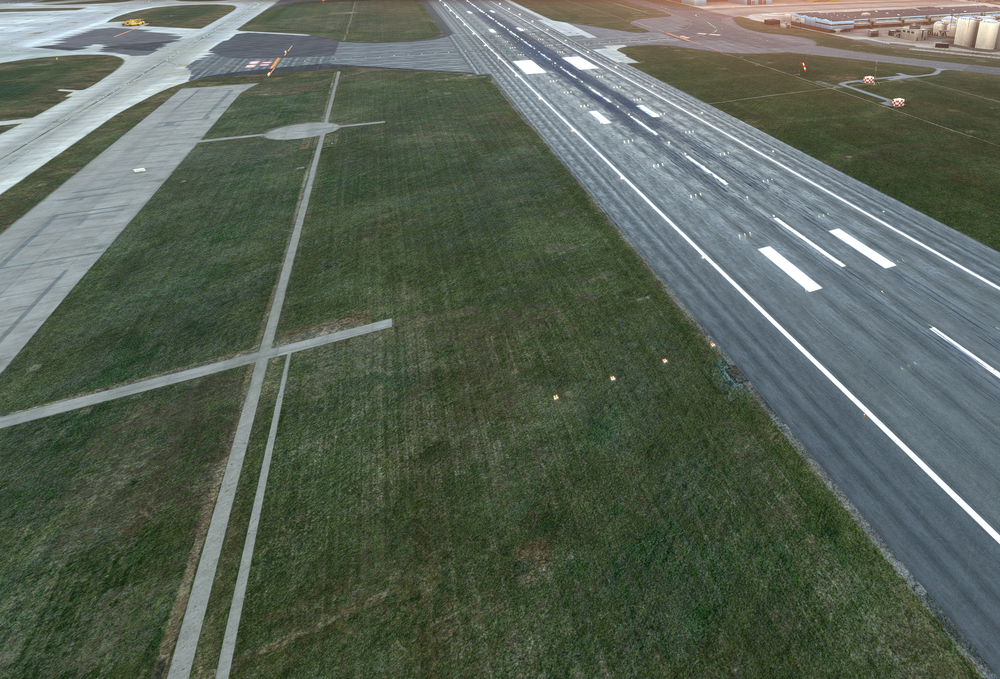 What is the relation between the gate numbers displayed on FlightAware and the gate numbers on the scenery and GSX?It appears every gate use world flight services as its ground service operator but in real life this is not the case.Yep you are right. Thanks for the help. Really enjoying KDTW.If possible without hitting perf too much it would be nice to see some of the screws actually modeled instead of textured like shown below.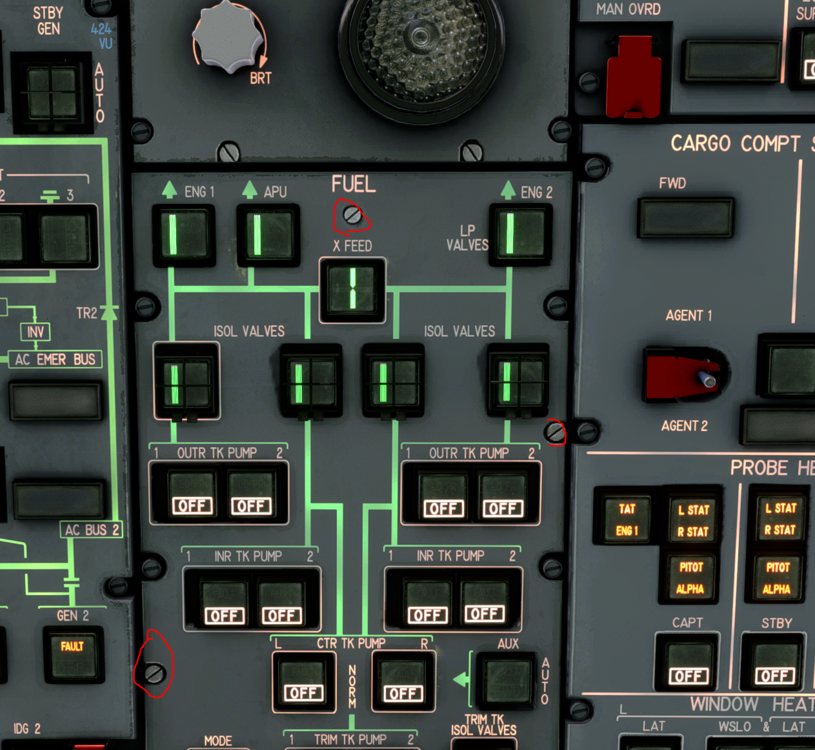
 Don't get me wrong the cockpit looks pretty good already but there are some areas texture wise that could be better. I don't know how much this would impact performance but even on the enhanced version there are some areas of the cockpit that I would like to have some higher quality textures. Here are some examples bellow.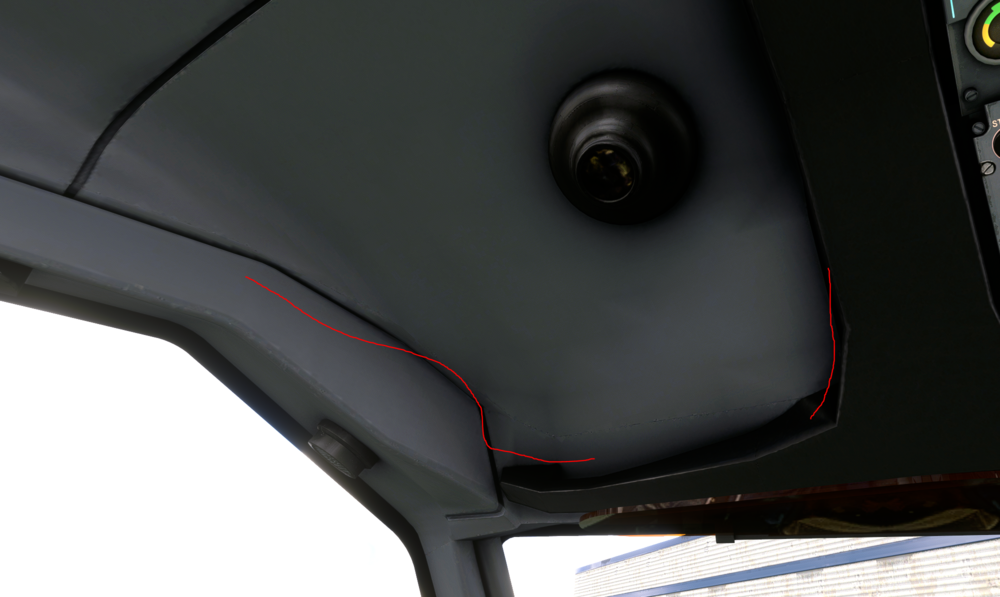
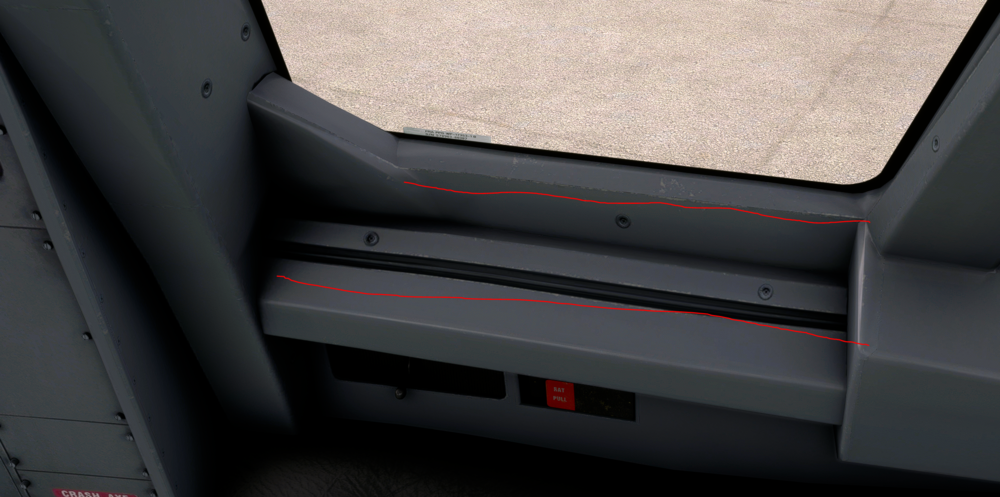 It also appears that the door close sound is coming from the front of the cockpit and not the actual door,When I hover over the rat pull lever a click spot is displayed but nothing happens. If this is intentional it would be nice if the RAT was modeled and simulated.I know this is a really small issue and is in no way major, but it would be nice if you could correct the gally latches to be closed so the carts don't go flying out during my hard landing.
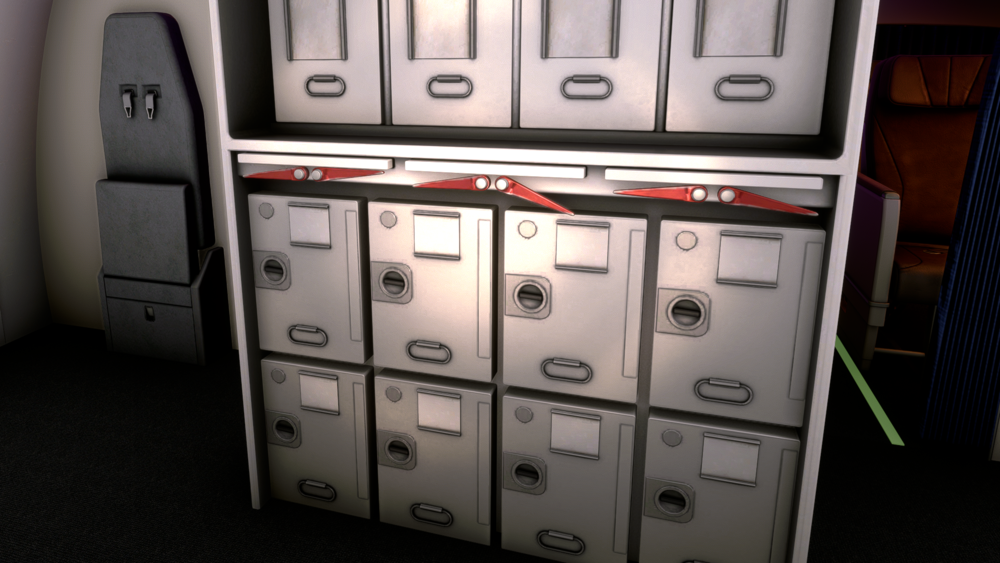 I feel like the sounds do not get quitter the further away you get from the object that is omitting the sound. For example, the knobs in the cockpit all of them sound like you are right next to them.Another vote for cargo variant.Would it be possible to increase the wing texture resolution? It looks very low even on the enhanced version.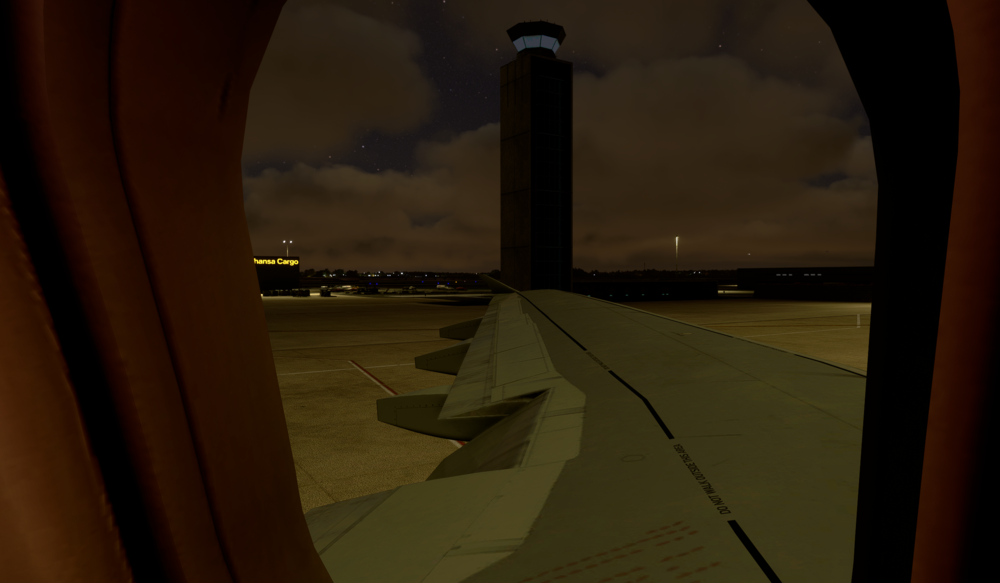


Account
Navigation
Configure browser push notifications
Chrome (Android)
- Tap the lock icon next to the address bar.
- Tap Permissions → Notifications.
- Adjust your preference.
Chrome (Desktop)
- Click the padlock icon in the address bar.
- Select Site settings.
- Find Notifications and adjust your preference.
Safari (iOS 16.4+)
- Ensure the site is installed via Add to Home Screen.
- Open Settings App → Notifications.
- Find your app name and adjust your preference.
Safari (macOS)
- Go to Safari → Preferences.
- Click the Websites tab.
- Select Notifications in the sidebar.
- Find this website and adjust your preference.
Edge (Android)
- Tap the lock icon next to the address bar.
- Tap Permissions.
- Find Notifications and adjust your preference.
Edge (Desktop)
- Click the padlock icon in the address bar.
- Click Permissions for this site.
- Find Notifications and adjust your preference.
Firefox (Android)
- Go to Settings → Site permissions.
- Tap Notifications.
- Find this site in the list and adjust your preference.
Firefox (Desktop)
- Open Firefox Settings.
- Search for Notifications.
- Find this site in the list and adjust your preference.