



Skip to content
View in the app

A better way to browse. Learn more.

iniBuilds Forum

A full-screen app on your home screen with push notifications, badges and more.

To install this app on iOS and iPadOS
  1. Tap the Share icon in Safari
  2. Scroll the menu and tap Add to Home Screen.
  3. Tap Add in the top-right corner.
To install this app on Android
  1. Tap the 3-dot menu (⋮) in the top-right corner of the browser.
  2. Tap Add to Home screen or Install app.
  3. Confirm by tapping Install.

ajnn1969

Member
  • Joined

  • Last visited

Everything posted by ajnn1969

  1. We are discussing ILS issue but it´s not the first time that ILS issue is associated to aircraft issues. I deleted the MSFS version of EGLL and deleted also the file content.xml and i don´t have any issue for now but i have to test with CRJ too.
  2. ILS on 09L work with A320 FBW Dev version. The frames is chaotic ( even with CPU and GPC about 60/70%) but ILS work
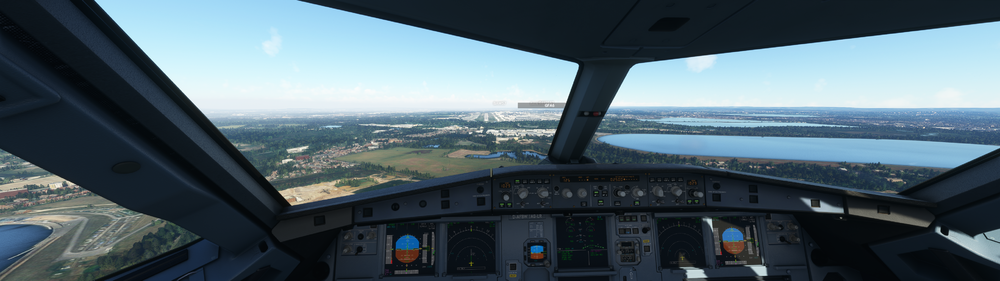
  3. How can we remove premium EGLL
  4. delete content.xml file and star again MSFS
  5. Solved after deleted content.xml file and star again MSFS
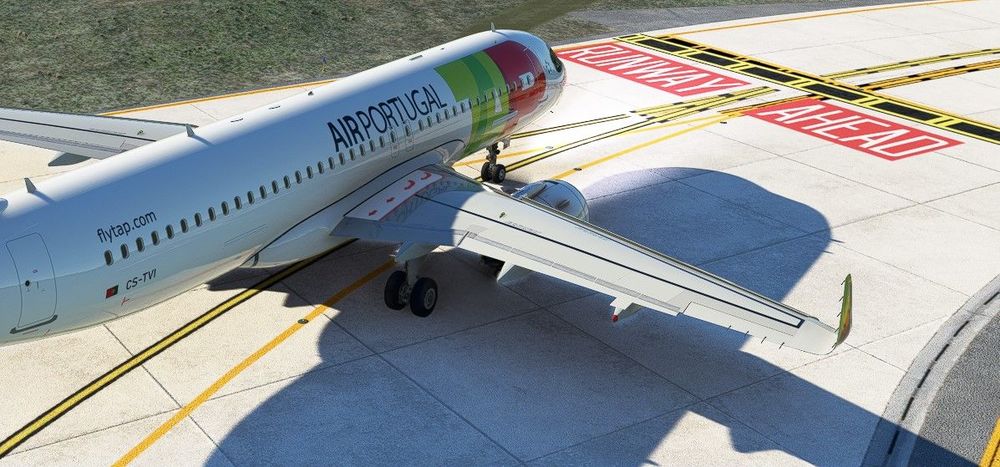
  6. I have two taxi lines , maybe default lines or rex global airport textures, how could i delete the line that don´t belong to inscene EGLL?

Account

Navigation

Configure browser push notifications

Chrome (Android)
  1. Tap the lock icon next to the address bar.
  2. Tap Permissions → Notifications.
  3. Adjust your preference.
Chrome (Desktop)
  1. Click the padlock icon in the address bar.
  2. Select Site settings.
  3. Find Notifications and adjust your preference.