




Bunkie
Member
-
Joined
-
Last visited
-
Another vote for the other variants. Just thought I'd add that there's another dreamer out there!
-
Further to the above; My original purchase was from the Marketplace, and I downloaded/installed the aircraft. Connection to Navigraph was perfect, and remained that way throughout all the various updates. Upon transferring my purchase to the Inimanager last week (prompt, fast service - Thank you!) I installed the model normally. Since that time, I have to re-set my Navigraph credentials every couple of flights. It doesn't seem to like user errors; having started a flight, while still sitting at the gate I noticed that I'd configured my flightplan using lbs vs KG's, so exited back to the main menu and corrected my Simbrief plan with the correct units. Upon re-entering the sim, I was prompted to connect my Navigraph account, which had been functioning just perfect one minute before. A minor irritant at worst, but just putting this here in the hope of providing additional info that may help in tracking down the cheeky Gremlin :)
-
Hi, I can't suggest what's wrong - but I've flown all my flights GPS only, and haven't had any issues with the aircraft not following the GPS path. The indicator distances on the HSI only work with the INS, but the arrows follow the gps guidance, at least on my set up. Sorry this doesn't help you at all, but since you've confirmed you're setting the CDI correctly I can't think of anything else...
-
I should have mentioned all other graphical settings are on ultra or high, and TLOD and OLOD's are maxed. I use the autofps app available on AVSIM, but had that turned off when taking the screenshots. Bunkie
-
Now that was a learning experience, seeing as though I've never had any desire to take a screenshot before! Here you go... hope these are what you wanted and are good enough. Bunkie
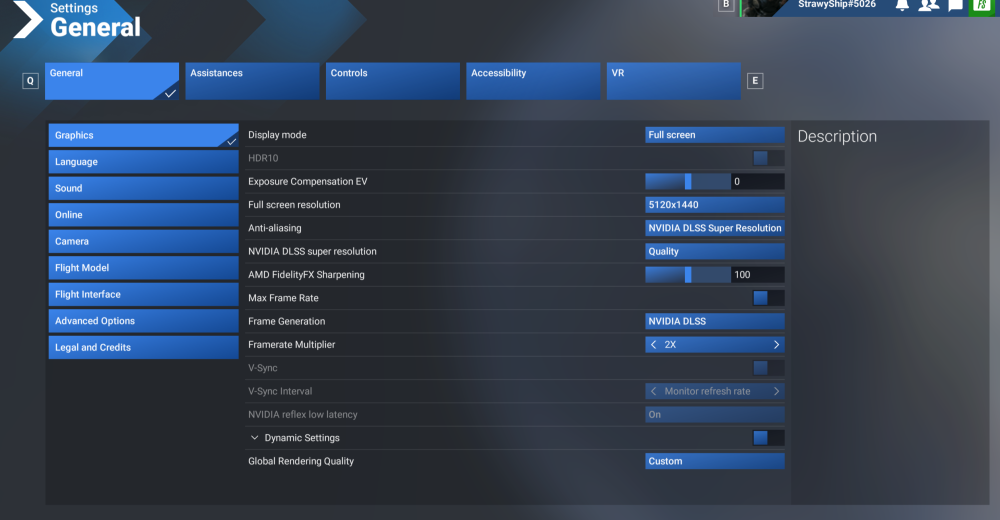
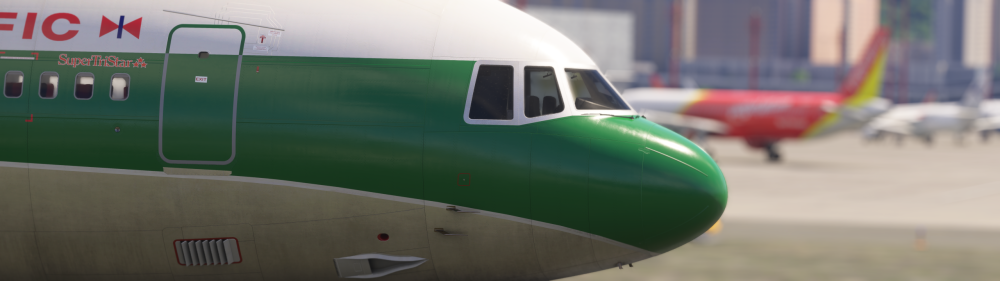
-
Thanks for the reply, My pilot avatar and copilot show up in all other 2024 native aircraft I use, so the settings in-game are correct. I just find it funny I was so impressed by the Tristar it took me over a week to notice! Beautiful model you've brought to us.
-
Hi all, What do we need to do in order to have the crew displayed in the cockpit. I've been flying this model exclusively for the last week (loving every moment of it) but haven't found a way to get anybody showing up. From the external view it looks like a ghost plane... As a suggestion - how about adding a flight engineer avatar to the 3rd seat. Doesn't have to be animated, and in a perfect world they'd be selectable as on/off so those who like doing the FE role don't have to worry about it getting in the way... ? Just a thought. Bunkie


