tiagofelix
Member
-
Joined
-
Last visited
Everything posted by tiagofelix
-
Hi, I'm very glad with your products and looking forward for the new one coming. So, about the beautiful A340-300 , I think you guys could make some improvements, like come to life the third MCDU (like Toliss), exterior refuel panel (this one would be the top notch) and reset buttons on overhead panel (like Toliss) for example before start with new projects or do it side by side. Best wishes
-
Hi, It happened to me 1H ago, since last update I cant enjoy the aircraft as before, I dont know what they did with it. WASM, orange displays, wheels retracted like you too...
-
Talk person who has landed in real life in AT98, yes in real life the runway is bumpy
-
-
New patch v1.0.2 same issues... no one of this was fixed.
-
Hi, My A340 is installed since the beginning and I have the same issue on nose wheel + shock absorber when the aircraft is taxing I see textures rotating on shock absorber.
-
You need to have more than +/- 30000kg fuel on board, under this value you are able to land and dont need to dump fuel.
-
Hi, More information about this, I note the same issue on freeware version a330...
-
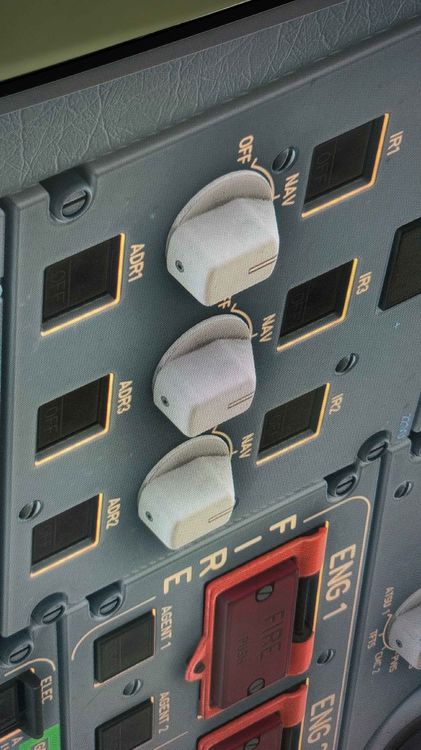
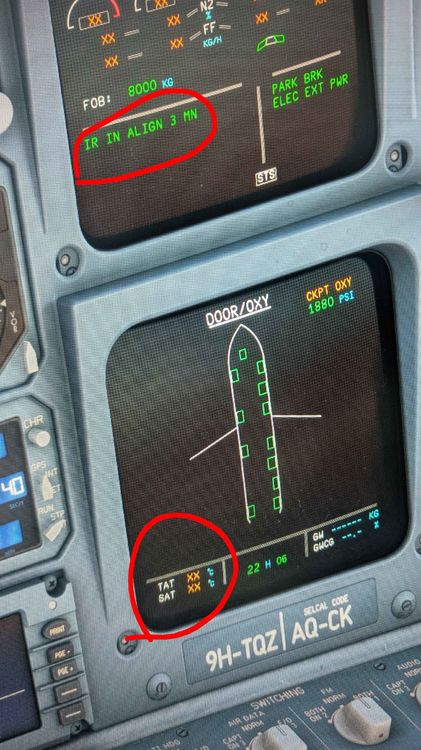
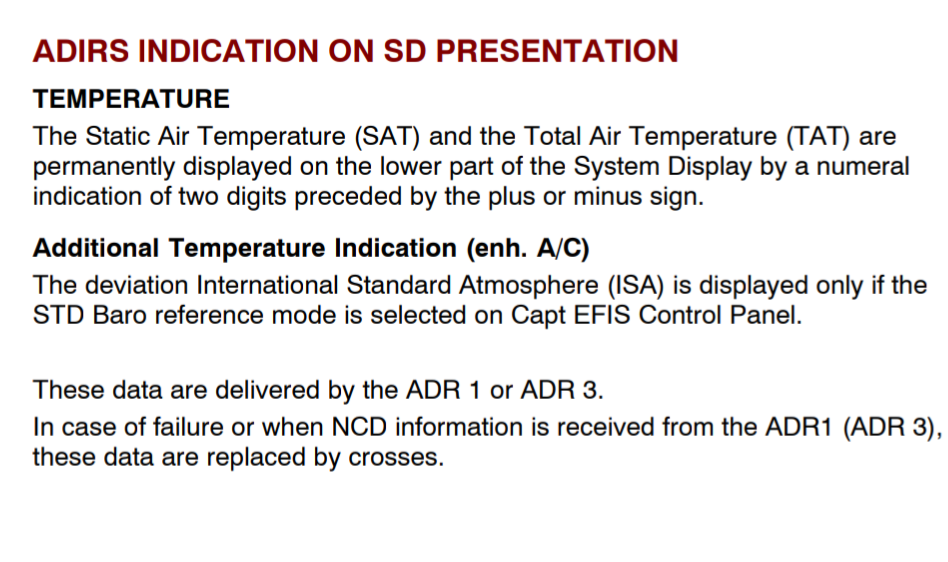
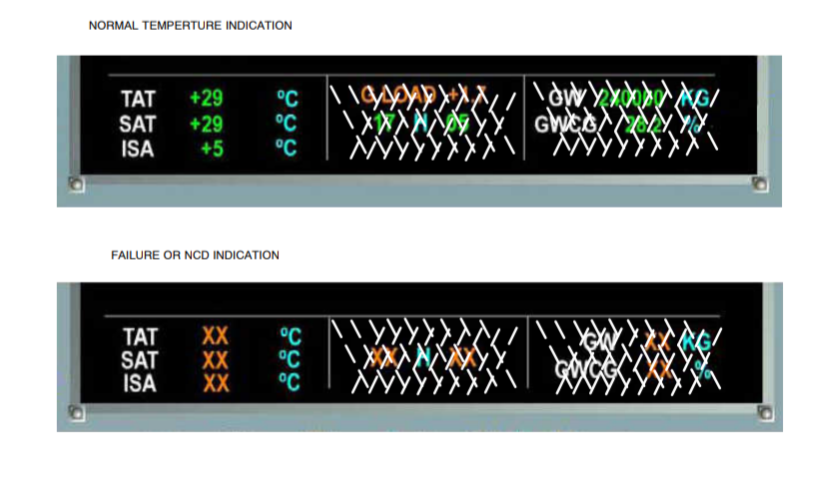
I noticed that when I put ADIRS 1, 2 and 3 in NAV I will only have TAT and SAT information after alignment, the same does not happen in the real plane, the real plane says that when I put ADIR 1 in NAV I immediately have TAT and SAT information, that is, I do not need to wait for it to align.