



Skip to content
View in the app

A better way to browse. Learn more.

iniBuilds Forum

A full-screen app on your home screen with push notifications, badges and more.

To install this app on iOS and iPadOS
  1. Tap the Share icon in Safari
  2. Scroll the menu and tap Add to Home Screen.
  3. Tap Add in the top-right corner.
To install this app on Android
  1. Tap the 3-dot menu (⋮) in the top-right corner of the browser.
  2. Tap Add to Home screen or Install app.
  3. Confirm by tapping Install.

Delfin

Member
  • Joined

  • Last visited

  1. The ISIS Display is not showing the artificial horizon. The Standard Backup Gauge however is working without problems.
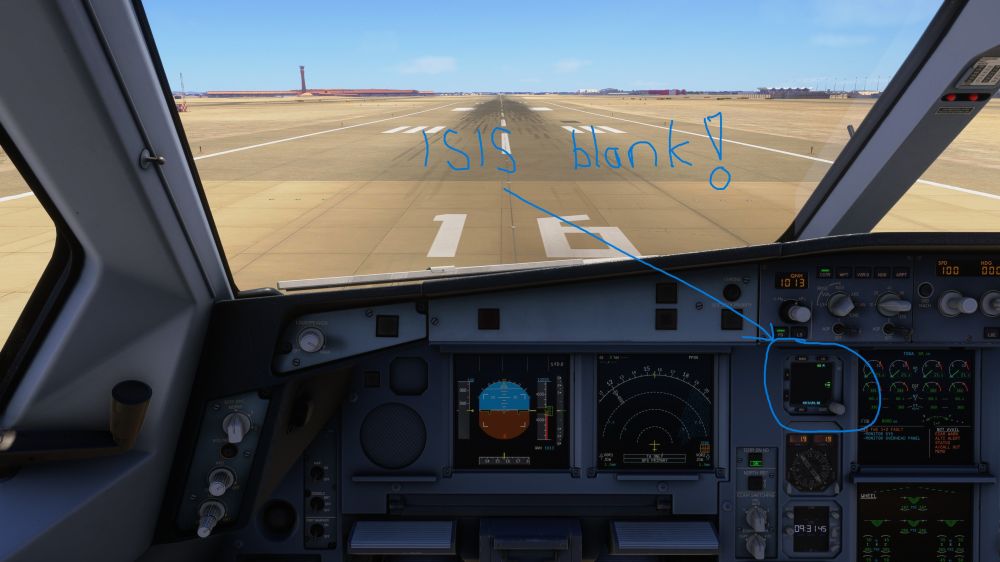
  2. The same to me. This is not a good user experience!
  3. When a secondary flight plan—previously created in SimBrief and containing step climbs—is requested via CPNY F-PLN REQUEST in the FMS (SEC INDEX), these step climbs are retained during the subsequent SWAP ACTIVE* operation. This works flawlessly on the INI page. Is this intended behavior?

Account

Navigation

Configure browser push notifications

Chrome (Android)
  1. Tap the lock icon next to the address bar.
  2. Tap Permissions → Notifications.
  3. Adjust your preference.
Chrome (Desktop)
  1. Click the padlock icon in the address bar.
  2. Select Site settings.
  3. Find Notifications and adjust your preference.