udidwht
Member
-
Joined
-
Last visited
Everything posted by udidwht
-
Ok, just to clarify...if the ''POI models' is disabled and I enable the SS3D Sofi stadium it only shows as a crater (no SS3D stadium as it should be). Don't have this issue with 2020 and using SS3D Sofi stadium without issue with inibuilds KLAX.
-
Any update on this?
-
NO CTD here with 2024 v1.0.2. The issue I'm having is... https://forum.inibuilds.com/topic/35438-conflicts-with-city-update-13/#findComment-87088
-
It was working after the recent CU 13 but stopped working again after inibuilds released v1.0.2 of KLAX. Only the inibuilds Sofi stadium will work with SS3D vol 1 installed. There is also an issue of the Hooper & Venice items no longer showing in the config tool with inimanager whereas prior to v1.0.2 release they would show. My understanding is they are working on it.
-
Running SU4? Using 2020 in 2024??
-
Seems I'm not the only one... https://discord.com/channels/535246634448191499/1358813479657803782
-
Have you checked with SS3D vol1 installed?
-
This still being looked at?
-
Both Hooper and Venice no longer appear in the config options or the community folder. I've uninstalled KLAX and reinstalled and still the same results. Only KLAX gets installed in the sim community folder. iniManager is 2.5.2
-
Tested again with KLAX Enhanced v1.0.2 with only cars, ground clutter and people enabled with SS3D Vol 1 SoFi enabled and it looks just like my first pic stadium missing altogether. Also noticed that within the congif tool that Hooper and Venice are no longer listed.
-
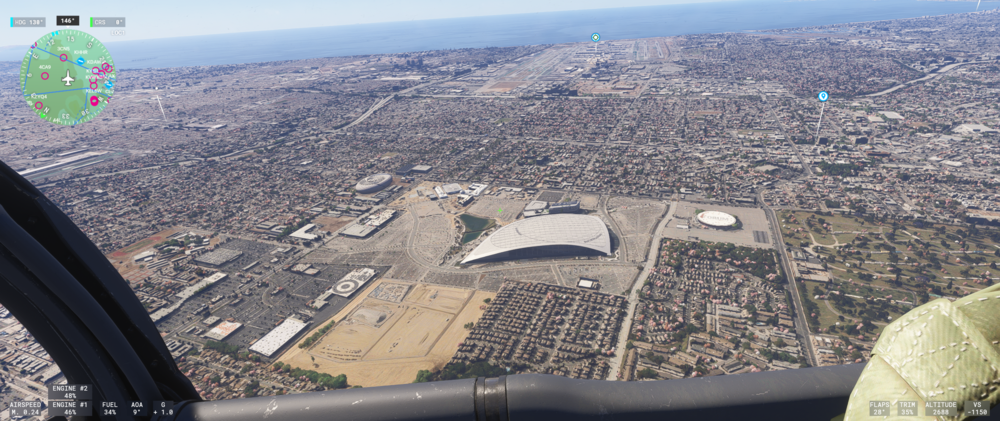
This is with SS3D Vol 1 SoFi stadium disabled and KLAX Enhanced installed and all items enabled.
-
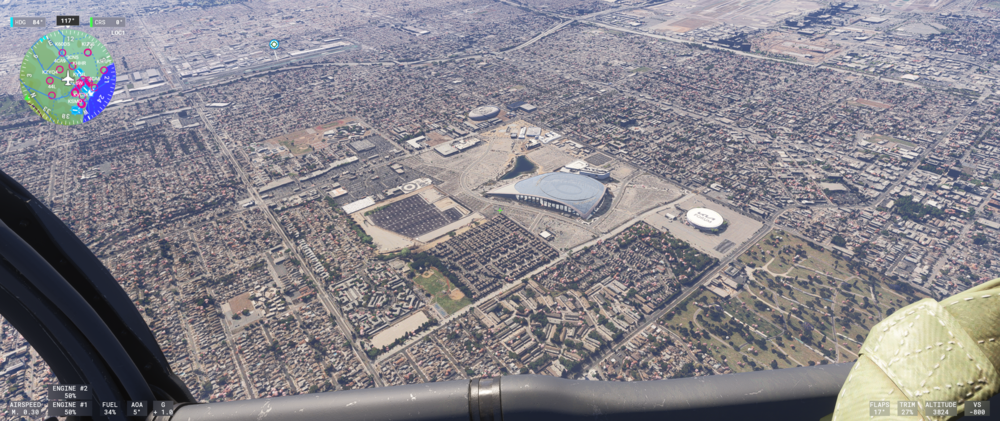
Ok will. For the mean time I tested with KLAX Enhanced uninstalled. The is what it looks like...
-
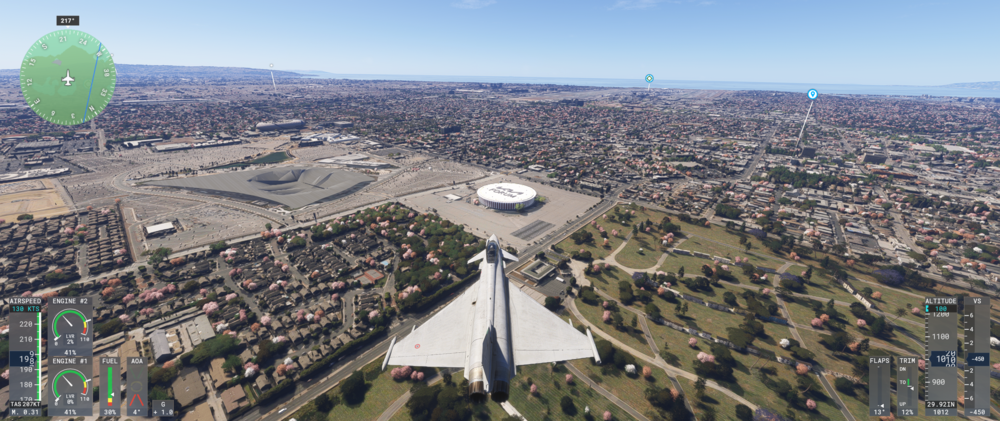
Have this after the recent KLAX Enhanced update v1.0.2. I have SS3D Vol 1 installed and was using their SoFi stadium so I disabled the 'POI Models' within the configuration tool. I clean the scenery cache folders and still have this.
-
Just for reference. SS3D Vol 1 is for both 2020&2024. They have no 2024 exclusive version.
-
What specifically does POI Models enable/disable?
-
Just in case someone else happens upon this post and thinks it might be related (texture issues)...https://forums.flightsimulator.com/t/seasons-2024-enhanced-by-bijan-released/456640/4262?u=udidwht
-
The issue with the config panel not showing has been resolved with v2.5.1 of the manager.
-
Did an uninstall of the manager using 'Revo Uninstaller' then clean install then set sim paths. Open the manager. Same results. Will do an uninstall of KLAX and reinstall.
-
Funny thing is it was working just fine last night (Latest version).
-
-
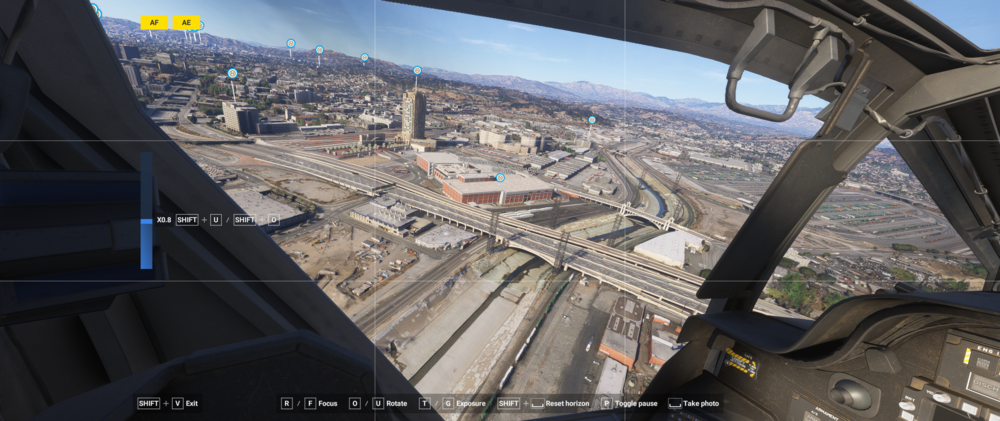
Update... Did you guys do something on your end with the KLAX Enhanced configuration tool? It does not show when opening KLAX within the inimanager? Also Hooper (58CA) appears normal now...(have KLAX Enhanced, SS3D Vol 1 (Sofi stadium disabled only), CU 13 installed. Also the Sofi stadium you include with 'KLAX Enhanced' is showing correctly as well. Nothing changed within 'Scenery order'.
-
Just to add, I found that the Hooper heliport (58CA) was reported as an issue back in (4/3/2025) on the Microsoft forums... "Initially when loading into the location, the helipads are rendered correctly as part of the roof of the building, but after a minute, each helipad is rendered elevated at various levels on the roof which is not accurate." https://forums.flightsimulator.com/t/msfs-2024-airport-helipad-issue-tracker/666020/7?u=udidwht
-
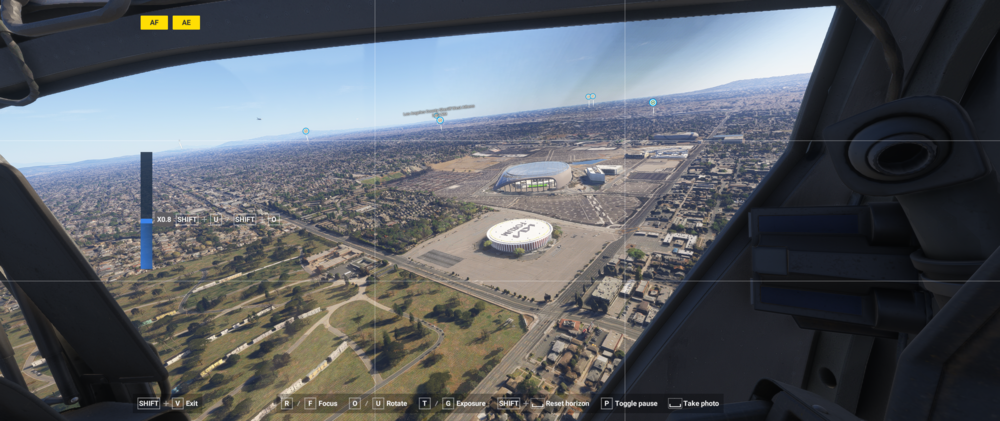
This is with SS3D Vol 1 (all items enabled) with KLAX Enhanced POIs disabled (only cars & people enabled) and CU 13 installed...
-
If I choose to merely disable CU 13 itself the Sofi stadium looks just like the image in the 3rd post on this thread.
-
Doing some more testing and the following screenshot is of SoFi stadium with KLAX Enhanced POIs disabled (cars & people enabled), SS3D Vol 1 (Los Angeles & Sofi Stadium disabled) and CU 13 installed.