




Jordan King
Member
-
Joined
-
Last visited
-
Has anyone been able to resolve this? I still have the issue, specifically if I disable POI's in the IniManager and enable in SS3D.
-
Thanks but when I do it just creates a massive crater in the ground, making it impossible to use with other scenery.
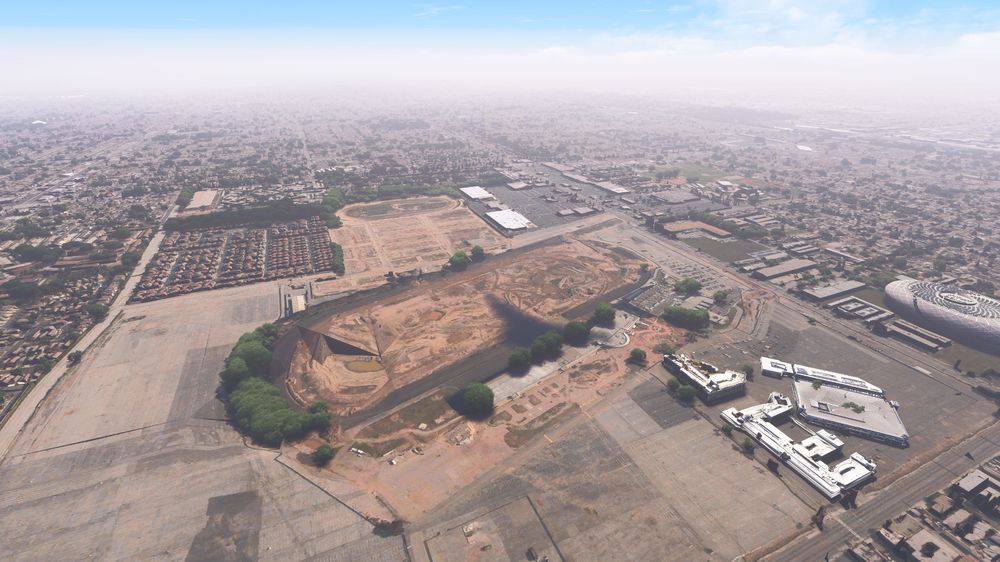 Hello, I prefer the SoFi Stadium as depicted by SS3D. I know that I can turn off their Sofi Stadium, but is there any way to turn off Inibuilds rendition? Thank youHello, Since the latest update, I don't have interior models in my PHNL. I have uninstalled and reinstalled it as well as used the inimanager but no fix.Hi, Is the optional "Optimized Texture Resolution Pack" the 8k textures that were advertised, or is it a downscaled texture pack? Thank you.

