




Liamr685
Member
-
Joined
-
Last visited
Everything posted by Liamr685
-
Doing a deep dive. are you able to find out what differences there are between these two liveries? (File size, artist etc) BA G-XWBL VS G-VRNB I have more success loading VRNB, but the VA XWBL keeps causing a CTD as per the above message. Wondering if ones of higher quality or something that's causing the GPU to exceed the Time delay reset parameters. Maybe you ca try to replicate the issue? Clear the A350 WASM, load the sim, load XWBL. Go back to main menu Load XWBL again. If successful, close the sim, reboot pc, load sim then load XWBL. it either CTDs for me on second launch, or after a sim reboot. If successful after a sim reboot, it CTD's after a PC reboot.
-
Hmmm, Apart from doing a full driver rollback to pre 616.xx, I don’t know what else to try. Don’t really want to do a driver rollback for one add-on unless I really have to. Might have to just wait and see if you guys find anything, or what comes out from Nvidia drivers wise between now, and when I get the itch to take the A350 for a spin (or between when the A380 releases to when it comes on the ini store instead of marketplace) The only thing I don’t know how to check is how the GPU / Driver interacts with the A350 compiling the WASM every time it loads As mentioned, after a fresh install and the initial compiling of files…it loads. Thereafter I get the gpu hang and Ctd.
-
No one in the team has edited the GPU TDR time in the registry have they? By default it’s 2 seconds.
-
hmm. I've done a fresh install of the driver, A350, and deleted directx shaders. First load of the aircraft after the long load time while the folders build, it works...however if I come out of the aircraft and try loading inn for a second time...bam, the error is back, and its just with the A350. Something in the A350 is taking a bit longer to load with the new drivers than previously, which is triggering the GPU TDR

-
@iniKyle When you installed the new driver, did you do express or custom via the Nvidia app? If custom, did you do clean install?
-
Ive raised it on the nvidia driver post. https://www.nvidia.com/en-us/geforce/forums/game-ready-drivers/13/590373/geforce-grd-61692-feedback-thread-released-9926/3624691/
-
Still doing the same. It must be something to do with the way the A350 loads, and how much draw it puts on the GPU during the loading phase. The new 616.xx drivers really don't like it, but at least its not isolated to me, with other having issues with other aircraft, but in my case, with the 350
-
Still having the issue with todays driver update 616.92 Im stumped as to whats going on
-
What graphics settings are you running? Specifically DLSS or TAA? As I have TAA selected instead of DLSS which is currently to go to setting.
-
Does the 350 use virtual displays? There’s a hot fix (616.86) which fixes: This hotfix addresses the following: Intermittent flicker may be observed in browsers when navigating to certain websites [6673430] Fixed an issue where virtual displays could not be created after updating to driver 616.56 [6674464] Remote Desktop Protocol (RDP) sessions may display a black screen after updating to driver 616.56 [6687328] https://nvidia.custhelp.com/app/answers/detail/a_id/5906/~/geforce-hotfix-display-driver-version-616.86
-
RTX5070Ti It’s an odd one as when I made this initial post I had got it working again, but after doing a couple of flights in the Fenix, I decided just to try and load up the 350 again as I was planned a flight in it tomorrow,, and I have the same issue as before, aircraft fails to load and GPU hangs. I originally installed the driver on its release day on September 3rd. I don’t think anything should have changed between then and you installing it now, to warrant me doing a driver reinstall.
-
Well, further edit @iniKyle Issue isn't solved. Same error comes back due to gpu hang and causes the sim to CTD. Issue is only with the A350. Fenix A32X, iFly 737Max, TFDi MD11, i have 0 issues Might be worth you guy as developers logging an issue with Nvidia? not sure just us FS users can create enough momentum for them to investigate? Another thread in relation to this driver https://forums.flightsimulator.com/t/nvidia-geforce-game-ready-driver-616-64/775593/3
-
Appears other have had this issue in the last few days with other aircraft, but mostly solved with 616.64. Just your A350 that isn’t playing ball at the moment. Microsoft Flight Simulator ForumsERROR Crash: msfs error: dxgi_error_device_hung (0x887a0006)I keep getting the following CTDs MSFS DXGI_ERROR_DEVICE_HUNG (0x887a0006) In event viewer: “nvlddmkm Event ID 153” This happens just before the crash, though “The activation of the CLSID Windows.
-
Hi all, After the recent SU 6.1 and Nvidia driver 616.64 update, I can no longer load the A350, the GPU hangs and then closes the sim. I have tried clearing the WASM folder, where the plane will load initially, but then hangs and I cannot enter the cockpit or interact. Same goes after a full re-install. Loads initially then hangs, any further attempts to load it results in the below message. Happens at all airports. No other aircraft I own is affected.
-
GSX Is recognising that stands have jetways, but when they're in operation (as selected through GSX) none of them are animated and remain stationary. GSX acknowledges they've moved and are in place, but the physical model hasn't moved. Not sure how many affected, the last stand I just tested was 221L, with no jetway movement. Scenery is at latest version, with V1.5 of the GSX profile installed. Multi-jetway tool isn't installed currently as I have no use for it.
-
No stress here, as long as it’s being looked at, it’s all good. Just another issue I’ve found, but haven’t done any digging on it yet, is that the ‘custom vdgs’ doesn’t work anymore at Manchester. Completed a flight and taxied onto stand 103 on pier 1, and the vdgs was blank. Uninstalled and reinstalled EGCC, also toggled vdgs off/on in the ini manager, and it still remains blank.
-
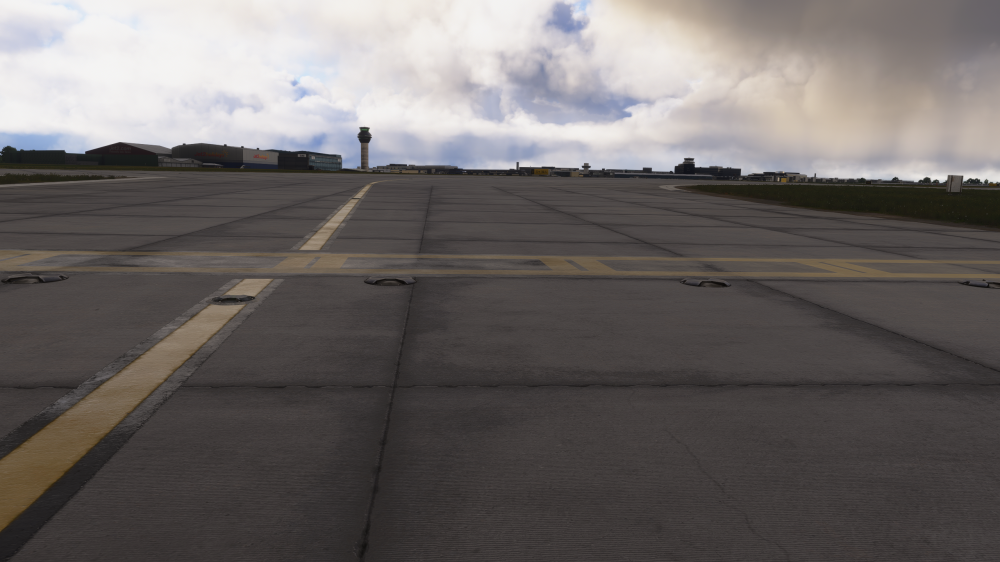
Second image showing them off/rendered grey when in proximity
-
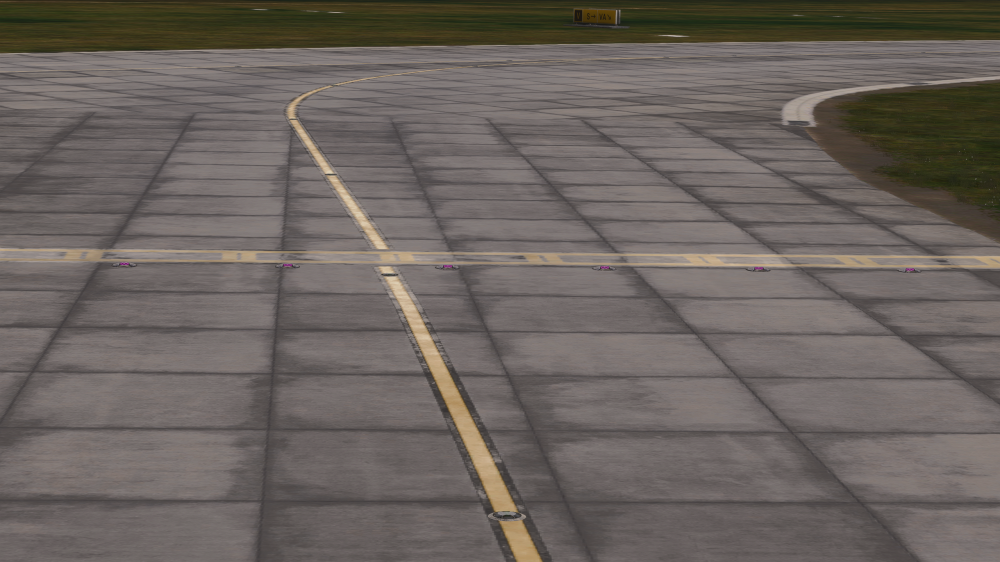
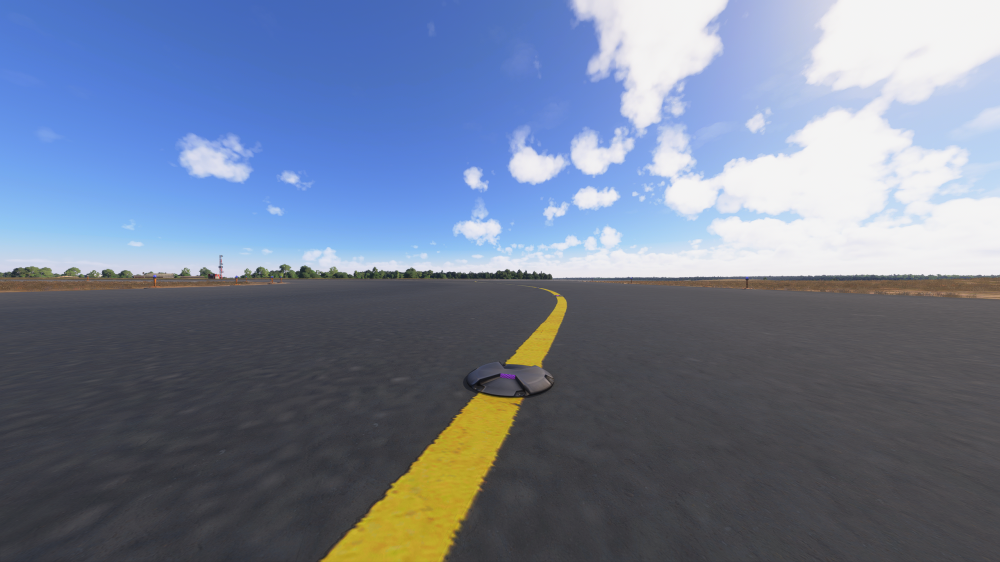
Hi, Just having a quick play around, they dont render at distance now, so the lenses are purple, but when in proximity of them, they change to grey/off. Im assuming this is linked to them changing from red to green/off with the updated stop-bar characteristics you implemented
-
Hi, I know we discussed this in the Luton post, which has now been resolved, this issue however still remains at Manchester, the stop bar lenses still show unrendered/purple textures.
-
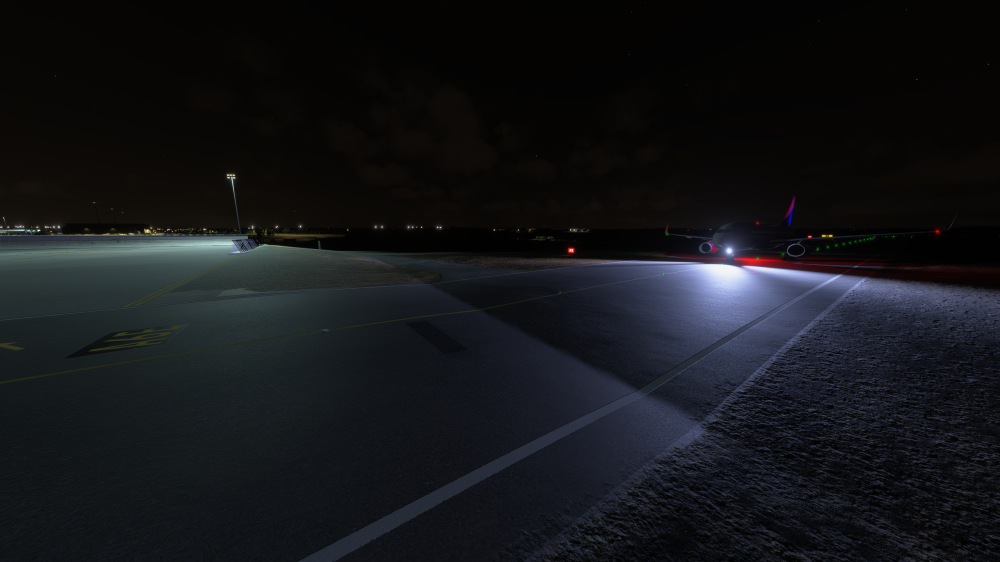
Hi all, New issue with the latest update, where the expanded ERUB is, around A5, there's a large dip in the taxiway that wasn't present earlier, causing aircraft to bounce when taxiing over. There's also a smaller, dip at the A6 end of the ERUB too on A.
-
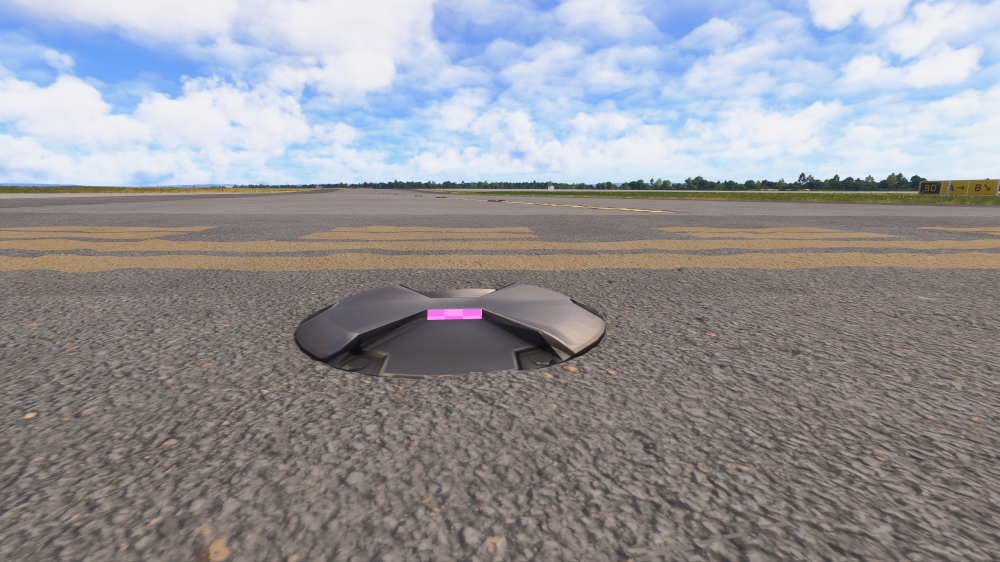
Hi, There’s no errors showing on the debug console for any of the ini builds scenery I have (loaded at each one to see if any had any errors in console) The only things that show are just messages relating to loading, 0 warnings or errors for any ini scenery. The only two sceneries affected (which happened after the ini manager app showed an update to Stansted was available for FS24 yesterday) is Manchester & Luton. After reinstalling EGSS, the missing textures returned for the taxi light and stop bar light housings, but not for the lenses within them (as seen in the above screenshots) This issue was definitely not evident at Luton after its update published on July 8th, and hadn’t been present on Manchester at all since its update on April 2nd. Whatever was pushed for Stansted yesterday (or earlier as I had only seen the update notification yesterday morning) must have caused this issues, with what I can only assume is a common texture library/ folder? Ive had a quick look at Stansted itself and there appears to be no issues there after the reinstall I carried out last night whilst trying to fault find. As a side note, Nvidia driver was updated to 610.88 yesterday, and windows had a minor preview update installed too. But both of these shouldn’t affect this. As I’ve replied here, I won’t duplicate my response on the other topic with the same issue, at a different airport. Regards.
-
Un-installing & re-installing EGSS resolved all but the lenses not showing textures at all affected sceneries. Whatever was pushed in EGSS must have affected whatever common textures are shared between all ini sceneries
-
Issue is definitely related to whatever update was pushed for EGSS in the last few days (which i cant find a changelog for) as when i uninstall EGSS, the light housings now show, but the light lenses don't show. issue also evident at EGCC
-
Hi all, Same issue as I have at EGGW, EGCC also has missing textures after the recent update to EGSS for FS24 (which i cant seem to find a changelog for) I have done a complete re-install of affected sceneries and it has not fixed it.
-
Hi all, As per the title, the taxi lights along Alpha have stopped rendering, not sure if this happened immediately post the recent update, or after the recent update to EGSS which may have corrupted textures for EGGW? I did a few flights to/from EGGW with the latest update and didn't notice it then, so must have been recent in the last few days?


