yhj2002
Member
-
Joined
-
Last visited
Everything posted by yhj2002
-
Aircraft: A350-1000 Simulator: FS2020 1.39.5.0 Navdata Method: Navigraph OFP: ZSPD/34L N0513F330 LAM92D LAMEN A593 SADLI Y590 BEDAR Y591 FUE Y23 KASTE Y81 TASOT Y57 POROT OTR11 LEPKI/N0502F350 DCT 42N160E 45N170E 47N180E/N0496F370 47N170W 47N160W 47N150W/N0484F390 45N140W 41N130W DCT FATMO DCT PAINT DCT PIRAT DCT BURGL DCT IRNMN IRNMN2 KLAX/25L WASM Error: WASM: Exception c000001d in gauge EFIS in module vfs://inibuilds-aircraft-a350/SimObjects/Airplanes/inibuilds-aircraft-a350-1000/panel/inibuilds-A350.wasm Specs: R7-9700x, RTX 4070super, 32G RAM Autosave: Not engaged P.S.: It frequently happens on a cross-Pacific flight. As shown, it happens twice at the same location.
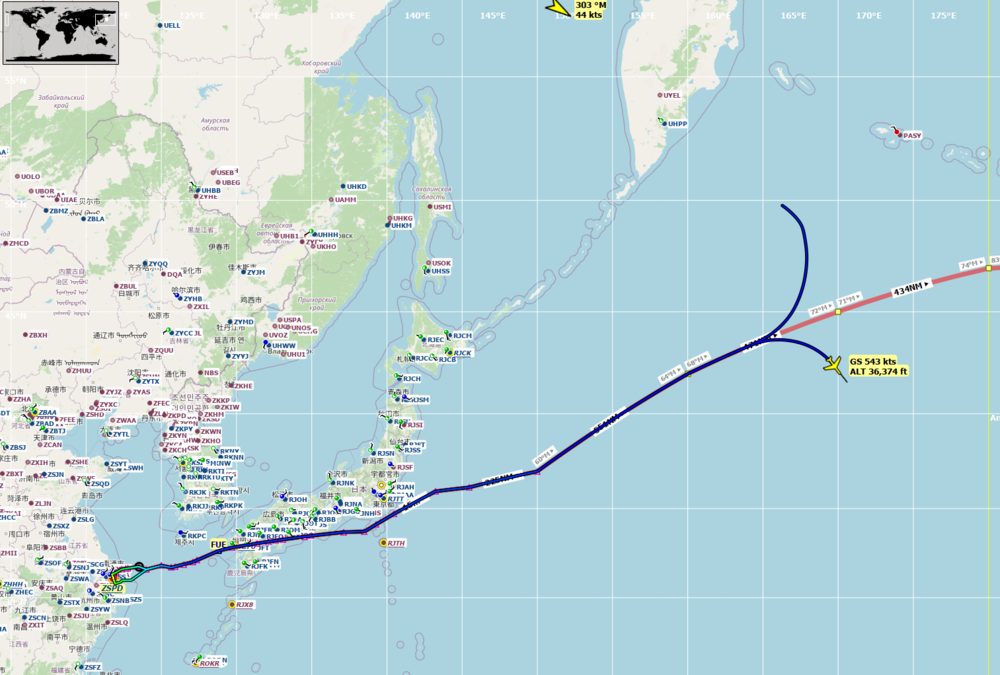
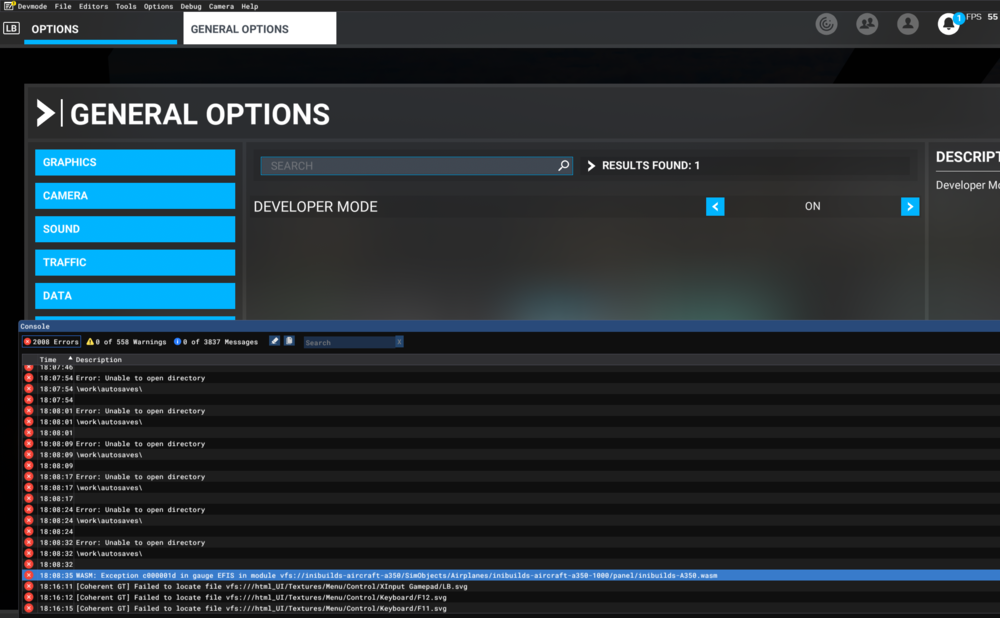
-
I made a support request ticket number: 41846. A video is uploaded there.
-
I did reinstall the aircraft and delete the work file under user on the system disk, but the problem is still here.
-
All noise from wheels during taxis disappeared after I upgraded to 1.0.7. Does anyone have the same problem?
-
I asked the same question, and they 'Teached' me they could not do it. What a great lecture for almost 90 CAD. I am curious how the working title is doing there B787 without the same issue.