




felipeturbay
Member
-
Joined
-
Last visited
Everything posted by felipeturbay
-
Do all liveries need to be update with the lastest update?
-
-
Dear all, is it possible to enter a custom vertical restriction in the A350? for exapmle if i want to be at a certain altitude 5nm from a given waypoint? if yes, how can this be done? many thanks!
-
Hi, 300C roughly, but as I said I don’t now how this temperature is reached since I am set low autobrakes and the manual braking barely pressing the brakes since I had enough runway. It is not the first time that this happens to me…
-
Dear Inibuilds, its been a while since this the "brakes hot" warning is there and so far is still not solved. I am getting this warning in almost every flight even though i am barely pressing the brakes.. many thanks!
-
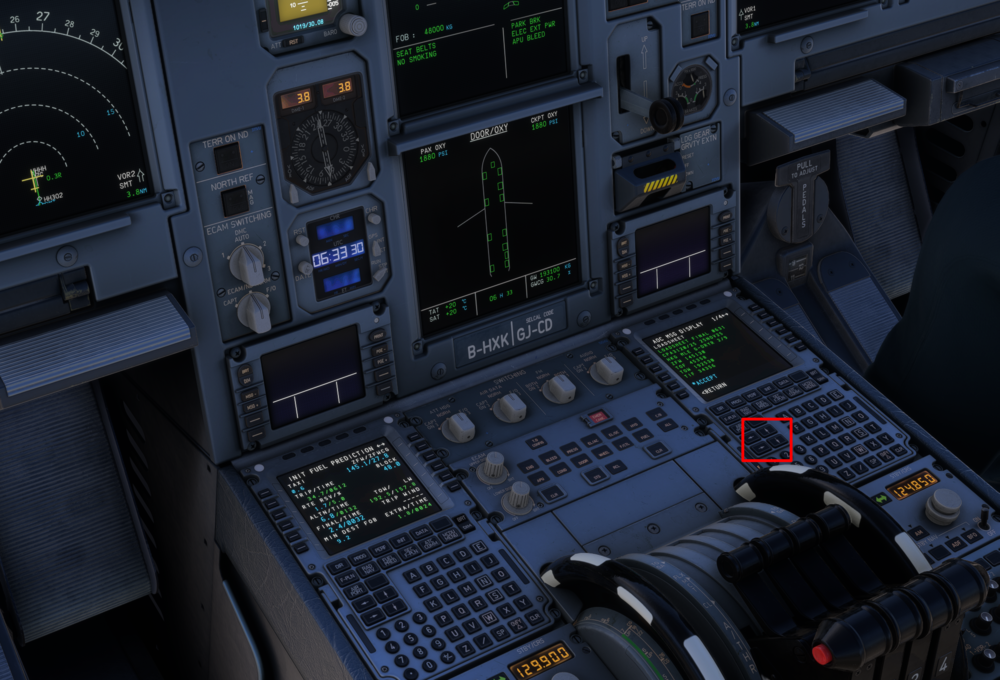
Dear Inibuilds Team, can you please adjust this click spot (marked in red below). From the captain seat i cannot go through the pages of the first officer MCDU without moving the trim wheel... Many thanks!
-
Guys, It's already version 1.1.7, and the co-pilot is still not visible in the A350! The A340 is working wonderfully! For some reason, the A350 is still not showing the co-pilot's model. I am aware that this only seems to be affecting some users, but it would be great to get a solution or workaround for this issue soon. Thanks!
-
-
This should be now fixed with version 1.0.3 “FIXED A340 Autobrake excessive deceleration rates”
-
I've noticed that the cockpit sun visors do not appear to be functional. With the sun positioned directly ahead (at 12 o'clock), there is no noticeable reduction in light or shading on the Captain's seat upon deployment. Is this a known issue with the aircraft model? Many thanks!
-
Dear all, is there a way to turn on the lights at the tail during night flights? moving the logo lights up or down seems not to work... Many thanks!
-
Great thanks Eddie for your feedback!
-
I think you have to put only one file isn’t? I remember reading something about it…
-
Inibuilds team, please include random failures! Would be great for full immersion!
-
Hi all, i am using the Inibuilds A340 SAS livery. The Logo lights are not working. Position 1 or 2 is not changing anything. The tail remains dark. What i am missing here? thanks for the support.
-
After pushback with GSX i received a message "landing gear malfunction". After this, the airplance will move only with high thrust (50% N1). I tried replacing the tyres and it did not work....
-
Dear all, this is my first flight with the A340. I felt the brake performance was exceptionally strong. For test, I was able to land on a short runway like SBRJ (which is 4300 meters). Even with Autobrake (AB) set to '1', the plane decelerated too quickly. Is this accurate for the A340, or does the simulation need some fine-tuning?
-
Hi guys, normally i just use my keyboard with the arrow keys to move from the cockpit to the cabin. However, this seems not to work with the A340. I tried also to bind "translate cockpit view forward" and "translate cockpit view backwards" but i can only reach the cockpit door. What is the trick to move beyond the cockpit door? thanks for the support!
-
Hi guys, are there any instrucctions regarding if its recommended to download the product from the library or to stream it? Thanks!
-
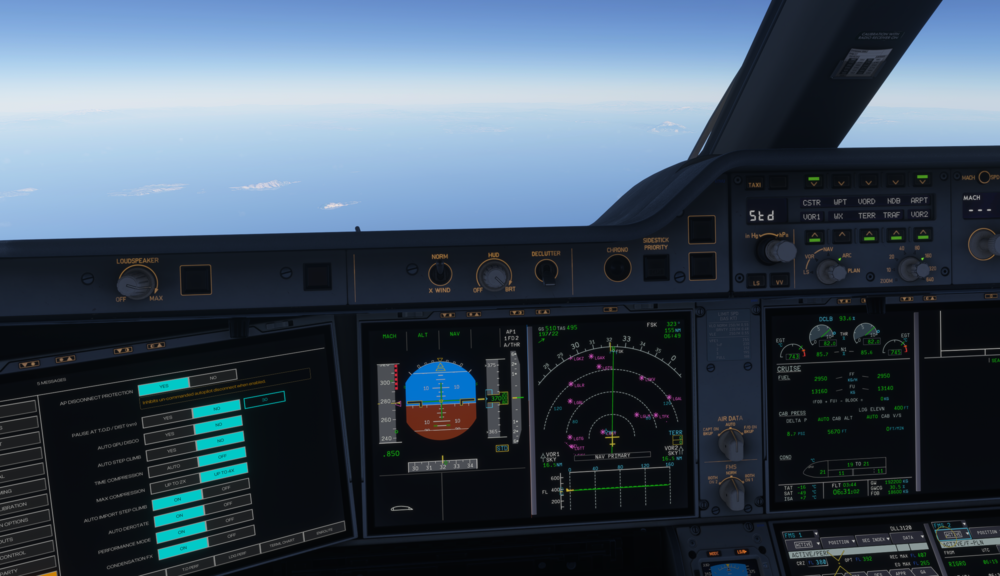
Dear Inibuilds, the terrain display is not working. I am on PC version with SU3. I dont see any terrain textures, the display is all black... is this a known issue?
-
nevermind, i just found another post where it recommends to input a 4 digit number. Thanks
-
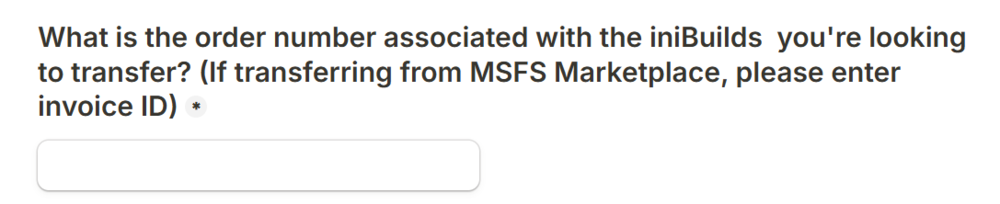
Hi Inibuilds Team, I had to open a second version of my initial post regarding the purchase of KJFK for MSFS 2024, as the first was marked as closed. As mentioned, I bought the scenery in MSFS 2020 through the Marketplace. I was informed about the possibility of transferring the account to the Inibuilds app. I am currently in the process of transferring the purchase order; however, I am stuck with the requested information regarding the Invoice ID. I am not seeing this information directly in the Marketplace. How can I obtain this ID (see screenshot) for each product I bought? many thanks!
-
Thanks! i was not aware of this order transfer option. I will proceed like that! many thanks for your feedback.
-
Hi guys, I initially bought the Inibuilds KJFK for MSFS 2020 through the Marketplace. Now that I'm only using MSFS 2024, I see in my content library that KJFK version 1.2.0 is available but marked as 'not creator approved'. Do I need to wait until the upgraded version reaches the 2024 Marketplace, or can I simply purchase the upgrade (for +£21.99*) via the Inibuilds installer and disable the Marketplace version? What is the recommended approach here?
-
Are the cabin sounds somehow linked to a certain livery?


