





Tang0
Member
-
Joined
-
Last visited
Everything posted by Tang0
-
-
-
You might have to scroll down a bit in the iniManager however, there is a bunch of options available to enable / disable!
-
Yep. That's a thing. Thanks for fixing it!
-
Good evening, I have manually downloaded map geometry as instructed in this tutorial. It might has a little bit improved however, it still seems that it cannot load fast enough. Very strange as this is the very only area in sim I am aware of (not in NYC, LA, ...)
-
-
-
-
-
-
-
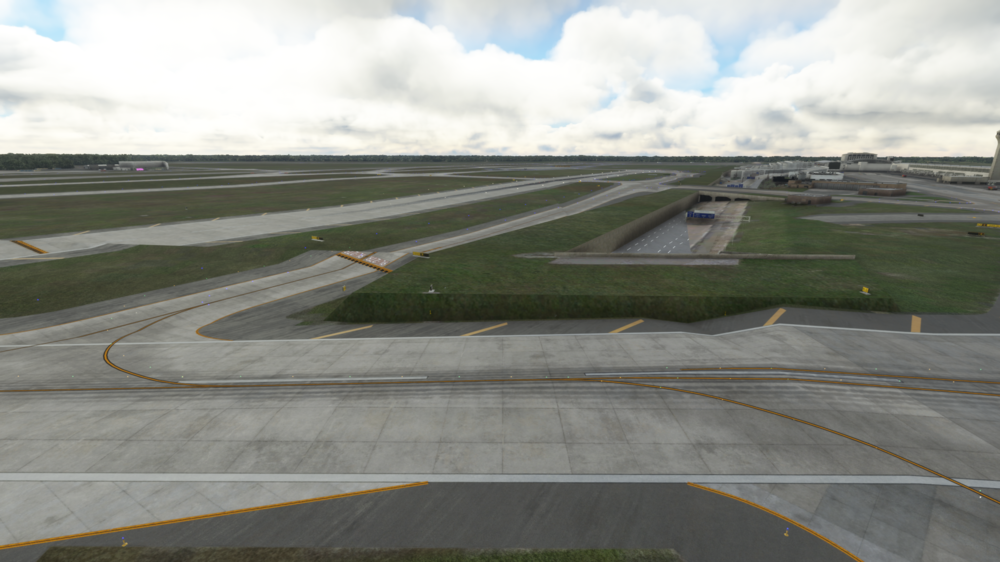
Hello gumby, thanks for helping. Attached you will find my graphic settings. I already had enabled "Force enable active LOD" and it was set to 0. Taxiing over these strange regions is doing what it should. Plane goes into flipper mode and flips like hell 😄
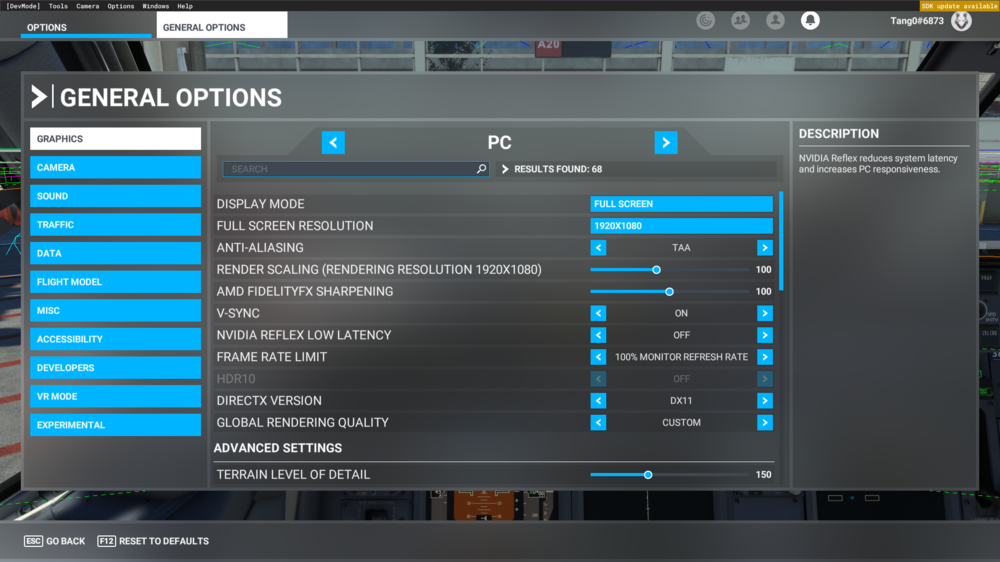
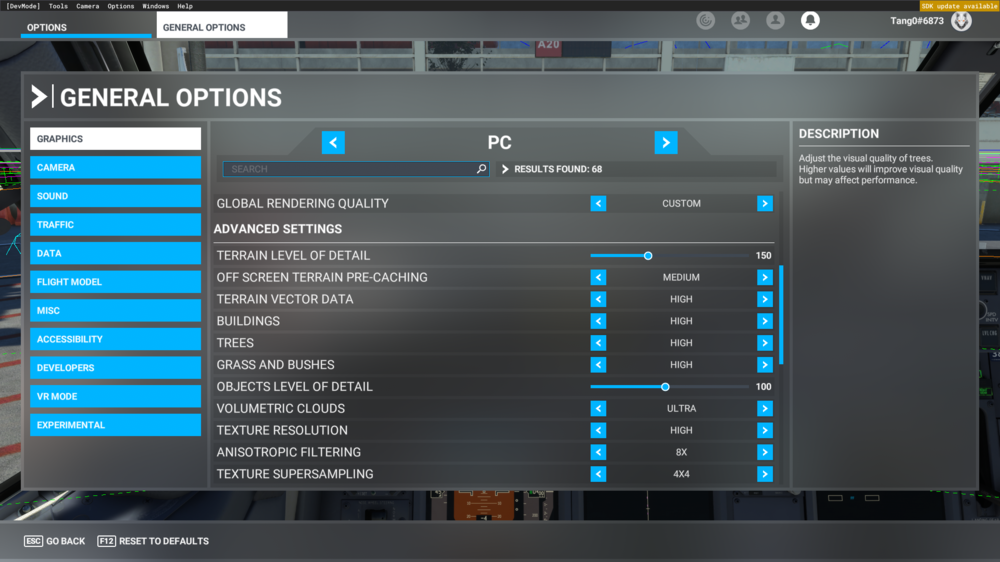
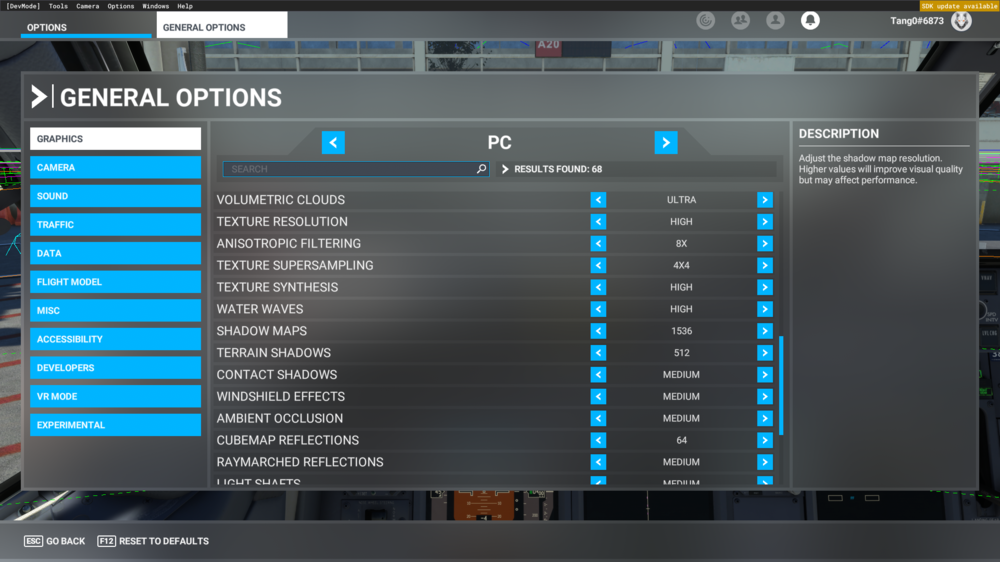 I have asked for help several weeks ago on the discord server but nothing really helped. I have this issues since release and makes half the airport unusable. Especially both runways (21L/R) and the taxiways nearby are affected. This is the only scenery I have with elevation issues so it has nothing to do with streaming photgrammetry. I don't have any other scenery in Detroit. Would be nice if I can finally use this airport. Thanks for helping!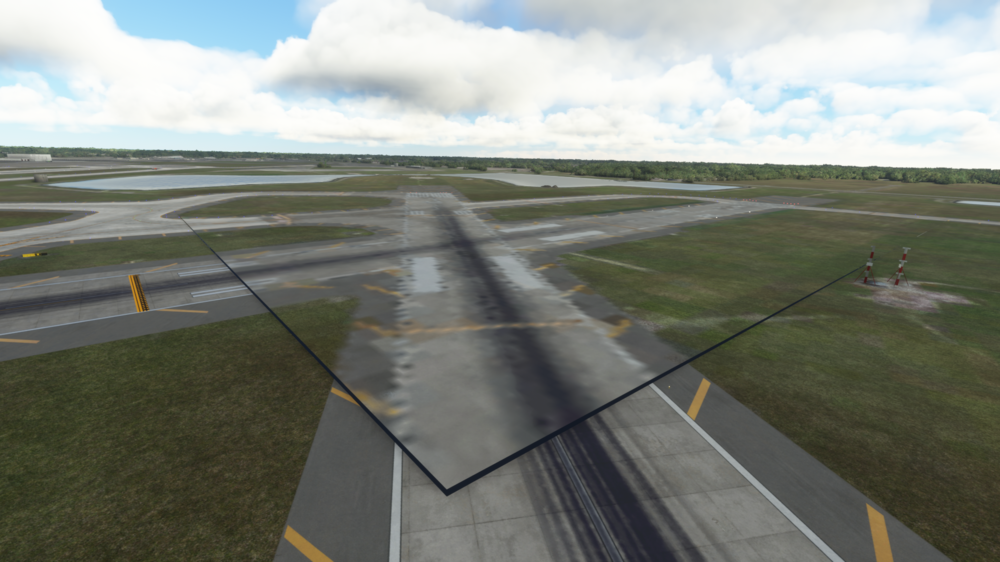
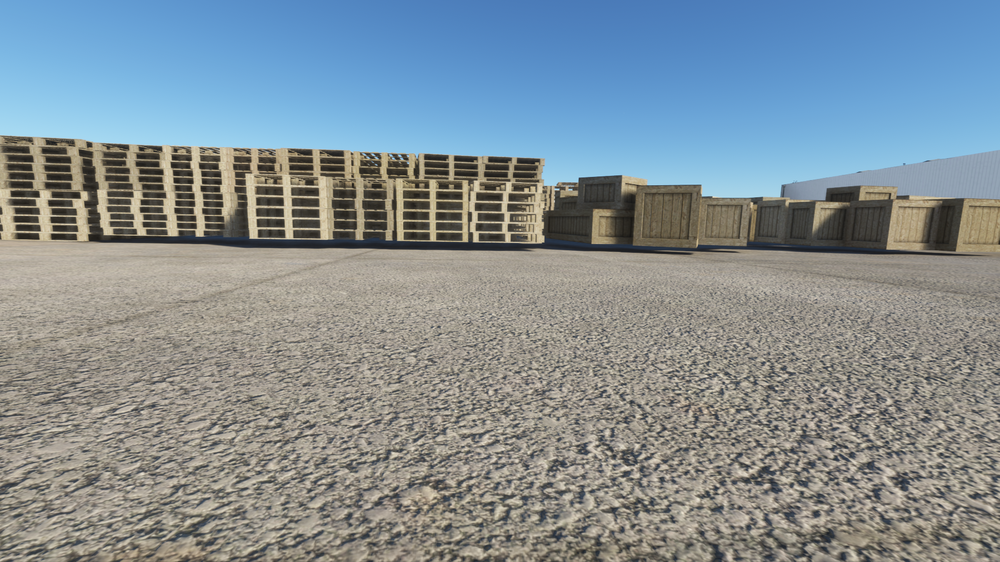
 Hey folks, another great release. Everything looks quite good except the two things I'd like to draw attention to: 1st: low resolution on aircraft stand markings (all stands) 2: floating objects (pic 1) Furthermore a KOKC forum section would be nice to have. Despite that, a great product!
 The runway approach lightning differs from videos I have seen. Is it possible to fix that? Below is a linkt to a video. Link Below a shot from RWY25R.
 Hopefully, it will be published directly with a GSX file but I doubt it
 Another masterpiece by the high-quality dev team ZDP. Thanks for all of your effort to make this airport as good as it is right now. Very much appreciated and I enjoy all of your sceneries since day one.
 Very nice livery although I really like to see more regs. And the Carda Engines should be shipped with the file too (Currently using the ones from another file).
 Lufthansa A350 is very cool
 This was so much needed. Thanks a lot
 Such a majestic livery!
 No words can describe how thankful I am for this livery!


Account
Navigation
Configure browser push notifications
Chrome (Android)
- Tap the lock icon next to the address bar.
- Tap Permissions → Notifications.
- Adjust your preference.
Chrome (Desktop)
- Click the padlock icon in the address bar.
- Select Site settings.
- Find Notifications and adjust your preference.
Safari (iOS 16.4+)
- Ensure the site is installed via Add to Home Screen.
- Open Settings App → Notifications.
- Find your app name and adjust your preference.
Safari (macOS)
- Go to Safari → Preferences.
- Click the Websites tab.
- Select Notifications in the sidebar.
- Find this website and adjust your preference.
Edge (Android)
- Tap the lock icon next to the address bar.
- Tap Permissions.
- Find Notifications and adjust your preference.
Edge (Desktop)
- Click the padlock icon in the address bar.
- Click Permissions for this site.
- Find Notifications and adjust your preference.
Firefox (Android)
- Go to Settings → Site permissions.
- Tap Notifications.
- Find this site in the list and adjust your preference.
Firefox (Desktop)
- Open Firefox Settings.
- Search for Notifications.
- Find this site in the list and adjust your preference.