





Tang0
Member
-
Joined
-
Last visited
-
-
-
You might have to scroll down a bit in the iniManager however, there is a bunch of options available to enable / disable!
-
Yep. That's a thing. Thanks for fixing it!
-
Good evening, I have manually downloaded map geometry as instructed in this tutorial. It might has a little bit improved however, it still seems that it cannot load fast enough. Very strange as this is the very only area in sim I am aware of (not in NYC, LA, ...)
-
-
-
-
-
-
-
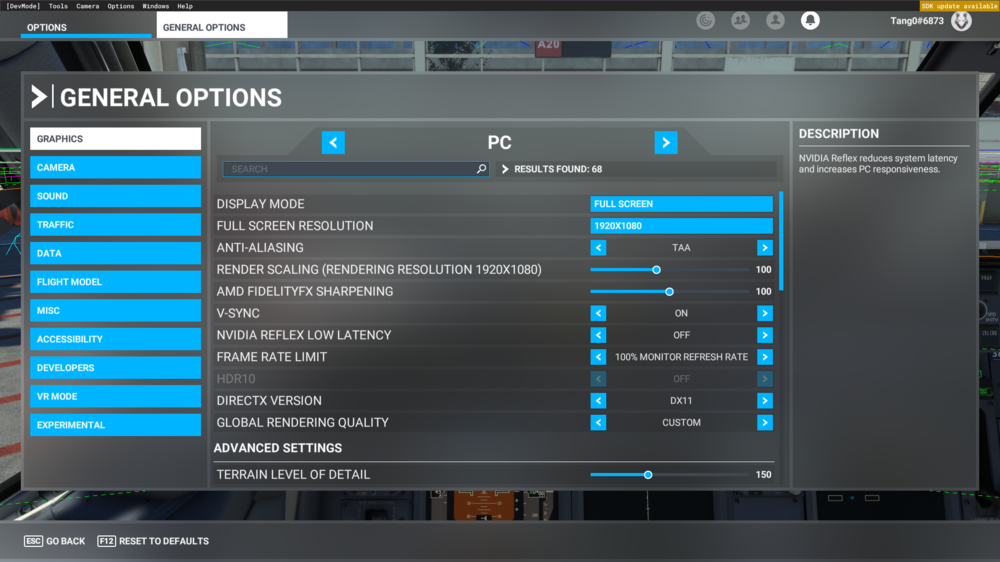
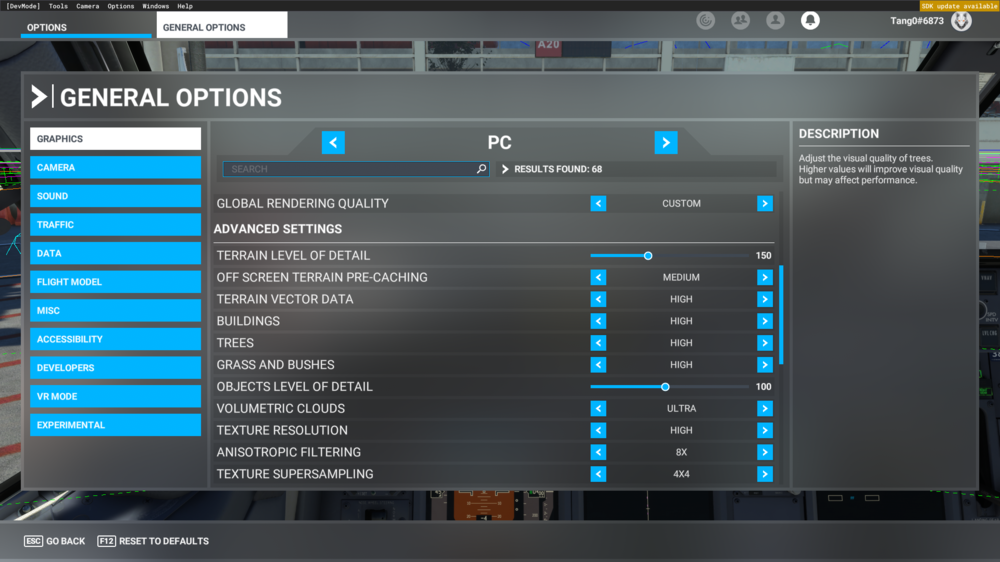
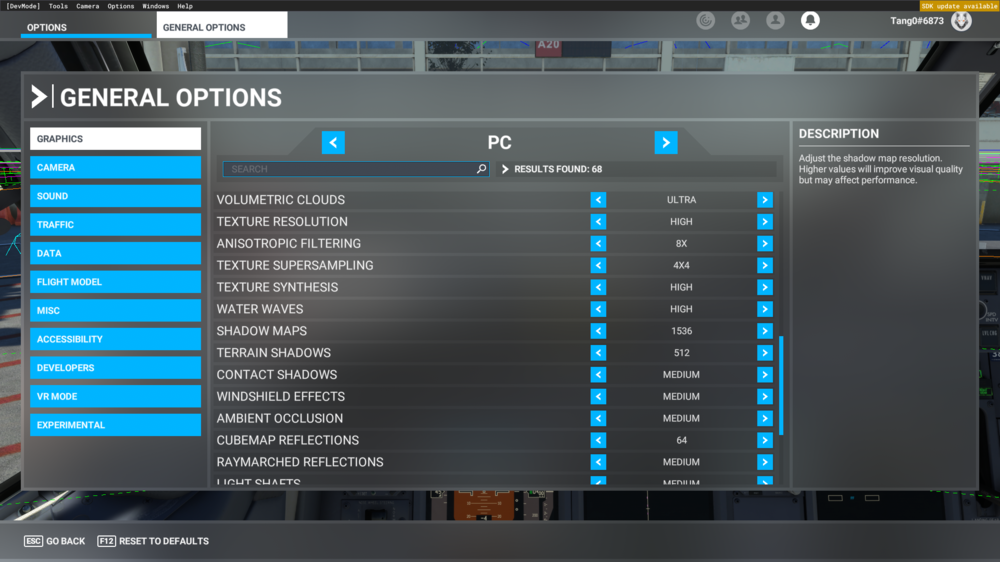
Hello gumby, thanks for helping. Attached you will find my graphic settings. I already had enabled "Force enable active LOD" and it was set to 0. Taxiing over these strange regions is doing what it should. Plane goes into flipper mode and flips like hell 😄


Account
Navigation
Configure browser push notifications
Chrome (Android)
- Tap the lock icon next to the address bar.
- Tap Permissions → Notifications.
- Adjust your preference.
Chrome (Desktop)
- Click the padlock icon in the address bar.
- Select Site settings.
- Find Notifications and adjust your preference.
Safari (iOS 16.4+)
- Ensure the site is installed via Add to Home Screen.
- Open Settings App → Notifications.
- Find your app name and adjust your preference.
Safari (macOS)
- Go to Safari → Preferences.
- Click the Websites tab.
- Select Notifications in the sidebar.
- Find this website and adjust your preference.
Edge (Android)
- Tap the lock icon next to the address bar.
- Tap Permissions.
- Find Notifications and adjust your preference.
Edge (Desktop)
- Click the padlock icon in the address bar.
- Click Permissions for this site.
- Find Notifications and adjust your preference.
Firefox (Android)
- Go to Settings → Site permissions.
- Tap Notifications.
- Find this site in the list and adjust your preference.
Firefox (Desktop)
- Open Firefox Settings.
- Search for Notifications.
- Find this site in the list and adjust your preference.