Joggu
Member
-
Joined
-
Last visited
-
X for 1/2 and Y for 3/4 is only a workaround. With axis-settings in the EFB it should work with 1/2 only (ass you can see in the EFB it self). Because like this you have to change the settings every time when you fly a twin-engine.
-
@iniBuilds Is there any news on this issue? Unfortunately, the problem has not been fixed with the new update. Thank you for your feedback, iniBuilds! Best regards
-
Had the same problem, now I found this: Gruess Joël
-
Hello I just tried to calibrate the axes. This is set correctly in the EFB and the bars also display it correctly there (Axis 1 moves throttle 1 and 2, axis 2 moves throttle 3 and 4). Unfortunately, these settings are not applied to the aircraft. There, axis 1 only moves the throttle for engine 1 and axis 2 only moves throttle 2. Throttles 3 and 4 do not move. I have already removed the ‘ThrottleData.ini’ file, but this did not help. Thank you very much for your support. Best regards, Joël

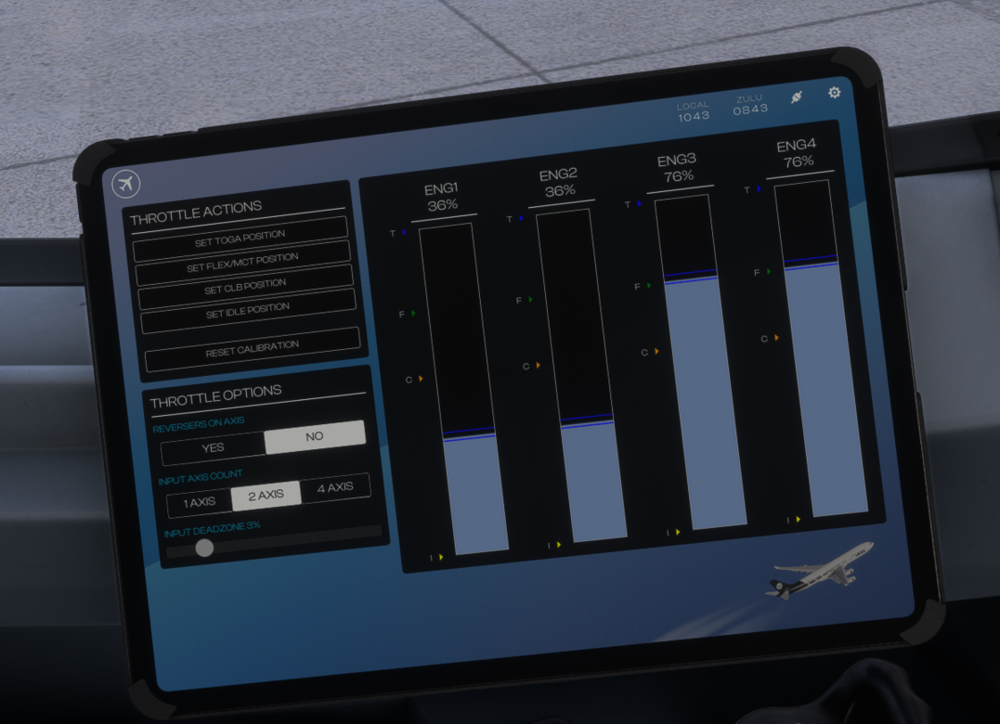
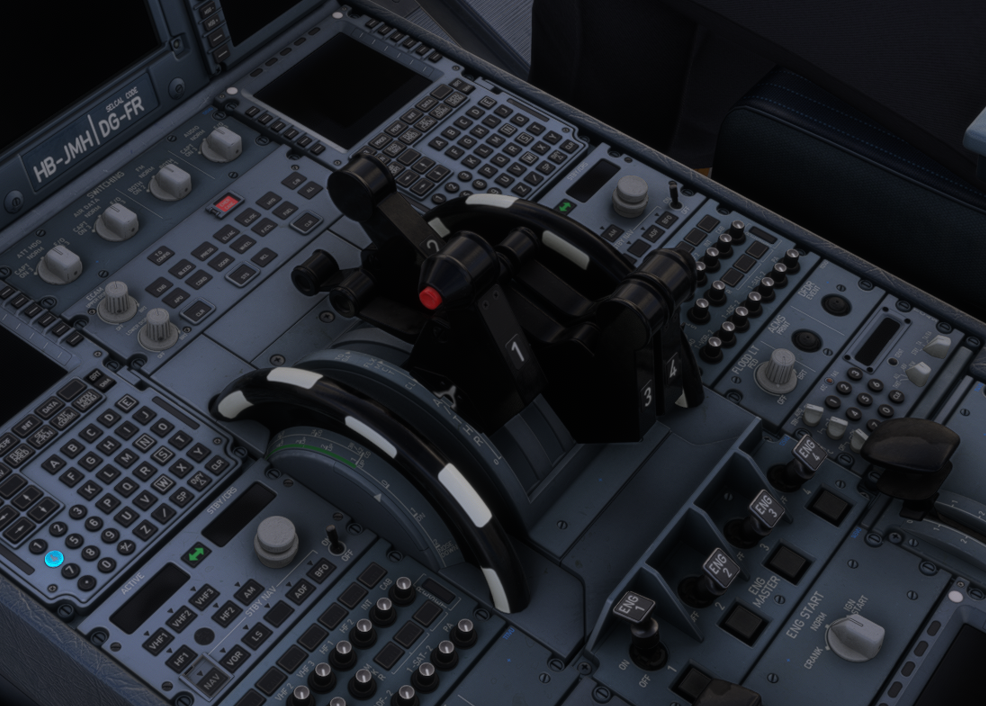
-
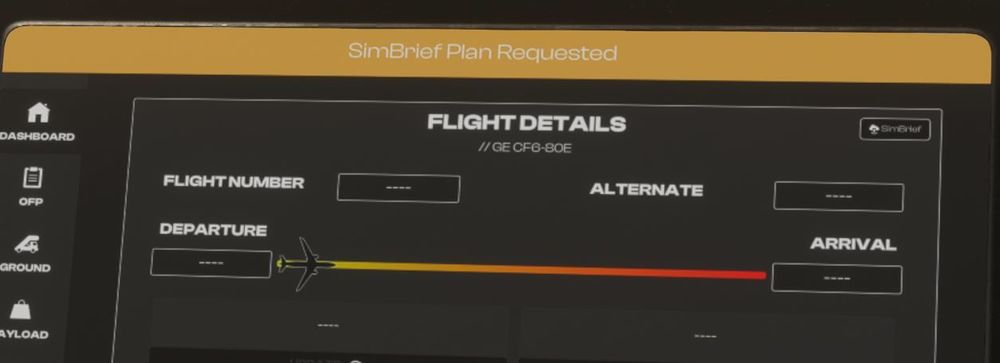
I have been able to fix my problem. It was my mistake. I always entered the Simbrief-username and not the Pilot ID. It works with the Pilot ID. The Pilot-ID can be found in the account setting on Simbrief (8-digit number). Regards Joël
-
Hello Loading Simbrief flight plans does not work for me either. Although ‘SimBrief Plan Requested’ appears, everything remains empty. I have already deleted any files in the ‘Work’ folder as described. Unfortunately this has not helped. I have this problem with all iniBuilds planes. (For your information: loading Simbrief works in the Fenix A320) Do you have any other ideas? Thanks for your help! Greetings Joël