


dresoccer4
-
Posts
274 -
Joined
-
Last visited
-
Days Won
1
Content Type
Profiles
Forums
Downloads
Posts posted by dresoccer4
-
-
2 hours ago, frank_m said:
In the same way as in all other planes. You have to assign controls for the sim rate of course.
re-read the original post: as I said when I manually engage it, the sim rejects it and brings it back down to 1. thats the whole issue here
-
17 minutes ago, frank_m said:
You have to configure the Simrate 2x and 4x in the OIS. At Simrate 4x you can enter 8x or 16x manually using configured hotkeys.
i have simrate 4x selected, but how do I manually engage it?
-
4 hours ago, limbo said:
I'm curious to know why you would need to do this anyway. One click import, I remember putting in simbrief plan files for the pmdg so many times then eventually realising I just import in the tablet. But you do you
You're assuming everyone uses SimBrief. I only use it if I have to, but majority of the time I use LittleNavMap. It's much easier to create a custom route and save to be used with multiple aircraft.
-
I am unable to control time compression >1 manually. Every time I enable it, the sim rejects it and brings it back down to 0.
How can I manually control time compression? I dont want to have to change screen and zoom in, etc, to keep clicking auto time compression on and off again. I want to be able to use my normal keyboard shortcut.
Thanks!
-
bump. anyone know anything about this?

-
couple questions regarding walk around mode:
1) how do you access the refuel panel and coupling? like where speciically do you click? can you control the refueling from here? can you call the refuel truck from here?

2) how can you open the avionics bay door? i can't find the clickspot:
-
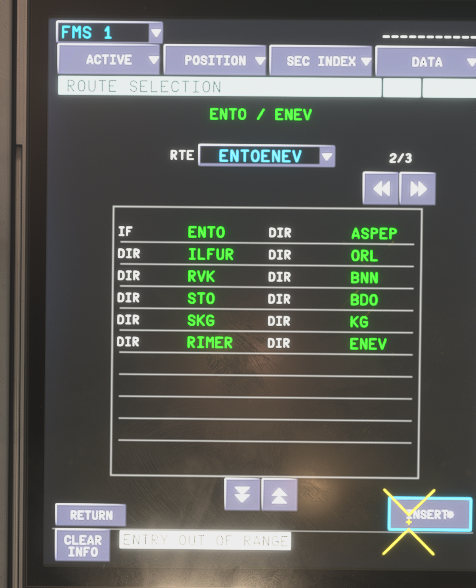
I have a pre-created flight plan which is displaying correctly in the 'route selection' screen. However when pressing *INSERT nothing happens and I can't get the flight plan to load.
What am I missing here?
-
On 2/24/2026 at 4:13 PM, IniJamir said:
It's proprietary, ultimately the only options are Simbrief or Manual via MCDU, sorry for the initial confusion regarding the files and importing.
is this for the 340 only? or all of the ini planes? i'm a little confused because i've seen other threads for the a350 file plan location
-
are we sure it's not in the WASM folder? a lot of the other tubeliners put their there now
-
18 minutes ago, IniJamir said:
Is this your first flight immediately after downloading and loading into the aircraft?
i believe so.
however after flying about 100 miles manually the GPS randomly came back 🤷♂️. so for now everything is good. coming in to land soon so we'll see what happens
-
 1
1
-
-
2 minutes ago, iniSteven said:
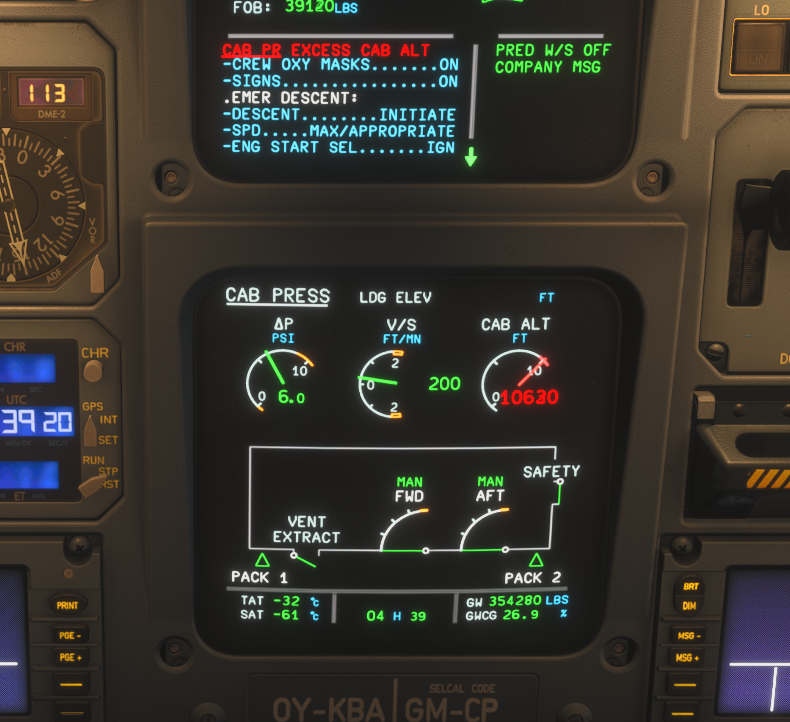
Hi, the issue is that your vent extraction is on manual override. This should be closed in flight, but the manual override opens it, which is why you cannot reduce your cabin altitude.
you solved it! i saw in the APU diagram that the vent was open and leaking air out but i had no clue how to close it. i must have hit that switch on the ground a while back but the cabin altitude didn't become a problem till i was up at cruise because of the leak. thanks!
-
-
I’m currently North of Norway at FL330 when all of the sudden I lost all GPS navigation systems. Is this accurate, is there no GPS at all between Norway and Svalbard?
(also I’m getting a constant audible message saying “pull up!” over and over that began when I lost GPS…related?)
-
Just got a big warning that the cabin altitude is too high. I'm at FL330 right now. I can't get the cabin V/S to go back down it won't go any lower than 200fpm even when on manual.
-
I was inspecting the APU and was excited to see pretty much the full internal model of the APU engine has been modeled. However I'm not sure if it's supposed to be more centered or if this is correct?
-
2 minutes ago, IniJamir said:
Hello,
You can insert the files here, however it uses our own format so it's possible that it will not accept the usual .pln files. If you use simbrief, even the free version you can still generate flight plans and import them from there to the aircraft without having to save physical plans to your storage.
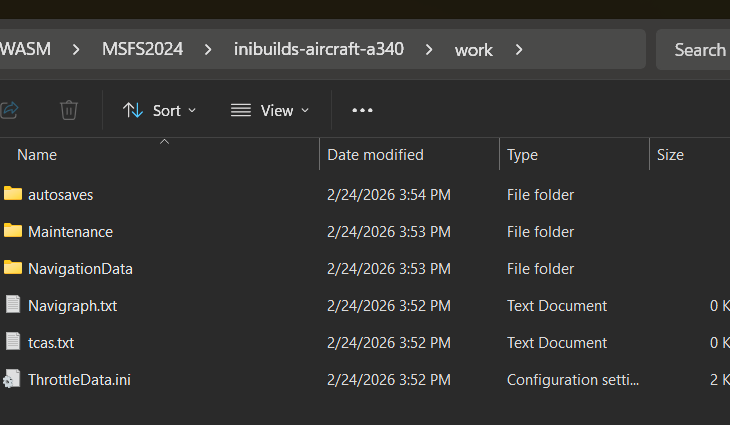
\Microsoft Flight Simulator 2024\WASM\MSFS2024\inibuilds-aircraft-a340\work\flightplans
thanks. i found the directory but no flightplans folder. does this need to be created manually?
in terms of format, I use LittleNavMap to create and save flight plans, which format does iniBuilds use so I know which one to save?
-
When playing via Steam, where on my harddrive should i place my .pln files so I can load the route in the A340 FMS? Thanks
-
6 hours ago, IniSteve said:
Is this a specific SID or just custom points out of EGFF?
no departure, just runway to waypoints
-
1
-
-
Just now, IniSteve said:
Hi, this is due to the way LNAV calculations are factored with assumed speed at 250kias. It should settle into staright lines once you takeoff and are at slower speeds.
Can you share the departure procedure so we can take a deeper look on our end?sure thing:
-
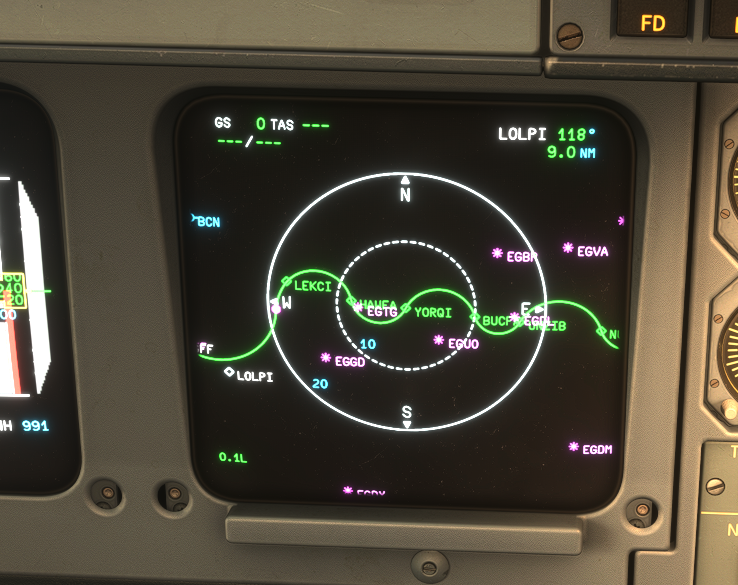
Just imported my first route from Simbrief and it drew in this crazy curvy manner. Is this a setting I need to change or something?
-
when choosing different map overlays they all look the same. am i doing something wrong? (sorry for bad photo, hdr)
-
2 minutes ago, IniSteve said:
Hi. You have the option of using either default or Navigraph data. You can set either on the SETTINGS/3RD PARTY page on the EFB.
To use Navigraph you will need an active subscription.thanks, so if I use sim default, but I've updated the sim's nav to latest airac, will the A340 then have the latest airac?
-
Can someone point me to instructions on how to update the FMS navigation data? Or does it use the built-in msfs2024 data?
-
13 minutes ago, IniJamir said:
Hello,
EIS1 (First Generation)
Technology: CRT screens.
Era: Older A320 family aircraft (production up to early 2000s).
Visuals: Slightly smaller, rounded-edge display units.
System: Often associated with earlier, more basic ECAM layouts and older Navigation Display (ND) logic.
EIS2 (Second Generation)
Technology: LCD screens.
Era: Newer A320ceo (mid-2000s onwards) and standard on A320neo.
Visuals: Improved, square-edge displays with higher contrast and resolution.
System: Updated ECAM layout, often integrated with newer avionics systems like digital chronometers or ISIS (Integrated Standby Instrument System).Hope this helps, thank you.
great info, thanks! i do slightly see the differences now when looking at the corners of the screens








Manual time compression?
in Systems
Posted
ok so if i'm understanding it correctly, you cannot activate time compression in any way except zooming in to the left screen, navigating into the settings, and clicking on the auto time compression. and to turn it off you have to do the same thing. theres no way to actually enable the normal time compression using the normal keyboard shortcuts like in every other plane. is this correct?