





Ells
Member
-
Joined
-
Last visited
Everything posted by Ells
-
Do you mind posting a comparison screenshot with the canopy open and closed, exactly the same view please looking out, so canopy closed looking through the glass and then open. I'm not seeing the blur on my PC but would like to test this further. Thanks
-
Thanks, something we are looking into.
-
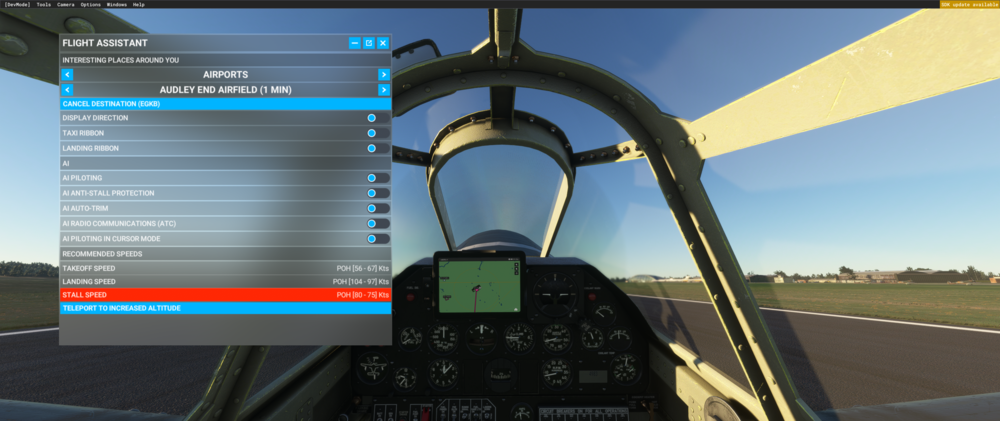
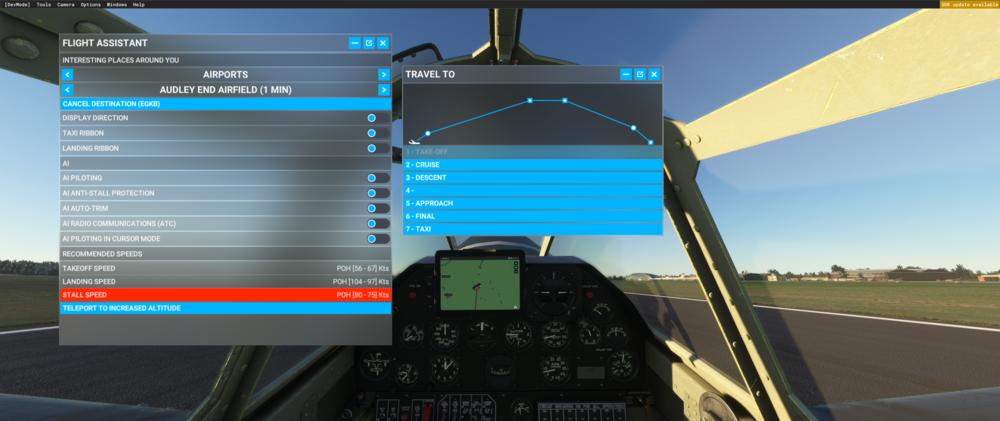
Hey, You can use the in-sim Flight Assistant feature which is fully functional. The AI pilot can even fly you to different waypoints, airfields, etc. if you have them set along the route. This is a handy way to have hands-off flying. You can also chose the Travel To option from the drop down if you wish to advance to different stages during your flight (be aware it teleports you there):
-
I've been testing this as well this morning and can't reproduce. Simbrief selects RENDI2S for me (not 1S) but even so we still need to manually enter it in the FMC, which it looks like you did as 2S is the only option in the FMC. I've tried on PC with cold and dark, runway start and on my Xbox as well runway start and every time it turns right at IVLUT. It's clear from your video that it carried on, however we can't produce it. Still looking into it though.
-
Have updated the code on our end for the next patch to be hardcoded and not use the localization (TT:).


