Skip to content
View in the app

A better way to browse. Learn more.

iniBuilds Forum

A full-screen app on your home screen with push notifications, badges and more.

To install this app on iOS and iPadOS
  1. Tap the Share icon in Safari
  2. Scroll the menu and tap Add to Home Screen.
  3. Tap Add in the top-right corner.
To install this app on Android
  1. Tap the 3-dot menu (⋮) in the top-right corner of the browser.
  2. Tap Add to Home screen or Install app.
  3. Confirm by tapping Install.

a320vlg

Member
  • Joined

  • Last visited

Everything posted by a320vlg

  1. sure wanted to report so you would know great 😃
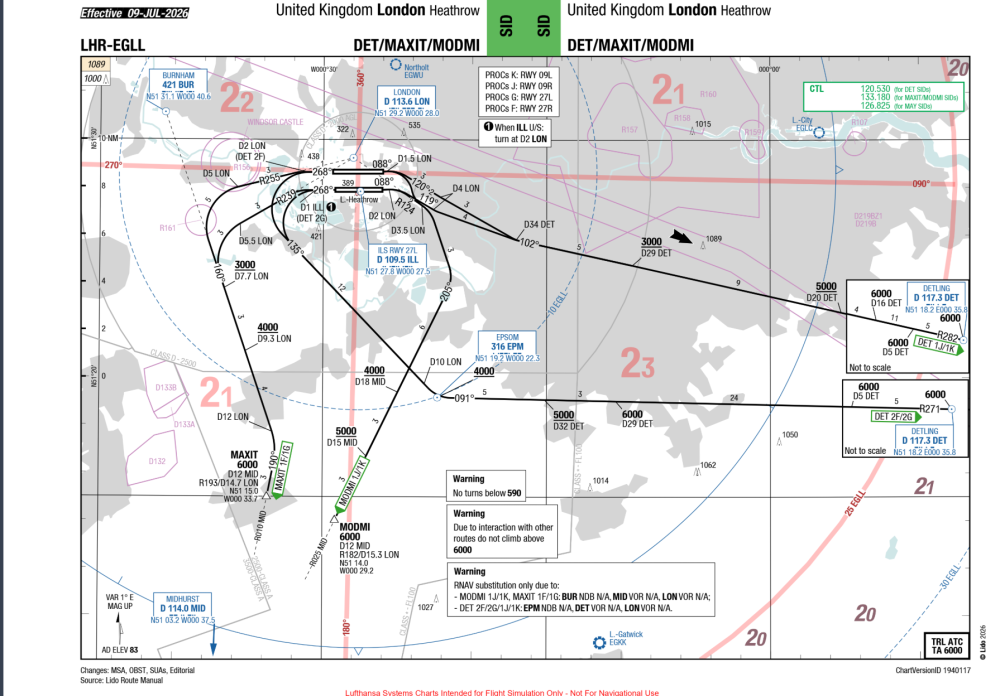
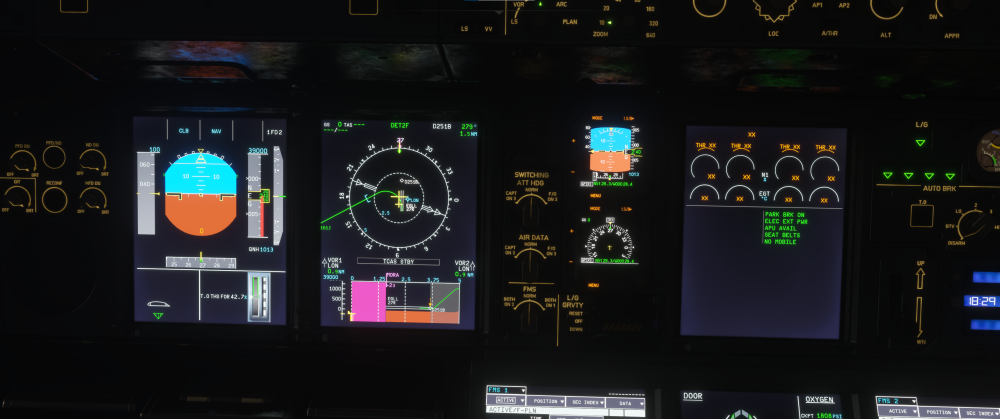
  2. EGLL 27R SID DET2F FMS draws SID wrong it turn to early turn should start at D251B
  3. a320vlg replied to a320vlg's topic in Other
    already solved it throttle ex as axis
  4. a320vlg replied to a320vlg's topic in Systems
    thanks for response what would be best way to make video ?
  5. a320vlg posted a topic in Systems
    did apporach to EGLL rnav F-loc was captured was flying at apporach speed and plane turned wrong way
  6. a320vlg posted a topic in Other
    does plane work with FSUIPC ?
  7. a320vlg posted a topic in Systems
    i have question about hud colors sometimes its white and sometimes its green is there button to change it or is it only automatic ?
  8. how i update the nav data plane is not in the menu nav data center

Account

Navigation

Configure browser push notifications

Chrome (Android)
  1. Tap the lock icon next to the address bar.
  2. Tap Permissions → Notifications.
  3. Adjust your preference.
Chrome (Desktop)
  1. Click the padlock icon in the address bar.
  2. Select Site settings.
  3. Find Notifications and adjust your preference.