




Erik
Member
-
Joined
-
Last visited
Everything posted by Erik
-
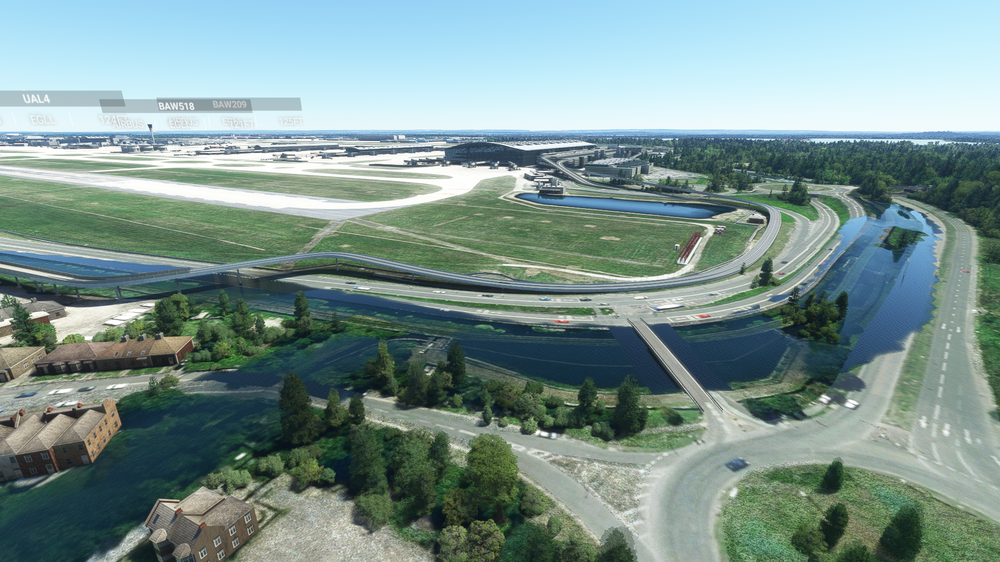
Hi iniScene team, Just got EGLL via Marketplace and noticed that there is a part of the area flooded near runway 09L. I know there is some water there IRL, but this does not look good. Is this something you can please address in the upcoming v2 update? Thanks!
-
Hi all, with the upcoming patch for EGLL I trust the scenery will be good and consider purchasing. I see a nice sale at the Marketplace right now, but I cannot see which version is on Marketplace? Is it 1.22?
-
Thanks for the update! Will you also look at gate radius and parking codes? I think it is sufficient to assign them per terminal instead of per gate...
-
Please keep a good trade off between quality and performance. On one hand people are complaining about performance and on the other hand they want as much detail as possible. For me I would like to add maximum compatibility with AI, so parking codes for all the airlines at the correct terminals.
-
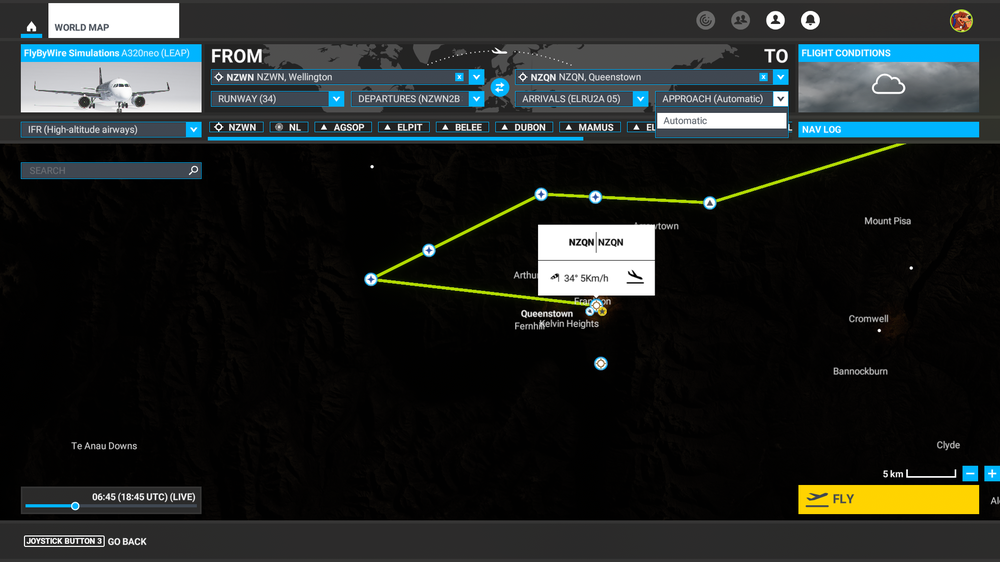
Queenstown should have RNAV approaches (see: VATNZ Airspace - Airports - Queenstown (NZQN) for instance). But when on the world map selecting the airport no approaches are available? Is this an issue with the default NavData or with the scenery?
-
I am still considering this airport, but the performance issues are holding me back since it quite ruins the immersion... Is there still being looked at this? This question is from the 2nd of May and still no response.


