




atcogl
Member
-
Joined
-
Last visited
Everything posted by atcogl
-
OK I did a re-install, but it has not fixed the problem. I have got it on video, can I please PM you the link to download it? Something is definitely wrong with my A310, because as you will see it is flying normally (although not my best approach ever, flying with one hand while holding your phone in the other isn't that easy apparently!) then when it gets to about 60ft RA it starts pitching up.At this point I decided to let go of the yoke completely and it just keeps pitching up until it climbs away up to over 4000fpm climb rate and stalls. Also note at 30ft RA the autothrust does not idle in this case but keeps adding power and the aircraft climbs. I have absolutely no idea what is causing this. My A310 used to perform normally but a couple of updates ago I started seeing this behaviour.
-
I'm having a very strange issue with the A310 that is killing my ability to land the aircraft, but it doesn't look like anyone else is having it. I'm nice and stable on approach, I usually hand fly from 1,000ft RA down. I have no problems keeping the aircraft stable and on speed. Then I get to about 200-100ft RA and the A310 starts pitching nose up. I have to add a fair bit of down elevator just to keep it from entering a climb. Once I recover that around 50ft it starts to pitch up again, with or without autothrust engaged, meaning that around 30ft I get a very prolonged float. I don't even need to add any back pressure to the yoke as it pitches nose up by itself. Of course this causes the speed to drop off and I normally end up slamming into the ground at 10-15kts below vref and floating outside the touchdown zone. This has only recently started happening and I don't have the issue with any other aircraft. I'm using the Thrustmaster Boeing Yoke and Honeycomb Bravo throttles. I've checked all my assignments to make sure nothing is interfering from the hardware side. I'm thinking first step might just be a re-install. Is that done through the in game content manager or can I just delete the folder from community?
-
Yes, I would also absolutely pay for the PW and Cargo expansions for the A310 and of course a complete A300-600 package as well.
-
My A310 has not compiled properly. On first load it loaded in less than a minute. When I look in my LocalState\packages\microsoft-aircraft-a310-300 folder there is just a work folder and no other files. No dll, lib, cache, obj or pdb files at all. Completely empty except for the work folder. Looks like the WASM is not compiling properly. I was not in dev mode, and have not had dev mode enabled for months. I had the A310 installed within 30mins of the launch and did not run the A310 before installing the Enhanced package. So my first run was with the Enhanced included if that makes any difference.
-
Hi guys, Please can you give the modelLib.bgl located in .....inibuilds-airport-klax-losangeles\Scenery\airport-klax-losangeles\klax-modelLib a unique name. Multiple instances of files named modelLib.bgl can cause CTD problems. The modelLib should always have a unique name. There are tools that can rename this file (Addon Linker is one) but its good practice to have a unique name for each scenery. Thanks!
-
Thanks, yup a reboot and sim restart fixed the issue.
-
Hi there, First up congratulations on a fantastically well done mega hub. The performance for the level of detail in an airport this size is remarkable. I purchased this evening after v1.01 came out so this is on a clean install of KLAX. Noticed pink GSE at Terminal 1 and at on an apron just to the North of 25R. I'm guessing this is a missing texture?
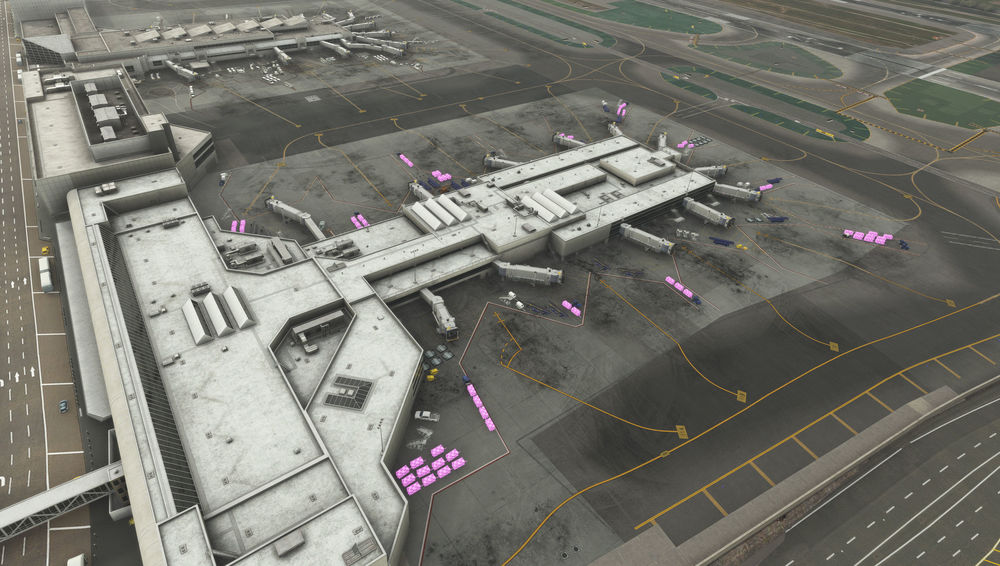
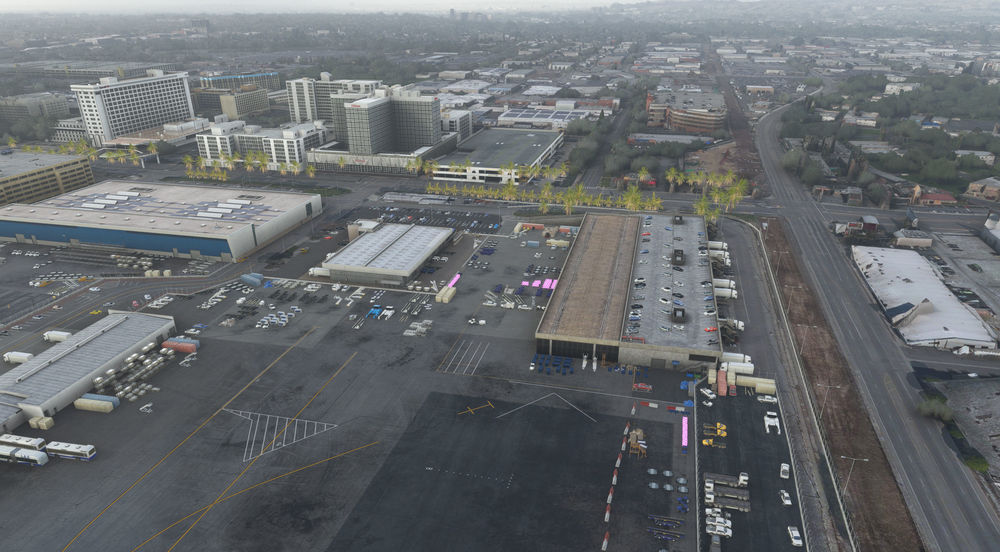
-
Incredible news about the A310 coming to MSFS. I do hope this will mean the superb A300 will be joining it at some point as well. Very happy with this news today, actually just signed up for a forum account to say thank you. Will be an instant purchase for me.


