




nmahink
Member
-
Joined
-
Last visited
Everything posted by nmahink
-
While I do agree with you, this is not the iniBuilds fault, this a sim bug. I do find it unacceptable that Microsoft and Asobo allowed not only this bug but a slew of other bugs into the release version. This bug has completely turned me away from flying out of LAX in FS24.
-
I too am experiencing stutters and performance, however it creeps in slowly, during preflight to cruise everything is ok, then after 2-3 hours flight the stutters and sudden FPS drops kicks in, I have noticed this issue since v1.0.7, I thought 1.0.9 would fix this but it is still there.
-
I really do hope the LOD bug gets fixed in SU2. This is just another one of FS24 bugs that I am surprised got allowed into the release. I really want to move toe FS24 completely, looks like I'll be with FS20 for the time being. On a bright note, iniBuilds did an amazing job doing my home airport justice!
-
Is there any chance to maybe have a temporary workaround for the tower to load? Maybe use the 2020 tower model? The scenery is wonderful is it just that the tower not loading takes away from the immersion and is preventing me from using the airport.
-
Ah I see, thank you for the explanation. I really hope the developers at Asobo can fix this. LAX is my home airport and control tower is what makes the airport truly stand out.
-
Here is the tower loaded in in when up close.

-
I've noticed that the control tower LOD does not load at all, but when I move much closer the tower loads in. Can you please look into this bug? It's ruins the immersion when I am parked at a gate or taxiing along and the control tower does not load. I never had this problem in FS20. I have OLOD at 200 and TLOD at 200. Only add on installed is just the airport.


-
I will check this on the next flight, I don't recall if I had STEP ALTs in the waypoints
-
I'm currently flying Los Angeles to Singapore on A359, I enabled auto step climb, initial cruise FL340, I wake up 8 hours later and the plane was still at FL340.
-
Any chance to have option for a WiFi bubble added? It would be nice for airlines such as Aer Lingus, EVA Air, Swiss, Lufthansa, Delta, China Eastern, SAS, Air Canada, Cathay Pacific, KLM, ITA Airways, Air France.
-
Just installed Heathrow, there is no option to pick SD or HD textures, they are both blue, I checked the egll-modellib folder and there is only on 'texture' folder.
-
Thank you for the response!
-
Any chance for a Hawaiian Airlines livery? They are big a330-200 operator, I am surprised there is not one Hawaiian Airlines livery available despite FS24 being released for two months.
-
This has been an on going issue, no matter how many times this gets brought it up it gets ignored regardless of photos and multiple forum posts.
-
Good evening, is it possible to add the wifi dome antenna option to the A330 as many operators have it installed.
-
The fix worked! Thank you!
-
After updating to v1.3, it looks like there is a serious error, look at all the double taxi signage, it looks like it did not get fixed at all and it got worse. Here are the images attached, please fix this
 Here is an image of Gate 155, clearly no A380 upper deck jetway from the real airport
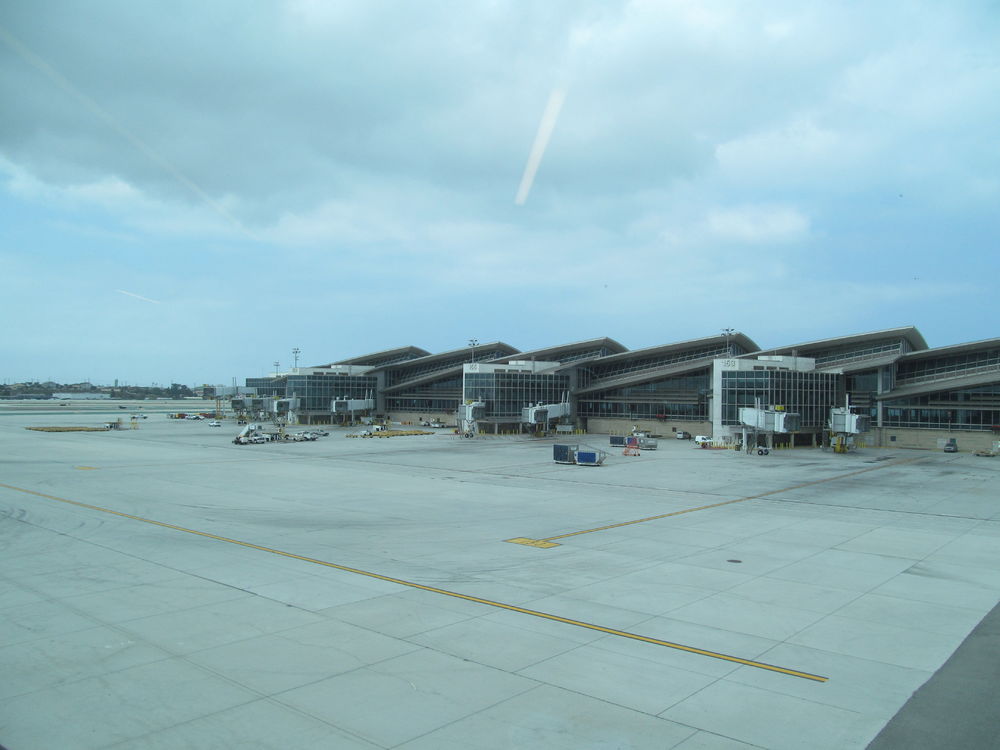 Gate 155 jetway is too high as if it is an A380 jetway, in the real airport the jetway should be at the normal level just like at gate 157.
 Looks like there is a double taxiway sign
 Other than that, the performance is amazing!


Account
Navigation
Configure browser push notifications
Chrome (Android)
- Tap the lock icon next to the address bar.
- Tap Permissions → Notifications.
- Adjust your preference.
Chrome (Desktop)
- Click the padlock icon in the address bar.
- Select Site settings.
- Find Notifications and adjust your preference.
Safari (iOS 16.4+)
- Ensure the site is installed via Add to Home Screen.
- Open Settings App → Notifications.
- Find your app name and adjust your preference.
Safari (macOS)
- Go to Safari → Preferences.
- Click the Websites tab.
- Select Notifications in the sidebar.
- Find this website and adjust your preference.
Edge (Android)
- Tap the lock icon next to the address bar.
- Tap Permissions.
- Find Notifications and adjust your preference.
Edge (Desktop)
- Click the padlock icon in the address bar.
- Click Permissions for this site.
- Find Notifications and adjust your preference.
Firefox (Android)
- Go to Settings → Site permissions.
- Tap Notifications.
- Find this site in the list and adjust your preference.
Firefox (Desktop)
- Open Firefox Settings.
- Search for Notifications.
- Find this site in the list and adjust your preference.