




Retroflyer1983
Member
-
Joined
-
Last visited
Everything posted by Retroflyer1983
-
Q: Fuel management , I am assuming 2L should always have their pumps on and 2R should be off for long haul till needed to overflow into the crossfeed tanks? "Ini please bring us a classic airport like KSTL with parked TWA aircraft ? or the old Denver airport ! 🙂
-
Found a bug on the Autopilot panel, I am not able to switch Vertical Switch any higher than 200 ft Per min , then it scrolls automatically back to zero, It will however step climb when ALT is pushed in. Otherwise a fantastic aircraft
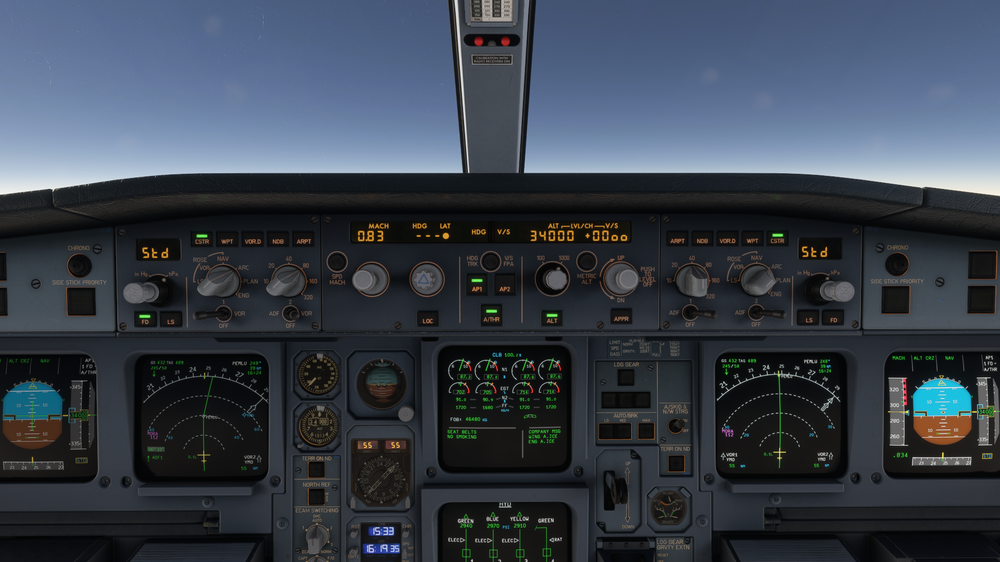
-
Thank you! I love the scenery. yeah I think I have to wait for MSFS2020 to optermize london a little better. I rember the same thing happening with Xplane 11 when they first started
-
Most other airports I get 40-60 fps, However at EGLL I get around 25-30. if I tune down my graphic settings its worse. Particularly in the FENIX A320. Is Ini builds going to update this airport for better performance? Its really great the detail and I know from experience with Xplane 11 in the past they kept updating to optimize for better fps. Im not sure if its juts MSFS2020 London where they over killed with detail? I cant seem to fly on vatsim around london anymore 😞 Thank You ini ! its really great.


