Gungnir
Member
-
Joined
-
Last visited
Everything posted by Gungnir
-
I also notice that the 2 and 3 positions make no sound at all. This can't be right, surely. Are we only hearing the slats or something?
-
Is the freezing page impression just that the input has automatically jumped to the next input field? It does seem a bit inconsistent. If I go to STEP ALTS and enter a waypoint, then click on the altitude field, then enter a flight level using the keyboard and hit enter, the input jumps to the next waypoint field. Usually, when using my physical keyboard to enter something, the "input focus" momentarily jumps to the next thing, but then back to where my cursor was. Using the ENT key on the KCCU is when the input jumps and stays at the next field. Lots of words to describe something anyone will immediately notice if they try to enter, say, takeoff V-speeds using both physical keyboard and KCCU. Hopefully it's clear.
-
This happens when under ramp lighting (not at a runway where there is no lighting). I have never seen it before, confident it was introduced with the patch.
-
This feature was added about 3 days after I asked for it, so I'm pretty impressed by my powers of persuasion. What should I ask for next?
-
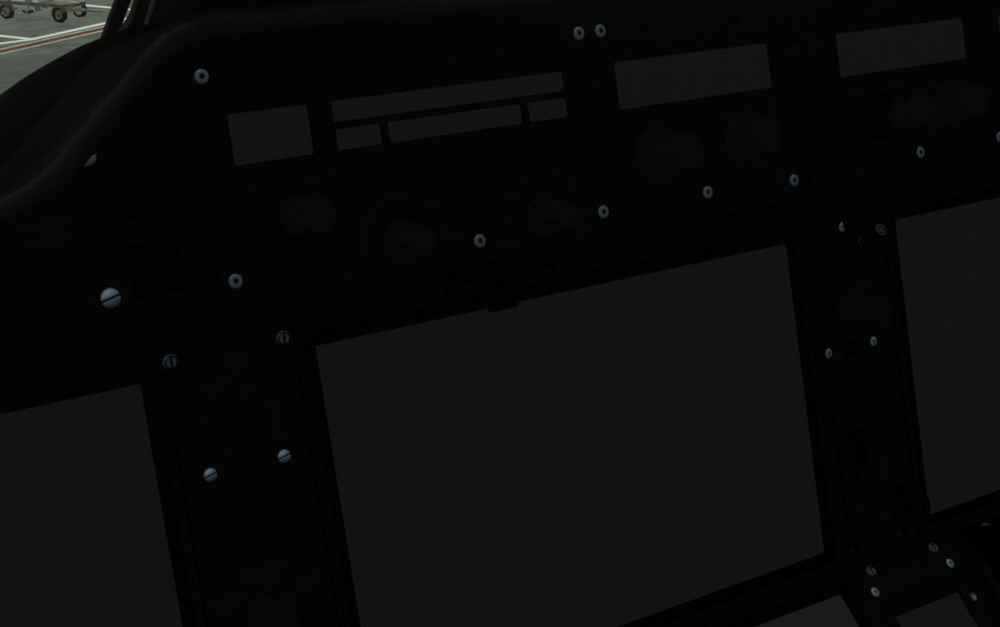
Spawn a cold and dark jet when the sun is shining, and look across at the FO's screens. You will see the texture with fingerprint smudges and dust jitter in relation to the rest of the cockpit. It's less visible when you fully zoom in, so try the default zoom level and just look over at the FO side backup display. If you can't reproduce this I am happy to share a video, settings etc, but I'm guessing it's easy to see.
-
I might be mistaken but it feels like it mostly happens upon the first printout (i.e. when you insert the company flight plan in the fms). I would say it happens maybe every 5--7 flights or so for me. Perhaps it depends on aircraft state -- when I request and insert the CMPY F-PLN I have battery and external power on and basically nothing else (ADIRS ON but hard to imagine that makes a difference). Maybe try that?
-
The only way to get it back is switching (at least within the short time I have waited before doing that). It's actually really scary because when the background sound stops you think the sim may have crashed and your 15 min of cockpit prep was wasted.
-
Yes, this is a common issue that started fairly recently (not sure if it was SU7 or before). Sometimes (maybe every 3 times?) printing the loadsheet makes the other sounds mute. Switching to external view and back again makes it normal again.
-
Hi! The A380, I learn, has a performance mode which unloads the cabin unless the cockpit door is open -- an excellent idea. The 350 also has a Performance mode, but having tested it by opening the cockpit door while looking at the vram allocation and frame times, I don't think it unloads the cabin. 1) is that correct? What does it hide then? 2) What are the odds of 350 inheriting that tech (cabin unloaded when door closed) from the 380 in v2 or 1.2.7? I'm sure it would give us a nice boost. Thanks!
-
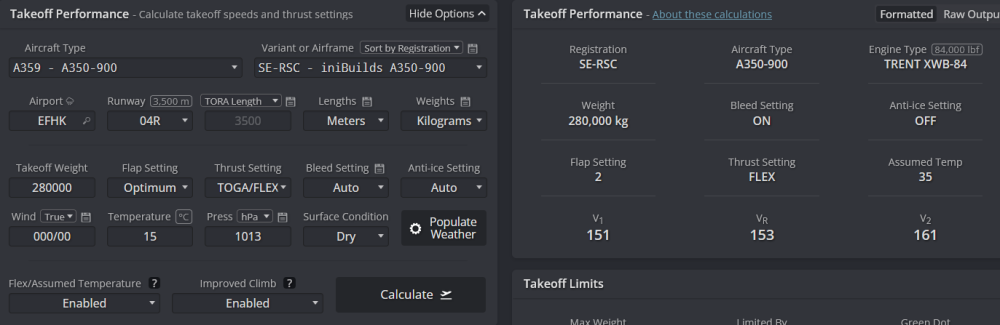
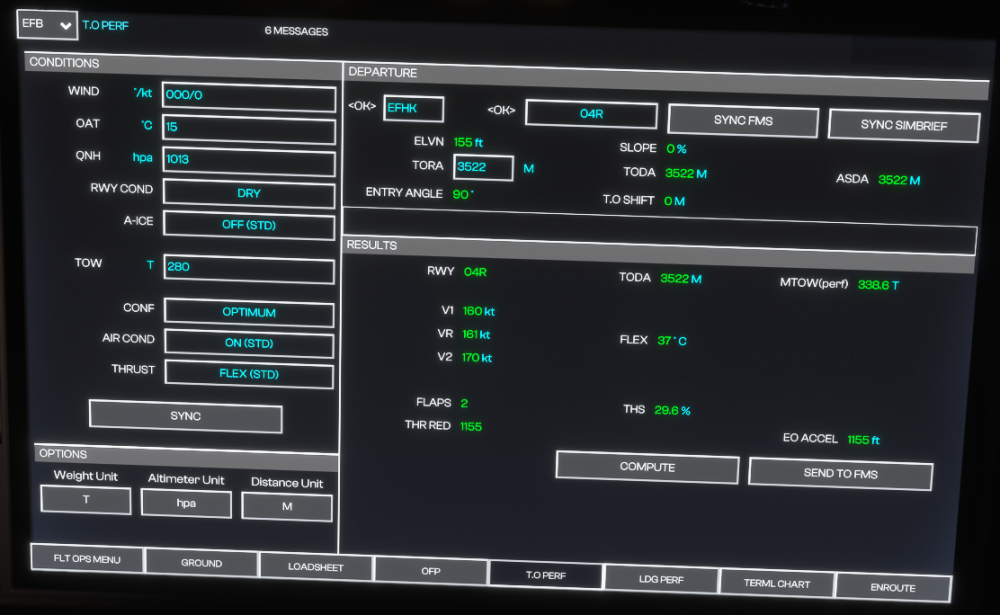
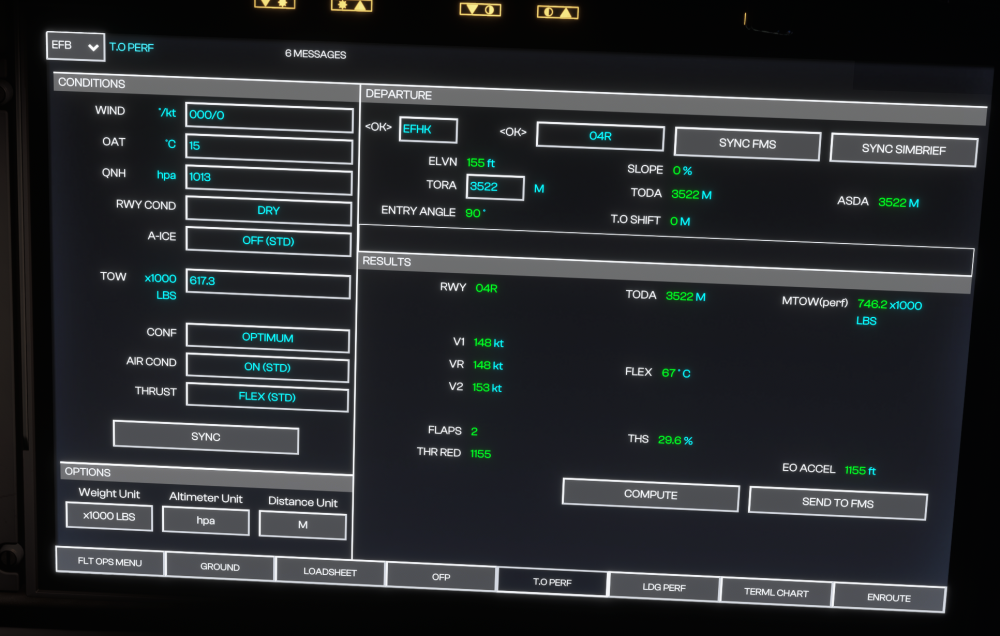
I find quite large differences between the Simbrief tool and the OIS tool too. Here is QNH 1013, 15 degrees and no wind with TOW = 280 T and CONF 1 forced, giving 10 kts difference for the same configuration. I have no clue which one is more accurate though, or how much arbitrariness is included in this. I would guess that the reason the aircraft does not do its own calculations (it's up to the airline/crew) is because there are many reasonable answers to the question. Speaking of arbitrariness, switching the weight unit to 1000x lbs (and changing nothing else) gives very different results (a bug I found reported here but not acknowledged): So something, at least, is broken.
-
A good 10% of the time, my clicks on the screens in the A350 don't register. I have tried various screen refresh rate settings. Thought it was just me.
-
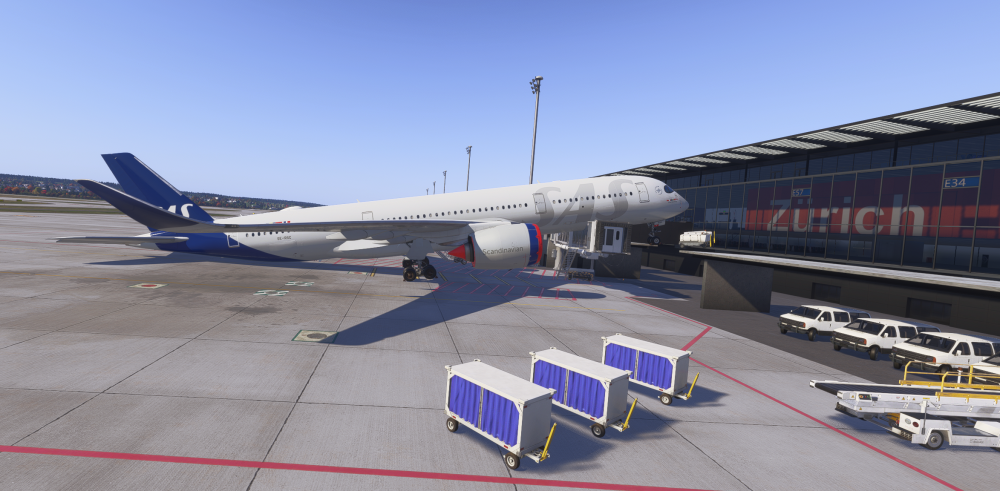
Due to GSX having interesting ideas of where my plane should spawn, I had the experience of tailstriking while cold and dark :D In the flight deck, the aural warning "pitch, pitch" can be heard. Clearly there should be some basic requirements (like power to the ADIRS perhaps, not to mention power to the speakers). Not sure if it's related, but A330Driver recently (https://www.youtube.com/live/HP5ZaSw0d8A?si=KvxHOo9--_STofXn&t=983) had terrain warnings despite being on the ground and even turning the TAWS off. Clearly some of these warnings occuring in incorrect configurations/situations/aircraft states.
-
I prefer handling addons via the MSFS marketplace instead of using N different download managers in order to get updates etc. I bought the A350 and VHHH through the MSFS marketplace, and I am now seemingly unable to use the jetways at all (they move neither via GSX or via the OIS menu) at most/all of the appropriate gates. I have to say I find it baffling that you break jetways for customers like that and make the tool exclusive to the people who bought via the iniManager. You already have a Utilities category in the manager, just put it there?
-
-
-
-
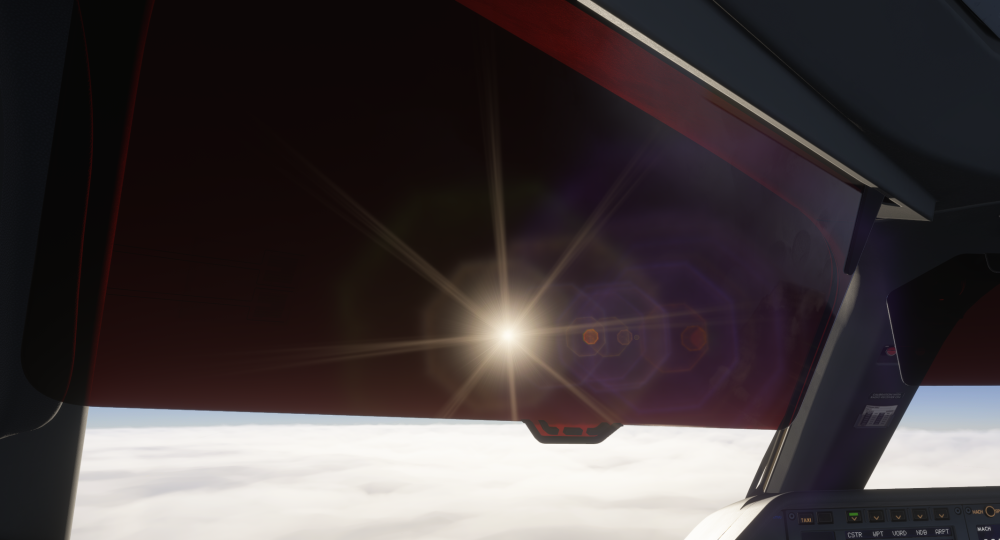
Hi! I'm not sure if this is due to an engine limitation, but the a350's sun shields don't actually decrease the sun's brightness very much -- there's still this sunstar texture which makes the sun appear as bright as without the shield. Hopefully it's possible for you guys to remove the glare. Thanks!