




RYR73MAX8
Member
-
Joined
-
Last visited
-
Departed EHAM runway 18L with a 90 degree right crosswind but for some reason I had no control on the roll during the rotation and ended up with a wingstrike. Luckily I was testing Performance and not on VATSIM. Is this a bug or was I doing something wrong here.? https://streamable.com/ev5pk8
-
😃
-
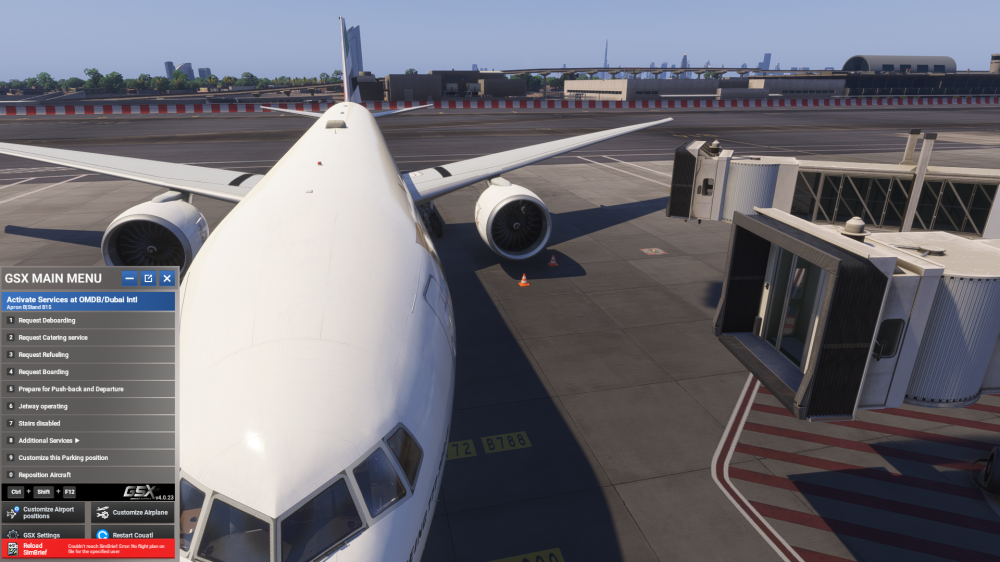
Dubai V2 scenery appears to have bugged jetways (At least for me) where they won't move even if I set operate Jetways. I have the multi jetway option enabled. Is that the reason for the issue?
-
Hello! Has anyone been having lighting issues with the inibuilds a320neo? When I want to turn on the flight deck lights to dim or bright, it doesn't light up. Same goes to the panel flood light, they don't light up either. I would like some help because I really want to be back flying the neo in the sim. System: Microsoft Flight Simulator 2020 Pc Thanks.


